


Employee Monitoring for Retail and Hospitality: From POS Tracking to Seasonal Workforce Management
Retail and hospitality operate on thin margins where every wasted labor hour erodes profitability. Employee monitoring software built for these industries tracks POS activity, prevents shrinkage, manages seasonal workforces, and keeps operators compliant with wage-and-hour laws that carry steep penalties for violations.
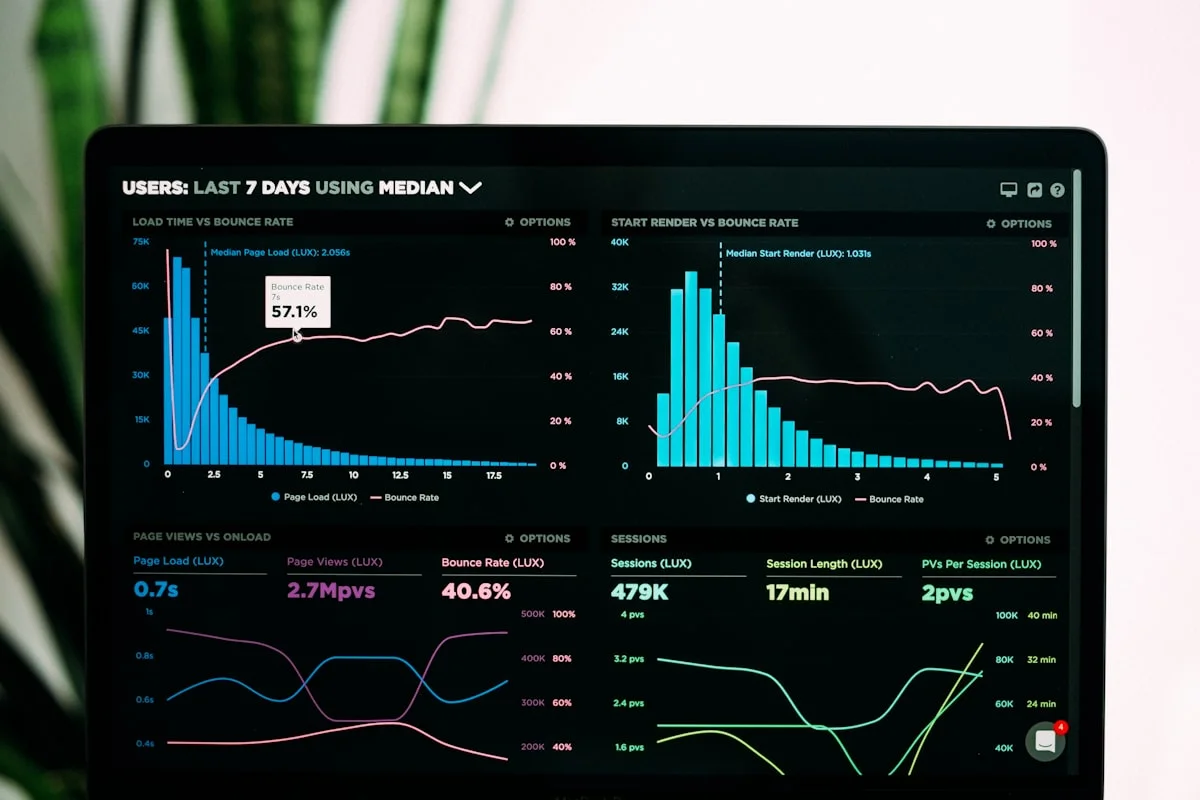
Employee monitoring for retail and hospitality is a category of workforce management software that tracks hourly worker activity, attendance, point-of-sale system usage, and productivity across stores, restaurants, and hotels. Unlike office-based monitoring that focuses on app and website usage, retail employee tracking centers on shift compliance, transaction activity, shrinkage prevention, and labor cost control. The National Retail Federation reports that US retail shrinkage reached $112.1 billion in 2022, with employee theft accounting for approximately 29% of total losses (NRF, 2023 National Retail Security Survey). Hospitality faces similar challenges: the Bureau of Labor Statistics records an annual turnover rate of 73.8% in accommodation and food services (BLS, 2024), making workforce visibility essential for operations that constantly onboard, train, and manage temporary staff.
This guide covers the specific monitoring use cases that matter in retail and hospitality: POS activity tracking, shrinkage detection through behavioral signals, seasonal workforce management, multi-location oversight, labor law compliance for hourly workers, and the practical steps to deploy monitoring in high-turnover environments.
Why Retail and Hospitality Monitoring Differs From Office Monitoring
Employee monitoring in retail and hospitality environments operates under fundamentally different constraints than corporate office monitoring. The differences shape which features matter, how monitoring is configured, and what outcomes operators should expect.
The first distinction is workforce composition. Retail and hospitality teams consist primarily of hourly, non-exempt workers protected by the Fair Labor Standards Act (FLSA). Every clock-in, break, and overtime hour carries legal consequences. Office monitoring focuses on productivity optimization. Retail monitoring must also serve as a compliance record-keeping system for wage-and-hour regulations.
The second distinction is turnover velocity. While the average US employee tenure across all industries sits at 4.1 years (BLS, 2024), retail and hospitality tenure averages under 12 months. Monitoring systems must onboard and offboard employees rapidly, often weekly. A monitoring platform that requires 30-minute installations per device or complex configuration becomes impractical when 40% of the workforce turns over during a holiday season.
The third distinction is multi-location complexity. A single retail chain might operate 50 to 500 locations, each with different shift patterns, local labor laws, and staffing levels. District managers need consolidated views across all locations, while store managers need granular visibility into their specific teams. Hospitality operators face similar complexity across hotel properties, restaurant chains, and franchise networks.
How does monitoring software adapt to these industry-specific constraints? eMonitor addresses retail and hospitality requirements through rapid two-minute deployment per device, per-user monthly pricing that scales with seasonal headcount, centralized multi-location dashboards, and automated attendance and overtime tracking designed for hourly workforce compliance.

POS Employee Monitoring: Tracking Point-of-Sale Activity and Transaction Patterns
Point-of-sale systems are the operational center of every retail and hospitality business. POS employee monitoring tracks how staff interact with these systems throughout their shifts, identifying both productivity patterns and potential loss indicators.
Direct POS transaction auditing (void rates, refund patterns, discount usage) is a function of the POS system itself. Employee monitoring software like eMonitor adds a second layer: it tracks the broader activity context around POS usage. This contextual monitoring reveals patterns that POS exception reports alone cannot.
What POS Activity Monitoring Reveals
eMonitor's activity tracking captures which applications employees use during shifts and for how long. For POS-station employees, this data shows several operationally important patterns.
Idle gaps between transactions. Retailers expect cashiers to maintain a steady transaction pace during peak hours. eMonitor's idle detection flags extended gaps between POS activity that may indicate distraction, personal device use, or employees leaving their station. A 2023 loss prevention study by the Loss Prevention Research Council found that cashier idle time correlating with inventory discrepancies is the single strongest predictor of internal theft at retail locations (LPRC, 2023).
Unauthorized application switching. During active shifts, POS employees should primarily interact with the POS system, inventory management software, and authorized communication tools. eMonitor flags when employees access non-work applications during shift hours, providing store managers with data to address behavior before it becomes a pattern.
Shift coverage and transaction volume alignment. By overlaying eMonitor's attendance data with POS transaction volume, retail operators identify when staffing levels misalign with customer demand. A location consistently showing four cashiers active during a two-cashier volume period is overstaffed. A location showing extended customer wait times with only one active POS station is understaffed. This data drives scheduling optimization that directly reduces labor costs.
But POS monitoring alone is not enough to detect shrinkage. What behavioral patterns across the full workday signal loss risk?
Team Productivity, This Week
Productive hours / day
Activity mix
▲ Deep-focus time up 19% after protecting daily focus blocks.
Illustrative eMonitor dashboard.
Preventing Employee Shrinkage With Behavioral Monitoring
Retail shrinkage from internal sources represents a $32.5 billion annual problem in the United States alone (NRF, 2023). Traditional loss prevention relies on video cameras, POS exception reports, and periodic audits. Employee monitoring software adds a behavioral analytics layer that detects subtle patterns human reviewers miss.
Employee monitoring for shrinkage prevention does not mean accusing staff of theft. It means creating an environment of accountability and transparency where irregular patterns surface early for investigation. The vast majority of retail employees are honest. Monitoring protects them by ensuring their work is accurately recorded and their colleagues are held to the same standards.
Behavioral Indicators That Signal Shrinkage Risk
Loss prevention professionals identify several behavioral patterns that correlate with internal theft. Employee monitoring software tracks many of these indicators automatically.
- Irregular shift patterns: Employees who consistently arrive early or stay late outside scheduled hours, particularly when the store is closed or lightly supervised. eMonitor's attendance tracking flags clock-ins outside scheduled shift windows.
- Extended idle periods at active POS stations: Prolonged gaps in POS activity during business hours, especially when correlated with inventory movement, are a red flag. eMonitor's idle detection quantifies these gaps with timestamps.
- Unauthorized system access: Employees accessing inventory management, pricing, or back-office systems outside their job responsibilities. eMonitor's application tracking logs every system accessed during shifts.
- Schedule adherence anomalies: Repeated pattern of specific employees requesting the same shift, particularly closing shifts with minimal supervision. Attendance data across weeks reveals these patterns.
- Productivity drops before departure: Employees planning to leave (or already engaged in theft) often show declining engagement signals in the weeks before an incident. eMonitor's productivity analytics track these trends.
The key is combining these behavioral signals with POS exception data. An employee with a high void rate (from the POS system) who also shows irregular shift-boundary activity and unauthorized system access (from eMonitor) presents a much clearer risk profile than either data source reveals independently.
Building an Accountability Culture Without Eroding Trust
Monitoring in retail works best when employees understand what is tracked and why. Organizations that implement monitoring transparently, with employee-facing dashboards showing their own attendance and activity data, see better outcomes than those deploying monitoring silently. A 2024 study by the Society for Human Resource Management (SHRM) found that 67% of hourly workers prefer transparent digital tracking over subjective manager evaluations when transparent tracking is used for fair scheduling and accurate pay (SHRM, "Hourly Worker Sentiment Survey," 2024).
eMonitor supports transparent deployment through employee-facing dashboards where staff view their own hours, break times, and attendance records. When employees can verify their own data, disputes decrease and trust increases.
Seasonal Workforce Monitoring: Managing Peak Periods Without Chaos
Retail and hospitality businesses experience dramatic seasonal fluctuations. A department store might operate with 200 employees in September and 450 in December. A beach resort might triple its staff between May and August. Seasonal workforce monitoring must scale rapidly, deploy instantly, and cost nothing when seasonal staff depart.
How does eMonitor handle the unique demands of seasonal retail and hospitality staffing?
Rapid Seasonal Onboarding
eMonitor's two-minute deployment process is designed for exactly this scenario. A store manager adding 25 seasonal employees during Black Friday week does not need IT support or lengthy configuration. The lightweight agent installs quickly on each POS workstation or back-office device, and monitoring begins immediately. For a 30-location chain adding 500 seasonal workers, full deployment completes within a single business day.
The per-user monthly pricing model ($3.90/user/month) means seasonal scaling is financially practical. Add 200 temporary employees for three months, and you pay for exactly those 200 users for exactly three months. No annual contracts, no minimum commitments, no paying for idle licenses during off-peak months.
Monitoring Seasonal Worker Productivity
Seasonal employees lack institutional knowledge and established work patterns. Without monitoring, managers have limited visibility into whether temporary staff are productive, engaged, or simply present. eMonitor's real-time activity dashboard gives store managers immediate insight into seasonal worker performance.
Retail operators using eMonitor during seasonal peaks typically identify three patterns within the first two weeks. First, a small percentage of seasonal hires (usually 10 to 15%) are significantly underperforming, allowing early intervention or replacement. Second, seasonal workers who receive feedback based on activity data improve productivity by an average of 18% within 10 days compared to those managed without data (ICSC, "Seasonal Workforce Productivity Study," 2024). Third, attendance compliance among seasonal staff improves by 22% when automated tracking replaces manual sign-in sheets, simply because the system eliminates buddy punching and early clock-in inflation.
Clean Seasonal Offboarding
When the season ends, deactivating seasonal employee accounts in eMonitor takes seconds per user. The system retains historical data for compliance records (FLSA requires three years of retention for non-exempt workers), but active monitoring and billing stop immediately. This clean on/off cycle makes monitoring economically viable for businesses that would never justify annual per-user licenses for temporary workers.
Managing Employee Monitoring Across Multiple Retail Locations
Multi-location retail and hospitality operations face a monitoring challenge that single-site businesses do not: maintaining consistent workforce standards across geographically dispersed teams with different local managers, shift patterns, and even labor laws.
eMonitor's centralized dashboard provides district and regional managers with consolidated views. Each location appears as a distinct team with its own shift schedules, monitoring configurations, and performance metrics. Managers filter by location, compare attendance rates between stores, and identify outlier locations in seconds.
Cross-Location Benchmarking
When all locations use the same monitoring platform, cross-location benchmarking becomes possible and powerful. A regional manager overseeing 15 locations can instantly compare average shift adherence rates, idle time percentages, overtime costs, and productivity trends across stores. Locations that consistently underperform become coaching opportunities. Locations that consistently outperform become models for best-practice sharing.
For example, if Store A shows 94% shift adherence while Store B shows 78%, the regional manager investigates the difference. The monitoring data often reveals the cause: Store B might have inconsistent break scheduling, a pattern of late clock-ins, or one shift supervisor who does not enforce attendance standards. Without consistent monitoring data across locations, these discrepancies remain invisible until they impact revenue.
Location-Specific Labor Law Compliance
Multi-state retail chains navigate different labor regulations by jurisdiction. California requires daily overtime after eight hours. Oregon mandates predictive scheduling for retail and hospitality employers with 500+ employees worldwide. New York City requires "just cause" protections for fast food workers. eMonitor's configurable rules allow different overtime thresholds, break requirements, and scheduling parameters per location, so a chain operating in 12 states maintains compliance in each jurisdiction from a single platform.
Labor Law Compliance for Hourly Retail and Hospitality Workers
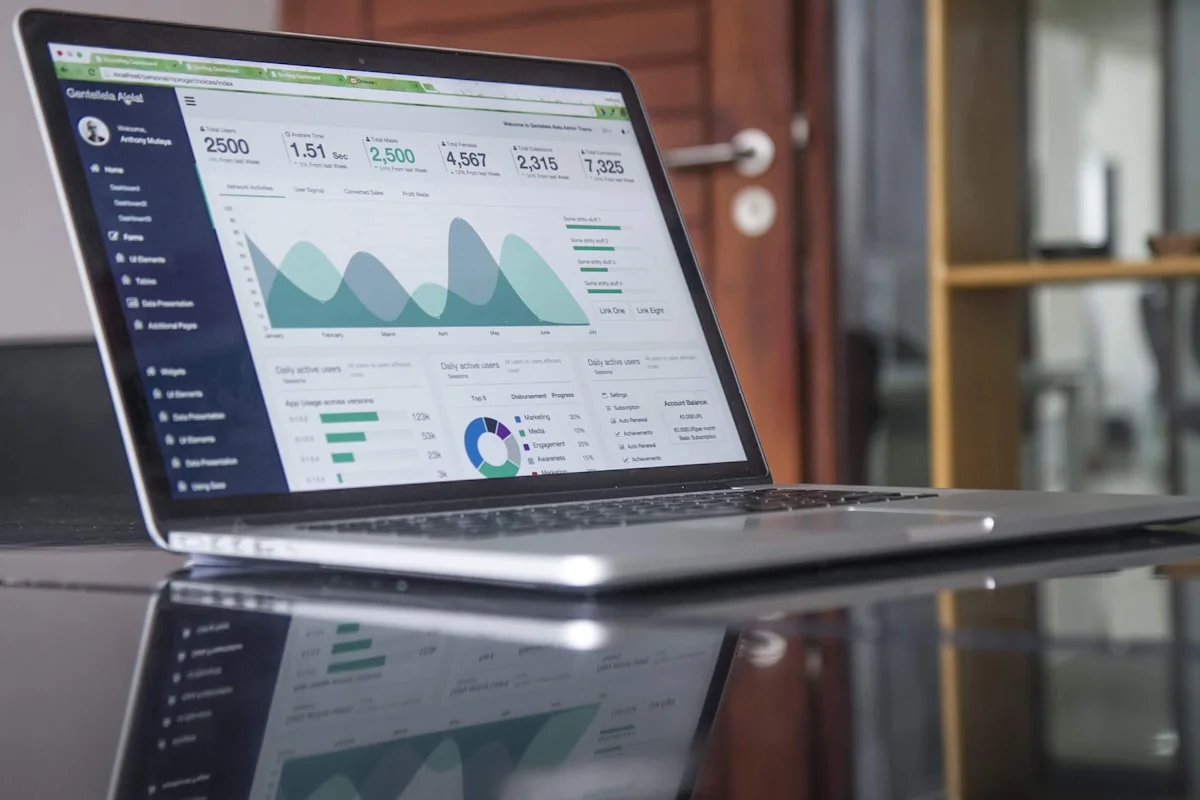
Labor law compliance is not optional in retail and hospitality. It is the highest-stakes function of employee monitoring in these industries. The US Department of Labor recovered over $274 million in back wages for wage-and-hour violations in fiscal year 2023 (DOL, Wage and Hour Division Annual Report, 2023), with retail and hospitality among the most frequently investigated sectors.
FLSA Record-Keeping Requirements
The Fair Labor Standards Act requires employers to maintain accurate time records for every non-exempt employee. Required records include the employee's full name and identifying number, hours worked each day, total hours worked each workweek, the basis on which wages are paid, regular hourly rate, total daily or weekly straight-time earnings, total overtime compensation for the workweek, and all additions to or deductions from wages.
eMonitor's automated time tracking satisfies these requirements with tamper-proof digital records that capture exact clock-in times, clock-out times, break durations, and calculated overtime. Records export in CSV and PDF formats for audits, and the system retains data beyond the FLSA's three-year minimum requirement.
Overtime Management and Prevention
Unauthorized overtime is one of the most expensive labor compliance issues in retail. Under the FLSA, employers must pay overtime (time-and-a-half) for all hours over 40 per workweek, even if the overtime was not authorized. This means a cashier who clocks in 15 minutes early every shift and stays 15 minutes late has earned approximately 2.5 hours of unauthorized overtime per week. At $15/hour, that is $56.25 per week per employee in unplanned labor cost, or nearly $3,000 annually.
eMonitor sends configurable overtime alerts when employees approach threshold hours. Managers receive notifications at 35 hours, 38 hours, or any custom threshold. This proactive approach typically reduces unauthorized overtime by 25 to 40% in the first quarter after implementation. For a 100-person retail operation with average unauthorized overtime of 2 hours per employee per week, the savings range from $97,500 to $156,000 annually at a $15/hour blended rate.
Break Compliance Monitoring
Twenty-one US states require meal breaks for adult workers, and nine states require paid rest breaks (DOL, State Labor Laws, 2025). Retail and hospitality operations face particular scrutiny because the pace of service often leads to missed or shortened breaks. Employee monitoring software tracks break timing and duration automatically, creating a compliance record that protects both the employer (against wage claims) and the employee (against break violations).
eMonitor's break tracking logs when employees go idle (indicating a break) and how long the break lasts. Managers receive alerts when breaks fall short of state-mandated minimums, giving them the chance to ensure compliance in real time rather than discovering violations during a Department of Labor investigation months later.
Hotel and Restaurant Monitoring: Industry-Specific Use Cases
Hotels and restaurants present monitoring challenges that differ from retail. The work is more physical, roles are more diverse (front-of-house, back-of-house, housekeeping, maintenance), and the relationship between time tracked and service quality is less direct.
Restaurant Workforce Monitoring
Restaurants operate on notoriously thin margins. The National Restaurant Association reports that average restaurant profit margins range from 3 to 5% (NRA, 2025). Labor typically represents 25 to 35% of revenue. Even small improvements in labor efficiency, such as reducing overtime by 10% or improving schedule adherence by 15%, have outsized impact on profitability.
Employee monitoring in restaurants focuses on three areas. First, attendance and punctuality: automated clock-in replaces error-prone manual punch cards, and late-arrival alerts notify managers immediately when a server or cook is missing at shift start. Second, overtime control: during busy periods like Friday dinner service or brunch rush, staff easily drift into overtime. Real-time alerts give managers visibility before the overtime accrues. Third, schedule compliance: when the Tuesday prep cook repeatedly swaps shifts without authorization, attendance data surfaces the pattern.
But restaurants also require monitoring flexibility. A line cook does not sit at a desktop. Front-of-house staff use POS terminals intermittently. Back-of-house teams may share a single time-clock terminal. Monitoring solutions must accommodate these realities rather than force restaurant workflows into an office-shaped tool.
Hotel Operations Monitoring
Hotels manage diverse worker roles across 24-hour operations. Front desk staff, housekeeping teams, maintenance crews, F&B service workers, and back-office administrators each have different monitoring needs.
For front desk and reservation staff who work at computer terminals, eMonitor provides full activity monitoring: application usage, idle detection, shift adherence, and overtime tracking. For housekeeping and maintenance staff who do not use computers during their shifts, the primary monitoring value comes from automated attendance tracking (clock-in/out verification) and shift scheduling compliance.
Multi-department hotel monitoring through eMonitor creates visibility that manual systems cannot match. General managers see which departments maintain shift schedules, which departments accumulate unauthorized overtime, and where attendance patterns suggest staffing adjustments. A hotel running 85% housekeeping occupancy during a 60% hotel occupancy period is overstaffed. Monitoring data makes that visible in real time rather than at the end of a payroll cycle.
How to Implement Employee Monitoring in Retail and Hospitality: A Practical Guide
Deploying employee monitoring in retail and hospitality requires a different approach than office environments. The workforce is larger, more transient, and more distributed. Here is a practical implementation plan based on patterns from retail operators using eMonitor across 10+ locations.
Step 1: Pilot at Two or Three Locations (Week 1)
Select two or three representative locations: one high-performing, one average, and one underperforming. Install eMonitor on all POS workstations and back-office computers at these locations. Configure shift schedules, break rules, and overtime thresholds specific to each location's state labor laws. Run monitoring in transparent mode with employee notification from day one.
Step 2: Establish Baselines (Weeks 2 to 3)
Allow two weeks of data collection before making any operational changes. This baseline period reveals current attendance patterns, average idle time, overtime frequency, and application usage patterns. Baseline data is essential because it provides the "before" measurement that proves ROI when the "after" data arrives.
Step 3: Address Quick Wins (Week 4)
Two weeks of monitoring data almost always reveals immediate optimization opportunities. Common quick wins in retail include identifying employees who consistently clock in 10 to 15 minutes early (generating unauthorized overtime), discovering that certain shift transitions have 30-minute coverage gaps, and finding that specific POS stations show significantly higher idle time than others (indicating training or staffing issues).
Step 4: Full Chain Rollout (Weeks 5 to 8)
After validating results at pilot locations, roll out monitoring to all remaining locations. eMonitor's cloud architecture requires no on-site servers, so deployment is a per-device installation process. A 30-location chain can typically complete full rollout in under one business day using the two-minute-per-device installation process.
Step 5: Ongoing Optimization
Monthly review of monitoring data across all locations drives continuous improvement. Compare metrics between locations. Identify best-performing locations and document their practices. Flag locations with declining metrics for manager coaching. Adjust overtime thresholds and shift schedules seasonally as demand patterns shift.
Cost-Benefit Analysis: Employee Monitoring ROI in Retail
Retail and hospitality operators make technology decisions based on measurable financial returns. Here is a realistic ROI analysis for a 50-employee retail operation implementing eMonitor.
| Cost or Saving Category | Monthly Impact | Annual Impact |
|---|---|---|
| eMonitor cost (50 users at $3.90/mo) | -$195 | -$2,340 |
| Time theft reduction (1 hr/week/employee recovered at $18/hr avg) | +$3,600 | +$43,200 |
| Unauthorized overtime reduction (30% reduction) | +$1,500 | +$18,000 |
| Payroll processing time saved (HR hours) | +$400 | +$4,800 |
| Schedule adherence improvement (reduced overstaffing) | +$800 | +$9,600 |
| Net benefit | +$6,075 | +$72,900 |
At $2,340 in annual cost and $75,600 in annual gross savings, the ROI is approximately 27:1. Even if actual savings are half of these conservative estimates, the return still exceeds 13:1. Few technology investments in retail deliver this ratio.
Employee Privacy and Transparent Monitoring in Retail
Privacy concerns in retail monitoring are real and valid. Hourly workers already operate in closely managed environments. Adding digital monitoring requires clear communication, fair policies, and genuine transparency to avoid backlash.
Three practices consistently produce positive outcomes in retail monitoring deployments. First, announce monitoring before it starts, not after. Explain what is tracked (attendance, shift compliance, POS activity, overtime) and what is not tracked (personal phone usage during breaks, off-hours activity). Second, give employees access to their own data. eMonitor's employee-facing dashboards let staff verify their hours, check attendance records, and dispute any inaccuracies. Third, frame monitoring as a fairness mechanism. When everyone's time is tracked consistently, favoritism and subjective assessments decrease. High performers are recognized based on data, not proximity to the manager.
The Electronic Communications Privacy Act (ECPA) permits monitoring on company-owned devices with legitimate business purposes. State-specific requirements (Connecticut and Delaware require written notice; New York and California have additional notification requirements) must be addressed in your monitoring policy. Consult employment counsel before deployment in multi-state operations.

Integrating Employee Monitoring With Retail Technology Stacks
Retail and hospitality businesses already operate complex technology ecosystems: POS systems, workforce management platforms, payroll processors, inventory management, and scheduling tools. Employee monitoring works best when it complements these existing systems rather than replacing them.
eMonitor integrates into this stack at the workforce data layer. Time and attendance data from eMonitor exports to payroll processors, eliminating manual timesheet collection. Activity data provides context that POS exception reports lack. Overtime and compliance records flow into HR systems for regulatory documentation.
The practical integration workflow for most retail operations follows this pattern: eMonitor captures time, attendance, and activity data on store devices. Managers review dashboards and approve timesheets through eMonitor. Approved timesheet exports (CSV/PDF) import into payroll systems like ADP, Paychex, or Gusto. Compliance records (overtime, breaks, attendance) are retained in eMonitor for regulatory audits.
This approach avoids disrupting existing technology investments while adding the monitoring and compliance layer that most retail POS and scheduling systems lack.
Frequently Asked Questions About Employee Monitoring in Retail and Hospitality
How do retail stores monitor employees?
Retail stores monitor employees through POS transaction tracking, time and attendance systems, activity monitoring software, and video integration. eMonitor tracks clock-in/out times, application usage during shifts, idle periods, and overtime automatically. POS-adjacent monitoring flags irregular transaction patterns like frequent voids, manual discounts, and no-sale drawer openings.
Can you monitor POS transactions with employee monitoring software?
eMonitor monitors POS-related activity by tracking the applications and systems employees access during shifts, including POS software usage time, idle gaps between transactions, and unauthorized application switching. For direct transaction-level auditing, pair eMonitor's activity data with your POS system's built-in exception reporting to create a complete audit trail.
What is the best monitoring solution for seasonal retail workers?
eMonitor's per-user pricing at $3.90 per month with no long-term contracts makes it practical for seasonal workforce monitoring. Add seasonal employees in minutes, monitor attendance and productivity during peak periods, and deactivate accounts when the season ends. The fast onboarding process (under two minutes per device) is critical when onboarding 50 or more temporary workers simultaneously.
How does employee monitoring prevent shrinkage?
Employee monitoring prevents shrinkage by creating accountability and tracing irregular activity. eMonitor tracks when employees access POS systems, flags extended idle periods during active store hours, and logs application usage that deviates from normal shift patterns. Combined with POS exception data, this approach helps retailers identify the 30% of shrinkage attributable to internal theft (NRF, 2025).
Is employee monitoring legal in retail environments?
Employee monitoring in retail is legal in all 50 US states when conducted on company-owned devices with employee notice. The Electronic Communications Privacy Act (ECPA) permits employer monitoring for legitimate business purposes. Some states, including Connecticut and Delaware, require written notice before monitoring begins. Retail employers must also comply with the FLSA for hourly workers' time records.
How does employee monitoring help with labor law compliance for hourly workers?
eMonitor automatically records clock-in times, clock-out times, break durations, and overtime for every hourly worker. These tamper-proof digital records satisfy FLSA record-keeping requirements for non-exempt employees. Real-time overtime alerts notify managers when staff approach 40-hour weekly thresholds, preventing unauthorized overtime and the wage disputes that follow.
Can employee monitoring reduce time theft in hospitality?
Employee monitoring reduces time theft in hospitality by replacing manual punch cards with automated digital attendance. The American Payroll Association estimates that time theft costs employers 1.5 to 5% of gross payroll. eMonitor's idle detection and real-time attendance tracking eliminate buddy punching and early clock-in inflation common in shift-based hospitality environments.
What features matter most for restaurant employee monitoring?
Restaurants need shift scheduling, automated attendance tracking, overtime alerts, break compliance monitoring, and POS activity tracking. eMonitor provides automated time capture, idle detection, real-time dashboards, and configurable overtime rules. The mobile-friendly interface is important because restaurant managers rarely sit at desktops during service.
How do you monitor employees across multiple retail locations?
eMonitor provides a centralized dashboard where district and regional managers view attendance, productivity, and activity data across all locations. Each store appears as a separate team with its own shift schedules and monitoring rules. Managers filter by location, compare metrics between stores, and identify locations with attendance or productivity anomalies.
Does employee monitoring affect retail employee morale?
Transparent monitoring that employees understand and can access improves morale compared to hidden tracking or no accountability. eMonitor's employee-facing dashboard lets staff see their own hours, productivity data, and attendance records. A 2024 SHRM study found that 67% of hourly workers prefer transparent digital tracking over subjective manager assessments of their performance.
What is the ROI of employee monitoring in retail?
Retail businesses implementing employee monitoring report 15 to 25% reductions in payroll waste from time theft and buddy punching, 8 to 12% improvements in schedule adherence, and measurable shrinkage reductions. At $3.90 per user per month, eMonitor costs a 50-person retail operation $195 monthly. Recovering even one hour of time theft per employee per week produces $3,600 in monthly savings at $18/hour average wage.
How quickly can retail stores deploy employee monitoring?
eMonitor deploys in under two minutes per device with a lightweight desktop agent. A 30-location retail chain with 10 POS stations per store can complete full deployment within a single business day. No server infrastructure is required because eMonitor is cloud-based. Store managers receive access to dashboards immediately after employee devices are enrolled.
Sources
- National Retail Federation, "2023 National Retail Security Survey," 2023
- Bureau of Labor Statistics, "Job Openings and Labor Turnover Survey," 2024
- US Department of Labor, Wage and Hour Division Annual Report, Fiscal Year 2023
- Loss Prevention Research Council, "Cashier Behavior and Inventory Discrepancy Correlation Study," 2023
- Society for Human Resource Management, "Hourly Worker Sentiment Survey," 2024
- International Council of Shopping Centers, "Seasonal Workforce Productivity Study," 2024
- National Restaurant Association, "State of the Restaurant Industry Report," 2025
- American Payroll Association, "Time and Attendance Best Practices Survey," 2024

See What Your Team’s Workday Really Looks Like
eMonitor turns activity, time, and productivity data into clear insights, transparently, in one platform.