
Enterprise
Enterprise Workforce Analytics and Employee Monitoring at Scale
When you're managing hundreds or thousands of employees across departments, locations, and time zones, you need more than basic monitoring. eMonitor Enterprise delivers workforce intelligence at scale, with the security, integrations, and support large organizations require.
Custom pricing. Dedicated account management. SLA guaranteed.
Built for Enterprise Requirements
SSO & SAML 2.0
Integrate with your existing identity provider, Okta, Azure AD, Google Workspace, OneLogin. Single sign-on for smooth, secure access management.
REST API Access
Feed monitoring data into your existing BI stack. Connect with Tableau, Power BI, custom dashboards, HRIS systems, and internal reporting tools.
Role-Based Access Control
Granular permissions ensure team leads see their team, department heads see their department, and executives see organization-wide analytics.
Custom Dashboards
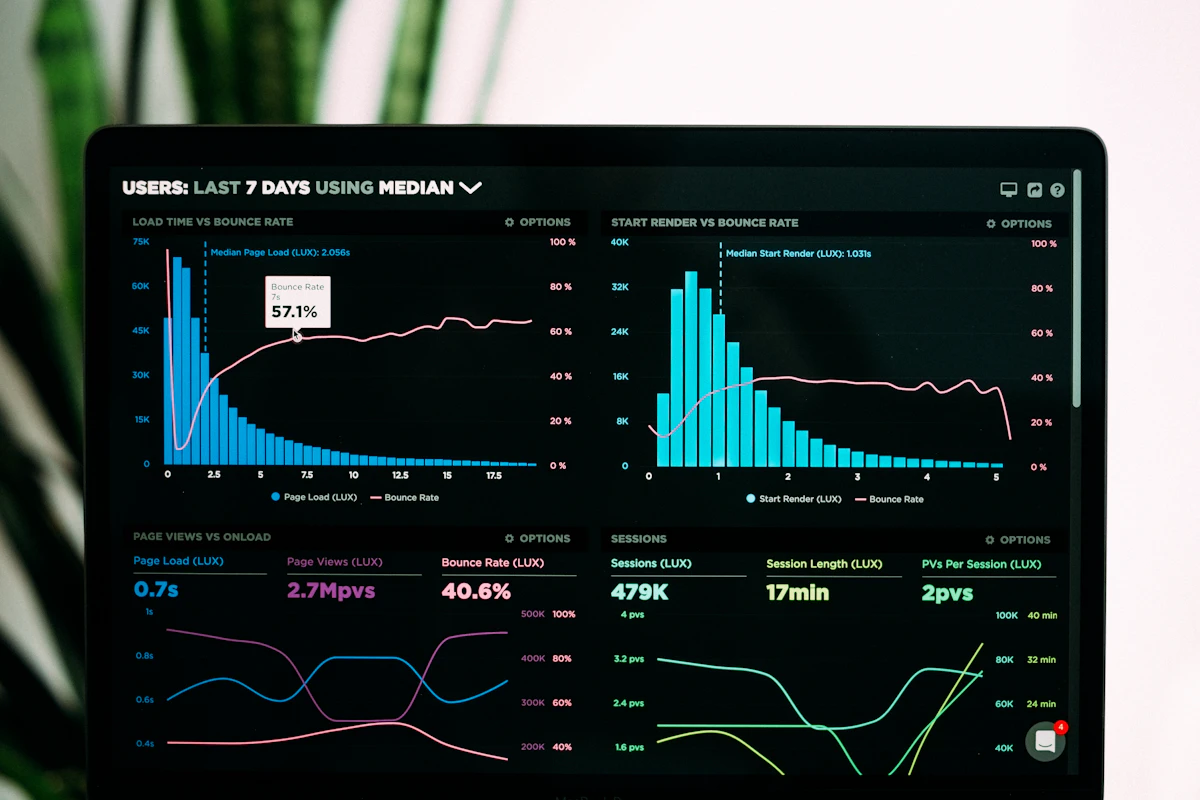
Each stakeholder level gets a tailored view. Ops managers see real-time status. HR sees attendance trends. C-suite sees workforce-level KPIs.
Dedicated Support
Named account manager, priority support queue, guaranteed response times, and quarterly business reviews to optimize your monitoring strategy.
99.9% Uptime SLA
Enterprise-grade reliability with guaranteed uptime, redundant infrastructure, and disaster recovery. Your monitoring never goes down when you need it.
Workforce Intelligence at Scale
Enterprise monitoring isn't about watching individuals, it's about understanding organizational patterns:
- Department-level benchmarking: Compare productivity metrics across departments to identify best practices and teams that need support.
- Workforce capacity planning: Understand actual utilization rates to make informed hiring, restructuring, and resource allocation decisions.
- Compliance reporting: Generate audit-ready reports for labor law compliance, overtime regulations, and internal policy adherence.
- Trend analysis at scale: Track productivity, attendance, and engagement trends across thousands of employees over months and years.
- Custom metrics: Define organization-specific KPIs and track them across the entire workforce through API-connected dashboards.
Department-Level Analytics: What Metrics Matter at Scale
When you are monitoring 500 or more employees, individual-level data becomes noise without department-level aggregation. Enterprise workforce analytics requires a different lens than small-team monitoring. Here are the metrics that matter most at the department level and what they reveal:
- Active time ratio by department: The percentage of logged hours that show genuine keyboard, mouse, or application activity. A healthy benchmark is 75-85% for knowledge worker teams. Departments consistently below 65% may indicate tool bottlenecks, unclear priorities, or workload imbalances rather than individual performance issues.
- Application portfolio by department: Which tools each department actually uses versus what is licensed. App and website tracking at scale frequently reveals that 20-30% of enterprise software licenses are underutilized or unused, representing immediate cost-saving opportunities.
- Overtime concentration: Identifying which departments consistently log overtime and whether that overtime is productive or a symptom of understaffing. This data feeds directly into workforce capacity planning and headcount justification.
- Cross-department collaboration patterns: Activity logs reveal how teams interact with shared tools and platforms, highlighting collaboration bottlenecks or silos that reduce organizational velocity.
- Attendance consistency scores: Aggregated attendance metrics per department track late arrivals, early departures, and absence patterns that may indicate management issues, cultural problems, or scheduling conflicts specific to certain teams.
eMonitor's enterprise dashboards present these metrics in real-time heatmaps, trend charts, and comparative tables that allow operations leaders to spot problems at the department level before they cascade into organization-wide issues.
Implementation Roadmap for 500+ Employee Organizations
Deploying employee monitoring at enterprise scale requires a structured approach. Based on successful deployments across organizations ranging from 500 to 5,000+ employees, here is the typical implementation timeline:
- Weeks 1-2: Discovery and configuration: Your dedicated account manager conducts stakeholder interviews with IT, HR, legal, and department heads. The system is configured with your organizational hierarchy, department structure, role-based access permissions, and SSO integration. Policies are defined for what is monitored, capture intervals, and data retention periods.
- Weeks 3-4: Pilot deployment (50-100 users): The desktop agent is deployed to a representative cross-section of departments. This pilot validates that the agent performs correctly across your hardware and software environment, that network bandwidth impact is negligible, and that dashboards display meaningful data for your specific workflows.
- Weeks 5-6: Communication and rollout planning: Based on pilot results, refine monitoring policies and prepare employee communication. Transparent communication is essential at scale, employees should understand what is being monitored, why, and how the data will be used. eMonitor provides template communications that have been refined across hundreds of enterprise deployments.
- Weeks 7-10: Phased full deployment: Roll out department by department, typically starting with the largest or most receptive teams. IT deploys the agent via your existing software distribution system (SCCM, Intune, Jamf, or similar). Each department goes live with manager training included.
- Weeks 11-12: Optimization and baseline establishment: With the full organization online, the first 30 days of data establishes baseline metrics. Your account manager conducts the initial quarterly business review to identify early insights and optimization opportunities.
Most enterprise organizations achieve full deployment within 90 days. The phased approach ensures minimal disruption and gives each department time to adapt before the next team comes online.
Data Integration With Existing BI Tools
Enterprise organizations rarely operate with a single analytics platform. eMonitor's REST API is designed to feed workforce data into your existing business intelligence ecosystem, creating a unified view of organizational performance:
- Tableau integration: Connect eMonitor's API as a data source in Tableau Desktop or Tableau Server. Build workforce productivity visualizations alongside revenue, project, and operational data. Common implementations include department productivity overlaid with project delivery timelines and correlation analysis between active work hours and output quality metrics.
- Power BI integration: Use Power BI's REST connector or custom connector to pull eMonitor data into your existing Power BI workspace. Schedule automatic data refreshes so that workforce dashboards update alongside your other enterprise KPIs. This is particularly powerful for organizations that already distribute Power BI dashboards to department heads through SharePoint or Teams.
- HRIS system feeds: Push attendance and time data from eMonitor into your HRIS (Workday, BambooHR, ADP, or SAP SuccessFactors) to eliminate duplicate data entry and ensure payroll accuracy. The API supports bidirectional sync so that employee roster changes in your HRIS automatically update eMonitor's user directory.
- Custom data warehouse: For organizations with a central data warehouse or data lake, eMonitor's API supports bulk data export in JSON format with configurable pagination. Feed raw monitoring data into Snowflake, BigQuery, or Redshift for custom analysis alongside other enterprise datasets.
API documentation, SDKs, and sample integration code are provided as part of the Enterprise onboarding package. Your dedicated account manager can also connect you with eMonitor's integration engineering team for custom connector development.
Compliance and Governance at Enterprise Scale
Large organizations operate under multiple regulatory frameworks simultaneously. eMonitor Enterprise includes governance features designed for complex compliance environments:
- Data residency controls: Choose where your monitoring data is stored to comply with GDPR, data sovereignty requirements, or internal data governance policies. Available regions include US, EU, UK, and APAC.
- Configurable data retention: Set retention policies per data type. Screen captures might be retained for 30 days while aggregated productivity metrics are kept for 2 years. Automatic purging ensures compliance with your data minimization obligations.
- Audit logging of admin actions: Every configuration change, policy modification, and data access event by administrators is logged with timestamps and user identity. This creates the governance trail that internal audit and compliance teams require.
- Employee consent workflows: For jurisdictions requiring explicit consent, eMonitor supports configurable consent prompts at agent startup. Consent records are stored and exportable for compliance documentation.
- Works council and union compatibility: For European operations or unionized workforces, eMonitor's monitoring scope can be configured to align with collective bargaining agreements. Features can be selectively enabled or disabled per employee group.
For organizations in regulated industries such as healthcare, finance, or government contracting, eMonitor's compliance team can provide guidance on configuring monitoring policies that satisfy specific regulatory requirements.
Cost Justification Framework for C-Suite: ROI at 500 Users
Justifying enterprise monitoring software requires a clear ROI case. Here is a framework based on typical results from organizations deploying eMonitor at 500 users:
- Productivity improvement: Organizations typically see a 7-12% improvement in productive time within the first 90 days. For 500 knowledge workers with an average fully loaded cost of $85,000 per year, a conservative 8% improvement represents $3.4 million in annual productivity gains.
- Software license optimization: Application usage data reveals unused or underutilized licenses. At 500 users, organizations typically identify $50,000-$150,000 in annual license savings by reclaiming unused seats or consolidating redundant tools.
- Overtime reduction: Visibility into actual work patterns helps managers redistribute workloads and identify process bottlenecks. A 15% reduction in overtime across 500 employees translates to approximately $200,000-$400,000 in annual savings depending on average overtime rates.
- Attrition cost avoidance: Early identification of disengagement through declining activity trends allows intervention before employees leave. Reducing attrition by even 2-3 percentage points saves $500,000 or more annually in recruiting and onboarding costs at the 500-employee level.
Against a typical Enterprise plan investment, the ROI payback period is usually 60-90 days. Your eMonitor account manager can build a custom ROI model using your organization's actual cost structure and workforce composition during the sales consultation.
Enterprise FAQ
How does eMonitor scale for enterprise organizations?
eMonitor Enterprise supports unlimited users with department-level administration and role-based access control that mirrors your organizational hierarchy. Custom dashboards are configurable per stakeholder level, REST API access enables integration with your existing BI stack, and a dedicated account manager ensures smooth deployment. The phased rollout approach has been validated across organizations with 500 to 5,000+ employees without disrupting daily operations.
Does eMonitor support SSO and SAML?
Yes. Enterprise plans include full SAML 2.0 integration supporting all major identity providers including Okta, Azure AD, Google Workspace, OneLogin, and Ping Identity. This means employees authenticate through your existing identity system with no additional passwords to manage. Provisioning and deprovisioning sync automatically with your identity provider via SCIM, keeping user accounts current without manual administration.
Can eMonitor integrate with our existing tools?
Enterprise plans include comprehensive REST API access for custom integrations with HRIS systems (Workday, BambooHR, ADP, SAP SuccessFactors), BI platforms (Tableau, Power BI, Looker), project management tools (Jira, Asana, Monday.com), and internal dashboards. API documentation, SDKs, and sample code are included in onboarding. For specialized integration needs, eMonitor's integration engineering team is available for custom connector development.
What SLA does eMonitor offer?
Enterprise plans include a 99.9% uptime SLA backed by service credits, priority support with a dedicated account manager, and guaranteed response times: 1-hour response for critical issues, 4-hour response for high-priority issues, and next business day for standard requests. Quarterly business reviews are included to optimize your deployment and review performance against KPIs.
How does eMonitor handle data privacy and GDPR compliance?
eMonitor provides data residency controls allowing you to choose storage regions (US, EU, UK, APAC) to comply with GDPR and data sovereignty requirements. Configurable data retention policies, automatic data purging, employee consent workflows, and comprehensive audit logging of all admin actions ensure your deployment meets regulatory requirements. For European operations with works councils, monitoring scope can be configured to align with collective bargaining agreements.
What is the typical deployment timeline for an organization with 500+ employees?
Most enterprise organizations achieve full deployment within 90 days using a phased approach. The first two weeks cover discovery and configuration. Weeks three and four involve a pilot deployment with 50-100 users. Weeks five and six focus on communication planning and policy refinement. The full department-by-department rollout happens between weeks seven and ten, followed by baseline establishment and optimization. Your dedicated account manager guides the entire process.