
Industry Solution, Manufacturing
Employee Monitoring for Manufacturing: Tracking Office Staff, Supervisors, and Knowledge Workers
Employee monitoring for manufacturing is the practice of capturing and analyzing the digital work activity of office-side knowledge workers in production, procurement, quality, and supply chain roles. This is not factory floor monitoring. eMonitor does not track machinery, physical production lines, or OT/ICS systems. What it does track is the work that happens on computers: time in ERP systems, production planning activities, procurement workflows, quality management documentation, and shift supervisor reporting. For manufacturing companies that have invested heavily in ERP, this visibility often reveals that 20-40% of licensed user time is spent outside those systems entirely.
7-day free trial. No credit card required.

Important: What eMonitor Monitors in Manufacturing (and What It Does Not)
eMonitor monitors office-side digital workers on computers and workstations. It does not monitor physical factory floor operations, production machinery, conveyor systems, OT/ICS networks, SCADA systems, or MES platforms. The people eMonitor tracks in a manufacturing environment are the knowledge workers who support production through computer-based roles: planners, procurement managers, quality coordinators, ERP operators, shift supervisors with desktop access, and supply chain analysts.
If your requirement is factory floor monitoring, machine utilization tracking, or production line performance measurement, you need a Manufacturing Execution System (MES) or OT monitoring platform, not employee monitoring software. eMonitor's value in manufacturing is the office side, the invisible half of the workforce whose digital work patterns are currently unmeasured in most production companies.
Which Manufacturing Roles Benefit From Employee Monitoring?
Manufacturing employee monitoring focuses on roles that spend significant time at computers as a core part of their job function. These knowledge workers sit at the intersection of the physical production process and the information systems that plan, coordinate, and document it. Their digital work patterns are both measurable and directly connected to production outcomes.
Production Planners and Schedulers
Production planners are among the highest-value monitoring targets in manufacturing. Their work, scheduling production runs, managing capacity, maintaining MRP parameters, happens almost entirely within ERP systems and planning tools. Monitoring reveals whether planners are spending their time in these systems or whether planning bandwidth is being consumed by email, manual spreadsheet work, or administrative tasks that could be automated or delegated. A planner spending 40% of their day in SAP PP and 60% in Outlook is effectively working at half productivity for the role's core function.
Procurement and Purchasing Managers
Procurement teams interact with supplier portals, ERP purchasing modules, contract management systems, and commodity tracking platforms throughout their workday. Monitoring purchasing activity reveals how much of a buyer's time is spent on strategic procurement work versus reactive expediting, how long quote-to-order cycles actually take at the system level, and whether buyers are using approved procurement platforms or maintaining shadow processes in email and spreadsheets outside the ERP.
Quality Managers and QA Coordinators
Quality management in manufacturing generates substantial documentation obligations under ISO 9001, ISO 14001, IATF 16949 (automotive), and other standards. QA staff spend their computer time in quality management systems (QMS), document control platforms, nonconformance tracking systems, and supplier quality portals. Monitoring quality team activity generates evidence of compliance activity that supports external audit readiness and provides a digital record of quality procedure adherence beyond what the QMS itself captures.
ERP System Operators and Super-Users
Every manufacturing ERP implementation includes a tier of power users and super-users who are responsible for maintaining master data, running batch processes, and providing first-line support for operational users. Monitoring these users provides both productivity data and a security layer: ERP super-users have broad access rights, making their activity logs an important audit trail for master data changes and configuration modifications. Anomalous ERP activity by super-users during off-hours or from unusual locations is a relevant security concern that monitoring addresses. For technology operations teams within manufacturing, see our use case covering operational reliability monitoring for engineers supporting production systems.
Shift Supervisors With Computer Access
Shift supervisors in modern manufacturing typically split their time between the production floor and their computer, entering shift reports, updating downtime logs, reviewing production schedules, and communicating with upstream planning. Monitoring this desk-based portion of the shift supervisor's role provides visibility into reporting completeness, system update frequency, and the administrative overhead that supervisors carry relative to floor time. Many manufacturing organizations discover that supervisors are spending 30-45% of each shift at their workstations, a meaningful portion of their time that was previously invisible to management.
Supply Chain Analysts
Supply chain analysts in manufacturing manage inventory systems, run demand forecasting models, analyze supplier performance data, and maintain the parameters that drive the supply chain planning engine. Their computer work is a mix of structured system tasks and analytical work in spreadsheet and business intelligence tools. Monitoring reveals the split between system-based structured work and ad hoc analytical work, identifies over-reliance on manual spreadsheet processes that signal ERP capability gaps, and provides productivity baselines for capacity planning decisions.
Why ERP Utilization Measurement Is the Most Valuable Monitoring Use Case in Manufacturing
Manufacturing companies invest more in ERP systems than almost any other enterprise software category. Gartner estimates the average midsize manufacturer spends $500,000 to $5 million on ERP implementation, with annual licensing costs of $100,000 to $1 million for platforms like SAP, Oracle, or Microsoft Dynamics. Despite this investment, actual ERP utilization by licensed users frequently falls 30-50% below what organizations assume. Employee monitoring provides the only objective measurement of how much time licensed users actually spend in the ERP system, a number that is surprisingly difficult to obtain through ERP-native reporting alone.
What ERP Utilization Monitoring Reveals
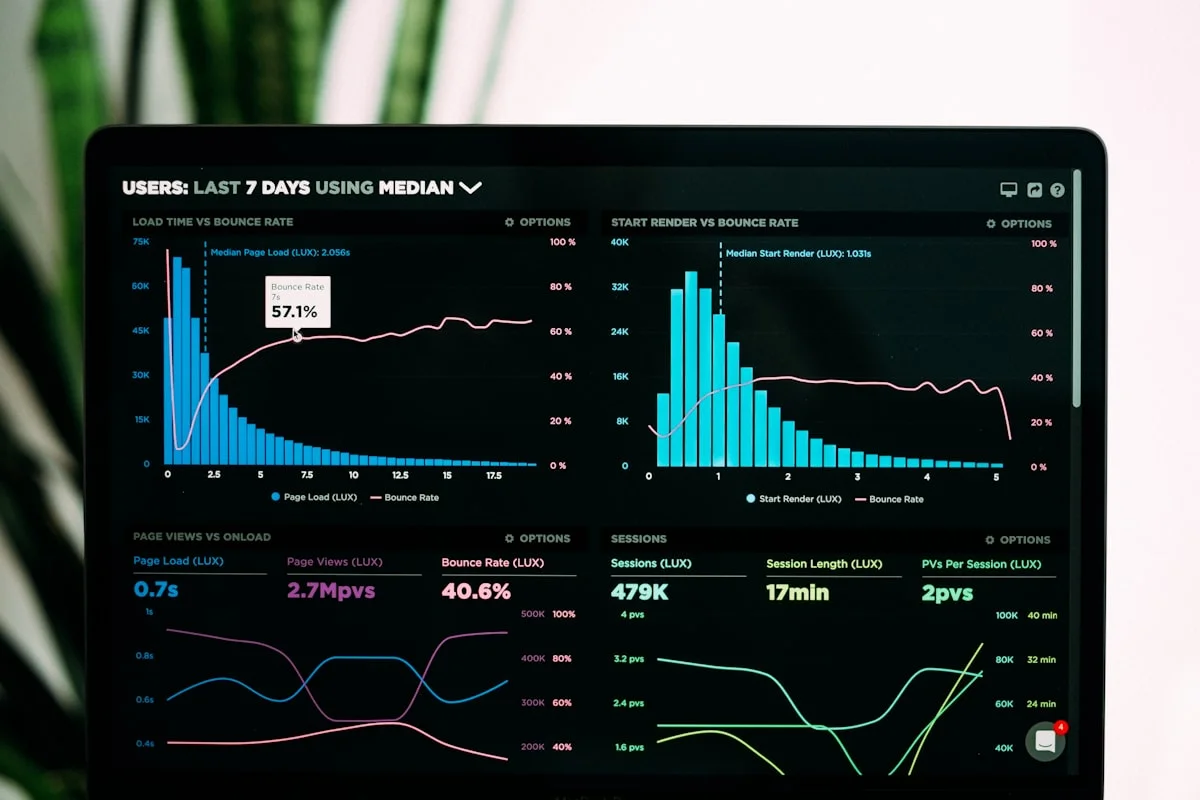
When manufacturing companies deploy employee monitoring and classify their ERP application as productive, the utilization data typically reveals three patterns. The first pattern is shadow processes: users who spend less than 30% of their work time in the ERP and compensate with parallel spreadsheet-based processes. These shadow processes represent implementation gaps, either the ERP does not adequately support the user's workflow, or the user has not been trained on the relevant functionality. Identifying these users creates a targeted training and process improvement opportunity.
The second pattern is concentrated usage: a small number of users accounting for the majority of ERP interaction, with broad licenses sitting essentially unused. This pattern frequently emerges in manufacturing operations that have grown through acquisition and inherited multiple site implementations, where some sites are fully on the ERP platform and others are only nominally licensed. The utilization data supports license right-sizing discussions with ERP vendors.
The third pattern is efficiency variance: users in the same role at different plants or shifts showing substantially different ERP utilization rates. A production planner at Plant A spending 6 hours per day in SAP PP while a planner at Plant B in the same role spends 2 hours in the ERP is a workflow gap worth investigating. The monitoring data makes this variance visible and provides the starting point for best-practice sharing or targeted coaching.
How Employee Monitoring Supports ISO 9001 and Lean Manufacturing Initiatives
Manufacturing companies that operate under ISO 9001 certification or have active Lean and continuous improvement programs find that employee monitoring data provides a previously unavailable input: objective measurement of knowledge worker activity as it relates to quality procedures and operational efficiency.
ISO 9001 Documentation and Activity Records
ISO 9001:2015 requires documented information as evidence of the implementation and effectiveness of the quality management system. Clause 7.5 specifies that the organization must control documented information to ensure it is available and suitable for use where and when it is needed. For office-side manufacturing staff, this means evidence that document review procedures, change management workflows, and quality record maintenance activities are actually being performed as specified in the QMS.
Employee monitoring generates activity records that corroborate QMS documentation: timestamps showing that the quality manager accessed the document control system to review a revision, activity logs demonstrating that the specified sign-off procedures were followed for a product release, and time records showing that incoming inspection documentation was updated within the required timeframe. These activity records exist independently of the QMS itself and provide a second layer of evidence that auditors find valuable for assessing the genuine implementation of documented procedures.
For IATF 16949 (automotive quality management), where customer-specific requirements frequently include evidence of real-time production quality monitoring and documented response procedures, the combination of QMS records and activity monitoring logs creates a richer compliance evidence package than QMS records alone. Publicly traded manufacturers should also review SOX compliance for public manufacturers to understand how monitoring records intersect with financial controls documentation requirements.
Lean DMAIC: Measuring Knowledge Worker Waste
Lean manufacturing's DMAIC (Define, Measure, Analyze, Improve, Control) methodology requires quantified baseline data during the Measure phase before process improvement can be objectively evaluated. Traditional Lean tools, value stream mapping, time-motion studies, gemba walks, are highly effective at measuring physical production flow but have limited applicability to office-side knowledge work. A time-motion study of a production planner's workday produces a rough approximation of time allocation; employee monitoring produces a precise, continuous record.
The eight wastes of Lean (transportation, inventory, motion, waiting, overproduction, overprocessing, defects, and unutilized talent) have direct analogs in knowledge work. Employee monitoring data reveals specific instances: excessive time moving between applications (digital motion waste), waiting time spent on email responses rather than planning activities (waiting waste), and re-entering the same data in multiple systems because ERP integration is incomplete (overprocessing waste). These digital waste measurements are the inputs to DMAIC improvement projects targeting office-side process efficiency.
Manufacturers that have integrated employee monitoring data into their Lean continuous improvement programs report identifying knowledge worker efficiency opportunities averaging 15-25% of productive capacity, improvements that have no parallel in physical production optimization because the underlying processes were never previously measured.
Monitoring Shift Workers and Shared Workstations in Manufacturing Environments
Manufacturing operations run on shift schedules that create a specific monitoring challenge: multiple employees sharing the same physical workstation across a 24-hour production cycle. Standard employee monitoring systems designed for dedicated-device office environments handle this poorly. eMonitor's session-based architecture addresses the manufacturing shift model directly.
How Shared Workstation Coverage Works
eMonitor assigns activity to the employee who is actively logged into their monitoring session on that workstation, not to the device itself. When a shift supervisor logs into the monitoring system at the start of a shift, all subsequent activity on that workstation is attributed to that individual until they clock out. When the next shift supervisor logs in at the end of the shift, activity attribution transfers to the new session. This ensures that the first shift supervisor's idle time or non-work activity is not misattributed to the second shift supervisor, and vice versa, a critical accuracy requirement for fair performance evaluation in multi-shift environments.
Shift handover periods, when two supervisors may be briefly at the same workstation for handover documentation, are handled by the session model: the departing supervisor's session ends at clock-out, and the arriving supervisor's session begins at their clock-in. Any activity during the brief overlap is attributed to the active session.
Overnight and Weekend Shift Monitoring
Overnight and weekend shifts present a monitoring consideration that day-shift-centric organizations often overlook: if off-hours access to production systems or sensitive data occurs without active monitoring, the activity gap creates a blind spot in the activity record. For manufacturing companies with security requirements or ERP audit trail needs, ensuring that the monitoring system is active for all shifts, not just day shifts, is essential. eMonitor operates continuously on installed devices regardless of the time of day, attributing activity to whoever is logged in.
Production Planning Accuracy: How Monitoring Data Connects to Planning Outcomes
Production planning is one of the highest-leverage knowledge worker functions in manufacturing. A production plan that accurately matches capacity to demand prevents both excess inventory and stockouts. An inaccurate plan creates cascading downstream costs: emergency procurement, schedule changes, overtime, customer delivery failures, and excess finished goods inventory. The quality of planning output is directly related to the time planners spend in the right systems with full attention.
Employee monitoring reveals the environmental conditions under which planning work actually happens. A production planner who should be spending 4-5 focused hours per day in SAP PP but is actually spending 2 hours in the ERP and 3 hours in email is operating in a fragmented attention environment that predictably produces lower-quality plans. The monitoring data does not diagnose the cause, it may be excessive meeting load, email-based escalations that should be handled at a lower level, or manual data reconciliation that the ERP should automate, but it surfaces the pattern for investigation.
Correlating Monitor Activity With Plan Quality
Manufacturing organizations that integrate monitoring data with production performance data (schedule adherence, material variance, stockout rates) report finding correlations between planner ERP focus time and plan quality outcomes. Planners with higher ERP utilization and fewer application-switching interruptions during planning cycles produce plans with measurably higher schedule adherence rates. This correlation does not establish causation definitively, but it provides a data-driven starting point for discussions about protecting planner focus time from administrative interruptions during critical planning cycles.
Procurement Team Monitoring: Visibility Into Buyer Activity and Purchasing Cycle Efficiency
Procurement and purchasing teams in manufacturing represent a significant cost management function. Buyers interact with multiple systems, ERP purchasing modules, supplier portals, commodity tracking platforms, and contract management tools, throughout their workday. Employee monitoring provides visibility into how buyers actually allocate their time across these systems and activities.
What Procurement Monitoring Reveals
Procurement monitoring typically surfaces three categories of insight. First, system utilization: are buyers spending their time in the ERP purchasing module or in email-based purchase order management? Buyers who process high proportions of their purchasing activity outside the ERP create tracking, reporting, and compliance gaps. Second, quote cycle time: how long does it take from a purchase requisition appearing in the system to a buyer engaging with it? Activity monitoring reveals whether requisitions are being actioned promptly or queuing unattended while buyers are occupied with other work. Third, supplier portal engagement: modern supplier relationship management requires active portal participation, not just reactive email. Monitoring shows whether buyers are proactively engaging with supplier portals or defaulting to email for all supplier communication.
Identifying Shadow Procurement Processes
Shadow procurement processes, purchasing activity that happens outside the approved ERP-based workflow, are a compliance and audit risk in any regulated or ISO-certified manufacturing environment. Employee monitoring can detect shadow processes by flagging excessive time in email during purchasing cycles, high activity in spreadsheet applications during periods when ERP purchasing activity is low, and use of non-approved supplier communication channels. These signals do not prove a shadow process exists, but they identify the right users and time periods for a targeted process audit.
How to Configure eMonitor for a Manufacturing Office Environment
A manufacturing-specific eMonitor configuration requires decisions across several dimensions: which roles to monitor, how to classify applications, how to handle shift-based workstations, and what metrics to surface for each management audience. The following configuration approach reflects the specific needs of manufacturing office-side knowledge workers.
Application Classification for Manufacturing Roles
Create role-specific productivity classification profiles for each major job category. For production planners, classify SAP PP, Oracle Manufacturing, Microsoft Dynamics SCM, and planning-specific spreadsheet templates as productive; classify personal email, social media, and entertainment sites as non-productive; and classify general email clients, calendar, and general business applications as neutral. Apply different classification profiles for procurement, quality, and logistics roles, since the productive application set differs by function. A QA manager spending time in Minitab or a quality management system should be classified as productive, while that same application time would be classified as neutral for a production planner who has no legitimate reason to access it.
Idle Time Thresholds for Manufacturing Contexts
Manufacturing knowledge workers frequently move between their computer and the production floor, a shift supervisor may step away from their workstation for 20-30 minutes to conduct a floor audit. Configure idle time thresholds to reflect these natural work patterns rather than applying standard office idle thresholds. An idle alert threshold of 45-60 minutes is more appropriate for manufacturing floor-facing roles than the 10-15 minute threshold appropriate for a pure desk role. This prevents the monitoring system from generating false-positive idle alerts for employees who are legitimately doing floor-based work between computer sessions.
Shift-Based Configuration
Configure eMonitor's attendance and scheduling module to reflect your shift patterns, Day (06:00-14:00), Afternoon (14:00-22:00), Night (22:00-06:00), or your specific shift structure. The scheduling configuration ensures that clock-in events are correctly attributed to the right shift, that overtime is calculated correctly across shift boundaries, and that idle time alerts are only generated during active shift windows. This prevents night-shift employees from appearing as inactive during a day-shift review of the previous evening's activity data.
Manufacturing Employee Monitoring: Frequently Asked Questions
Does employee monitoring software work on factory floors?
Employee monitoring software like eMonitor monitors digital activity on computers and workstations. It does not monitor physical factory floor operations, machinery, or production line workers without computer access. The appropriate scope for eMonitor in a manufacturing company is office-side staff: production planners, procurement managers, ERP operators, quality managers, and shift supervisors with computer access. Factory floor monitoring uses separate systems such as MES platforms and OT/ICS monitoring tools.
Can employee monitoring measure ERP utilization in manufacturing companies?
Yes. Employee monitoring tracks time spent in specific applications, including ERP systems like SAP, Oracle, and Microsoft Dynamics. For manufacturing companies, ERP utilization monitoring answers a critical question: are employees actually using the expensive ERP system they are licensed for? This data identifies training gaps, workflow inefficiencies, and ROI issues with ERP investments. eMonitor classifies ERP applications as productive and tracks time-on-application at the individual and team level.
How does employee monitoring support ISO 9001 compliance in manufacturing?
ISO 9001 requires documented procedures and evidence of process adherence. Employee monitoring supports ISO 9001 compliance by generating activity records demonstrating that quality-related procedures are followed by responsible personnel. Activity logs showing that quality managers accessed quality management system documents at required frequencies, or that document control procedures were followed before product release sign-offs, provide evidentiary support for ISO 9001 auditors requesting process adherence documentation.
What is the difference between employee monitoring and MES in manufacturing?
Manufacturing Execution Systems (MES) monitor production floor operations, machine status, batch execution, and physical production processes. Employee monitoring software monitors the digital work activity of knowledge workers on computers. The two systems are complementary, not substitutes. MES tracks what the machines and production lines are doing; employee monitoring tracks what planners, supervisors, quality managers, and procurement staff are doing on their computers while supporting those production activities.
Can manufacturing companies use employee monitoring for shift workers who share computers?
Yes. eMonitor handles shared workstations by requiring individual employee login before monitoring begins. Each shift worker logs into the monitoring system with their own credentials, and all activity is attributed to that individual's session. When the shift changes, the system records the clock-out for the departing worker and begins a new session for the incoming worker, preventing cross-shift attribution errors in productivity and attendance reporting.
How does Lean manufacturing's DMAIC process benefit from employee monitoring data?
Lean DMAIC requires baseline data during the Measure phase. Employee monitoring provides knowledge worker baselines: how much time do production planners spend in planning systems versus email? How many interruptions does a procurement manager experience? These baselines quantify knowledge worker waste in ways that traditional Lean tools miss because they focus on physical production steps rather than office-side digital work.
Which manufacturing roles should be monitored with employee monitoring software?
The office-side manufacturing roles most suited to employee monitoring are: production planners and schedulers, procurement and purchasing managers, quality managers and QA coordinators, ERP system operators and super-users, shift supervisors with computer access, and supply chain analysts. These roles have measurable digital work patterns that monitoring translates into productivity and process insights directly connected to production outcomes.
Does employee monitoring in manufacturing require employee consent?
Requirements vary by jurisdiction. In the United States, most states permit employer monitoring of company-owned computer systems with written notice to employees but without individual consent. EU-based manufacturing operations require GDPR compliance, including a legal basis for monitoring (legitimate interest is most commonly applicable) and a Legitimate Interest Assessment before monitoring begins. Regardless of jurisdiction, written notice to all monitored employees is recommended as both a legal protection and a trust-building best practice.
Can employee monitoring integrate with SAP or Oracle ERP systems?
eMonitor does not integrate directly with SAP or Oracle ERP application layers. Instead, it monitors at the operating system level, recording time spent with the ERP application open and active at the desktop. This produces ERP utilization data, total time in SAP, active versus idle time within SAP sessions, without requiring any ERP integration or customization. For detailed ERP transaction-level data, the ERP system's own audit logs are the appropriate source.
How do manufacturing companies use monitoring data for workforce planning?
Manufacturing companies use monitoring data for workforce planning by measuring actual time allocation across functions against planned allocation. If production planning staff spend 35% of their time in activities unrelated to planning, the team is effectively 35% under capacity without appearing understaffed on headcount reports. Monitoring data makes this invisible capacity shortfall visible, enabling managers to justify headcount adjustments or implement workload rebalancing based on objective data.
What productivity metrics matter most for manufacturing knowledge workers?
For manufacturing knowledge workers, the most meaningful productivity metrics are: ERP active utilization rate (time in ERP versus total work time), planning cycle time correlation (activity intensity during planning cycles), administrative overhead ratio (time in email and meetings versus system work), idle time patterns by shift for scheduling optimization, and cross-team consistency metrics comparing productivity across plants or production lines to identify performance gaps worth investigating.
Related Industry and Resource Pages
Logistics and Supply Chain Monitoring
Monitor dispatchers, freight coordinators, and supply chain analysts on the office side of logistics operations.
Read the guide →Output-Based Management: Results, Not Hours
How manufacturing managers can combine monitoring data with output metrics to move beyond hours-worked as the primary performance measure.
Read the guide →Productivity Monitoring Features
Application classification, productivity scores, heatmaps, and ERP utilization measurement, all the features manufacturing teams need.
Explore features →