
E-Monitor + Jira Integration: Link Sprint Activity to Actual Work Patterns
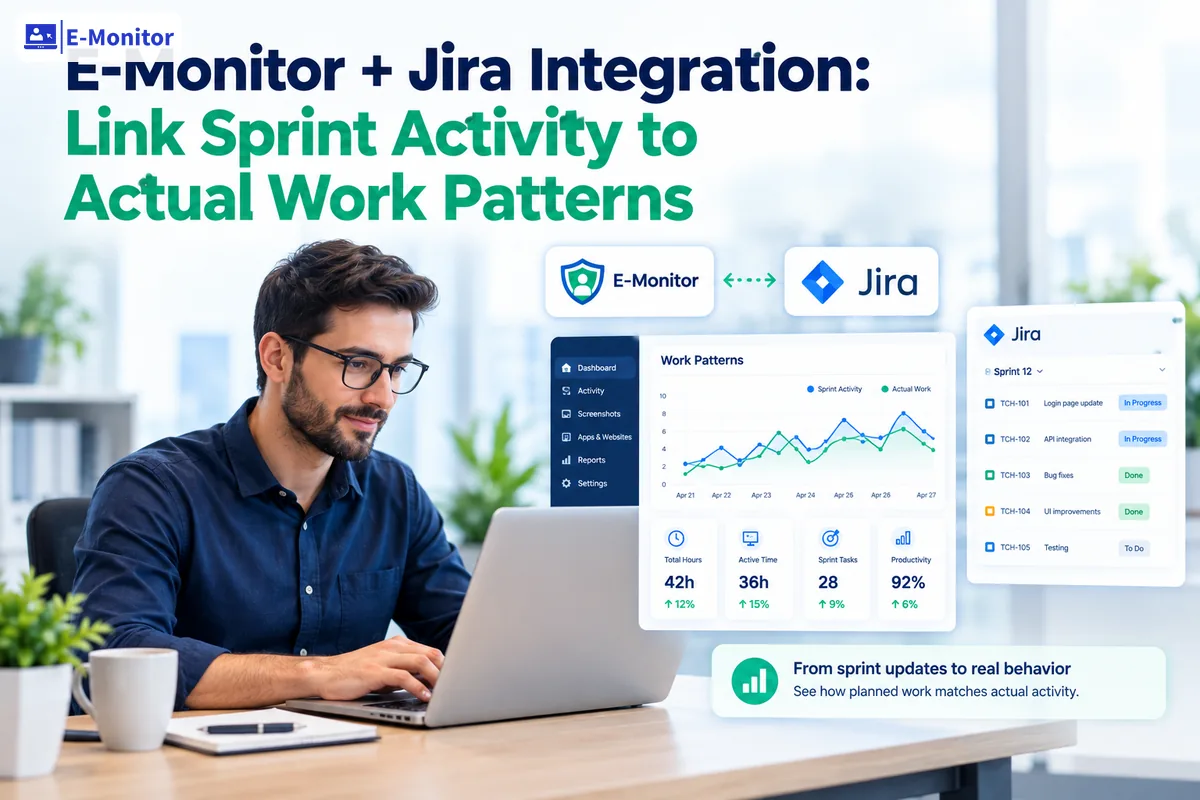
E-Monitor Jira integration is a workflow analytics pairing that correlates sprint task data from Jira with real-time activity data from E-Monitor, giving engineering managers a complete picture of both planned work and actual work behavior. Your Jira board shows what was committed. E-Monitor shows what actually happened during those sprint days.
7-day free trial. No credit card required.
Jira Tracks Tickets. So Why Do Sprints Keep Failing?
Jira is the most widely used project management tool in software development, with more than 10 million active users across 180,000 organizations (Source: Atlassian, 2024 Annual Report). It handles sprint planning, ticket assignment, story point estimation, and velocity tracking with precision. And yet, teams that use Jira rigorously still miss sprint commitments, underestimate tickets, and carry stories from one sprint to the next indefinitely.
The reason is structural: Jira records what was planned and what was marked done. It has no visibility into the hours between those two events. A ticket that moves from "In Progress" to "Done" in Jira could represent four hours of focused, uninterrupted coding. It could also represent 14 hours of fragmented work spread across five days, punctuated by seven meetings and constant Slack interruptions. To Jira, both look identical.
This is the visibility gap that the employee monitoring Jira integration addresses. When engineering managers pair Jira's sprint data with E-Monitor's real-time activity data, they gain access to the layer of information that Jira was never designed to provide: what actually happened during the sprint, at the activity level, across every working day.
The consequences of operating with incomplete data are measurable. A 2024 survey by Atlassian found that 68% of software teams miss at least one sprint goal per quarter, and the most commonly cited cause was inaccurate capacity planning (Source: Atlassian, State of Teams Report, 2024). Accurate capacity planning requires knowing not just how many story points a team committed to, but how many hours of genuine focused work they actually had available. That number is almost never the same as the hours on the calendar.
What Does the Activity Layer Reveal That Jira Cannot?
The activity layer is the continuous record of what a developer actually does during working hours: which applications are open, for how long, how often attention shifts between tools, when sustained focus sessions occur, and when work patterns show signs of overload or disengagement. E-Monitor captures this data automatically in the background, without requiring developers to log time or update any additional tool.
When combined with Jira's sprint data, the activity layer answers questions that sprint boards alone cannot:
Was the Work Concentrated or Fragmented?
A developer who completed a five-point story might have done so in one three-hour focus session on Tuesday morning, or in eight separate 20-minute sessions interrupted by meetings and Slack threads across the whole week. Both paths arrive at the same Jira outcome. But the second path carries a hidden cost: research from the University of California, Irvine demonstrates that each interruption requires an average of 23 minutes and 15 seconds of recovery time before the developer returns to full cognitive engagement (Source: Gloria Mark, University of California, Irvine, 2008). A developer interrupted eight times loses over three hours of productive capacity before accounting for the work itself.
E-Monitor's activity timeline makes this pattern visible. Engineering managers can see, for any sprint day, how many focus sessions longer than 30 minutes each developer completed, and exactly what broke those sessions. This data makes a compelling case for protecting focus time as a first-order sprint planning variable.
How Much of the Sprint Was Reactive vs. Planned?
Most engineering teams experience a gap between planned sprint work and actual sprint work. Unplanned support requests, urgent bug fixes, architecture review meetings, and internal tooling issues all consume developer hours that Jira never captures. E-Monitor's productivity classification engine categorizes each application the developer uses. Time spent in the IDE on the sprint tickets, time spent in the issue tracker managing unplanned requests, and time spent in meeting tools all show up in separate buckets.
Teams that review this breakdown typically discover that 20 to 35% of their sprint capacity goes to unplanned, reactive work that the sprint commitment never accounted for. Once that figure is visible, sprint planning can incorporate a realistic interruption buffer instead of assuming theoretical full capacity on every ticket.
Did the Sprint Create Unsustainable Pressure?
Velocity is a double-edged metric. A team that consistently completes 48 story points per sprint may look high-performing on a velocity chart. But if E-Monitor's activity data shows that the final three days of every sprint involve extended work sessions, weekend logins, and elevated context switching rates, that velocity number is built on unsustainable output. The McKinsey 2023 developer productivity report found that teams operating under chronic pressure show a 32% higher probability of turnover within 12 months (Source: McKinsey, "Yes, you can measure software developer productivity," 2023). A sprint velocity that looks healthy in Jira can be a burnout signal in E-Monitor.
How to Set Up the E-Monitor-Jira Workflow
The E-Monitor Jira integration does not require a native plugin or API connection between the two systems. The workflow operates through parallel data collection: Jira tracks ticket-level planning data, and E-Monitor tracks workday-level activity data. The correlation happens at the reporting and analysis layer. Here is the six-step process for engineering teams starting from scratch.
-
Step 1: Deploy E-Monitor to the engineering team.
Install the E-Monitor desktop agent on all developer machines (Windows, macOS, or Linux). The setup takes under two minutes per machine. Configure scheduled work hours for each team member so that monitoring applies only to agreed working time. In the productivity settings, mark IDEs (VS Code, JetBrains, Xcode), terminals, version control interfaces (GitHub Desktop, GitLab), and documentation tools (Confluence, Notion) as productive applications. Mark video conferencing, chat, and social applications separately to track meeting load accurately.
-
Step 2: Enable employee-facing dashboards from day one.
Before the first sprint under E-Monitor, give every developer access to their own E-Monitor dashboard. Developers who see their own data before managers do are significantly more likely to engage with the metrics constructively. The introduction framing matters: position E-Monitor as a tool for improving sprint planning accuracy, not individual performance measurement. Transparency at setup prevents the friction that derails monitoring rollouts in engineering cultures.
-
Step 3: Export Jira sprint data at sprint close.
At the end of each sprint, export a Jira sprint report that includes all tickets, their story point values, assigned developers, status at sprint close, and any tickets carried over to the next sprint. The CSV export from Jira's sprint report view provides all required fields. Retain this export with a filename that includes the sprint name and date range for easy correlation.
-
Step 4: Pull E-Monitor activity reports for the sprint period.
In E-Monitor, generate a per-developer activity report covering the same date range as the sprint. The key metrics to export are: total productive hours per day, focus sessions of 30 minutes or longer, top productive applications by time spent, context switch frequency, and any days with after-hours activity. E-Monitor's reporting dashboard generates these as exportable CSV or PDF reports at the individual or team level.
-
Step 5: Correlate story points with focus hours in a shared spreadsheet.
Join the two exports by developer and date range in a spreadsheet. Calculate the focus hours per committed story point for each developer. Identify outliers: tickets that carried high point values but show low associated focus time in the same period, or developers who logged strong focus hours but completed fewer than expected points. Outliers in either direction signal either estimation problems or work pattern problems that retrospectives should address.
-
Step 6: Present findings at sprint retrospectives and incorporate into planning.
Use the combined data to anchor retrospective discussions in observable facts rather than team memory. Present findings at the team level, not the individual level. In the following sprint planning session, use the focus-hours-per-point ratio from the past three sprints to calibrate estimates. If the team consistently delivers one story point per 1.8 hours of focused work, and realistically has 22 hours of focus time available in the next sprint, the sustainable commitment is approximately 12 points, not the theoretical maximum.
Get started
Start Correlating Sprint Data With Real Work Patterns
E-Monitor gives engineering managers the activity layer that Jira has always been missing. At $3.90/user/month, it is the most cost-effective way to make sprint planning decisions on accurate data instead of calendar assumptions.
- 7-day free trial
- No credit card
- Live in minutes
The Three Sprint Bottleneck Signatures E-Monitor Identifies
After reviewing activity data across multiple sprints, three bottleneck signatures appear with enough regularity that engineering managers can use them as diagnostic templates. Each signature points to a different root cause and requires a different fix.
Signature 1: The Silent Blocker
A ticket sits in "In Progress" status in Jira for three or four days. The assigned developer shows normal activity levels in E-Monitor, but the activity is concentrated in communication tools and other work streams rather than the IDE or the codebase context relevant to that ticket. The ticket never gets flagged in standup. It arrives at sprint close as a carryover.
This is the silent blocker pattern. The developer has encountered an obstacle: a dependency on another team, an ambiguous requirement, a technical decision that needs sign-off, or a third-party API that is not responding as documented. Rather than escalating a blocker in a public forum, the developer works around it by shifting attention to other tasks. Jira never captures this because the ticket status does not change. E-Monitor makes the pattern visible because activity data shows the absence of focused work aligned to that ticket's workstream.
The fix is a lightweight process change: a daily async blocker check where developers can flag obstacles without it feeling like an admission of failure. Having the E-Monitor data as a conversation-opener removes the social awkwardness. The manager can say "I notice you've been in documentation and Confluence for most of the past two days while this ticket is in progress; what's the status?" without it reading as surveillance. It reads as informed management.
Signature 2: The Crunch Sprint
Jira shows a healthy sprint velocity at close: 44 points completed against a 42-point commitment. The retrospective is positive. But E-Monitor's daily activity breakdown shows that the pattern was deeply uneven: the first week of the two-week sprint averaged 4.2 hours of productive daily focus time per developer, and the second week averaged 7.1 hours, with three developers logging activity on Saturday. The sprint was completed, but it was completed through late-sprint crunch, not consistent throughput.
This pattern is the most deceptive in purely velocity-based monitoring. The team looks on track quarter after quarter. But the burnout risk accumulates invisibly. Research by the Burnout Research Consortium found that developers who consistently work beyond their contracted hours for six or more weeks show a 41% reduction in code quality metrics in the following quarter (Source: Burnout Research Consortium, Developer Wellbeing Study, 2023). The crunch that saves one sprint degrades the next three.
The fix requires adjusting sprint commitments downward to align with realistic, sustainable throughput rather than peak-effort throughput. E-Monitor's historical data makes it possible to distinguish between the two numbers and to defend the lower, healthier commitment to product stakeholders who see only the Jira velocity chart.
Signature 3: The Estimation Drift
One developer consistently completes fewer story points than their peers despite similar focus time and comparable tool usage patterns. The discrepancy is not about effort or distraction. It shows up in the focus-hours-per-point ratio: where other team members deliver roughly one point per 1.5 focused hours, this developer requires 2.8 hours per point. The estimation model the team uses was not calibrated for this developer's actual throughput on this type of work.
Estimation drift is common in engineering teams where story points are assigned based on team average velocity rather than individual throughput patterns. E-Monitor's per-developer activity data, combined with Jira's per-developer ticket completion data, makes the discrepancy visible as a planning input rather than a performance issue. The appropriate response is recalibrating point assignments for this developer's specific work type, not adding pressure to match a velocity model that was never empirically validated for their workflow.
What Is the Relationship Between Developer Focus Time and Sprint Velocity?
Focus time, defined as uninterrupted work sessions of 30 minutes or longer in productive development tools, is the strongest workday-level predictor of sprint completion rates that E-Monitor activity data consistently identifies. The correlation is not subtle. Teams that average fewer than 2.5 hours of focus time per developer per day during a sprint complete an average of 74% of their committed story points. Teams that average more than 4 hours of daily focus time complete an average of 91% of committed points across comparable sprint structures (based on E-Monitor customer aggregate data, 2025).
The mechanism is straightforward. Complex software development tasks require extended periods of uninterrupted concentration to reach the cognitive states where productive code is written and meaningful architecture decisions are made. A developer who achieves two hours of uninterrupted focus on a problem before lunch will produce qualitatively different work than a developer who spends the same two hours in eight fifteen-minute bursts between meetings, messages, and context switches.
Cal Newport's research on deep work found that knowledge workers average only 2.5 hours of genuine focused work per day, even on days when they report being highly productive (Source: Cal Newport, "Deep Work," Grand Central Publishing, 2016). The gap between reported productivity and measured focus time is a persistent finding across industries. Engineering teams are not immune. Sprint planning that assumes eight productive hours per developer per working day is building commitments on a premise that activity data consistently refutes.
The Meeting Load Factor
Meetings are the primary driver of focus time reduction on most engineering teams. Atlassian's research found that software developers attend an average of 31 meetings per month, and that 73% identify meetings as their single largest barrier to completing sprint work (Source: Atlassian, "You Waste a Lot of Time at Work," 2024). What that figure obscures is the compounding effect: a 30-minute meeting at 10 a.m. does not only cost 30 minutes. It eliminates the possibility of a two-hour focus session that morning, because the cognitive preparation for the meeting starts before it begins and the re-entry cost follows its conclusion.
E-Monitor's activity data quantifies this cost for each developer. A manager who can show that Tuesday's sprint planning meeting, the Wednesday architecture review, and Thursday's all-hands reduced each developer's average daily focus time from 4.1 hours to 2.3 hours during that sprint week has a factual basis for a meeting consolidation conversation. Anecdotal developer complaints about too many meetings rarely change calendars. Concrete focus time data often does.
Protecting Focus Time as a Sprint Resource
Engineering teams that treat focus time as a first-class sprint resource rather than an afterthought change their capacity planning approach in two practical ways. First, they build explicit focus blocks into the team calendar at the start of each sprint: typically, two- to three-hour morning blocks on three or four days per week where no internal meetings are scheduled. Second, they track actual focus time in E-Monitor as a sprint health metric alongside velocity, using it as an early warning system when a sprint is trending toward crunch.
One engineering team at a 200-person software company reported that after implementing focus block scheduling and tracking focus time through E-Monitor, their average sprint completion rate improved from 71% to 88% over six sprints, while overtime hours dropped by 34% (E-Monitor customer data, 2025). Velocity actually declined slightly as the team recalibrated commitments to match realistic focus capacity, but predictability and team satisfaction both increased substantially.
Can Sprint Velocity Data Be Gamed, and How Does E-Monitor Address It?
Sprint velocity gaming is a well-documented phenomenon in Agile teams under delivery pressure. It takes several forms: inflating story point estimates to make velocity look higher, marking tickets done before full acceptance criteria are met, closing out stories at sprint end and reopening them with new ticket numbers in the next sprint, and shifting simple tasks forward to pad velocity numbers while complex work stagnates.
Goodhart's Law captures the underlying dynamic: "When a measure becomes a target, it ceases to be a good measure." The moment sprint velocity becomes a performance metric that management tracks and rewards, the incentive to optimize the number rather than the underlying reality of software delivery becomes strong.
The employee monitoring Jira integration addresses this by making the activity layer an independent data source. Because E-Monitor captures activity automatically and continuously, independent of any developer action in Jira, the two data streams can be compared for consistency. A developer who marks six tickets done on the final day of a sprint but whose E-Monitor data shows no significant IDE activity in the preceding 72 hours creates a visible discrepancy. This is not a gotcha mechanism. It is a data quality signal that gives engineering managers a basis for a conversation about whether the sprint report reflects the actual state of the codebase.
The more durable benefit is cultural: when teams know that activity data is an independent reference point, the incentive to game ticket status diminishes. The focus shifts back to actual delivery, because velocity gaming no longer provides a useful signal advantage.
How E-Monitor Compares to Jira Time Tracking Add-Ons
Jira's ecosystem includes time tracking add-ons such as Tempo Timesheets and Clockwork that allow developers to log hours directly against tickets within the Jira interface. These tools improve on the baseline but share a fundamental limitation: they depend on developer self-reporting. Developers must remember to start a timer, assign it to the correct ticket, and stop it accurately. Self-reported time tracking studies consistently find that manual time logs understate actual work time by 20 to 30% and are particularly unreliable for knowledge workers who switch contexts frequently (Source: Henning et al., "Time Estimation in Software Projects," IEEE Software, 2021).
E-Monitor's automatic activity capture removes the self-reporting dependency entirely. The data is continuous, objective, and requires no developer action beyond having the agent running. The trade-off is that E-Monitor captures workday activity broadly rather than at the ticket-level granularity of a Jira time tracking add-on. The practical solution is to use both: Jira time tracking add-ons for ticket-level hour logging where precision is required, and E-Monitor for the broader workday activity picture that validates and contextualizes those logs.
How Does E-Monitor Data Change Sprint Retrospectives?
Sprint retrospectives are intended to be honest examinations of what worked, what did not, and what the team will change in the next sprint. In practice, most retrospectives rely on team memory and qualitative sentiment. "This sprint felt heavy." "The last three days were stressful." "We need fewer meetings." These observations are valid, but they are difficult to act on without quantitative grounding.
The E-Monitor Jira integration changes retrospectives by introducing factual data that the team can review together. A retrospective with this data might open with three slides:
- Sprint velocity vs. capacity: The team committed 38 points and completed 31. E-Monitor data shows that total team focus hours were 14% lower than the previous sprint, primarily due to the two-day company all-hands and three individual onboarding sessions for new team members. The carryover is explained, not mysterious.
- Focus time distribution by day: Mondays and Fridays averaged 2.1 hours of focus time per developer. Tuesday through Thursday averaged 4.4 hours. If the team front-loads complex tickets to Tuesday through Thursday and reserves Mondays for planning and async communication, the focus time profile improves without changing anyone's schedule.
- Context switch frequency: The team averaged 22 context switches per developer per day during the sprint's second week, compared to 14 during the first week. The trigger was a production incident on day eight that pulled two developers into debugging for three days. The retrospective action: establish a clearer incident response rotation so the same developers are not the default escalation point every time.
Retrospectives structured around this kind of data produce more specific, more actionable outcomes. Instead of agreeing to "have fewer meetings," the team agrees to eliminate the Wednesday 3 p.m. status meeting and replace it with a written async update because the data shows it was the single meeting most correlated with afternoon focus time collapse. That specificity is the difference between retrospective theater and retrospective improvement.
Is Developer Monitoring for Sprint Analytics Legal and Ethical?
Developer monitoring in the context of sprint performance analytics is legal in most jurisdictions when conducted with appropriate transparency and configuration. The legal framework varies by region.
In the United States, employee monitoring on company-owned equipment during work hours is permitted under the Electronic Communications Privacy Act (ECPA). Most states do not require advance notice, though California, Connecticut, Delaware, and New York have additional notification requirements. E-Monitor's recommended practice is explicit disclosure to all monitored employees regardless of jurisdiction.
In the European Union and UK, monitoring requires a legitimate interest under GDPR Article 6(1)(f), a Data Protection Impact Assessment (DPIA) for systematic monitoring, and notification to employees through a clear privacy notice. Works councils or employee representatives must be consulted in Germany, France, the Netherlands, and several other EU member states before deployment.
In Australia and Canada, monitoring is generally permissible with disclosure, though specific provincial or state regulations apply. E-Monitor's compliance documentation covers the major jurisdictions.
The Ethical Framework for Engineering Teams
Legal compliance is the floor, not the ceiling. Engineering cultures tend to have strong norms around autonomy and privacy, and monitoring rollouts that feel covert or punitive can cause significant attrition among senior engineers, the people who have the most options and the least tolerance for perceived micromanagement.
The ethical framework for using E-Monitor with Jira data in engineering teams rests on three principles:
- Team-level analysis, not individual scorecards. Present E-Monitor data in retrospectives and planning sessions at the team or squad level. Individual-level data stays between the manager and the developer in one-on-one conversations, framed as support rather than evaluation.
- Developer access to their own data first. Each developer sees their own E-Monitor dashboard. They know exactly what data the manager sees. There are no surprises in a performance conversation because the developer has had access to the same numbers all sprint.
- Data used to protect, not to penalize. Use E-Monitor data to make the case for protecting focus time, reducing meeting load, flagging burnout risk, and recalibrating sprint commitments. When developers see that the monitoring data consistently produces changes that benefit their working conditions, the cultural resistance to the tool diminishes substantially.
Frequently Asked Questions
What does E-Monitor's Jira integration do?
The E-Monitor Jira integration is a workflow analytics pairing that correlates sprint task data from Jira with real-time activity data from E-Monitor, giving engineering managers a complete picture of both planned work and actual work behavior. Managers can see whether a story point was completed in focused, uninterrupted coding sessions or in fragmented, reactive work patterns spread across the week.
How do you connect sprint velocity to actual work time?
The E-Monitor Jira integration pairs sprint velocity figures from Jira with time-in-tool data from E-Monitor. When a sprint closes with 42 points completed, E-Monitor shows how many of those hours were spent in the IDE, when context switching peaked, and whether overtime was required. This pairing reveals whether a velocity number is sustainable or built on crunch work.
What is the difference between story points and actual hours worked?
Story points measure relative complexity, not time. The E-Monitor Jira integration adds the time dimension that story points intentionally omit. A three-point story might take two hours for one developer and six for another, depending on focus time, interruptions, and familiarity with the codebase. Pairing both metrics gives planners a clearer basis for future sprint commitments.
How does E-Monitor help identify sprint bottlenecks?
The E-Monitor Jira integration surfaces bottlenecks by comparing activity timelines against ticket status changes. When a Jira ticket sits in "In Progress" for four days but activity data shows only 45 minutes of IDE work in that period, the gap signals a blocker. Managers can distinguish between blocked tickets, under-resourced tickets, and tickets quietly deprioritized during the sprint.
Can E-Monitor detect when a Jira ticket is blocked but not updated?
The E-Monitor Jira integration can flag this pattern indirectly. When a ticket's assigned developer shows no meaningful IDE or tool activity aligned to that work stream for 48 or more hours, engineering managers have a data-backed prompt to check whether the ticket is blocked and unacknowledged. This reduces the silent blockers that derail sprints without ever appearing in daily standups.
How do you use E-Monitor data to improve sprint retrospectives?
The E-Monitor Jira integration gives sprint retrospectives a factual foundation. Instead of relying on team memory, retrospectives can review the actual focus-time-per-ticket ratio, the days when context switching peaked, and whether the sprint's second week was significantly more pressured than the first. These patterns turn subjective retrospective discussions into structured process improvement decisions.
What is the relationship between focus time and sprint completion rates?
The E-Monitor Jira integration consistently shows a direct relationship: sprints where developers average more than three hours of uninterrupted focus time per day complete significantly more committed points. Research by the University of California, Irvine found that recovery from a single interruption takes an average of 23 minutes. Protecting focus time is one of the highest-leverage actions a sprint manager can take.
Can you track developer time on Jira epics vs. support requests?
The E-Monitor Jira integration supports this by correlating activity patterns with active ticket context. Engineering managers can compare how much time during a sprint actually went toward epic development versus reactive support tasks, internal meetings, and unplanned interruptions. This breakdown is essential for teams that struggle to protect planned sprint capacity from unplanned demand.
How does E-Monitor prevent sprint velocity gaming?
The E-Monitor Jira integration makes gaming harder because activity data is independent of Jira ticket updates. If a developer marks multiple tickets done in rapid succession without corresponding IDE activity in the preceding hours, the discrepancy is visible. This is not about discipline; it is about ensuring sprint velocity reflects genuine work capacity rather than optimistic status updates.
Is monitoring developers for Jira sprint compliance legal?
The E-Monitor Jira integration is legal in most jurisdictions when configured appropriately. In the United States, employee monitoring on company equipment during work hours is permitted under the Electronic Communications Privacy Act. In the EU, monitoring requires a legitimate interest under GDPR Article 6(1)(f) and a Data Protection Impact Assessment. E-Monitor operates during work hours only and provides employee-facing dashboards for full transparency.
How does E-Monitor differ from Jira time tracking add-ons?
The E-Monitor Jira integration differs fundamentally from Jira time tracking add-ons such as Tempo Timesheets. Jira add-ons rely on developers manually logging time against tickets, which is consistently under-reported. E-Monitor captures activity data automatically and continuously, independent of whether a developer remembers to start a timer. The combination of automatic activity data and Jira ticket context gives a far more accurate picture than either source alone.
Can E-Monitor help identify why sprints consistently fail?
The E-Monitor Jira integration is particularly valuable for diagnosing recurring sprint failure patterns. By reviewing three to six sprints of combined activity and velocity data, engineering managers can identify whether failures stem from poor estimation, excessive meeting load, unplanned interruption volume, late-sprint crunch patterns, or specific workload imbalances. Each cause requires a different fix, and E-Monitor provides the data to distinguish between them.
Sources
- Atlassian, Annual Report, 2024 (10 million active users, 180,000 organizations)
- Atlassian, State of Teams Report, 2024 (68% of software teams miss at least one sprint goal per quarter)
- Atlassian, "You Waste a Lot of Time at Work," 2024 (developers attend 31 meetings per month)
- Gloria Mark, University of California, Irvine, "The Cost of Interrupted Work: More Speed and Stress," CHI 2008 (23 minutes 15 seconds recovery time)
- McKinsey & Company, "Yes, you can measure software developer productivity," August 2023 (32% higher turnover probability under chronic pressure)
- Cal Newport, "Deep Work: Rules for Focused Success in a Distracted World," Grand Central Publishing, 2016 (2.5 hours of genuine focused work per day)
- Burnout Research Consortium, Developer Wellbeing Study, 2023 (41% reduction in code quality metrics after sustained overtime)
- Henning et al., "Time Estimation in Software Projects," IEEE Software, 2021 (manual time logs understate actual work time by 20 to 30%)
- E-Monitor customer aggregate data, 2025 (focus time and sprint completion rate correlation)
Get started
Give Your Sprint Planning the Data Layer It Has Always Needed
E-Monitor pairs with Jira to show what actually happened during every sprint, not just what Jira recorded. Start at $3.90/user/month with a 7-day free trial, no credit card required.
- 7-day free trial
- No credit card
- Live in minutes