
Employee Monitoring for Customer Success Teams: Account Health, Productivity, and Client Data Protection
CS platforms tell you which customers are at risk. E-Monitor tells you which CSMs are at risk, of burning out, underperforming, or walking out the door with your client list. Close the visibility gap between customer health and CSM productivity.
7-day free trial. No credit card required. Trusted by 1,000+ companies.
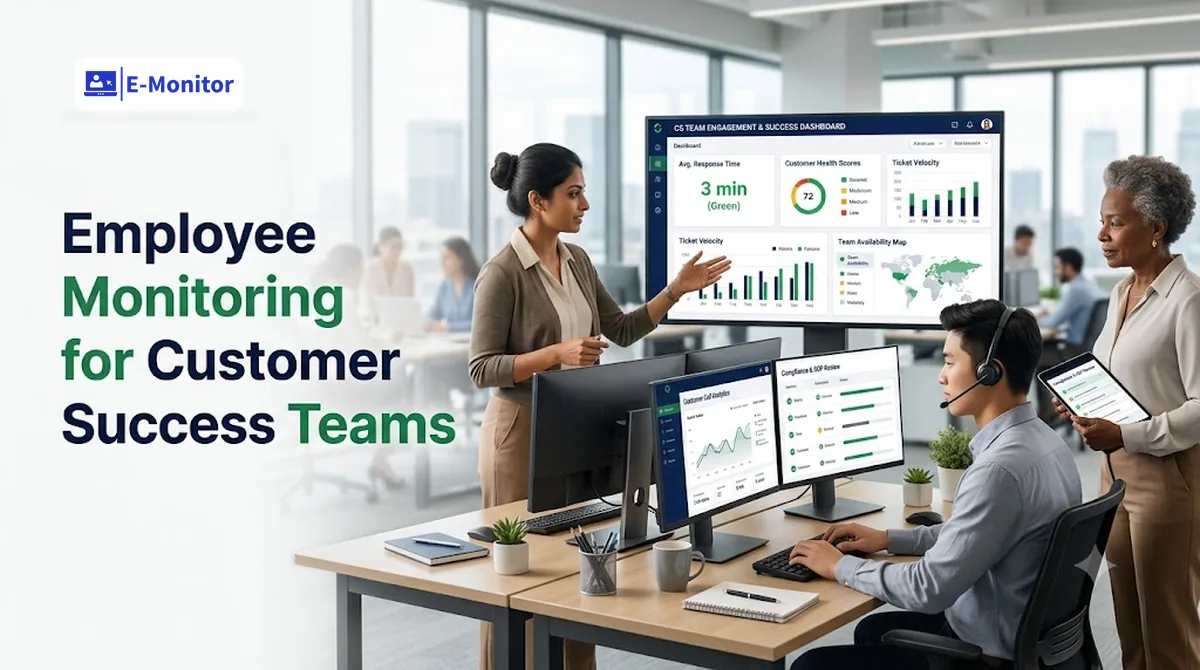
The Visibility Gap at the Heart of Customer Success Leadership
Monitoring customer success team productivity presents a structural challenge that most CS leaders eventually hit: the tools designed to manage customer relationships are built to measure customer health, not CSM work behavior. Gainsight tells you a customer's health score dropped. Totango shows engagement declining. ChurnZero flags a renewal risk. None of these platforms tell you why the CSM managing that account has been spending 60% of their day in email instead of in the CRM, or that they're carrying 40% more accounts than the team average.
This gap has a measurable cost. Bain & Company research found that increasing customer retention by just 5% increases profits by 25-95%, and retention outcomes are directly driven by CSM activity quality. Yet most CS leaders manage retention risk through customer-facing metrics alone, with almost no behavioral visibility into what their team is actually doing to earn those renewals.
E-Monitor fills this gap by measuring CSM work patterns, the employee-side inputs that drive customer outcomes, without replacing or duplicating the customer-facing intelligence your CS platform already provides.
What Monitoring Customer Success Teams Actually Measures
Effective CSM monitoring is not about tracking hours or measuring busyness. It is about identifying the behavioral patterns that high-performing CSMs exhibit, and the divergences from those patterns that signal a problem before it appears in a customer health score.
CRM Time vs. Administrative Overhead
The single most predictive behavioral metric for CSM performance is the ratio of time spent in the CRM versus time spent on internal administrative tasks (email, Slack, internal meeting tools). High-performing CSMs typically spend 25-35% of their working time in the CRM, logging call notes, updating health scores, reviewing account history, and recording action items. CSMs who consistently fall below 15% CRM time are typically operating in reactive mode: handling inbound support tickets and internal escalations rather than driving the proactive engagement that prevents churn.
E-Monitor's application usage analytics classify time spent in your CRM, your customer communication platforms, and your CS tools as productive time, and surface the ratio of that productive time to administrative overhead at the individual CSM level. This data does not require self-reporting or manual logging; it runs continuously in the background.
Meeting Preparation vs. Meeting Attendance
Research by Gong found that CSMs who spend at least 10 minutes reviewing account history in the CRM before an EBR (Executive Business Review) achieve renewal rates 23% higher than those who walk in cold. E-Monitor can surface whether a CSM opened the CRM within 30 minutes of a scheduled client call, a behavioral proxy for preparation quality that scales across a team without requiring managers to shadow every meeting.
Email Response Pattern Analysis
Response latency to customer emails is a leading indicator of relationship health. A CSM whose average response time to enterprise accounts stretches from four hours to 24 hours over a 30-day period is showing a behavioral change that typically precedes account disengagement, or the CSM's own disengagement. E-Monitor tracks time spent in email clients at the application level and can surface anomalies in communication tool usage patterns that warrant a coaching conversation.
Account Coverage Equity
One of the most common, and most manageable, causes of churn is unequal account coverage. Some accounts receive proactive outreach weekly; others go six weeks without a meaningful touchpoint, not because the CSM lacks the intention but because the workload distribution is structurally unequal. E-Monitor's productivity analytics can be segmented by CSM to surface which team members are carrying disproportionate active account loads, a workload signal that predicts both account churn and CSM attrition.
[Image: E-Monitor CSM productivity comparison view, CRM time %, email time %, and meeting time % per team member with team average benchmarks]
Client Data Protection: The CSM Offboarding Risk Most Companies Ignore
Customer success managers hold a uniquely sensitive combination of client intelligence: contract terms and renewal pricing, executive stakeholder maps and relationship history, product usage data, competitive intelligence gathered from client conversations, and direct contact information for decision-makers. This data is extraordinarily valuable, to your competitors, to the CSM's next employer, and to any recruiting firm tasked with poaching your accounts.
The Customer Success Collective has documented that an unmanaged CSM departure creates an average 8-15% churn risk in the departing CSM's account book during the transition window, driven by relationship disruption, competitor outreach timed to the transition, and in some cases deliberate client poaching by the departing employee. For a CSM carrying a $2 million ARR book, that represents $160,000-$300,000 in at-risk annual recurring revenue per departure.
What Departing CSMs Are Likely to Export
The pattern of data exfiltration by departing CSMs follows a consistent profile. In the two to four weeks before resignation (or during the notice period after), at-risk employees tend to access and download: bulk contact exports from the CRM, contract and pricing documents from the document management system, account health histories and escalation records, and any competitive intelligence notes stored in account records. These actions are not always malicious, sometimes they are "just keeping a record", but the effect on your business is the same.
E-Monitor's DLP monitoring detects these patterns in real time: bulk file downloads, CRM data exports, access to contract directories outside normal working patterns, and file transfers to personal cloud storage destinations. Alerts fire immediately, giving the CS leader and HR time to respond before the data leaves the building. The activity logs also provide forensic documentation if legal action becomes necessary.
The Active Employment Risk: Client Data in a Competitive Market
The offboarding scenario is the highest-urgency case, but it is not the only one. CSMs who are being actively recruited (a near-constant condition in high-growth SaaS markets) may begin sharing client intelligence informally, in interviews, in competitor calls, in social conversations, while still employed. Monitoring provides an early warning layer: a CSM accessing pricing documents for accounts outside their assigned book, or accessing competitor analysis files at unusual times, is a signal worth a proactive conversation.
For a practical framework for protecting client data throughout the CSM employment lifecycle, from onboarding through offboarding, see the guide to monitoring without losing talent.
Using Monitoring Data for CSM Performance Coaching
The most valuable use of CSM monitoring data is not catching underperformers, it is developing them. Most CS leaders operate coaching programs based on subjective observation, anecdote, and whatever comes up in one-on-ones. This approach is inconsistent, scalable only to the manager's personal bandwidth, and easily contaminated by recency bias. Data-driven coaching changes the dynamic entirely.
Identifying Top Performer Activity Patterns
Begin by analyzing the behavioral patterns of your top two or three CSMs, the ones with the highest net revenue retention over the past 12 months. What does their time allocation look like? How much time are they spending in the CRM? When do they typically do their client call prep? How quickly do they respond to enterprise account emails?
These patterns, extracted from E-Monitor's productivity monitoring data, become your evidence-based coaching baseline. Instead of coaching from intuition ("You need to be more proactive"), you coach from data ("Your top performers spend 28% of their day in the CRM; your average is 14%, what would need to change to close that gap?").
Diagnosing Underperformance Root Causes
When a CSM's renewal numbers begin to slip, the instinct is to address the lagging outcome. But the outcome is driven by behaviors that happened 60-90 days earlier. E-Monitor's historical activity data allows CS leaders to look back at a CSM's behavior in the quarter before a churn spike and identify the upstream cause: Was their CRM time declining? Were they spending disproportionate time in support tools (reactive)? Did meeting preparation time compress?
This retrospective analysis is not punitive, it is diagnostic. The goal is to identify a correctable behavioral pattern before it manifests in account losses. According to research published in the Harvard Business Review, managers who provide specific, behaviorally-grounded feedback improve direct report performance by 35-40% more than those providing general feedback, and E-Monitor provides the behavioral specificity that makes coaching land.
For a detailed coaching methodology using monitoring data, see using monitoring data for coaching.
Fair Performance Evaluation Across Remote CS Teams
Remote-first CS teams face a specific evaluation challenge: without the ambient visibility of an office environment, managers tend to evaluate remote CSMs based on communication responsiveness and meeting participation rather than substantive account work. This creates a perverse incentive, CSMs who are highly visible in Slack and video calls get better evaluations than those doing deep, quiet account work.
E-Monitor normalizes evaluation by surfacing objective behavioral data across the entire team, remote, hybrid, and in-office, using the same metrics. A CSM in Austin and a CSM in Bangalore are evaluated on the same CRM utilization, response pattern, and account coverage data. This creates a fairer performance management environment that reduces the geographic bias common in distributed teams.
[Image: CSM coaching dashboard, individual CSM time allocation breakdown compared to team top-quartile benchmark, with trend line over 90 days]
Workload Distribution: The Overlooked Driver of CS Team Attrition
Customer success team attrition is significantly higher than most CS leaders realize. The 2024 Customer Success Compensation Survey found that median CSM tenure at a single employer is under 18 months, with compensation dissatisfaction and workload stress cited as the top two departure drivers. Critically, workload stress is often invisible to leadership, because the CSMs carrying the heaviest loads are typically the highest performers who absorb extra accounts without complaint until they leave.
What Overloaded CSMs Look Like in Activity Data
An overloaded CSM's activity data shows a characteristic signature: consistently high total working hours (E-Monitor tracks session start and end times), compressed response times that eventually deteriorate as the overload worsens, and a shrinking ratio of proactive CRM work to reactive communication tool usage. The CSM is spending more and more time firefighting and less time doing the proactive account management work that prevents fires from starting.
This pattern typically precedes attrition by 60-120 days, enough time for a CS leader who catches it early to rebalance accounts, provide temporary coverage support, or address the underlying staffing issue before losing a valuable team member.
Using Monitoring Data to Make the Staffing Case
One underutilized application of CSM monitoring data is the internal staffing justification. When a VP of CS needs to make the case for a new headcount request, the typical evidence is anecdotal ("the team seems stretched"). E-Monitor provides objective documentation: average hours worked per CSM, the distribution of active accounts per team member, and trend data showing the progression of workload over the request period. This evidence is far more compelling to a CFO than a headcount request based on gut feel.
Compare how different teams structure their monitoring approach in the sales team monitoring guide, the workload distribution methodology translates directly to CS team contexts.
Get started
Give Your CS Leaders the Visibility to Build a Better Team
E-Monitor turns CSM activity data into coaching insights, workload intelligence, and client data protection, starting at $3.90 per user per month.
- 7-day free trial
- No credit card
- Live in minutes
Implementing CSM Monitoring Transparently: What Works
Customer success managers are typically well-educated, mobile, and acutely aware of their market value. Introducing monitoring in a way that feels covert or punitive will accelerate the attrition it is meant to prevent. Transparent implementation is not just an ethical requirement, it is a practical necessity.
Three Implementation Principles for CS Teams
Announce monitoring as a development tool, not a control mechanism. The framing of the monitoring program determines its reception. "We're implementing monitoring to help each of you understand your own productivity patterns and to make our coaching conversations more data-driven" lands very differently from "We're implementing monitoring to ensure everyone is working." The first framing is true and positions the data as a shared resource.
Give CSMs access to their own data first. E-Monitor's employee-facing dashboard shows each team member their own activity data, time in CRM, response patterns, working hours. When CSMs can see their own data before their manager sees it, the monitoring shifts from surveillance to self-awareness. Many CSMs find their own data eye-opening: "I had no idea I was spending that much time in email."
Use data in coaching, not in performance reviews. At least initially, establish a norm that monitoring data is for coaching conversations, not for formal performance ratings. This reduces defensive reactions and encourages CSMs to engage with their data honestly. Once the team builds trust in how the data is used, its role in formal evaluation can expand incrementally.
For a comprehensive framework on this topic, see monitoring without losing talent.
Frequently Asked Questions: Customer Success Team Monitoring
What does monitoring customer success team productivity actually measure?
Monitoring CSM productivity measures the behavioral inputs that correlate with retention outcomes: time spent in the CRM versus administrative tools, email response latency patterns, meeting preparation time, account coverage equity across the book of business, and proactive outreach frequency. CS platforms measure customer health scores; E-Monitor measures CSM work patterns, closing the visibility gap that most CS leaders operate in blind.
How is monitoring a customer success team different from monitoring a sales team?
Sales team monitoring focuses on pipeline-building activity, call volume, demo scheduling, CRM entry rates. CSM monitoring focuses on relationship maintenance activity, account coverage depth, response time patterns, proactive outreach versus reactive firefighting, and meeting preparation time. The output metric for sales is new revenue; for CS, it is net revenue retention. Compare the full methodology in the sales team monitoring guide.
Can employee monitoring help reduce CSM attrition?
Yes, in two ways. First, E-Monitor's attrition risk signals, declining engagement patterns, reduced CRM usage, unusual off-hours activity, can surface CSMs at risk of leaving before they resign. Second, workload monitoring ensures accounts are distributed equitably, preventing the burnout that drives disproportionate attrition in overloaded CSMs. The 2024 Customer Success Compensation Survey found workload stress is the second most common departure driver in CS roles.
How should a CS leader handle monitoring during a CSM's notice period?
Configure heightened DLP alerts for the departing CSM: monitor bulk exports from the CRM, downloads of client contact lists, access to contract and pricing documents, and any unusual file transfers to personal storage destinations. Assign a shadowing CSM to the account book immediately. Notify key clients proactively rather than waiting for the departing CSM's final day, this reduces poaching risk significantly and demonstrates continuity of service.
What client data do CSMs typically have access to that creates data protection risk?
CSMs routinely access contract terms and renewal pricing, client escalation history and stakeholder maps, product usage data, and direct contact information for executive sponsors. This data is valuable to competitors and to recruiting firms placing CSMs at competing vendors. The Customer Success Collective estimates that an unmanaged CSM departure creates 8-15% churn risk in the departing CSM's account book. DLP monitoring during active employment and especially during offboarding is essential protection.
How do you use monitoring data for CSM performance coaching without it feeling punitive?
Frame monitoring data as a development resource. In coaching sessions, present the data as a shared analysis: "Your data shows you spend 40% of your day in email versus the top quartile average of 22%, what's creating that overhead?" This makes the CSM a partner in diagnosing inefficiency rather than a subject being evaluated. Research in the Harvard Business Review found behaviorally-specific feedback improves performance 35-40% more than general feedback. See the full coaching methodology at using monitoring data for coaching.
What is a healthy CRM utilization rate for CSMs?
High-performing CSMs typically spend 25-35% of their working time in the CRM, logging calls, updating health scores, recording action items, and reviewing account history before calls. CSMs spending under 15% of their time in the CRM are typically operating reactively, handling inbound requests rather than driving proactive engagement. CRM utilization rate is one of the strongest behavioral predictors of net revenue retention in data-driven CS organizations.
How does E-Monitor handle privacy when monitoring customer success team members?
E-Monitor monitors work activity only during clock-in hours on company-managed devices. Personal devices, personal accounts, and off-hours activity are never monitored. Employees have access to their own productivity data through the employee dashboard, creating transparency rather than one-sided surveillance. The monitoring policy should be disclosed to all CSMs in writing before deployment, with clear documentation of what is tracked and who reviews the data.
Can I use E-Monitor to identify which CSM behaviors predict high net revenue retention?
Yes. By correlating E-Monitor activity data, CRM time, meeting prep patterns, response latency, account coverage frequency, with actual renewal and expansion outcomes for each CSM's book, CS leaders can build an empirical model of the activities that predict retention in their specific customer base. This replaces intuition-based coaching with evidence-based development, scaling the practices of top performers across the team.
What is the revenue impact of a departing CSM poaching clients?
Research by the Customer Success Collective found that an unmanaged CSM departure creates an average 8-15% churn risk in the accounts that CSM owned. For a CSM carrying a $2M ARR book at a 12% churn rate, that represents $240,000 in at-risk annual recurring revenue per departure, making proactive DLP monitoring during the notice period a high-ROI risk management measure.
How do I set up E-Monitor for a distributed customer success team?
E-Monitor deploys identically for remote, hybrid, and in-office CSMs. Install the lightweight desktop agent on each team member's work device in under two minutes per endpoint. Configure productivity classifications to mark your CRM, customer communication tools, and CS platforms as productive applications. Set up workload distribution reports to track account coverage equity. The full setup for a 15-person CS team typically takes under two hours.
Get started
Stop Managing Retention Blind
Every week without CSM activity data is a week where preventable churn is building undetected. E-Monitor gives you the behavioral visibility to act before it shows up in your renewal numbers. Trusted by 1,000+ companies, starting at $3.90 per user per month.
- 7-day free trial
- No credit card
- Live in minutes