
Monitoring DevOps and SRE Teams: Reduce Toil, Improve Flow State, Skip the Surveillance
Monitoring DevOps and site reliability engineers is a legitimate operational and security requirement, but doing it wrong destroys trust faster than any other workforce management mistake. E-Monitor provides the activity visibility engineering leaders need without the intrusive tactics that trigger mass resignations.
7-day free trial. No credit card required.
What Is Employee Monitoring for DevOps and SRE Teams?
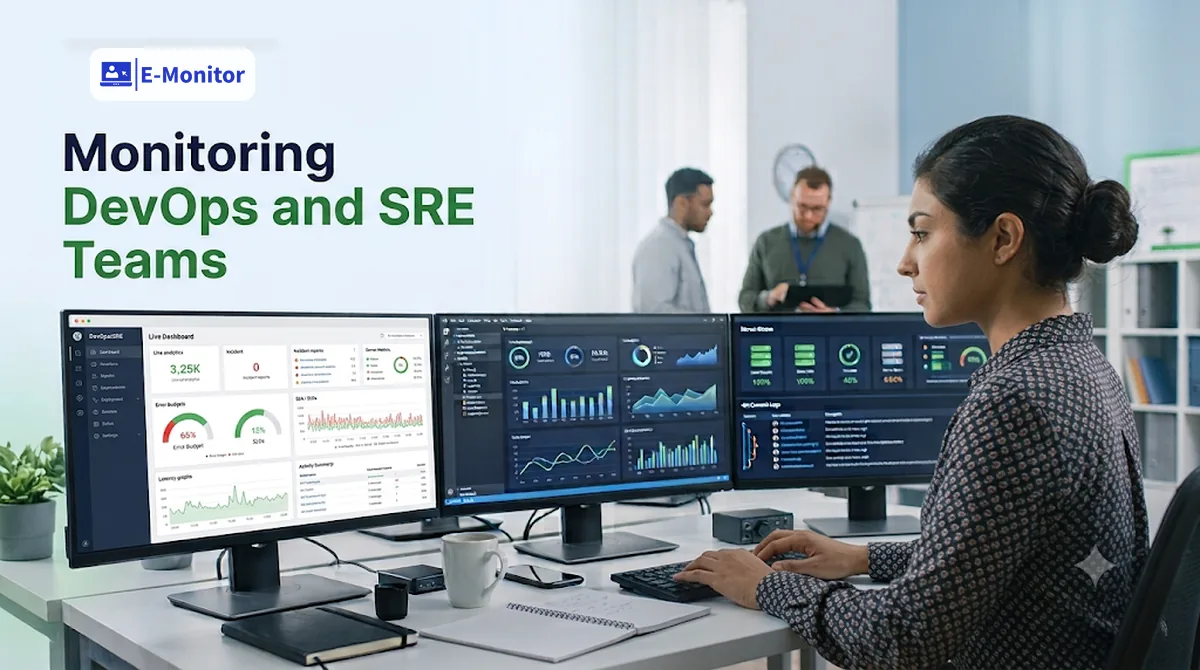
Employee monitoring for DevOps and site reliability engineers is a specialized form of workforce visibility that measures tool usage time, context switching patterns, and behavioral baselines, without capturing the content of code, terminal sessions, or production credentials. Unlike monitoring for customer support or data entry roles, DevOps monitoring centers on flow state optimization and insider threat detection rather than productivity scoring or task completion rates.
DevOps engineers and SREs operate with a level of system access that makes them simultaneously some of your most valuable and highest-risk employees from a security standpoint. They hold production credentials, infrastructure access, and deployment authority. Monitoring this population is not optional, it is a security requirement that most organizations with mature security programs treat as non-negotiable. The question is not whether to monitor, but how to do it without destroying the trust that makes these teams effective.
Why DevOps Monitoring Is Fundamentally Different
Standard employee monitoring frameworks assume that higher activity scores reflect higher productivity. For a data entry operator or customer support agent, this assumption holds reasonably well. For a senior DevOps engineer, it is wrong in ways that matter. An SRE spending four hours staring at a terminal running a complex infrastructure migration may show minimal mouse and keyboard activity while doing their most consequential work of the quarter. An engineer frantically switching between Slack, Jira, PagerDuty, and their IDE every eight minutes is showing every sign of high activity and severe operational inefficiency, they are drowning in toil.
This distinction, between activity and productive output, is the core reason DevOps monitoring requires different configuration, different metrics, and different interpretation frameworks than monitoring for other roles. For a broader treatment of measuring output for technical teams, see our guide to developer productivity monitoring.
Why Context Switching Frequency Is the Clearest Signal of Toil
Context switching frequency is one of the strongest leading indicators of operational toil in DevOps and SRE teams. A context switch, defined as moving from one application or task category to another, costs the brain approximately 23 minutes of recovery time to return to full concentration, according to research published by the University of California, Irvine. For engineers doing complex systems work, that cost is compounded: rebuilding the mental model of a distributed system after an interruption is not a 23-minute exercise.
E-Monitor's activity monitoring data makes context switching patterns visible. When an engineer's session log shows 40 or more application transitions per hour, moving from their IDE to PagerDuty to Slack to Confluence to Jira and back, that is not a sign of productivity. That is a sign of an engineer being consumed by operational noise rather than doing the deep technical work their role requires.
What High-Frequency Context Switching Looks Like in Practice
A healthy DevOps engineer session during focused infrastructure work might show 80 to 90 percent of time in terminal emulators, IDEs, and cloud consoles, with occasional switches to documentation or communication tools. An engineer with unmanaged toil might show 35 percent of their time in incident management and communication platforms during what should be development time, switching applications every few minutes. Activity monitoring data makes this pattern visible where it would otherwise be invisible, because engineers rarely report toil proactively, and managers rarely see the granular time allocation that would reveal it.
Toil Accumulation and Team Health
Google's Site Reliability Engineering book defines toil as manual, repetitive, automatable work that scales linearly with system growth. The SRE framework recommends keeping toil below 50 percent of an SRE team's time. Without objective measurement, engineering managers have no reliable way to know where their teams stand against this threshold. Activity data showing consistent high-frequency context switching into incident response tooling during development hours is a direct, measurable signal that the 50 percent toil boundary is being approached or crossed.
Which Activity Metrics Actually Matter for DevOps and SRE Teams?
Selecting the right metrics for monitoring DevOps engineers requires understanding which data points correlate with engineering team health versus which data points create noise or resentment. The following categories represent the highest-value signals for engineering leaders.
IDE and Terminal Usage Time
Time spent in integrated development environments (VS Code, IntelliJ IDEA, PyCharm, Vim) and terminal emulators represents the core productive activity for DevOps engineers. E-Monitor classifies these tools as productive when role-based configurations are applied correctly. A weekly view showing IDE and terminal time per engineer gives engineering managers a quick proxy for how much deep technical work the team is actually completing versus how much time is consumed by meetings, incident response, and operational coordination.
CI/CD and Cloud Console Activity
Time in continuous integration and delivery platforms (Jenkins, GitHub Actions, CircleCI, ArgoCD) and cloud management consoles (AWS Console, GCP, Azure Portal, Terraform) represents infrastructure improvement and deployment work. Tracking this time category separately from IDE work reveals whether engineers are building new capabilities or spending disproportionate time managing existing infrastructure.
Incident Response Tool Usage During Development Hours
When PagerDuty, OpsGenie, StatusPage, or incident ticketing systems appear prominently in an engineer's activity log during designated development time, that is a signal worth investigating. It may indicate a poorly staffed on-call rotation, an unstable service generating excessive alerts, or an individual engineer being pulled into incidents outside their rotation. Each of these scenarios represents a distinct management problem that activity data surfaces.
Time Allocation Between Communication and Technical Tools
The ratio of time in Slack, Teams, and Zoom versus time in technical tools is a rough but useful indicator of meeting and communication load. DevOps teams that spend more than 30 to 35 percent of their time in communication platforms during a standard work week are often carrying an unsustainable coordination burden, a sign of architectural complexity, organizational ambiguity, or both. This data does not tell engineering managers what to do, but it does confirm whether a problem suspected from qualitative signals is measurable in the activity data.
On-Call Interruption Impact
On-call rotations are a structural reality for SRE teams. What is less visible is how on-call interruptions affect the following day's productivity. Activity monitoring data allows engineering managers to compare the productive technical work time of engineers on the day after an on-call night shift against their baseline. If engineers are consistently showing 40 to 50 percent reduced technical tool time in the 24 hours following on-call shifts, that is a concrete argument for improving on-call support, expanding the rotation, or adjusting post-on-call schedules.
How Activity Monitoring Data Correlates With DORA Metrics
DORA (DevOps Research and Assessment) metrics, deployment frequency, lead time for changes, mean time to restore (MTTR), and change failure rate, are the gold standard for measuring DevOps team performance. Activity monitoring data from E-Monitor does not replace DORA metrics, but it provides a complementary layer that explains why DORA numbers change.
When deployment frequency drops, DORA metrics alone tell you that it dropped. Activity monitoring data helps answer why: were engineers spending less time in CI/CD pipelines and more time in incident management? Did a spike in Slack usage coincide with the deployment slowdown, suggesting a coordination problem rather than a technical one? Did specific engineers shift from technical tool time toward communication tool time, indicating they were being pulled into non-engineering responsibilities?
Deployment Frequency and Focus Time Correlation
Engineering research consistently shows that deployment frequency correlates with uninterrupted focus time. Organizations in the elite DORA performance tier, with multiple deployments per day, achieve this partly by protecting engineering time from operational interruptions. Activity monitoring data makes focus time visible and measurable. Teams with high IDE and CI/CD tool concentration in their activity data, and low context switching frequency, are structurally positioned for high deployment frequency. Teams with the opposite pattern typically struggle to reach elite deployment cadences regardless of individual engineer skill.
Using Activity Data to Diagnose MTTR Outliers
When a specific incident resulted in an unusually long mean time to restore, activity data from the relevant engineers during that window can reveal whether the delay was caused by technical complexity (sustained terminal and cloud console activity), coordination overhead (high communication tool usage during resolution), or access issues (unusual patterns of switching between systems without sustained engagement in any). This post-incident analysis adds granularity to the MTTR number that the metric alone cannot provide.
Get started
See How Engineering Teams Use E-Monitor Without Resentment
Configure role-specific monitoring for DevOps engineers in under 10 minutes. No keystroke logging, no screenshot capture of terminals.
- 7-day free trial
- No credit card
- Live in minutes
The Insider Threat Reality: DevOps Engineers Have Privileged Access to Everything
Insider threat monitoring for DevOps engineers is a legitimate and necessary security requirement that exists independently of any productivity rationale. A DevOps engineer at a mid-size technology company typically holds access to production databases, container registries, cloud infrastructure credentials, deployment pipelines, and source code repositories. This access profile makes them one of the highest-consequence insider threat vectors in the organization, not because they are more likely to act maliciously than other employees, but because when they do, the potential impact is categorically larger.
The 2024 Verizon Data Breach Investigations Report found that privilege misuse accounted for 17 percent of incidents involving internal actors. For organizations with cloud-native infrastructure, the blast radius of a single malicious or compromised privileged user can extend to full production database access, customer data, and intellectual property simultaneously. Behavioral monitoring establishes the baselines necessary to detect when normal access patterns change.
Behavioral Baselines for Privileged Users
E-Monitor's activity monitoring builds behavioral baselines for individual engineers over time: which systems they typically access, what hours they work, which tools they use in sequence, and what volume of data transfer is normal for their role. Anomalies against this baseline, an engineer accessing production database consoles at 2 AM when their normal work pattern ends at 7 PM, or a sudden spike in download activity on their last week before departure, trigger alerts for security review.
Data Exfiltration Patterns Before Departure
The most common insider threat scenario for DevOps engineers is data exfiltration before voluntary departure: downloading infrastructure configurations, deployment scripts, proprietary tooling, or customer data before leaving for a competitor. E-Monitor's DLP monitoring detects unusual file download volumes, USB device connections, and upload activity to external services. When this activity occurs in the days or weeks before an announced or suspected departure, it provides the evidence foundation necessary for legal action if intellectual property theft is confirmed.
Access Pattern Monitoring Without Content Inspection
It bears explicit emphasis: monitoring which systems a DevOps engineer accesses and when is categorically different from monitoring the content of their terminal sessions or capturing credentials. E-Monitor monitors application usage patterns, access timing, and data transfer volumes, not the content of SSH sessions, code being written, or terminal commands executed. This distinction is security-critical for exactly the reason that makes keystroke logging inappropriate: capturing the content of a DevOps engineer's terminal session creates a vector for credential exposure that is itself a security incident.
What Not to Do: Monitoring Anti-Patterns That Destroy Engineering Teams
The fastest way to lose your entire DevOps team is to implement monitoring in ways that signal distrust without providing legitimate operational value. These anti-patterns are well-documented in engineering culture and will be recognized immediately by experienced engineers who have encountered them before.
Screenshot Monitoring of Code Editors
Taking periodic screenshots of developer screens is one of the most resented monitoring approaches in engineering culture. It serves minimal legitimate operational value, you are not learning anything from a screenshot of VS Code that you would not learn from application usage time data. But it sends a clear message: "We don't trust you, and we want to be able to see what you're working on at any moment." This creates immediate resentment and, in most cases, accelerates departure among your best engineers, who have the highest market mobility.
There is also a practical security concern: screenshots of IDE windows may capture API keys, credentials embedded in configuration files, or other sensitive data that should not be stored in monitoring system logs. Disable screenshot monitoring for engineering roles entirely, or configure it to exclude all development tool windows.
Keystroke Logging for Security or Productivity Purposes
Keystroke logging presents an unacceptable security risk for DevOps engineers. These engineers routinely type production passwords, API tokens, SSH passphrases, and infrastructure credentials in their terminals. Any keylogger that captures this content creates a consolidated credential store that is a high-value target. Beyond the security exposure, the message conveyed by keystroke logging to an experienced engineer is unambiguous: "We are trying to read your work and potentially find something to use against you." This is antithetical to the trust relationship that high-performing engineering teams require.
E-Monitor's activity intensity monitoring, which captures the pattern of keyboard and mouse activity without recording content, provides the engagement signal useful for behavioral baseline purposes without this exposure.
Generic Activity Scoring Applied to Engineering Roles
Many employee monitoring platforms include a "productivity score" that weights application usage against a default classification of productive and non-productive tools. Applied without customization to DevOps engineers, these scores are actively misleading. Terminal emulators and SSH clients may be classified as "unproductive" by default. Time spent in documentation, reading technical specifications, or thinking through architecture might register as idle. These scores, if surfaced to managers without careful configuration, produce exactly the wrong incentives: engineers optimize for activity metrics rather than for actual technical output.
If you use productivity classification for DevOps roles, configure it from scratch with input from experienced engineers. The classification should reflect the actual productive tool set for the role, not a generic office worker template.
How to Implement Monitoring for DevOps and SRE Teams That Engineers Will Accept
Implementing E-Monitor for DevOps teams requires a different approach than rolling out monitoring to other departments. The engineers you are monitoring are technically sophisticated, have strong opinions about privacy and trust, and will immediately recognize and discuss any monitoring configuration that feels punitive or intrusive. Transparency and role-specific configuration are not optional, they are the prerequisites for successful implementation.
Step 1: Define the Legitimate Purposes Before Configuration
Before configuring anything, document the specific operational purposes monitoring serves for your DevOps team. These should include at minimum: insider threat detection for privileged account holders, toil measurement to support automation investment decisions, and on-call impact measurement for rotation management. Productivity scoring for engineering output should not be on this list, it is both inaccurate and corrosive to team culture when applied to DevOps roles.
Step 2: Configure Role-Specific Productivity Classification
Build a custom productive application list for DevOps engineers that includes all terminal emulators, IDEs, cloud management consoles, CI/CD platforms, container management tools, version control clients, and infrastructure-as-code editors your team uses. Disable default productivity scoring outputs. Configure activity intensity monitoring to capture behavioral baselines for security purposes without keystroke content recording.
Step 3: Disable Screenshot Monitoring for Engineering Roles
Configure E-Monitor to exclude screenshot capture for all engineering roles. This is both a security requirement (preventing credential capture) and a trust signal. When engineers are informed of their monitoring configuration during onboarding, the explicit statement that screenshots of their work environment are not captured removes the most common objection to monitoring in engineering culture. For teams evaluating whether to use agent-based or agentless collection methods, see our comparison of agentless deployment for DevOps teams.
Step 4: Give Engineers Visibility Into Their Own Data
E-Monitor provides employees access to their own activity data through personal dashboards. For DevOps engineers, encourage self-review of their own tool-use time distribution. Many engineers are genuinely surprised to discover how much of their week is consumed by communication platforms versus technical work. Framing monitoring as a tool that helps engineers quantify and reclaim focus time, rather than a tool that reports on them to management, changes the adoption dynamic entirely.
Step 5: Use Aggregate Team Data for Toil Conversations
Present activity data to engineering teams at the aggregate level first. "Our team spent 38 percent of engineering time in incident management and communication tools last month" is a leadership conversation starter that engineers will engage with productively. It focuses on systemic problems rather than individual performance. Individual-level data should be reserved for security investigations and one-on-one coaching contexts, not team reviews.

Get started
E-Monitor Is Trusted by 1,000+ Companies Including Technical Teams
Configure monitoring policies that engineering leaders and individual contributors both accept. Role-specific settings, transparent dashboards, no credential exposure.
- 7-day free trial
- No credit card
- Live in minutes
Legal Considerations for Monitoring DevOps Engineers
Monitoring DevOps and SRE engineers involves the same legal framework as monitoring any employee, with additional considerations specific to the privileged access these roles hold. In the United States, the Electronic Communications Privacy Act (ECPA) and state-level wiretapping statutes govern the boundaries of workplace monitoring. Most US jurisdictions permit employer monitoring of work devices and systems when employees are given prior notice, which is satisfied by a clearly written acceptable use policy and monitoring disclosure signed at onboarding.
For organizations operating under GDPR (European Union, UK, or anywhere data about EU residents is processed), monitoring DevOps engineers requires a legitimate interest basis under Article 6(1)(f). Security monitoring of privileged users is generally supportable under legitimate interest, but a Data Protection Impact Assessment (DPIA) is recommended when monitoring covers behavioral patterns over time. Configure E-Monitor's data retention policies to retain monitoring data only as long as operationally necessary, with automatic deletion schedules aligned to your DPIA findings.
When Security Monitoring Becomes Legally Consequential
If monitoring data is used as evidence in a disciplinary proceeding, termination, or legal action against a DevOps engineer, chain of custody and data integrity become critical. E-Monitor maintains tamper-evident logs with timestamps, but organizations should work with employment counsel to establish procedures for preserving and presenting monitoring evidence when investigations arise. This is distinct from routine operational use of monitoring data, once monitoring data becomes potential legal evidence, it requires different handling.
Frequently Asked Questions: Monitoring DevOps and SRE Teams
Can you monitor DevOps engineers without damaging team culture?
Employee monitoring for DevOps engineers is feasible when it focuses on flow optimization rather than activity scoring. Monitoring IDE usage time, context switching patterns, and tool-use time provides operational intelligence without the resentment triggered by keystroke logging or screenshot capture of code editors. Transparency about what is monitored and why, and giving engineers access to their own data, are the critical success factors.
What metrics matter most when monitoring SRE teams?
Site reliability engineers benefit most from context switching frequency (a leading indicator of toil), on-call interruption duration measured against next-day productivity baselines, time allocation between coding tools and incident management platforms, and correlation between deployment frequency and engineering focus time. These metrics support operational decision-making without reducing engineers to productivity scores.
Why is keystroke logging inappropriate for DevOps engineers?
DevOps engineers routinely handle production credentials, API keys, and secrets in their terminals. Keystroke logging creates a security exposure risk: captured keystrokes may include passwords, SSH passphrases, and access tokens that should never be stored in monitoring system logs. Activity intensity measurement captures engagement signals without recording content, providing behavioral baseline data safely.
How does employee monitoring support DORA metrics?
Activity monitoring data complements DORA metrics by explaining why deployment frequency or MTTR changes. When deployment frequency drops, activity data reveals whether engineers were spending less time in CI/CD pipelines and more time in incident management, or whether communication overhead increased. The metric shows what happened; activity data helps explain why.
What is the insider threat risk specific to DevOps engineers?
DevOps engineers typically hold privileged access to production infrastructure, container registries, cloud credentials, and deployment pipelines. They represent a high-consequence insider threat vector. Behavioral monitoring establishes normal access baselines and detects anomalies: accessing systems outside normal hours, unusual data transfer volumes, or unexpected access to non-assigned infrastructure.
Should activity scoring be applied to DevOps engineers?
Standard activity scoring is inappropriate for DevOps roles because output is measured by deployments, system reliability, and incident resolution, not keystroke count or application switches. E-Monitor's productivity classification should be configured to treat terminal, IDE, cloud console, and CI/CD tool time as productive, without applying a generic productivity score that was designed for office worker roles.
How does monitoring help identify toil in SRE teams?
Toil appears in activity data as frequent context switches from coding tools to incident management platforms, high volume of alert-related application usage during development hours, and repeated short sessions in ticketing systems. Activity pattern analysis quantifies toil concentration so engineering leaders can prioritize automation investment where it will have the highest impact on team capacity.
What monitoring should be disabled for DevOps teams?
Screenshot monitoring of IDE windows and terminal sessions should be disabled for DevOps engineers due to secrets exposure risk. Keystroke content logging should be off entirely. Application usage classification should never flag terminal emulators, SSH clients, or cloud management consoles as non-productive. These configurations are straightforward to apply in E-Monitor's role-based policy settings.
Can monitoring data help justify headcount for SRE teams?
Activity monitoring data provides concrete evidence for headcount requests. When data shows engineers spending more than 30 percent of their time in incident response and communication tools rather than infrastructure improvement work, engineering managers have objective justification for additional staffing or investment in toil-reducing automation. This transforms a subjective feeling into a measurable business case.
How is E-Monitor configured differently for DevOps versus other roles?
E-Monitor allows role-specific productivity classification. For DevOps engineers, terminal emulators, IDEs, cloud consoles, container management tools, and CI/CD platforms are classified as productive. Slack and video conferencing are classified as neutral. Screenshots are disabled. Activity intensity monitoring remains active for security behavioral baselines, providing insider threat detection without content capture.
Get started
Configure E-Monitor for Your DevOps Team in Under 10 Minutes
Role-specific policies, no keystroke content capture, transparent employee dashboards. Trusted by 1,000+ companies managing technical teams.
- 7-day free trial
- No credit card
- Live in minutes