
Monitoring In-House Legal Teams: Time Allocation, Matter Tracking, and Privileged Data Protection
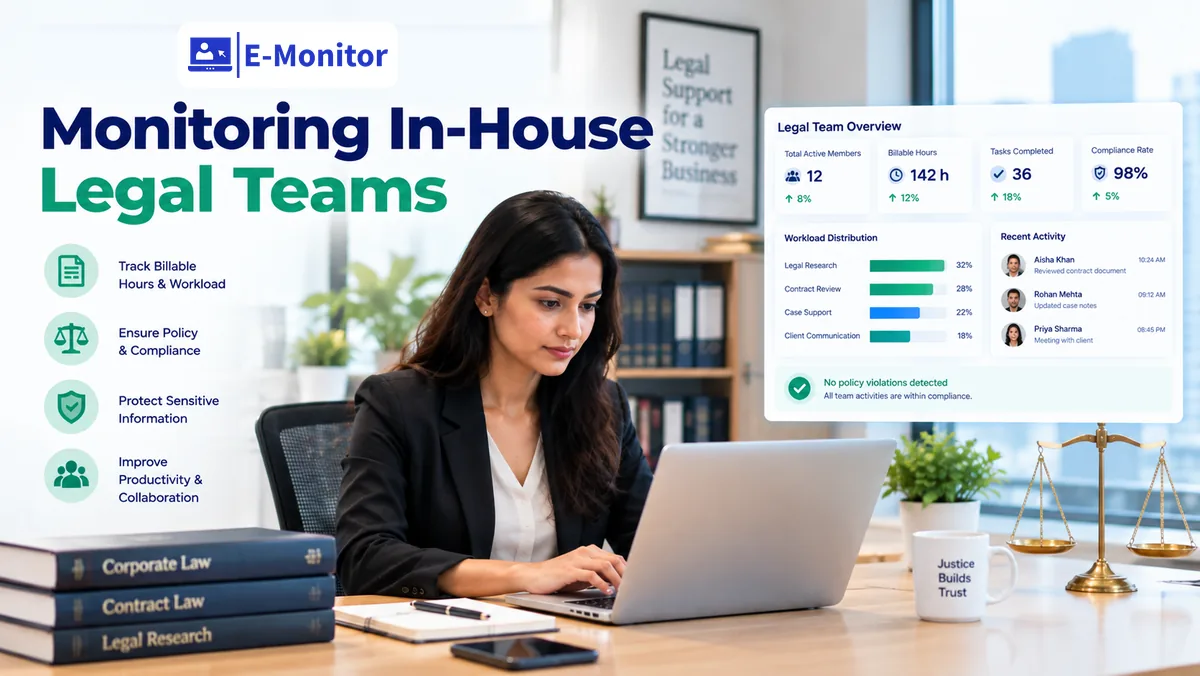
Monitoring in-house legal teams means tracking how attorney hours are allocated across matters, protecting privileged and confidential legal files from unauthorized access, and generating the board-level reporting that transforms a legal department from a perceived cost center into a demonstrably strategic function. E-Monitor provides all three capabilities while respecting the unique confidentiality requirements of in-house legal practice.
7-day free trial. No credit card required.
Why In-House Legal Departments Struggle to Demonstrate Their Value
In-house legal teams occupy an unusual position in the corporate structure. They are essential, every significant business decision carries legal risk, yet they are consistently underrepresented in board-level resource discussions because they lack the metrics language that finance, sales, and operations use to justify their budgets.
A 2024 Thomson Reuters survey of General Counsels found that 67% reported difficulty quantifying the value their department delivers to the business, while 73% faced pressure to reduce external legal spend without a corresponding increase in internal headcount. The result is a perpetual squeeze: external costs are visible (law firm invoices are line items on the P&L), but internal legal capacity is invisible (attorney hours are not tracked, matter workloads are not documented, response times are not measured).
This invisibility has direct consequences. Without matter-level time data, GCs cannot make defensible decisions about whether to build internal capability or pay external counsel rates. Without productivity metrics, legal operations leaders cannot optimize team capacity. Without access monitoring, sensitive matters, M&A due diligence, regulatory investigations, employee relations, lack the protection their confidentiality requires.
The Three Problems E-Monitor Solves for In-House Legal
- The value visibility problem: No objective data on how attorney time is allocated across matters, business units, or work type (advisory, transactional, litigation support, compliance)
- The capacity planning problem: No reliable way to determine whether the team is understaffed, overstaffed, or optimally sized relative to current demand, making budget conversations with the CFO speculative rather than data-driven
- The confidentiality protection problem: Highly sensitive legal files, M&A deal rooms, regulatory investigation files, employment matter records, lack systematic monitoring to detect unauthorized internal access before damage occurs
How Matter-Based Time Tracking Works for In-House Attorneys
In-house attorneys do not bill clients by the hour, so they have no billable hour discipline enforcing time tracking. This is precisely why their time is so poorly documented, the external pressure that forces law firm associates to record six-minute increments simply does not exist in corporate legal departments.
E-Monitor solves this without burdening attorneys with manual time entry. The platform tracks application-level time automatically, identifying which legal research platforms, document management systems, and communication tools are in active use, for how long, and during which time periods.
Legal Research Platform Tracking
Time spent in Westlaw, LexisNexis, Bloomberg Law, and Fastcase is tracked automatically when these applications or browser tabs are active. For attorneys who spend 40-60% of their time on legal research, typical for in-house teams handling complex regulatory matters or litigation support, this single data stream provides substantial visibility into research workloads.
More importantly, research time can be correlated to specific matters when attorneys are working on matter-specific searches, document collections, or precedent research. A regulatory response matter that consumes 120 attorney hours over three weeks becomes visible and documentable rather than invisible overhead.
Document Review and Contract Management Time
Document review in platforms like Relativity, Everlaw, Logikcull, or Orca is among the most time-intensive in-house legal activity, particularly during litigation support, regulatory response, or M&A due diligence. E-Monitor captures active session time in these platforms, enabling post-matter analysis of review hours by attorney, by matter phase, and by document volume.
Contract management time in Ironclad, DocuSign CLM, ContractPodAi, or similar platforms reveals the true cost of contract operations, how many attorney hours are consumed by contract review, negotiation, and execution each month. For organizations where in-house counsel handles 200-400 contracts per year, this data drives the buy-versus-build analysis for contract automation investment.
Correlating Application Time to Matters
E-Monitor's activity logging system provides the raw time data. Legal operations managers map application time to matters using a matter reference framework, either manually correlating time blocks to active matters, or configuring file naming and application tagging conventions that allow automated correlation. The result is a matter-level time ledger that mirrors what external counsel would bill, without requiring attorneys to maintain a separate timesheet.
Building the GC's Board-Level Value Report
General Counsels who present quantified legal function data to their boards are significantly more likely to secure adequate resources, retain their teams, and influence strategic decisions before legal issues become crises. The challenge has always been that the data did not exist, until systematic monitoring creates it.
Cost Containment: The Internal-Versus-External Calculation
The most immediately compelling board-level metric is cost per matter versus external counsel rates. A litigation support matter handled internally at the fully-loaded cost of $120/hour (fully-loaded attorney cost including salary, benefits, and overhead) versus the same work at $450-$650/hour from a large law firm represents a significant and documentable cost avoidance.
With E-Monitor's matter time data, GCs can present this calculation with precision: "In the past fiscal year, our team handled 47 matters internally that would have generated an estimated $2.4 million in external counsel fees. Our total department cost was $1.1 million. Net value delivered: $1.3 million." This kind of specific, finance-fluent reporting changes the dynamic of budget conversations entirely.
According to the Association of Corporate Counsel's 2024 Chief Legal Officer Survey, companies with structured legal operations functions, including time tracking and matter management, reported 22% lower total legal spend than peer organizations of equivalent size and complexity. The productivity data that enables this optimization starts with monitoring attorney time allocation.
Capacity Utilization: Answering the Headcount Question
The second critical board metric is capacity utilization, what percentage of available attorney capacity is consumed by current matter volume? This answers the headcount question that GCs struggle to answer without data: "Do we need another attorney, or do we need to redistribute existing capacity?"
E-Monitor's time tracking data, aggregated across the legal team, shows total available attorney hours (FTE capacity) versus billable-equivalent hours consumed by active matters. When utilization consistently exceeds 85%, the case for additional headcount becomes objective. When utilization averages 65%, the case for redistributing work before adding headcount is equally clear.
Regulatory and Compliance Matter Tracking
For in-house teams that manage regulatory filings, compliance deadlines, and government inquiries, time tracking against regulatory matters creates an audit trail of due diligence effort. Regulatory agencies increasingly view evidence of systematic compliance effort, documentable in time and activity records, as a mitigating factor in enforcement proceedings. The hours invested in a voluntary disclosure, a consent order response, or a regulatory examination represent quantifiable compliance investment that belongs in the board report.
Protecting Privileged and Confidential Legal Files From Unauthorized Access
In-house legal departments handle the most sensitive information in the organization, and much of it in systems that the broader employee population also uses. SharePoint libraries, network drives, contract management platforms, and email archives may contain M&A files, regulatory investigation records, and employment matter documentation alongside ordinary business content.
Without systematic monitoring, unauthorized internal access to these files may go undetected for months, or permanently. E-Monitor's activity logging and DLP capabilities address this directly.
What Sensitive Legal Files Require Protection
- M&A due diligence files: Target company financial data, deal structure analysis, regulatory clearance materials, and board-approved deal terms, all subject to material non-public information (MNPI) restrictions and confidentiality obligations to counterparties
- Regulatory investigation files: Government subpoenas, document preservation notices, voluntary disclosure drafts, and attorney-client privileged communications with outside counsel managing the investigation
- Employment matters: Discrimination claims, termination analysis, EEOC filings, and severance negotiations, highly confidential both to protect the organization and to protect the employees involved
- Board and audit committee materials: Legal memoranda prepared for board or audit committee, including assessments of litigation exposure and regulatory risk disclosures
- Trade secret and IP files: Patent applications before filing, licensing negotiation positions, and IP acquisition analysis
How E-Monitor Detects Unauthorized Access
E-Monitor monitors file access patterns and application usage for anomalies that indicate unauthorized or inappropriate access to legal files. Alert configurations can be set to trigger when employees outside designated access groups open files in protected legal directories, when large volumes of legal documents are accessed in a short period (consistent with bulk extraction), or when legal files are uploaded to personal cloud storage, emailed to external addresses, or copied to removable media.
The DLP module's USB monitoring capability is particularly relevant for legal files, a departing employee who copies M&A due diligence materials or litigation strategy documents to a USB drive before leaving represents both a confidentiality breach and a potential trade secret misappropriation. See how the insider threat detection guide covers this scenario specifically, including how behavioral signals typically precede data exfiltration events.
For workplace investigation matters, including investigations of potential employee misconduct that may intersect with E-Monitor data itself, the workplace investigation use case covers the specific implementation considerations including data segregation and chain of custody requirements.
Attorney-Client Privilege Considerations in Legal Team Monitoring
Monitoring in-house legal teams raises privilege considerations that do not apply to other departments. The attorney-client privilege protects confidential communications between in-house counsel and corporate clients, and an improperly scoped monitoring implementation could, in theory, create arguments about privilege waiver or third-party access that would not arise in a law firm context.
The practical risk is lower than it sometimes appears, but it requires deliberate policy design rather than ad hoc implementation.
What Monitoring Does and Does Not Affect
System access monitoring, tracking which applications an attorney uses, for how long, and which files they access, does not record the content of privileged communications. The privilege attaches to the communication itself (the legal advice memo, the email exchange with the CEO about litigation strategy), not to the fact that an attorney opened a document management system at 2:47 PM on a Tuesday.
Activity time data (attorney X spent 3.2 hours in the due diligence data room on Thursday) is similarly not privileged. The fact of work effort is not a communication. Courts have consistently held that billing records, which are the law firm equivalent of time tracking data, are not privileged, and in-house time records occupy the same legal position.
Where Care Is Warranted
Monitoring configurations that capture screenshot content could, if improperly scoped, capture the content of privileged draft memoranda or legal advice documents. E-Monitor's screenshot capability should be configured for legal team monitoring with appropriate safeguards, either limiting screenshot monitoring for attorneys to application-level activity rather than screen content, or applying role-based access controls that restrict screenshot review to personnel with appropriate clearance and a legitimate need.
Additionally, monitoring policies for the legal team should be reviewed by outside counsel before implementation to ensure the design does not create inadvertent disclosure risks. This review is a one-time investment that protects both the monitoring program and the organization's privilege posture.
Disclosing the Monitoring Program Internally
In-house attorneys who are being monitored should be informed of the monitoring scope, purpose, and data access controls, just as any other employee. The attorney professional conduct rules do not exempt in-house counsel from employer monitoring, but the disclosure should be clear that monitoring data will not be used to circumvent privilege or shared in ways inconsistent with the legal department's confidentiality obligations to the organization.
Get started
Give Your GC the Data to Make the Budget Case
Start tracking attorney time allocation and matter workloads in days. E-Monitor integrates with legal research platforms and document management tools automatically, no manual time entry required.
- 7-day free trial
- No credit card
- Live in minutes
Specific Use Cases: M&A, Regulatory Response, and Compliance Matters
Three categories of in-house legal work generate the highest volume of attorney hours, the most sensitive data handling requirements, and the most valuable monitoring data for both management and board reporting.
M&A Due Diligence Support
M&A transactions consume extraordinary legal capacity. A mid-market acquisition, a $200M to $500M transaction, typically requires 800 to 2,000 attorney hours of due diligence across legal, regulatory, IP, employment, and environmental workstreams. Most in-house teams lack visibility into how those hours were allocated until the transaction closes and the team collapses in exhaustion.
E-Monitor's application time tracking captures time in virtual data room platforms (Intralinks, Datasite, Ansarada, Merrill DatasiteOne), document review tools, and internal communication channels during the deal timeline. Post-transaction analysis of attorney hours by deal phase, workstream, and individual contributor informs the resource planning for future transactions, enabling more accurate projections of whether the next transaction will require outside counsel augmentation or can be handled internally.
Access monitoring during M&A is equally critical. MNPI restrictions require that deal information be limited to authorized participants. E-Monitor's file access monitoring and DLP capabilities detect when deal files are accessed by employees not on the authorized access list, an insider trading risk that legal and compliance teams take seriously. The insider threat detection guide covers MNPI access control monitoring in detail.
Regulatory Investigation and Government Inquiry Response
Responding to a government investigation, an SEC inquiry, an EEOC charge, a DOJ subpoena, a state AG demand, is among the most resource-intensive work an in-house legal team undertakes. The response timeline is compressed, the stakes are high, and the team is often operating in a mode where regular matter management disciplines collapse under the pressure of document preservation, custodian interviews, and regulator communications.
E-Monitor's time tracking creates an automatic record of the investigation response effort, hours spent in document review, communications with outside counsel, custodian coordination, and regulatory filing preparation. This record serves two purposes: it provides the basis for post-investigation cost analysis (informing budget reserves for future regulatory events), and it documents the organization's good-faith response effort, which regulators and courts consider in assessing cooperation credit.
For investigations that trigger legal hold obligations, E-Monitor's activity logging supports the hold implementation by providing records of custodian activity during the preservation period, useful for demonstrating compliance with preservation obligations and identifying custodians whose file activity warrants closer collection scoping.
Compliance Program Management and Regulatory Filing Preparation
In-house teams at regulated companies manage ongoing compliance program obligations alongside transactional and advisory work: annual compliance certifications, regulatory filings, compliance training program administration, policy updates, and internal audit response. These activities are often treated as overhead rather than tracked as discrete work product, making them invisible in resource discussions even as they consume 20-30% of total legal team capacity at heavily regulated firms.
E-Monitor's time allocation data, broken down by application and work type, surfaces compliance program workloads as a distinct, measurable category. This visibility enables the GC to present the board and CFO with a complete picture: "Our legal team spends 28% of capacity on compliance program obligations mandated by our regulatory environment. That is a fixed cost floor that constrains our available capacity for transactional and advisory work, and is the primary driver of our external counsel dependency for M&A support."
For HIPAA-regulated organizations, E-Monitor's implementation at healthcare in-house legal teams should be reviewed alongside the HIPAA compliance guide to ensure the monitoring configuration itself meets HIPAA's access control and audit log requirements.
In-House Legal Monitoring vs. Law Firm Monitoring: Key Differences
In-house legal monitoring serves different objectives than law firm monitoring, and the metrics that matter differ substantially. Understanding these differences prevents importing law firm assumptions into a corporate legal department context where they do not apply.
| Dimension | Law Firm | In-House Legal Department |
|---|---|---|
| Primary time tracking goal | Accurate client billing | Matter cost analysis and value demonstration |
| Utilization measurement | Billable hours vs. target (1,800-2,200 hrs/year) | Capacity vs. matter demand, right-sizing the team |
| Confidentiality concerns | Client confidentiality, external facing | Privileged communications + MNPI + employment matters |
| Reporting audience | Firm management, practice group leaders, clients | CFO, CEO, board audit committee |
| Make-or-buy decision | Not applicable (law firm is the external counsel) | Internal vs. external counsel allocation optimization |
| DLP priority | Client data protection, conflict checking | MNPI access control, regulatory investigation files, employment matters |
| Legal hold context | Holds managed on behalf of clients | Holds managed for the organization's own litigation |
| E-Monitor features most used | Time tracking, activity logs, app usage | Time tracking, DLP, activity logs, access monitoring, reporting |
Implementing E-Monitor for an In-House Legal Team
Deploying E-Monitor for in-house legal teams requires attention to three configuration areas that differ from general workforce monitoring: privilege-aware screenshot policy, access control for monitoring data, and matter-tagging framework design.
Step 1: Policy Design With Counsel Review
Before deploying monitoring for the legal team, have the monitoring policy reviewed by outside counsel, specifically for attorney-client privilege implications and any applicable professional conduct rules in your jurisdiction. This review typically takes one to two weeks and should produce a written policy that specifies monitoring scope, data access controls, retention periods, and the disclosure to legal team members.
Step 2: Configure Screenshot Policy for Legal Roles
For attorneys and paralegals handling privileged matters, configure screenshot monitoring at a reduced frequency or limit screenshot review access to the GC and designated legal operations personnel. This prevents routine monitoring screenshots from capturing privileged document content in a form accessible to HR or IT personnel who lack appropriate access.
Step 3: Establish the Matter Reference Framework
Work with legal operations to define the matter tagging structure that will be used to correlate E-Monitor time data to specific matters. This may be as simple as a matter number convention in file and folder naming, or as structured as a matter management system integration. The framework should cover all significant work categories: litigation, transactional, regulatory, compliance, advisory by business unit, and administrative overhead.
Step 4: Deploy With Full Team Disclosure
Disclose the monitoring program to the legal team in a team meeting led by the GC, explaining the purpose (value demonstration, capacity planning, sensitive file protection), the scope (work hours only, application and file access tracking), and the data access controls (who can see which data). Legal professionals respond better to monitoring when it is presented as a management discipline supporting their interests, accurate representation of workload, objective data for headcount requests, protection of their clients' sensitive information, rather than as oversight.
Step 5: Generate the First Board Report
Within 60 to 90 days of deployment, E-Monitor's time tracking data provides sufficient information for a first-generation matter time report. Use this data to build the initial version of the GC board report: matter hours by type, internal cost analysis versus estimated external rates, capacity utilization, and access anomaly summary from the DLP module.
Frequently Asked Questions: Monitoring In-House Legal Teams
How do in-house legal teams track time spent on specific matters?
E-Monitor tracks application-level time in legal research platforms (Westlaw, LexisNexis, Bloomberg Law), document review tools (Relativity, Everlaw), contract management systems (Ironclad, DocuSign CLM), and communication applications automatically. Legal operations managers correlate this application time to specific matters using a matter reference framework, producing matter-level time records without requiring attorneys to manually log each task.
Does monitoring in-house counsel raise attorney-client privilege concerns?
System access monitoring does not inherently waive privilege, which attaches to the communication itself rather than the fact of system access. However, monitoring policies for legal teams should be reviewed by outside counsel before implementation, and access to monitoring data should be limited to appropriate personnel. Screenshot monitoring for attorneys should be configured to avoid capturing privileged document content in forms accessible to personnel without appropriate clearance.
What is the biggest challenge in-house legal departments face with productivity measurement?
The core challenge is that in-house legal work is inherently reactive, matters arrive based on business events, not planned workloads. Traditional productivity metrics (tasks per day, output per hour) are unsuitable. The most useful metrics for in-house legal are matter-level time allocation, response time to business unit requests, cost per matter versus external counsel rates, and capacity utilization across the full team.
How can a GC use monitoring data to demonstrate value to the board?
Board-level legal reporting is most compelling when built around three categories: cost containment (internal handling of matters at internal rates versus external counsel fees), risk management (regulatory matters resolved, compliance issues detected before becoming incidents), and efficiency (response SLA performance, matter cycle times). E-Monitor's time and activity data provides the raw material for all three categories without requiring attorneys to maintain separate manual time records.
What legal research platforms does E-Monitor track time in?
E-Monitor tracks application and browser usage time across Westlaw, LexisNexis, Bloomberg Law, Fastcase, and all major browser-based legal research platforms automatically. Time in document review platforms including Relativity, Everlaw, and Logikcull is also captured. Contract management time in Ironclad, DocuSign CLM, ContractPodAi, and similar platforms is tracked with the same application-level precision.
How does E-Monitor handle legal hold requirements for in-house teams?
E-Monitor's activity logging and DLP capabilities support legal hold procedures by preserving records of system access, file activity, and application usage patterns for relevant custodians during the hold period. This data supplements traditional email and document preservation by providing a complete picture of what custodians accessed and when, relevant for both collection scoping and spoliation defenses in subsequent litigation.
Can E-Monitor track time spent on M&A due diligence?
Yes. During M&A due diligence, in-house legal teams work extensively in virtual data rooms (Intralinks, Datasite, Ansarada), document review platforms, and deal management tools. E-Monitor tracks active time in all these applications, enabling post-transaction analysis of legal hours by deal phase, providing the data needed to budget future transactions and assess whether to build internal capacity or rely on outside counsel augmentation.
How do you protect sensitive legal files from unauthorized internal access?
E-Monitor's DLP and activity logging detect when employees outside designated access groups access files in protected legal directories, when large volumes of legal documents are accessed in short periods, or when legal files are copied to USB drives, uploaded to personal cloud storage, or emailed externally. Alerts are triggered immediately, enabling response before sensitive information is distributed inappropriately.
What is legal operations and how does monitoring support it?
Legal operations applies business management discipline to legal service delivery, including matter management, vendor management, technology selection, and financial reporting for the legal function. Monitoring data supports legal operations by providing the objective productivity metrics that enable accurate external-versus-internal make-or-buy decisions, staffing model optimization, and technology ROI measurement with data rather than estimation.
How does in-house legal monitoring differ from law firm monitoring?
Law firm monitoring centers on client billing accuracy and associate utilization against billable hour targets. In-house monitoring focuses on demonstrating department value to the board, protecting privileged communications and MNPI, optimizing the internal-versus-external counsel allocation, and managing regulatory and compliance matter workloads. The technology is similar but the reporting outputs, success metrics, and stakeholder audiences differ substantially.
Is monitoring appropriate for paralegals and legal assistants as well as attorneys?
Yes, and for many in-house teams, paralegal and legal assistant monitoring is more immediately valuable than attorney monitoring. These roles have more consistent, measurable workflows: contract review throughput, document preparation volume, compliance filing completion. Extending monitoring to the full legal team provides a complete picture of department capacity and reveals support staff bottlenecks that constrain attorney productivity and drive unnecessary external spending.
Get started
Transform Your Legal Department From a Cost Center Into a Documented Value Driver
Join 1,000+ companies using E-Monitor to build the productivity data their legal teams need. Setup takes under 2 minutes. Your first matter time report arrives within days.
- 7-day free trial
- No credit card
- Live in minutes