
Employee Monitoring for PMOs: Resource Allocation Visibility, Time-to-Value Tracking, and Portfolio Governance
PMO monitoring for project management office resource allocation gives directors the actual workforce utilization data they need, not self-reported estimates. E-Monitor shows how team time distributes across your project portfolio in real time, enabling credible capacity commitments and board-ready reporting.
7-day free trial. No credit card required. Trusted by 1,000+ companies.
Why Do PMOs Consistently Struggle With Resource Visibility?
The Project Management Office exists to provide governance, standardization, and visibility across an organization's project portfolio. Yet the most common complaint from PMO directors is also the most fundamental: they cannot see, with any precision, how the workforce is actually spending its time.
The PMI Pulse of the Profession 2024 report found that 48% of projects experience scope creep, and inadequate resource management is cited as a primary cause. Project budgets overrun not because scope is badly defined, but because the time estimates that underpin budgets are built on self-reported data that consistently overstates productive project time by 15-23%.
Project management platforms like Jira, MS Project, and Asana show what people log. They do not show what people actually do. A developer who logs eight hours on Project Alpha may have spent two of those hours in administrative overhead, 45 minutes on an unrelated production issue for Project Beta, and 30 minutes in meetings that were never tagged to any project. The four-and-a-half hours of genuine Project Alpha work is what the project actually received, but the budget model assumed eight.
The 23% Timesheet Gap: What PMOs Are Actually Paying For
Workforce analytics research consistently documents a gap between self-reported project time and actual application-level activity data. Studies using automated time capture versus manual timesheet comparison find that employees underreport administrative and overhead time by an average of 23%, while overreporting direct project work by a similar margin.
For a PMO managing a 50-person team at an average fully loaded cost of $85,000 per year, a 23% misallocation of time represents over $975,000 annually in project cost accounting errors. Projects that appear on track based on timesheet data may actually be over-budget by a significant margin, the budget model just does not know it yet.
Why Self-Reported Time Is Structurally Inaccurate
Self-reporting failures are not primarily about dishonesty. They are structural. Employees fill in timesheets, or the end of the week, from memory. Short tasks, a 12-minute code review, a quick Slack exchange about a design decision, a 20-minute cross-project bug fix, are systematically omitted or absorbed into the nearest project bucket. Context switching between projects creates attribution ambiguity that employees resolve arbitrarily.
E-Monitor's automated time tracking captures activity at the application and task level throughout the day, without requiring employees to do anything. The system builds an accurate picture of how time actually distributes, including those invisible micro-tasks that add up to hours over the course of a week.
| Metric | Self-Reported Timesheets | E-Monitor Automated Capture |
|---|---|---|
| Accuracy vs. actual activity | ~77% (23% systematic gap) | 99%+, automated, second-level capture |
| Administrative overhead captured | Systematically underreported | Fully captured by application category |
| Cross-project time attribution | Manually assigned, often inaccurate | Auto-associated by application context |
| Short-task capture | Frequently omitted | Captured down to the minute |
| Employee time spent on reporting | 4.3 hours/week average | Zero, fully automated |
| Audit defensibility (FAR/DCAA) | Low, reconstructed from memory | High, tamper-resistant automated logs |
How Does E-Monitor Give PMOs Real Resource Allocation Visibility?
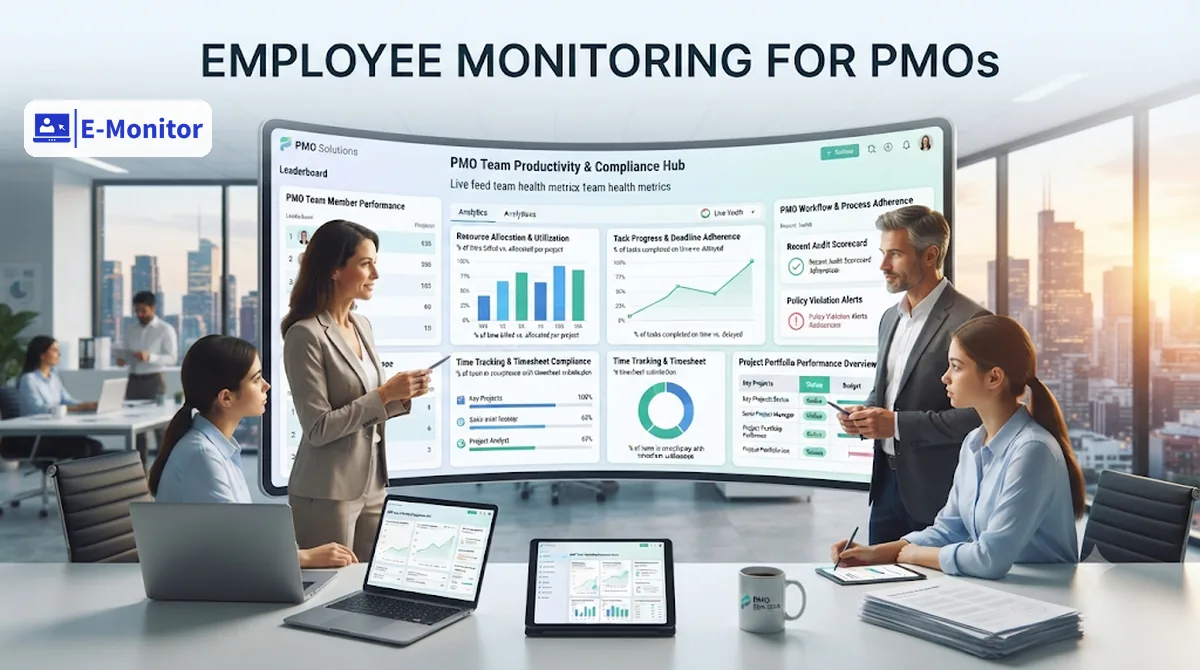
Resource allocation visibility in a PMO context means knowing, at any moment, how the workforce's available hours are distributing across active projects, maintenance work, administrative overhead, and unplanned demand. E-Monitor provides this at the individual, team, and portfolio level.
Individual-Level Time Distribution
For each team member, E-Monitor generates a timeline view showing how their day distributed across applications, project contexts, meetings (as periods of reduced device activity), and administrative tools. This gives project managers the factual basis to have a coaching conversation with a developer who has 40% of their time absorbed by Jira administration when the project needs them coding, not to discipline, but to remove the friction.
Team-Level Utilization Heatmaps
E-Monitor's productivity monitoring generates visual utilization heatmaps showing, by hour and day, which team members are at capacity and which have headroom. For a PMO handling multiple concurrent projects with shared resources, this heatmap is the single most valuable daily artifact, it shows where the bottlenecks are before they cause a delivery delay.
Portfolio-Level Strategic vs. Maintenance Ratio
PMO directors regularly face board questions about whether the organization is spending its workforce on the right things. With E-Monitor data, a PMO director can answer with precision: "Our 85-person delivery team spent 67% of their time on strategic initiatives, 24% on maintenance and operational support, and 9% on administrative overhead in Q1 2026." This is the kind of board-ready workforce intelligence that transforms the PMO from a cost center into a strategic function.
Capacity Planning With Real Data: Stop Committing to Timelines You Cannot Deliver
The most common PMO failure mode is accepting new project commitments based on theoretical capacity without accounting for the overhead, context switching, and existing obligations that reduce actual available hours. A team of ten developers does not deliver 400 hours of project work per week, the real number, after meetings, interruptions, administrative overhead, and cross-project demands, is typically 60-70% of theoretical capacity (Gartner, 2023 Workforce Planning research).
Building Capacity Models From Actual Data
E-Monitor's historical utilization data provides the empirical foundation for realistic capacity models. Instead of assuming 80% project availability for each developer, a PMO can calculate the actual historical project utilization rate for each role type and use that as the baseline. A developer role that historically delivers 63% of hours to direct project work, with the remainder split between meetings, code review, and platform maintenance, should be modeled at 63%, not 80%.
Identifying Hidden Demand Before It Surfaces as a Surprise
E-Monitor's activity monitoring captures time spent on unplanned work, production incidents, ad-hoc support requests, impromptu stakeholder calls, that never makes it into the project plan but consistently consumes 10-15% of team capacity. By quantifying this hidden demand, PMOs can build appropriate contingency into project plans rather than discovering the capacity gap mid-sprint.
Pre-Commitment Capacity Checks
Before a PMO commits to a new project start date, E-Monitor's utilization data provides a defensible answer to "do we have the capacity?" The answer is not a headcount number but an actual available-hours figure, adjusted for the real overhead patterns of the team being allocated. This is the difference between capacity planning and capacity guessing.
For teams managing a mix of contractors and FTEs, see monitoring contractors vs. employees for guidance on how to compare performance and utilization across employment types.
Professional Services PMOs: Accurate Billing Starts With Accurate Time
For professional services organizations, management consultancies, IT services firms, systems integrators, the PMO's resource allocation visibility directly determines revenue. Every hour of billable work that is not captured is revenue lost. Every hour billed inaccurately is a client dispute waiting to happen.
Billable vs. Non-Billable Time Classification
E-Monitor allows time to be classified as billable or non-billable at the project and task level. For a consulting PMO, this means every consultant's time is automatically sorted into the buckets that drive billing, client work versus internal overhead, without relying on end-of-day timesheet submissions that miss the short client interactions that still generate billable value.
Recovering the Hidden Billable Hours
Studies of professional services firms using automated time capture consistently find a 15-20% increase in captured billable hours versus manual timesheet methods. For a 40-person consulting team at average billing rates of $150/hour, this recovery represents $600,000 to $800,000 in additional annual revenue: without adding a single client or project. The work was already happening; it was simply not being captured.
Government and Federal Contract Compliance
Federal contractors must track time to specific cost objectives under FAR Part 31 and demonstrate compliance with DCAA (Defense Contract Audit Agency) audit requirements. This means time records must be contemporaneous, employee-maintained, and auditable. E-Monitor's automated tracking, combined with project cost codes, satisfies the contemporaneous requirement while generating the distribution reports DCAA auditors require. This is a significant compliance advantage over manual timesheet systems that are reconstructed from memory.
Get started
Give Your PMO the Resource Data It Needs to Deliver
Replace estimated utilization with actual workforce data. Start your 7-day free trial today.
- 7-day free trial
- No credit card
- Live in minutes
Board-Ready PMO Reporting: Turning Workforce Data Into Governance Artifacts
A PMO's credibility with senior leadership depends on its ability to present workforce utilization data that is accurate, consistent, and actionable. E-Monitor transforms raw activity data into the reporting artifacts that boards and steering committees need.
Portfolio-Level Workforce Allocation Reports
Generate a quarterly portfolio allocation report showing what percentage of total workforce hours went to each project, project category, and overhead function. This report answers the governance question executives actually care about: is the workforce spending its time on the initiatives that the strategy calls for? When the answer is "only 45% of delivery capacity is going to strategic projects while 38% is absorbed by operational maintenance," that is actionable portfolio governance intelligence, not a timesheet.
Project Time Accuracy Variance Reports
Compare self-reported project timesheets against E-Monitor's automated time capture to surface the variance by project. Projects where the reported and actual hours diverge by more than 15% warrant investigation, either the project plan is wrong, the reporting culture is broken, or both. This variance analysis gives the PMO a diagnostic view of where its data quality problems are concentrated.
Resource Utilization Trends Over Time
Track team utilization rates over rolling 90-day windows to identify trends before they become problems. A team whose utilization rate climbs from 72% to 91% over two quarters is approaching a point where one additional project commitment will break delivery capacity. E-Monitor's trend data enables the PMO to have that conversation proactively, before a commitment is made that cannot be honored.
For related use cases involving developer-specific productivity measurement, see monitoring developer productivity. For portfolio management of distributed teams, see remote team monitoring.
Over-Allocation and Burnout Risk: What PMO Monitoring Reveals About Team Health
Resource over-allocation is one of the most common causes of project delivery failure, and one of the most preventable. When a team member is nominally assigned to three projects simultaneously, each expecting 60% of their time, the arithmetic is broken before the first sprint begins. E-Monitor provides the visibility to identify and correct these situations before they become delivery crises or attrition events.
Early Warning Signals for Over-Allocated Team Members
E-Monitor's real-time alert engine is configured to detect overutilization signals: employees consistently working beyond scheduled hours, declining productivity ratios despite high activity levels, and the application-switching patterns that indicate someone jumping between too many concurrent demands. These signals arrive in time to intervene, before the employee either burns out or quietly starts looking for another role.
The Attrition Cost of Persistent Over-Allocation
Gallup research estimates that replacing a mid-career professional costs 50-200% of their annual salary in recruitment, onboarding, and lost productivity. For a PMO managing senior engineers at $130,000 annually, one preventable attrition event costs $65,000 to $260,000. E-Monitor's overutilization detection pays for itself by flagging the team members who are burning out before they resign, and giving managers the data-backed case to rebalance their workload.
Frequently Asked Questions: PMO Monitoring and Resource Allocation
Why do PMOs need employee monitoring beyond standard project management tools?
Standard project management platforms show what people self-report. E-Monitor shows what actually happens, which applications are used, how much time genuinely goes to each project, and where context-switching and distraction erode capacity. The gap between self-reported project time and actual application activity averages 23%. PMOs need both layers to make credible resource commitments and accurate project cost calculations.
How does E-Monitor help PMOs with capacity planning?
E-Monitor provides historical data on how employees actually spend their time across projects, admin, meetings, and non-project work. This real utilization data allows PMOs to calculate true available capacity before committing to new initiatives. A team nominally at 60% utilization may be operating at 85% once administrative and context-switching overhead are measured accurately, a critical distinction for project commitment decisions.
Can E-Monitor track time across multiple simultaneous projects?
Yes. Employees can tag time to specific projects, and E-Monitor's application tracking automatically associates activity with project contexts where tooling patterns are consistent. Cross-project time allocation reports show how each team member's hours distribute across the portfolio, identifying over-allocation risks before they escalate into delivery failures or attrition events.
How accurate is self-reported project time versus E-Monitor's actual tracking?
Research consistently shows a 15-25% gap between self-reported and actual project time. Employees underreport administrative overhead, overreport deep-focus work, and miss short tasks entirely. E-Monitor captures every interaction, including the 10-minute code reviews and brief cross-project meetings that never appear in timesheets. This accuracy is critical for project cost accounting, profitability analysis, and DCAA-compliant government contract billing.
What data can a PMO director present to the board using E-Monitor?
E-Monitor generates portfolio-level reports showing workforce time distribution across strategic versus maintenance projects, team utilization rates, actual versus estimated time by project, overtime patterns, and capacity available for new initiatives. This transforms PMO board presentations from anecdotal updates to data-backed workforce intelligence reports, enabling boards to make resource allocation decisions with genuine confidence.
Does E-Monitor support federal contractor time tracking requirements under FAR?
Yes. Federal Acquisition Regulation Part 31 requires government contractors to track time to specific cost objectives. E-Monitor's project-level time allocation, combined with tamper-resistant audit logs, provides the documentation standard required for DCAA audits. Employees tag time to project codes, and the system generates the time distribution reports auditors expect, with the contemporaneous capture DCAA requires.
How does E-Monitor identify over-allocated team members before project delivery is at risk?
E-Monitor's overutilization detection alerts fire when employees consistently log more than their scheduled hours, show declining productivity despite high activity, or exhibit burnout signal patterns. PMO directors receive these alerts in real time, enabling proactive resource rebalancing before team members become a delivery risk or begin looking for roles elsewhere. Gallup estimates replacing a professional costs 50-200% of annual salary, making early detection highly cost-effective.
Can E-Monitor compare contractor versus FTE time allocation on projects?
Yes. E-Monitor monitors all users on company-managed devices, regardless of employment type. PMOs can segment time allocation reports by employment classification to compare how contractors and FTEs distribute effort across the project portfolio, providing data for make-versus-buy decisions, contractor performance assessments, and cost-per-output analysis that pure financial data cannot deliver.
How long does it take to set up E-Monitor for a PMO team?
E-Monitor deploys in approximately 2 minutes per device via a lightweight agent. For a PMO team, project tagging configuration typically takes 30-60 minutes to set up cost center and project mappings. Most PMO teams see their first project-level time allocation data within the first business day of deployment, with meaningful trend data available after two to three weeks of continuous tracking.
How does E-Monitor handle time tracking for remote PMO staff?
E-Monitor works identically for remote, hybrid, and in-office PMO staff. All data syncs to a central dashboard regardless of location. Time zone normalization is automatic, so a globally distributed PMO can view the entire team's project time allocation on a single consolidated report, particularly valuable for PMOs managing offshore development teams alongside onshore program management.
Get started
Transform Your PMO's Resource Visibility Today
Replace estimated capacity with real workforce data. 1,000+ companies trust E-Monitor. Start your 7-day free trial, no credit card required.
- 7-day free trial
- No credit card
- Live in minutes