


8 Best Employee Monitoring Software for Remote Teams in 2026
Picking monitoring software for a remote team is different from picking it for an office. Time-zone reporting, async output metrics, and employee-visible dashboards matter more than they would on-site. Here are the 8 tools that actually deliver in 2026, with G2 ratings, pricing, and what each one is genuinely best for.
Quick Comparison Table
| # | Tool | Best for | Starting price | G2 rating |
|---|---|---|---|---|
| 1 | eMonitor | Transparent monitoring & capacity planning | $3.90/user/mo | 4.7 / 5 |
| 2 | Time Champ | Monitoring with attendance | $3.90/user/mo | 4.9 / 5 |
| 3 | Time Doctor | Distributed agency operations | $7/user/mo | 4.4 / 5 |
| 4 | ActivTrak | Productivity analytics | $10/user/mo | 4.4 / 5 |
| 5 | Insightful | Workforce analytics depth | $8/user/mo | 4.5 / 5 |
| 6 | DeskTime | Lightweight SMB use | $7/user/mo | 4.5 / 5 |
| 7 | Toggl Track | Simple time tracking | $9/user/mo | 4.6 / 5 |
| 8 | TimeCamp | Budget time + project tracking | $3/user/mo | 4.6 / 5 |
Ratings reflect G2 as of May 2026. Pricing is the lowest paid tier in USD; some tools offer free tiers with limited features.
Distributed Team, This Week
Active members / hour
Work pattern
▲ Output held steady across 7 timezones with async workflows.
Illustrative eMonitor dashboard.
1. eMonitor: Best for Transparent Monitoring & Capacity Planning
eMonitor leads on the combination most remote teams actually need: transparent activity tracking with employee-visible dashboards, time-zone-aware productivity baselines, and capacity planning data managers can act on. Built for distributed work from day one.
Key features: automatic activity tracking, app and URL monitoring, focus-time analytics, time-zone-aware reporting, project time tracking, real-time alerts, configurable screenshot policies, data residency options, employee self-service dashboards.
Pricing: $3.90/user/month (annual). Free 7-day trial, no credit card.
G2 rating: 4.7 / 5
Pros: Most affordable in the enterprise-grade tier; transparent monitoring philosophy; strong time-zone fairness; fast install; supports Windows, macOS, Linux, Chromebook.
Cons: Less brand recognition in North America vs. ActivTrak; deepest features require the higher tier.
2. Time Champ: Monitoring for Hybrid and Remote Teams
Time Champ is AI-powered employee monitoring software well suited to distributed teams, combining activity monitoring, attendance, and capacity planning in one platform. It helps managers understand how remote work actually flows without demanding constant check-ins.
Key features: Screenshots and screen recording, app and website tracking, AI productivity scoring, time tracking with automatic timesheets, attendance and scheduling, and data loss prevention with USB and file-transfer monitoring.
Pricing: Starter $3.90, Professional $6.90, Enterprise $13.90 per user per month (annual billing); free trial available.
G2 rating: 95% satisfaction on G2 (4.9 / 5 on Capterra, 13 reviews).
Pros: AI-native productivity scoring and anomaly detection; one platform for monitoring, time tracking, attendance, and DLP; transparent, employee-facing dashboards; affordable, with a free trial; responsive support and a 4.9 / 5 Capterra rating.
Cons: Generates payroll-ready exports rather than running payroll; no built-in video conferencing or CRM; smaller brand presence in Western markets than some incumbents; the platform breadth can exceed what very small teams need.
3. Time Doctor: Best for Distributed Agency Operations
Time Doctor is popular with agencies and BPOs that need to bill clients precisely and prove work hours. Strong distraction alerts and client time attribution.
Key features: time tracking with task breakdown, distraction alerts, payroll, client/project billing, web and app usage reports.
Pricing: $7/user/month (Basic), $10 (Standard), $20 (Premium).
G2 rating: 4.4 / 5
Pros: Strong client-billing workflow; mature integrations; battle-tested in BPO.
Cons: Distraction alert behavior feels invasive to some employees; pricier than category average.
See our Time Doctor alternatives guide.
4. ActivTrak: Best for Productivity Analytics
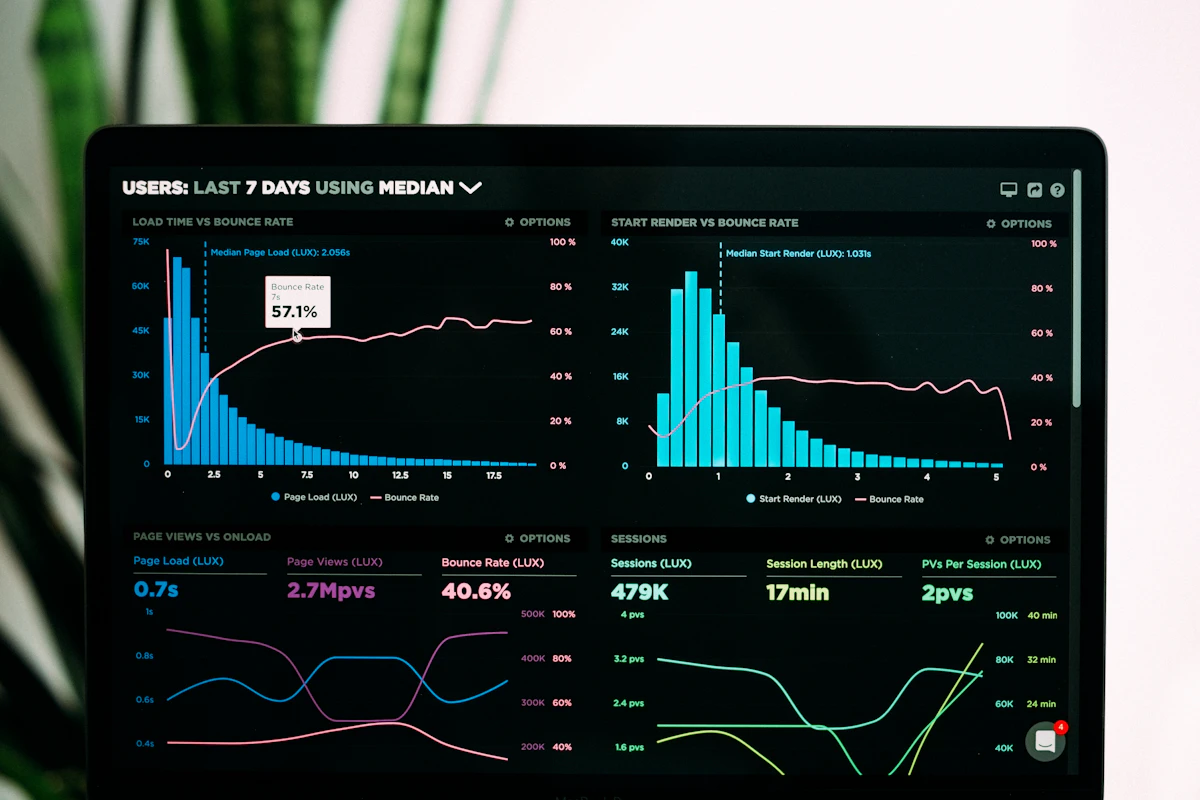
ActivTrak emphasizes analytics over surveillance. Its productivity heatmaps and workforce-intelligence reports are among the deepest in the category.
Key features: activity classification, productivity scores, workload balance reports, alarms for sensitive activity, Workforce Insights add-on.
Pricing: $10/user/month (Essentials), $15 (Professional), custom (Enterprise).
G2 rating: 4.4 / 5
Pros: Best-in-class analytics depth; clean UI; no screenshots by default.
Cons: Pricing tier jumps add up; fewer time-tracking-first features.
See our eMonitor vs. ActivTrak comparison.
5. Insightful: Best for Workforce Analytics Depth
Formerly Workpuls. Insightful focuses on workforce-analytics with strong productivity scoring and project tracking.
Key features: activity tracking, automated screenshots, productivity score, project tracking, real-time monitoring.
Pricing: $8/user/month (Productivity Mgmt), $10 (Time Tracking), $13 (Process Improvement).
G2 rating: 4.5 / 5
Pros: Strong analytics; granular project tracking; clean dashboards.
Cons: Less mature mobile experience; smaller integration catalog.
See our eMonitor vs. Insightful comparison.
6. DeskTime: Best for Lightweight SMB Use
DeskTime is the simple, no-frills option for small teams that want monitoring without an enterprise rollout. Clean interface and reasonable defaults.
Key features: automatic time tracking, productivity calculation, app and URL tracking, Pomodoro timer, project tracking, absence calendar.
Pricing: Free (1 user), $7/user/month (Pro), $10 (Premium), $20 (Enterprise).
G2 rating: 4.5 / 5
Pros: Easy onboarding; gentle on employees; useful free tier.
Cons: Lighter on enterprise security features; less analytical depth.
See our DeskTime alternatives.
7. Toggl Track: Best for Simple Time Tracking
Toggl Track focuses on time tracking, not surveillance. The right pick for teams that want billable-time visibility without traditional monitoring features.
Key features: one-click timer, project tracking, calendar integration, reporting, invoicing.
Pricing: Free (5 users), $9/user/month (Starter), $18 (Premium), $24 (Enterprise).
G2 rating: 4.6 / 5
Pros: Loved by users; fast UX; strong free tier; no surveillance feel.
Cons: No activity monitoring; not a fit for compliance-driven use cases.
8. TimeCamp: Best for Budget Time + Project Tracking
TimeCamp combines automatic time tracking with project tracking at the lowest price point in this list. Practical for agencies and small teams on tight budgets.
Key features: automatic time tracking, project profitability, budgeting, attendance tracking, invoicing.
Pricing: Free (unlimited users, limited features), $3/user/month (Starter), $5 (Premium), $7 (Ultimate).
G2 rating: 4.6 / 5
Pros: Excellent value; useful free tier; strong project profitability features.
Cons: UI feels dated; activity tracking less polished than top tier.
Our Recommendation by Team Type
Distributed product team (15-100 people): eMonitor for transparent capacity planning, plus integration with engineering tools.
Agency or consultancy: Time Doctor or TimeCamp for client-billable depth.
Analytics-heavy ops: ActivTrak or Insightful for the deepest workforce intelligence.
Time-tracking-only: Toggl Track for simple time, DeskTime for slightly more.
For deeper background, see our guide on remote team monitoring.
