


eMonitor vs Hubstaff 2026: Which Employee Monitoring Tool Is Right for You?
eMonitor vs Hubstaff is one of the most frequent comparisons teams make when evaluating employee monitoring software. eMonitor is an AI-powered employee monitoring and productivity platform that combines activity tracking, time management, DLP, and workforce analytics in a single tool at $4.50 per user per month. Hubstaff is a time tracking and workforce management platform known for GPS tracking and 30+ integrations, starting at $4.99 per user per month. This guide walks through every meaningful difference so you can match the right tool to your team size, work model, and budget.
Companies Trust eMonitor
Capterra Rating (57 Reviews)
Per User / Month
Cross-Platform Support
eMonitor vs Hubstaff: Quick Comparison Table
Before diving into the details, here is a side-by-side summary of where eMonitor and Hubstaff stand across the factors that matter most. This table compares equivalent tiers: eMonitor's Starter plan against Hubstaff's Growth plan, since Hubstaff's Starter plan lacks screenshots and activity tracking.
| Factor | eMonitor | Hubstaff |
|---|---|---|
| Starting price (with monitoring) | $4.50/user/month | $7.50/user/month (Growth plan) |
| Screenshots | Included in all plans | Growth plan and above only |
| Screen recording | Yes, with anomaly detection | Not available |
| Live screen viewing | Yes (Office TV) | Not available |
| App and website tracking | All plans | Growth plan and above |
| GPS tracking | Yes, with geofencing | Yes, with geofencing |
| Data loss prevention | Yes (USB, file, web monitoring) | Not available |
| Project management | Built-in Kanban, tasks, budgets | Basic project and task tracking |
| Billing and invoicing | Built-in | Via integrations (QuickBooks, FreshBooks) |
| Attendance and scheduling | Built-in shift scheduling | Basic clock-in/out tracking |
| Native integrations | Growing library | 30+ (Asana, Jira, Trello, Slack, etc.) |
| Platforms | Windows, macOS, Linux, Chromebook | Windows, macOS, Linux, iOS, Android |
| Attrition prediction | Yes | Not available |
| Audio tracking | Yes | Not available |
| Free trial | 7 days, full access | 14 days |
The pattern in this table is clear: eMonitor includes more monitoring and workforce management capabilities in its base plan, while Hubstaff distributes features across higher pricing tiers and relies on integrations for project management and invoicing. The right choice depends on your priorities.
What Are eMonitor and Hubstaff?
Understanding each tool's origin and design philosophy explains why they differ in features and pricing. Both serve the employee monitoring market, but they approach it from different angles.
eMonitor: The All-in-One Monitoring and Productivity Platform
eMonitor is an employee monitoring and productivity platform that tracks work activity, time, attendance, and security data across remote, hybrid, and in-office teams. The platform covers 16 solution areas: activity monitoring, time tracking, screenshot capture, screen recording, GPS tracking, attendance scheduling, project management, billing, DLP, audio tracking, keystroke analytics, alerts, attrition prediction, HR management, hybrid work scheduling, and real-time reporting.
eMonitor is rated 4.8 out of 5 on Capterra based on 57 reviews, with particular praise for its breadth of features at mid-range pricing. Organizations use eMonitor to replace three to four separate tools (time tracker, project manager, attendance system, monitoring tool) with a single platform. Pricing starts at $4.50 per user per month on the Starter plan.
Hubstaff: Time Tracking and Workforce Management With GPS
Hubstaff is a time tracking and workforce management platform used by over 112,000 businesses, primarily for tracking work hours, capturing screenshots, monitoring app usage, and managing GPS-based field teams. Founded in 2012, Hubstaff has built a strong reputation in the freelancer and agency space for its per-project time tracking and its library of 30+ native integrations with tools like Asana, Trello, Jira, QuickBooks, and Slack.
Hubstaff's pricing starts at $4.99 per user per month on the Starter plan, but that plan limits monitoring to time tracking and basic activity levels. Screenshot capture, app tracking, and URL tracking require the Growth plan at $7.50 per user per month. Hubstaff is rated 4.6 out of 5 on Capterra based on over 1,400 reviews, giving it a larger review volume than eMonitor.
Both tools are legitimate, well-reviewed platforms. The question is not which is "better" in the abstract, but which matches your specific needs. The following feature-by-feature breakdown will make that clear.
eMonitor vs Alternatives — This Week
Capability score
Coverage
▲ Full feature parity at roughly half the cost of alternatives.
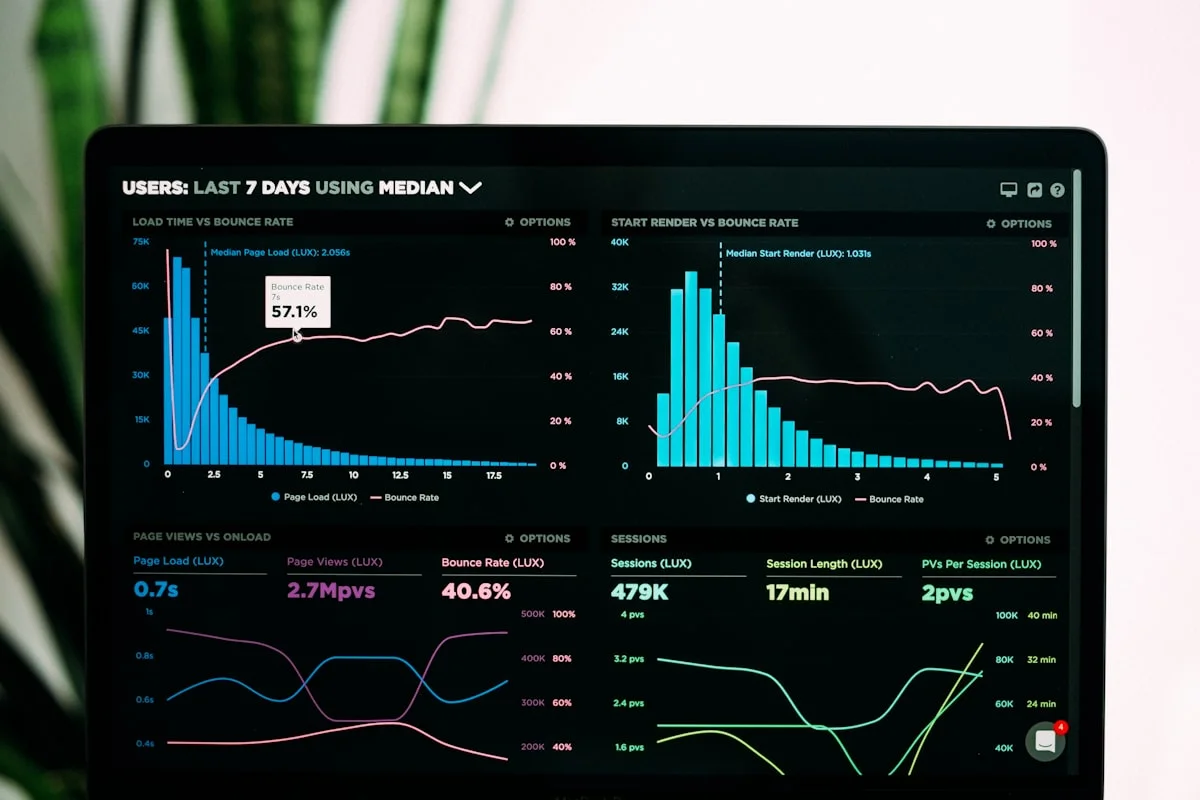
Illustrative eMonitor dashboard.
eMonitor vs Hubstaff: Feature-by-Feature Breakdown
Comparing employee monitoring tools requires looking at specific capabilities, not marketing headlines. This section examines eight critical feature areas where eMonitor and Hubstaff differ meaningfully.
1. Activity Monitoring and Productivity Analytics
eMonitor tracks real-time app usage, website visits, and activity intensity with configurable productive, non-productive, and neutral classifications. The platform generates color-coded productivity heatmaps, timeline views of each employee's day, and team-versus-individual comparisons. Idle time detection triggers configurable alerts when inactivity exceeds set thresholds.
Hubstaff tracks activity levels as a percentage based on keyboard and mouse input during each 10-minute interval. The platform shows which apps and URLs employees visit (on Growth plan and above) but does not generate productivity scores, heatmaps, or granular classification engines. Activity data is presented as a simple percentage rather than categorized analytics.
How does this difference affect day-to-day management? A manager using eMonitor sees that a developer spent 72% of the day in VS Code, 14% in Slack, and 8% in browser research, all classified by productivity impact. A manager using Hubstaff sees that the same developer had 85% activity during work hours. eMonitor's approach provides actionable context; Hubstaff's approach provides a surface-level activity score.
Verdict: eMonitor offers significantly deeper productivity analytics. Hubstaff covers basic activity monitoring.
2. Time Tracking and Timesheets
Both platforms offer automatic time tracking, which is their common ground. eMonitor records clock-in and clock-out times, active time, idle time, breaks, and overtime automatically. The system generates timesheets ready for payroll export in CSV and PDF formats. Billable versus non-billable hour classification, overtime calculation, and break scheduling with reminders are built into the time tracking module.
Hubstaff also tracks time automatically with its desktop and mobile apps. Time entries can be manual or automatic, and the platform supports per-project and per-task time logging. Hubstaff's timesheet generation is well-regarded, and its integration with payroll tools (Gusto, QuickBooks, Wise) allows direct payroll syncing.
Where does eMonitor pull ahead? Overtime compliance automation. eMonitor configures overtime rules per jurisdiction (daily thresholds for California, weekly for federal FLSA) and sends real-time alerts at configurable thresholds. Organizations using automated overtime alerts reduce unplanned overtime by 25 to 40%, according to workforce management industry data. Hubstaff tracks overtime hours but relies on managers to monitor thresholds manually.
Verdict: Both are strong time trackers. eMonitor adds overtime compliance automation and break scheduling. Hubstaff has better payroll integration partnerships.
3. Screenshot Capture and Screen Recording
eMonitor provides configurable screenshot capture at set intervals, manual on-demand screenshots, screenshot blur for sensitive content, and continuous screen recording with anomaly detection. The Office TV feature lets managers view all employee screens in real time on a single dashboard. Multi-monitor support captures activity across every connected display.
Hubstaff captures screenshots at random intervals during each 10-minute window (one to three screenshots per interval, depending on plan). Screenshots are viewable in the web dashboard. Hubstaff does not offer continuous screen recording, live screen viewing, or screenshot blur for privacy protection.
For teams that need visual proof of work for compliance, QA, or client reporting, eMonitor's screen recording and live viewing provide a level of visual oversight that Hubstaff cannot match. For teams that need periodic screenshot verification without continuous recording, Hubstaff's simpler approach is sufficient.
Verdict: eMonitor wins clearly on visual monitoring depth. Hubstaff covers basic screenshot needs.
4. GPS and Field Team Management
eMonitor offers GPS location tracking, geofencing with zone-based alerts, geo-verified clock-ins and clock-outs, route history, visit management with GPS-stamped outcomes, and automated field reports. The platform generates timesheets from GPS-tracked time for field workers.
Hubstaff's GPS tracking is one of its strongest features. The platform tracks real-time locations via mobile app, supports geofenced job sites for automatic time tracking, provides route maps, and calculates time spent at each location. Hubstaff's mobile GPS experience has been refined over more than a decade and is widely used by construction, landscaping, and cleaning service companies.
Hubstaff has a longer track record in GPS-based workforce management. Construction firms, field service companies, and logistics operations have relied on Hubstaff's GPS for years, and its mobile app reflects that maturity. eMonitor's GPS features are functionally comparable but newer to the market.
Verdict: Hubstaff has the edge on GPS maturity and mobile app quality. eMonitor offers equivalent features with newer implementation.
5. Data Loss Prevention and Security
eMonitor includes a dedicated DLP module: USB device monitoring and blocking, file activity tracking (creation, modification, deletion with full paths), website access violation logging, upload and download violation alerts, and suspicious behavior detection with instant alerts. This module serves organizations handling sensitive client data, financial records, or proprietary information.
Hubstaff does not include any data loss prevention features. Organizations using Hubstaff that need DLP must purchase a separate tool like Teramind, Digital Guardian, or Forcepoint, adding $10 to $25+ per endpoint per month to their stack.
A 2024 IBM report found the average cost of a data breach reached $4.88 million globally. For organizations in regulated industries (healthcare, finance, legal), DLP is not optional. eMonitor's built-in DLP eliminates the need for a separate security tool, reducing both cost and integration complexity.
Verdict: eMonitor wins by default. Hubstaff has no DLP functionality.
6. Project Management and Task Tracking
eMonitor provides centralized project creation with billable and non-billable tagging, task assignment with priorities and timelines, Kanban boards, budget tracking by hours or cost with real-time alerts, resource allocation, and project performance reports. The project module connects directly to time tracking data, so managers see actual hours versus budgeted hours without switching tools.
Hubstaff offers basic project and task tracking that ties time entries to projects. For deeper project management, Hubstaff integrates with Asana, Trello, Jira, Monday.com, and other tools. This integration-first approach works well for teams already committed to a specific project management tool but requires managing and paying for multiple platforms.
Verdict: eMonitor's built-in project management replaces a standalone tool. Hubstaff relies on integrations, which adds cost and complexity but offers more flexibility for teams locked into specific platforms.
7. Attendance, Scheduling, and Hybrid Work
eMonitor automates attendance tracking with login and logout capture, shift scheduling with timezone awareness, hybrid work scheduling (WFH vs. WFO days), break hour configurations, late login alerts, and real-time dashboards showing present, absent, and on-leave status. The hybrid work scheduling module is particularly relevant for organizations managing flexible return-to-office policies.
Hubstaff tracks attendance through clock-in and clock-out timestamps and provides attendance reports. The platform does not offer dedicated shift scheduling, hybrid work mode management, or configurable break policies. Teams using Hubstaff for scheduling typically pair it with Deputy, When I Work, or similar scheduling tools.
Verdict: eMonitor covers attendance and scheduling natively. Hubstaff requires additional tools for shift management.
8. Integrations and Ecosystem
Hubstaff's integration library is one of its defining strengths. Over 30 native integrations cover project management (Asana, Trello, Jira, Basecamp, Monday.com), payroll (Gusto, QuickBooks, Wise, PayPal), communication (Slack), development (GitHub, GitLab), and CRM (Salesforce). For organizations with an established tool stack, Hubstaff plugs in without disruption.
eMonitor's integration library is growing but currently smaller than Hubstaff's. The platform compensates by building features natively that Hubstaff outsources to integrations: project management, invoicing, attendance scheduling, and DLP. This means eMonitor users need fewer integrations overall because the platform handles more internally.
Which approach is better depends on your organization. If you already use Jira, Gusto, and Slack and want a monitoring layer that connects to your existing stack, Hubstaff's integrations are valuable. If you prefer consolidating tools into one platform, eMonitor's built-in features reduce the total number of subscriptions you manage.
Verdict: Hubstaff has a larger integration ecosystem. eMonitor reduces the need for integrations by building more features natively.
eMonitor vs Hubstaff Pricing: Total Cost Analysis
Comparing pricing requires looking beyond the starting price per user. The feature set available at each price point determines the actual cost of equivalent functionality.

Plan-by-Plan Pricing Breakdown
| Feature set | eMonitor plan | eMonitor price | Hubstaff plan | Hubstaff price |
|---|---|---|---|---|
| Time tracking only | Starter | $4.50/user/mo | Starter | $4.99/user/mo |
| Time + screenshots + app tracking | Starter | $4.50/user/mo | Growth | $7.50/user/mo |
| Full monitoring + productivity | Professional | $6.90/user/mo | Team | $10.00/user/mo |
| Advanced features + DLP | Enterprise | $13.90/user/mo | Enterprise | Custom pricing |
Total Cost for a 50-Person Team (Annual)
For a team of 50 employees needing activity monitoring with screenshots and app tracking, the annual cost comparison is straightforward. eMonitor Starter at $4.50 per user per month totals $2,700 annually. Hubstaff Growth (the minimum plan with screenshots) at $7.50 per user per month totals $4,500 annually. The difference: $1,800 saved per year with eMonitor.
For a team of 100 employees, those savings scale to $3,600 per year. For 200 employees, $7,200 per year.
Hidden Cost: Tools Hubstaff Does Not Include
The pricing gap widens when you factor in tools that eMonitor includes but Hubstaff requires as add-ons. A typical Hubstaff deployment for a 50-person team that needs project management, invoicing, and shift scheduling adds approximately $300 to $600 per month in additional tool subscriptions (Asana or Jira at $5 to $10 per user, invoicing software at $20 to $50 per month, scheduling tool at $2 to $4 per user). Over a year, these add-ons cost $3,600 to $7,200, more than doubling the effective monitoring cost.
eMonitor's all-in-one approach eliminates these supplementary expenses. The total cost of ownership comparison favors eMonitor by 40 to 60% when all required tools are accounted for.
Who Should Choose eMonitor vs Hubstaff?
Rather than declaring one tool universally better, we recommend matching the tool to the team. Here is an honest framework based on specific use cases.
Choose eMonitor If You Need:
- Comprehensive monitoring at lower cost. eMonitor includes screenshots, screen recording, app tracking, and productivity analytics in its base $4.50 plan. Equivalent Hubstaff features require the $7.50 Growth plan.
- Data loss prevention. Any organization handling sensitive data (healthcare, finance, legal, government) needs DLP. eMonitor includes it; Hubstaff does not.
- All-in-one platform consolidation. If you want one tool for monitoring, time tracking, project management, invoicing, and attendance, eMonitor reduces your total tool count from four or five to one.
- Screen recording and live viewing. For compliance, QA, or client-facing proof of work, eMonitor's screen recording and Office TV provide capabilities Hubstaff lacks entirely.
- Hybrid work scheduling. Organizations managing WFH and WFO schedules need eMonitor's dedicated hybrid work module.
- Attrition risk detection. eMonitor's behavioral analytics identify disengagement signals before employees submit resignations. A Gallup study found that replacing an employee costs 50 to 200% of their annual salary. Early detection pays for the monitoring tool many times over.
Choose Hubstaff If You Need:
- Mature GPS field tracking. If GPS-based workforce management is your primary need (construction, field service, logistics), Hubstaff's GPS features have a longer track record and more refined mobile experience.
- Deep integration with existing tools. Teams heavily invested in Asana, Jira, QuickBooks, Gusto, or Slack benefit from Hubstaff's 30+ native integrations rather than switching workflows.
- Lightweight time tracking for freelancers. Solo freelancers and very small teams (under five people) that only need time tracking and basic activity monitoring may find Hubstaff's Starter plan sufficient.
- A larger review base for reassurance. Hubstaff has 1,400+ Capterra reviews compared to eMonitor's 57. For organizations that weight review volume heavily, Hubstaff's longer market presence provides more reference data.
Recommendation by Team Size
| Team size | Recommendation | Why |
|---|---|---|
| 1 to 5 (freelancer/micro) | Either | Both work. Hubstaff's Starter plan is simple. eMonitor offers more features if you need them. |
| 6 to 50 (small business) | eMonitor | The all-in-one approach saves $1,800+ per year in tool costs and eliminates integration management. |
| 51 to 200 (mid-market) | eMonitor | DLP, screen recording, attendance scheduling, and productivity analytics justify the switch. Savings exceed $3,600 per year. |
| 201+ (enterprise) | eMonitor | Platform consolidation, DLP, and attrition prediction deliver enterprise-grade capabilities at mid-market pricing. |
| Field-heavy teams (any size) | Hubstaff | Hubstaff's GPS and mobile experience is more mature for field-first organizations. |
Honest Assessment: Where Each Tool Excels
Credibility comes from honesty. Here is what each tool does best, based on actual capabilities rather than marketing claims.
Where eMonitor Excels
Feature breadth. eMonitor covers 16 solution areas in one platform. Monitoring, time tracking, project management, DLP, attendance, billing, GPS, audio, keystroke analytics, attrition prediction, and more. No other tool at this price point offers comparable breadth. Organizations report reducing their software stack from four to five tools to one after switching to eMonitor.
Privacy-first design. eMonitor monitors only during configured work hours, provides employee-facing dashboards for transparency, offers configurable monitoring intensity (light to comprehensive), and includes screenshot blur for sensitive content. This approach addresses the trust problem that causes 56% of employees to feel negative about monitoring software (ExpressVPN, 2023 study).
Pricing transparency. eMonitor's Starter plan at $4.50 includes screenshots, app tracking, and productivity monitoring from day one. No feature gating behind higher tiers for core monitoring functionality.
Where Hubstaff Excels
Integration ecosystem. Hubstaff connects natively to 30+ tools spanning project management, payroll, communication, development, and CRM. For organizations with deeply embedded workflows, this reduces friction during adoption. eMonitor's integration library is still growing.
Market maturity. Founded in 2012, Hubstaff has 112,000+ businesses, 1,400+ Capterra reviews, and over a decade of product refinement. That track record provides confidence for risk-averse buyers. Enterprise evaluation teams often weigh market tenure in vendor assessments.
Mobile GPS quality. Hubstaff's mobile app for field tracking has been polished over years of use by construction, cleaning, and field service companies. The GPS clock-in, geofencing, and route tracking experience on mobile is mature and reliable.
How to Switch from Hubstaff to eMonitor
Migrating from Hubstaff to eMonitor takes less than a day for most teams. The process involves four straightforward steps, and eMonitor's onboarding team provides guided support throughout.
Step 1: Export Your Hubstaff Data
Before canceling Hubstaff, export your historical data. Hubstaff allows CSV exports of time entries, activity data, and project records. Download reports covering at least the past 12 months for reference during the transition. This preserves your historical data independently of either platform.
Step 2: Set Up eMonitor
Create your eMonitor account, configure your organization structure (teams, departments, roles), and set monitoring policies. eMonitor's setup wizard guides you through productivity classification rules, screenshot frequency, alert thresholds, and privacy settings. Most administrators complete this in under 30 minutes.
Step 3: Deploy the eMonitor Agent
Install eMonitor's lightweight desktop agent on employee machines. The agent supports Windows, macOS, Linux, and Chromebook. Deployment options include direct download, MSI for Active Directory group policy, and batch installation scripts. For teams under 100 employees, direct download with an email invitation link is the fastest path. The agent installs in under two minutes per machine.
Step 4: Run Both Tools in Parallel (Optional)
For risk-averse organizations, run eMonitor alongside Hubstaff for one to two weeks. Compare the data both tools capture to validate that eMonitor meets your requirements before fully decommissioning Hubstaff. This parallel period also gives employees time to familiarize themselves with eMonitor's employee-facing dashboard.
Organizations that have completed this migration report that eMonitor's broader feature set (DLP, project management, attendance scheduling) eliminated additional tools they were using alongside Hubstaff, further simplifying their software stack.
eMonitor vs Hubstaff: Employee Privacy and Trust
Employee acceptance determines whether a monitoring tool succeeds or creates workplace friction. An Employers Council survey found that 73% of employees accept monitoring when it is transparent and explained clearly. Both eMonitor and Hubstaff position themselves as employee-friendly, but their approaches differ.
eMonitor's Privacy Approach
eMonitor monitors only during configured work hours, stopping all data collection when employees clock out. Employees see their own activity data, productivity scores, and time logs through personal dashboards. Screenshot blur protects sensitive personal content visible on screen during work hours. Monitoring intensity is configurable from light (time tracking and app usage only) to comprehensive (screenshots, recording, keystroke analytics), letting organizations match monitoring depth to role requirements.
Hubstaff's Privacy Approach
Hubstaff tracks time based on manual clock-in and automatic timers. Employees can view their own tracked time and screenshots. The platform shows a small indicator when screenshots are being captured, providing visual transparency. Hubstaff does not offer configurable monitoring levels. The feature set is determined by the plan tier rather than per-role configuration.
The Trust Difference
eMonitor's configurable monitoring levels provide an advantage for organizations managing diverse roles. A customer service team may need screen recording for QA, while a creative team may only need time tracking and app usage data. eMonitor allows different monitoring profiles for different teams. Hubstaff applies the same feature set uniformly across all users on the same plan.
eMonitor vs Hubstaff by Industry
Different industries prioritize different capabilities. Here is how eMonitor and Hubstaff compare for the industries that most commonly evaluate employee monitoring tools.

IT Services and Software Development
IT teams need activity monitoring, productivity analytics, and increasingly DLP. eMonitor's screen recording, productivity heatmaps, and data loss prevention cover all three. Hubstaff provides time tracking and basic activity monitoring but requires separate tools for DLP and advanced analytics. For IT service companies billing clients hourly, eMonitor's built-in project billing and invoicing further reduces tool sprawl.
BPO and Call Centers
BPO operations require shift scheduling, audio monitoring for QA, real-time productivity dashboards, and attendance management across multiple shifts. eMonitor includes all four natively. Hubstaff covers time tracking and basic monitoring but lacks audio tracking, shift scheduling, and the real-time agent performance dashboards that BPO managers rely on.
Construction and Field Services
Field-heavy operations prioritize GPS tracking, geofenced clock-ins, route history, and mobile-first time tracking. Hubstaff's decade-long investment in GPS and mobile app quality gives it an advantage here. eMonitor's GPS features are functionally equivalent but newer. For construction firms that also need office-side project management and billing, eMonitor's built-in modules provide additional value.
Agencies and Professional Services
Agencies need billable hour tracking, project profitability analysis, and client-facing time reports. eMonitor's built-in project management, billing module, and billable versus non-billable classification handle this without integrations. Hubstaff serves agencies well through its QuickBooks and FreshBooks integrations, though this requires maintaining multiple tool subscriptions.
Healthcare
Healthcare organizations must comply with HIPAA and protect patient data. eMonitor's DLP module monitors USB activity, file transfers, and website access violations, providing a compliance layer that Hubstaff cannot match. Healthcare-specific time tracking for shift workers, overtime compliance for non-exempt staff, and attendance management are all included in eMonitor's standard plans.

See How eMonitor Compares in Your Environment
Start a free 7-day trial with full feature access. No credit card required. Deploy in under 2 minutes.
Real-World Decision Scenarios: eMonitor vs Hubstaff
Abstract feature lists only tell part of the story. These three scenarios illustrate how the eMonitor versus Hubstaff decision plays out for real organizations.
Scenario 1: A 75-Person Remote Software Company
A SaaS company with 75 remote developers and support staff needs activity monitoring, time tracking, screen captures for client reporting, and DLP to protect source code. They currently use Hubstaff ($7.50 x 75 = $562.50/month) plus a separate DLP tool ($12 x 75 = $900/month), totaling $1,462.50 per month.
Switching to eMonitor Professional ($6.90 x 75 = $517.50/month) consolidates monitoring and DLP into one platform, saving $945 per month, or $11,340 per year. The company also gains screen recording, attrition prediction, and project management they previously lacked.
Scenario 2: A 30-Person Agency With Billable Hours
A digital agency bills clients hourly and needs accurate project-level time tracking, invoicing, and basic activity monitoring. They use Hubstaff Growth ($7.50 x 30 = $225/month) plus FreshBooks ($25/month) plus Asana ($10.99 x 30 = $329.70/month), totaling $579.70 per month for the three tools.
eMonitor Starter ($4.50 x 30 = $135/month) includes time tracking, project management, and invoicing. The agency saves $444.70 per month, or $5,336 per year, while managing one tool instead of three.
Scenario 3: A 200-Person BPO With Multiple Shifts
A BPO with 200 agents across three shifts needs shift scheduling, attendance tracking, audio monitoring for QA, and real-time productivity dashboards. Using Hubstaff ($7.50 x 200 = $1,500/month) plus Deputy for scheduling ($4 x 200 = $800/month) plus a call recording tool ($8 x 200 = $1,600/month) costs $3,900 per month.
eMonitor Professional ($6.90 x 200 = $1,380/month) includes all three capabilities natively. The BPO saves $2,520 per month, or $30,240 per year, with fewer vendor relationships and a unified dashboard for all workforce data.
eMonitor vs Hubstaff: The Bottom Line
eMonitor vs Hubstaff is not a question of which tool is objectively better. It is a question of what your organization needs most.
Hubstaff is a mature, well-integrated time tracking and workforce management platform with excellent GPS capabilities and 30+ native integrations. It serves field teams, freelancers, and organizations with established tool stacks exceptionally well. Its decade-long track record and 112,000+ customer base provide market confidence.
eMonitor is a broader employee monitoring and productivity platform that covers more ground in a single tool. With screen recording, DLP, project management, attendance scheduling, billing, audio tracking, and attrition prediction included at $4.50 per user per month, eMonitor delivers 40 to 60% lower total cost of ownership for organizations that would otherwise need multiple tools alongside Hubstaff.
For teams evaluating a Hubstaff alternative in 2026, the deciding factors are clear: if you need GPS-first field tracking and deep third-party integrations, Hubstaff remains a strong choice. If you need comprehensive workforce monitoring, DLP, and platform consolidation at a lower total cost, eMonitor is the more complete solution.
The best way to decide is to try both. eMonitor's 7-day free trial provides full feature access with no credit card required. Deploy in under two minutes and compare the experience firsthand.
Frequently Asked Questions: eMonitor vs Hubstaff
Is Hubstaff better than eMonitor?
Hubstaff excels at GPS tracking for field teams and offers 30+ native integrations with popular project management and payroll tools. eMonitor provides deeper activity monitoring, screen recording, DLP, project management, and attendance scheduling in a single platform at lower cost. The right choice depends on whether you need location-first tracking or comprehensive workforce analytics.
Does Hubstaff have more integrations than eMonitor?
Hubstaff offers 30+ native integrations with tools like Asana, Trello, Jira, and QuickBooks. eMonitor connects with major tools while including built-in project management, invoicing, and attendance modules that reduce the need for third-party integrations. The total number of tools you manage is often lower with eMonitor's all-in-one approach.
Which is cheaper, Hubstaff or eMonitor?
eMonitor starts at $4.50 per user per month with screenshots and app tracking included. Hubstaff's equivalent features require the $7.50 Growth plan. For a 100-person team, eMonitor saves $3,600 annually on monitoring costs alone. When factoring in tools Hubstaff requires as add-ons, the total cost gap widens to 40 to 60%.
Can I migrate from Hubstaff to eMonitor?
eMonitor's onboarding team provides migration support for organizations switching from Hubstaff. The process involves installing eMonitor's desktop agent, configuring monitoring policies, and importing team structures. Most Hubstaff-to-eMonitor migrations complete within one business day for teams under 500 employees.
Does eMonitor have GPS tracking like Hubstaff?
eMonitor includes GPS location tracking, geofencing, geo-verified clock-ins, route history, and visit management. Hubstaff also offers GPS tracking with geofenced time tracking. Both platforms serve field teams effectively, though Hubstaff's GPS features have a longer track record and more refined mobile experience.
Does Hubstaff offer screen recording like eMonitor?
Hubstaff captures periodic screenshots but does not offer continuous screen recording or live screen viewing. eMonitor provides configurable screenshot capture, full screen recording with anomaly detection, and a live viewing feature called Office TV that displays all employee screens on a single dashboard.
Which tool is better for remote teams, eMonitor or Hubstaff?
eMonitor offers deeper remote team monitoring with activity timelines, productivity scoring, screen recording, idle detection, and configurable real-time alerts. Hubstaff provides solid time tracking and basic activity monitoring for remote teams. Remote-first companies needing workforce analytics beyond time data get more actionable visibility from eMonitor.
Does eMonitor include project management like Hubstaff?
eMonitor includes built-in project management with Kanban boards, task assignment, budget tracking, and resource allocation. Hubstaff offers basic project and task tracking tied to time entries and relies on integrations with Asana, Trello, or Jira for full project workflows. eMonitor's built-in module replaces a standalone project management tool.
How do eMonitor and Hubstaff compare on data loss prevention?
eMonitor includes a dedicated DLP module with USB monitoring, file activity tracking, website access violation alerts, and suspicious behavior detection. Hubstaff does not offer any data loss prevention features. Organizations with data security requirements need a separate DLP tool alongside Hubstaff, adding $10 to $25+ per endpoint per month.
Can eMonitor track attendance and shifts like Hubstaff?
eMonitor includes automated attendance tracking, shift scheduling with timezone awareness, hybrid work scheduling, break management, and late login alerts. Hubstaff tracks attendance through clock-in and clock-out data but lacks dedicated shift scheduling and hybrid work management. eMonitor replaces a separate attendance and scheduling system.
Is eMonitor or Hubstaff better for agencies and freelancers?
Hubstaff is popular among freelancers for per-project time tracking and payroll integrations. eMonitor offers built-in billing and invoicing, billable hour classification, and project-level profitability reports without external tools. Agencies managing 10+ people typically find eMonitor's all-in-one approach more cost-effective than Hubstaff plus separate invoicing and project tools.
What platforms do eMonitor and Hubstaff support?
eMonitor supports Windows, macOS, Linux, and Chromebook (beta). Hubstaff supports Windows, macOS, Linux, iOS, and Android. Both tools cover the major desktop operating systems. Hubstaff has a more mature mobile app for iOS and Android, while eMonitor offers Chromebook support that Hubstaff currently lacks.
Sources
- IBM, "Cost of a Data Breach Report 2024," IBM Security, 2024.
- Gallup, "State of the American Workplace: Employee Replacement Costs," Gallup, 2023.
- ExpressVPN, "Employee Surveillance Survey," ExpressVPN Digital Security Lab, 2023.
- Employers Council, "Employee Monitoring Acceptance Survey," 2023.
- Capterra, eMonitor Reviews (57 reviews, 4.8/5 average), accessed March 2026.
- Capterra, Hubstaff Reviews (1,400+ reviews, 4.6/5 average), accessed March 2026.
- Hubstaff official website, pricing and feature pages, accessed March 2026.
- eMonitor official website, pricing and feature pages, accessed March 2026.
Ready to Compare for Yourself?
Start your free 7-day eMonitor trial. Full feature access, no credit card, deploy in under 2 minutes.