
Data Loss Prevention with Employee Monitoring: Beyond Traditional DLP
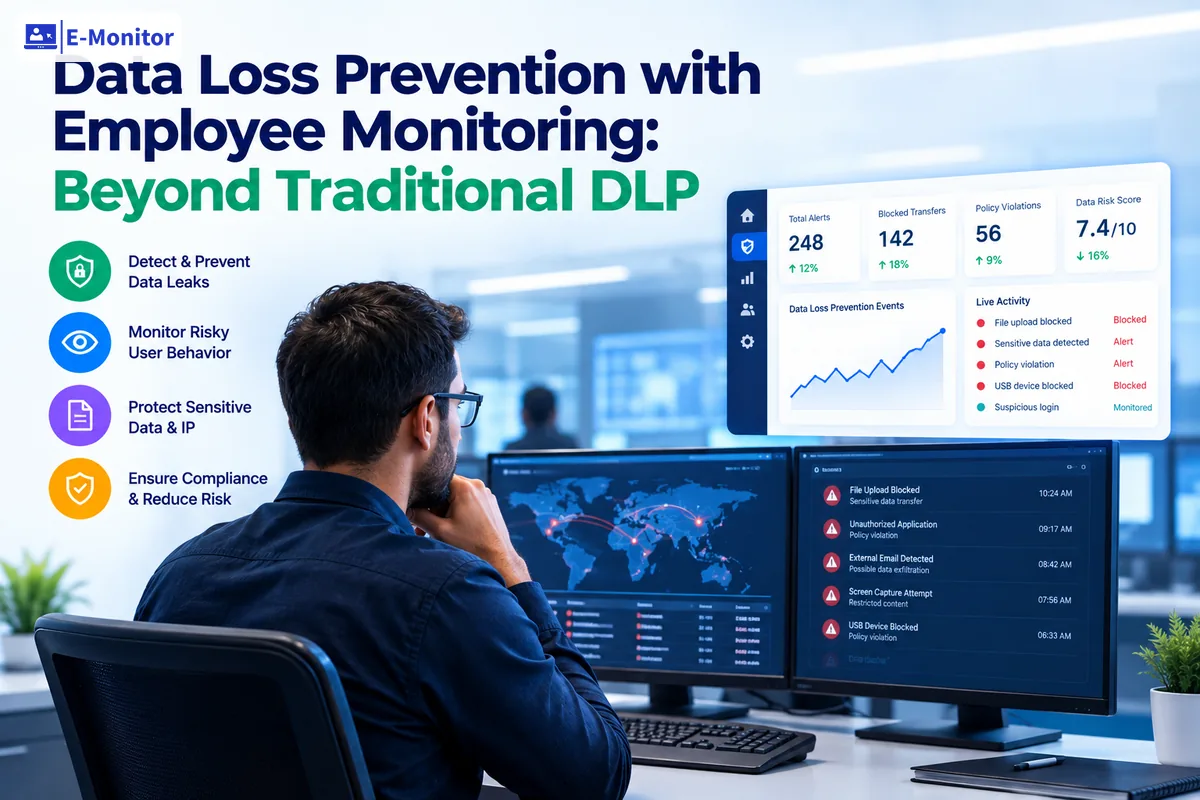
Data loss prevention employee monitoring is the practice of tracking file movements, device connections, upload activity, and user behavior to protect sensitive information from leaving an organization. Traditional DLP tools catch content that matches predefined patterns, but they miss the behavioral signals that precede most data exfiltration events. E-Monitor bridges that gap by adding real-time behavioral context to your data protection strategy.
7-day free trial. No credit card required.
Companies Protected
Capterra Rating
Per User/Month
Violation Alerts
Why Traditional DLP Alone Fails to Prevent Data Breaches
Traditional data loss prevention software operates on content inspection rules. It scans outgoing files for patterns: credit card numbers, Social Security numbers, specific keywords flagged by compliance teams. When a file matches a rule, the system blocks the transfer. This approach works for known, structured data types, but it misses the majority of real-world data exfiltration attempts.
The fundamental limitation is context. A DLP tool sees a file leaving the network. It does not see the employee who accessed 300 client records at 11 PM on a Friday, two weeks after submitting a resignation letter. It does not see the pattern of behavior that preceded the transfer: browsing competitor job listings, accessing files outside normal scope, connecting a personal USB drive for the first time in six months.
According to the 2024 Verizon Data Breach Investigations Report, 60% of data breaches involve insider threats. These are not firewall failures or zero-day exploits. They are employees, contractors, and trusted users who already have legitimate access to the data they exfiltrate. Content-based rules cannot stop a person who is authorized to view the file but unauthorized to copy it to a personal device.
How does employee monitoring close the gap that rule-based DLP leaves open?
DLP employee monitoring adds the behavioral dimension. E-Monitor tracks who accessed which files, when they accessed them, whether the access pattern is normal for their role, and what they did with the data afterward. This behavioral layer catches exfiltration methods that bypass content rules entirely: screenshots of sensitive data, manual retyping, encrypted archives, split files, and transfers through approved channels used at suspicious times.
How Employee Monitoring Protects Against Data Exfiltration
Endpoint data protection through employee monitoring works on a fundamentally different principle than content-based DLP. Instead of inspecting files for patterns, monitoring establishes behavioral baselines and flags deviations. Every employee develops predictable work patterns: the applications they use, the files they access, the hours they work, the volume of data they handle. When behavior deviates from these baselines, the system raises an alert.
E-Monitor provides five layers of data protection that traditional DLP tools do not offer.
File Activity Monitoring
E-Monitor tracks file creation, modification, deletion, copying, and movement across the entire endpoint. Every file interaction is logged with the full file path, timestamp, and application used. Security teams see exactly which files were accessed, when, and what happened to them. A 200-person company generates thousands of file events daily, and E-Monitor's alerting filters surface only the events that match risk criteria: bulk file access, access to restricted directories, or file operations outside normal working hours.
USB Device Monitoring and Control
USB-based exfiltration remains one of the most common methods for data theft. The screen monitoring and DLP capabilities in E-Monitor detect USB device connections in real time, logging the device type, serial number, and timestamp. Administrators configure policies to block unauthorized devices entirely or to allow only approved, encrypted storage media. Every file copied to a permitted USB device is recorded with full path details, creating an audit trail that satisfies compliance requirements under frameworks like PCI-DSS and HIPAA.
Upload and Download Violation Tracking
Cloud storage services present a significant exfiltration risk because employees can upload files to personal accounts in seconds. E-Monitor monitors upload and download activity across web browsers, flagging transfers to unauthorized cloud storage domains. The system differentiates between approved business cloud services (corporate Google Drive, approved SharePoint instances) and personal or unauthorized storage platforms, sending instant alerts when files move to the wrong destination.
Website Access Violation Monitoring
E-Monitor logs all website access and flags visits to domains that violate organizational policy. This includes personal email services used to send attachments, file-sharing sites, and paste-bin services that employees occasionally use to move text-based data outside the organization. Detailed logs show the domain, time spent, and context of the visit, giving security analysts the information they need to distinguish between innocent browsing and intentional data exfiltration.
Behavioral Pattern Analysis
The most powerful capability in DLP employee monitoring is behavioral pattern analysis. Individual alerts (a file download, a USB connection, a late-night login) may be harmless on their own. E-Monitor correlates these signals over time, revealing patterns that indicate deliberate data exfiltration. An employee who suddenly accesses files outside their department, works unusual hours, and connects external storage in the same week presents a risk profile that no single alert would capture.
DLP Software vs. Employee Monitoring: What Each Covers
Data loss prevention and employee monitoring are complementary technologies, not competing ones. Understanding where each approach excels helps organizations build a defense-in-depth strategy that covers both content-based and behavior-based threats.
| Capability | Traditional DLP | Employee Monitoring (E-Monitor) |
|---|---|---|
| Content inspection | Yes, pattern matching on file contents | No direct content scanning |
| Behavioral baselines | No | Yes, per-employee activity patterns |
| USB device control | Basic block/allow | Detailed logging, device identification, file-level tracking |
| Cloud upload detection | Content-based blocking | Domain-level monitoring with behavioral context |
| Screenshot exfiltration | Cannot detect | Screen recording captures visual data theft |
| Off-hours activity | Not tracked | Flagged as behavioral anomaly |
| Encrypted file transfers | Cannot inspect encrypted content | Tracks transfer activity regardless of encryption |
| Insider threat indicators | Limited to content rules | Correlates access patterns, hours, devices, and file activity |
| Compliance audit trail | Block/allow logs only | Full activity timeline with visual evidence |
| Cost for 100 users | $15,000-$50,000/year (enterprise DLP) | $4,680/year ($3.90/user/month) |
The strongest data protection strategy layers both approaches. DLP handles content classification and rule-based blocking for structured data types. Employee monitoring handles everything else: behavioral context, unstructured data, visual exfiltration, and the human intent behind each file interaction.
Common Data Exfiltration Patterns That Only Monitoring Catches
Security teams who rely solely on content-based DLP miss exfiltration methods that bypass content inspection entirely. Employee monitoring catches these patterns because it tracks behavior, not just data.
The Resignation Window
Research from the Ponemon Institute shows that 69% of employees who steal data do so in the 30 days before or after their resignation. During this window, employees with legitimate access download client lists, project files, proprietary code, and strategic documents. Content-based DLP does not flag these transfers because the employee is authorized to access the files. E-Monitor detects the behavioral shift: increased file access volume, downloads outside normal patterns, and transfers to personal storage that break from the employee's established baseline.
Low-and-Slow Exfiltration
Sophisticated insiders avoid bulk downloads that trigger volume-based alerts. Instead, they exfiltrate data gradually over weeks or months, taking small amounts that fall below detection thresholds. E-Monitor's cumulative tracking identifies this pattern by comparing rolling activity totals against historical norms. An employee who downloads 50 files per day for three weeks, when their baseline is 10 files per day, triggers an alert even though no single day's activity appears alarming.
Channel Switching
Some employees use different exfiltration channels for different data types: email for documents, personal cloud storage for databases, USB drives for source code, and screenshots for visual data. Each channel viewed in isolation may appear normal. E-Monitor's consolidated activity view reveals the combined picture, showing that a single employee is moving data through multiple channels simultaneously.
After-Hours Access
Employees planning data theft often conduct their most sensitive activities outside business hours, when fewer colleagues and managers are watching. E-Monitor logs all activity timestamps and flags off-hours access to sensitive file systems. A software engineer accessing the customer database at 2 AM on a Saturday presents a different risk profile than the same engineer accessing it at 10 AM on a Tuesday.
Get started
Protect Your Sensitive Data in Minutes
Deploy E-Monitor's DLP monitoring across your organization. USB tracking, file activity logs, and real-time violation alerts from day one.
- 7-day free trial
- No credit card
- Live in minutes
How to Implement DLP Employee Monitoring in Your Organization
Deploying data loss prevention monitoring requires more than installing software. A successful implementation balances security objectives with employee trust and legal compliance. Here is a practical framework for organizations at any stage of data protection maturity.
Step 1: Classify Your Data Assets
Before configuring monitoring rules, identify what data you are protecting. Conduct a data classification exercise that categorizes information into tiers: public, internal, confidential, and restricted. Map each tier to specific file types, directories, and systems. E-Monitor's file monitoring rules align to these classifications, triggering different alert levels based on data sensitivity. A marketing team member downloading a public-facing brochure generates no alert. The same employee accessing a restricted financial model triggers an immediate notification.
Step 2: Establish Behavioral Baselines
Run E-Monitor in observation mode for two to four weeks before activating alerts. During this period, the system builds behavioral baselines for each employee: normal file access volumes, typical working hours, standard USB device usage, and regular web browsing patterns. These baselines become the reference point against which future activity is measured. Without baselines, every alert is noise. With baselines, alerts carry statistical significance.
Step 3: Configure Risk-Based Alert Policies
Not all anomalies carry equal risk. Configure E-Monitor's alert system to match your risk tolerance. High-priority alerts for USB connections to unregistered devices, uploads to personal cloud domains, and bulk file access outside working hours. Medium-priority alerts for access to files outside an employee's normal scope. Low-priority alerts for minor deviations from behavioral baselines. This tiered approach prevents alert fatigue while ensuring critical events receive immediate attention.
Step 4: Communicate the Policy Transparently
Transparency is both a legal requirement and a trust-building measure. Inform all employees that file activity, USB usage, and web access are monitored for data protection purposes. Explain what is tracked, what is not tracked, and how the data is used. Organizations that communicate monitoring policies openly experience 31% fewer security incidents than those that monitor covertly (Gartner, 2024). The deterrent effect of known monitoring is itself a powerful data protection control.
Step 5: Integrate with Incident Response
E-Monitor's alerts feed into your existing incident response workflow. Configure alert routing to your security operations team, SIEM platform, or ticketing system. When a high-priority alert fires, the security analyst sees not just the triggering event but the full behavioral timeline: every file access, website visit, and device connection from that employee in the preceding days. This context transforms incident response from investigation to verification, reducing mean time to response from hours to minutes.
Industries Where DLP Employee Monitoring Is Essential
Every organization handles some sensitive data, but certain industries face regulatory mandates that make data loss prevention monitoring a compliance requirement rather than an optional security layer.
Financial Services
Banks, insurance companies, and investment firms handle customer financial data protected by regulations including SOX (Sarbanes-Oxley), PCI-DSS, and GLBA (Gramm-Leach-Bliley Act). A single data breach in financial services costs an average of $6.08 million according to IBM's 2024 Cost of a Data Breach Report, making it the second most expensive industry for breaches after healthcare. E-Monitor provides the file-level audit trails and USB controls that compliance auditors require.
Healthcare
HIPAA requires covered entities to implement technical safeguards that protect electronic protected health information (ePHI) from unauthorized access and disclosure. Employee monitoring satisfies the HIPAA Security Rule's requirements for audit controls (45 CFR 164.312(b)) and access monitoring. Healthcare organizations using E-Monitor track who accesses patient records, flag bulk record exports, and maintain the audit logs that HIPAA auditors review. See how E-Monitor supports healthcare compliance monitoring in detail.
Technology and Software Companies
Source code, algorithms, product roadmaps, and customer data represent the core intellectual property of technology companies. Unlike physical assets, digital IP can be copied in seconds and transferred without a trace if monitoring is absent. E-Monitor tracks code repository access, file movements in development environments, and transfers of proprietary files to external destinations. For companies with distributed engineering teams, this visibility is the difference between detecting a theft in minutes and discovering it months later through a competitor's product launch.
Legal Firms
Law firms hold client data protected by attorney-client privilege, making any data breach both a security failure and a potential malpractice event. E-Monitor's file monitoring tracks access to case files, flagging any movement of privileged documents outside approved systems. The detailed activity logs also support the firm's own compliance with bar association confidentiality requirements.
Government Contractors
Organizations handling Controlled Unclassified Information (CUI) under NIST SP 800-171 or classified data under ITAR must implement continuous monitoring of user activity. E-Monitor's comprehensive logging capabilities support the audit and accountability requirements in these frameworks, tracking every file access and data transfer across cleared personnel's workstations.
The Real Cost of Not Monitoring for Data Loss
The financial impact of data breaches extends far beyond the immediate cost of incident response. IBM's 2024 Cost of a Data Breach Report puts the global average at $4.88 million per breach, a figure that includes direct costs (forensics, notification, legal) and indirect costs (customer churn, reputation damage, regulatory fines).
For insider-caused breaches, the numbers are worse. The Ponemon Institute's 2024 Cost of Insider Threats report found that insider incidents cost organizations an average of $16.2 million annually. The primary cost driver is detection time: organizations without behavioral monitoring take an average of 85 days to contain an insider threat, compared to organizations with monitoring tools that contain incidents in under 15 days.
How does proactive monitoring change this cost equation?
E-Monitor reduces data breach risk on three fronts. First, the deterrent effect: employees who know their file activity is logged are less likely to attempt exfiltration. Second, early detection: real-time alerts catch suspicious behavior before data leaves the network, reducing the breach window from months to minutes. Third, forensic evidence: when incidents do occur, E-Monitor's activity logs provide the detailed timeline that legal teams, insurers, and regulators require.
At $3.90 per user per month, monitoring 200 employees costs $9,360 annually. A single prevented data breach saves an average of $4.88 million. The return on investment is not a percentage; it is a multiple.
Balancing Data Protection with Employee Privacy
Effective data loss prevention monitoring requires employee cooperation, and cooperation depends on trust. Organizations that approach DLP monitoring as a partnership with employees achieve better security outcomes than those that treat it as covert operations.
E-Monitor supports this balanced approach with several design choices. Monitoring activates only during configured work hours, not during personal time. Employees see their own activity dashboards, so monitoring is transparent rather than hidden. Screenshot blur protects sensitive personal information that appears on screen. Role-based access controls restrict who can view monitoring data, ensuring that only authorized security and management personnel have access.
Legal compliance requires attention to jurisdiction. In the United States, the Electronic Communications Privacy Act (ECPA) permits employer monitoring on company-owned systems with employee notice. The European Union's GDPR requires a Data Protection Impact Assessment (DPIA) and a lawful basis under Article 6, typically legitimate interest (Article 6(1)(f)) for security monitoring. California's CCPA adds additional notice requirements for employee data collection.
The most effective approach combines clear policy documentation, employee acknowledgment forms, and visible monitoring indicators. When employees understand that monitoring exists to protect the organization's data (and their own personal information stored in company systems), resistance drops significantly. Gartner's 2024 workforce monitoring survey found that 78% of employees accept workplace monitoring when the purpose and scope are clearly communicated.
E-Monitor's DLP Monitoring Capabilities
Real-Time USB Monitoring
Detect and log every USB device connection with device type, serial number, and timestamp. Block unauthorized external storage devices. Track every file copied to permitted USB drives with full file path records. Export USB activity logs for compliance reporting.
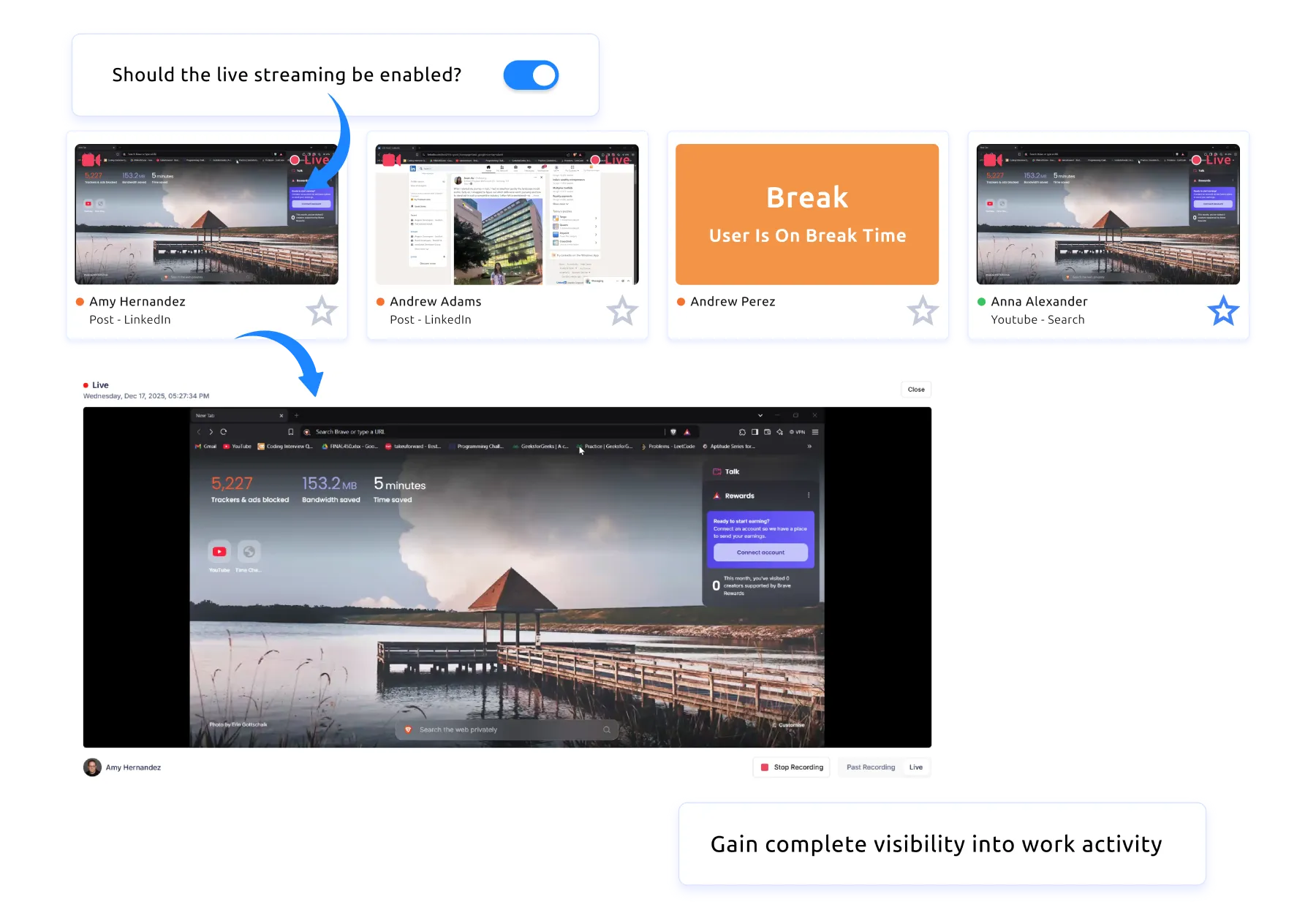
Comprehensive File Monitoring
Track file creation, modification, deletion, and movement with full path and timestamp records. Configure alerts for bulk file operations, access to restricted directories, and file activity outside normal working hours. Complete audit trails for regulatory compliance.

Upload and Download Violation Alerts
Monitor web-based file transfers across all browsers. Flag uploads to unauthorized cloud storage domains with instant alerts. Log download activity from external sources. Differentiate between approved business services and personal storage platforms.
Website Access Violation Monitoring
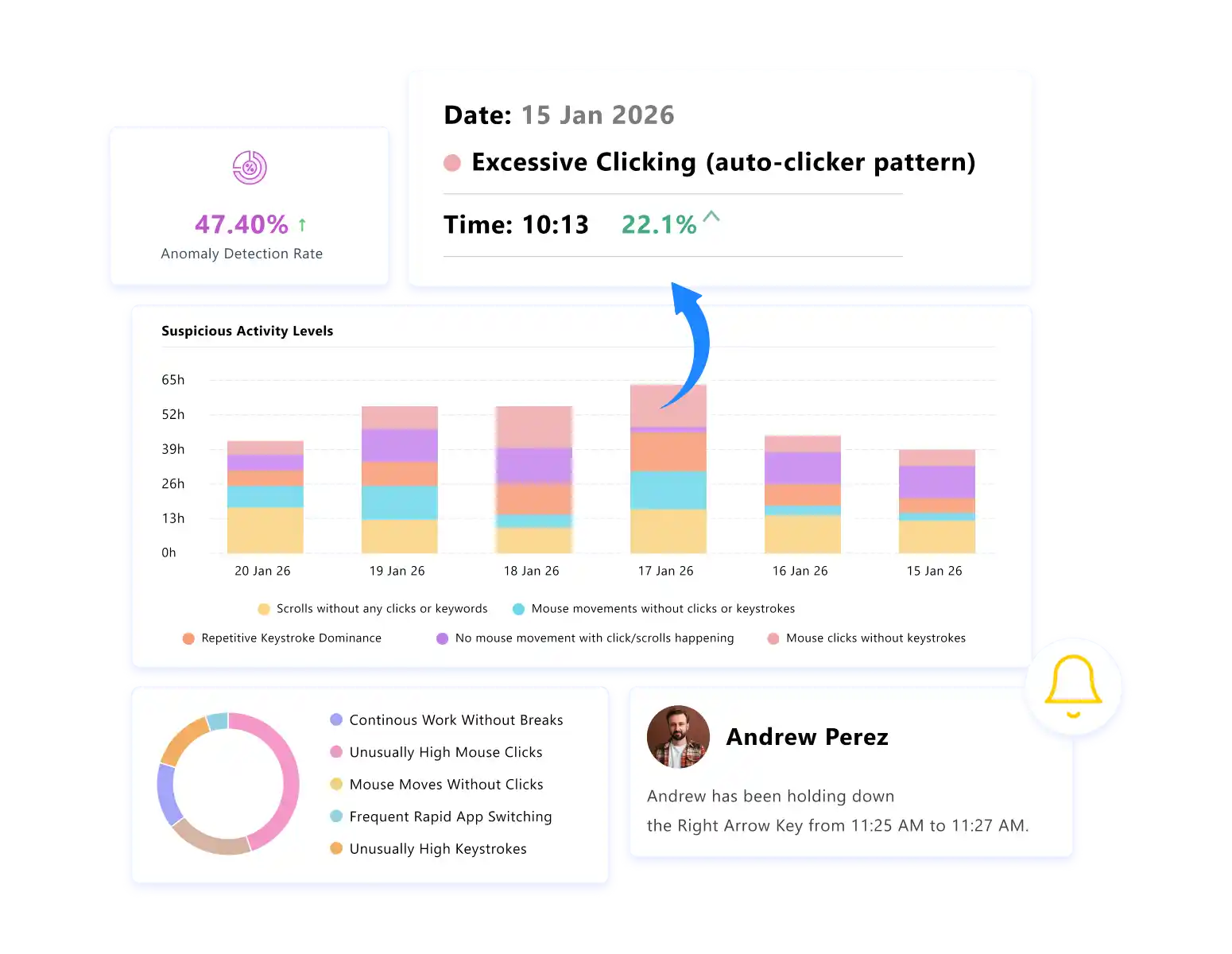
Track all website access with detailed time-spent data. Flag visits to personal email services, file-sharing sites, and unauthorized domains. Generate violation summary reports with visual analytics for management review.

Suspicious Activity Detection
Identify repeat policy violations and escalating risk behavior across file, USB, and web activity. Instant alerts notify security teams of high-risk patterns. Behavioral correlation connects isolated events into coherent threat indicators.

Role-Based Access Controls
Restrict access to monitoring data based on organizational role. Only authorized security personnel and designated managers view DLP logs. Encrypted storage protects monitoring data from unauthorized internal access, ensuring the monitoring system itself does not become a data exposure risk.
From DLP to Insider Threat Detection
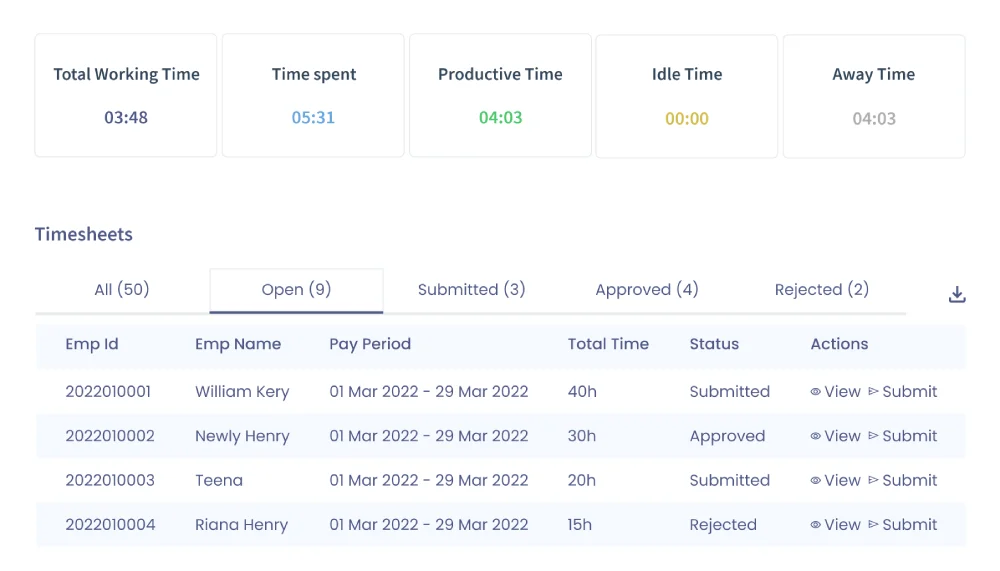
Data loss prevention monitoring is one component of a broader insider threat detection program. While DLP focuses specifically on data movement and file activity, insider threat detection encompasses a wider set of behavioral signals: productivity changes, access pattern anomalies, communication shifts, and disengagement indicators.
E-Monitor serves both use cases from a single platform. The same activity data that powers DLP alerts also feeds reporting dashboards where security teams identify employees whose behavior profile suggests elevated risk. File access anomalies, combined with application usage patterns and working hour data, create a comprehensive risk picture that neither DLP tools nor basic monitoring tools provide alone.
Organizations that integrate DLP monitoring with broader insider threat detection reduce their overall security incident costs by an average of 33% (Ponemon Institute, 2024). The unified approach eliminates the blind spots that exist when data protection and employee monitoring operate as separate, disconnected programs.
Get started
Add Behavioral Context to Your Data Protection Strategy
Deploy E-Monitor alongside your existing DLP tools. USB monitoring, file tracking, and real-time violation alerts at $3.90 per user per month.
- 7-day free trial
- No credit card
- Live in minutes
Frequently Asked Questions About DLP Employee Monitoring
Can employee monitoring prevent data loss?
E-Monitor prevents data loss by tracking file movements, USB device connections, upload activity, and website access in real time. The system flags unusual transfer patterns and unauthorized device usage before sensitive data leaves the organization, catching threats that rule-based DLP tools miss.
What is the difference between DLP and employee monitoring?
DLP software enforces content-based rules, blocking files that contain specific data patterns like credit card numbers or Social Security numbers. Employee monitoring tracks behavioral context: who accessed what, when, from where, and whether the activity pattern is normal for that person's role.
How does employee monitoring detect data exfiltration?
E-Monitor detects data exfiltration by establishing behavioral baselines for each employee and flagging deviations. Unusual file access volumes, off-hours activity, bulk downloads, unauthorized USB connections, and uploads to personal cloud storage all trigger real-time alerts for security teams.
What file transfer activities are suspicious?
Suspicious file transfer activities include bulk downloads outside normal working hours, uploads to personal cloud storage services, USB device connections from unregistered devices, email attachments to external domains containing sensitive file types, and access to files outside an employee's normal working scope.
Can employee monitoring work alongside DLP tools?
E-Monitor complements DLP tools by adding the behavioral layer that content-based systems lack. DLP blocks files matching predefined patterns while E-Monitor tracks the human behavior surrounding those files. Together, they cover both content-based and context-based data protection.
What percentage of data breaches involve insider threats?
Insider threats account for 60% of data breaches according to the 2024 Verizon Data Breach Investigations Report. These include both malicious insiders who intentionally exfiltrate data and negligent employees who accidentally expose sensitive information through unsafe file handling practices.
How does USB monitoring prevent data theft?
E-Monitor monitors USB device connections in real time, logging device type, serial number, and connection timestamp. Administrators can block unauthorized external storage devices entirely or allow only approved devices. Every file copied to a USB drive is logged with full path and timestamp records.
Is employee monitoring for DLP legal?
Employee monitoring for data protection purposes is legal in all U.S. states on company-owned devices when employees receive prior written notice. The ECPA permits employer monitoring of business systems. GDPR Article 6(1)(f) allows monitoring under legitimate interest with a documented Data Protection Impact Assessment.
What industries need DLP employee monitoring most?
Financial services, healthcare, legal firms, technology companies, and government contractors face the highest data loss risk. These industries handle regulated data including PII, PHI, financial records, and classified information. Regulatory frameworks like HIPAA, PCI-DSS, SOX, and ITAR require documented data protection controls.
How quickly can employee monitoring detect a data breach?
E-Monitor sends real-time alerts for policy violations, reducing detection time from the industry average of 197 days (IBM, 2024) to minutes. Instant notifications for USB connections, unauthorized uploads, and abnormal file access patterns enable security teams to respond before data leaves the network.
What is behavioral analytics in data loss prevention?
Behavioral analytics in DLP establishes normal activity baselines for each employee, including typical file access patterns, working hours, application usage, and data transfer volumes. E-Monitor flags deviations from these baselines as potential threats, catching exfiltration methods that static content rules cannot identify.
How much does a data breach cost on average?
The average cost of a data breach reached $4.88 million in 2024 according to IBM's Cost of a Data Breach Report. Breaches involving insider threats cost 9.5% more than external attacks due to longer detection times. Employee monitoring reduces both the likelihood and the cost by accelerating detection.
Sources
- Verizon, "2024 Data Breach Investigations Report" (DBIR), 2024.
- IBM Security, "Cost of a Data Breach Report 2024," Ponemon Institute, 2024.
- Ponemon Institute, "2024 Cost of Insider Threats: Global Report," 2024.
- Gartner, "Market Guide for Insider Risk Management Solutions," 2024.
- U.S. Department of Health and Human Services, "HIPAA Security Rule," 45 CFR 164.312.
- National Institute of Standards and Technology, "NIST SP 800-171: Protecting Controlled Unclassified Information," 2024.
Get started
See E-Monitor in action for your team
Book a demo tailored to your use case, or sign up and be monitoring in minutes.
- 7-day free trial
- No credit card
- Live in minutes