
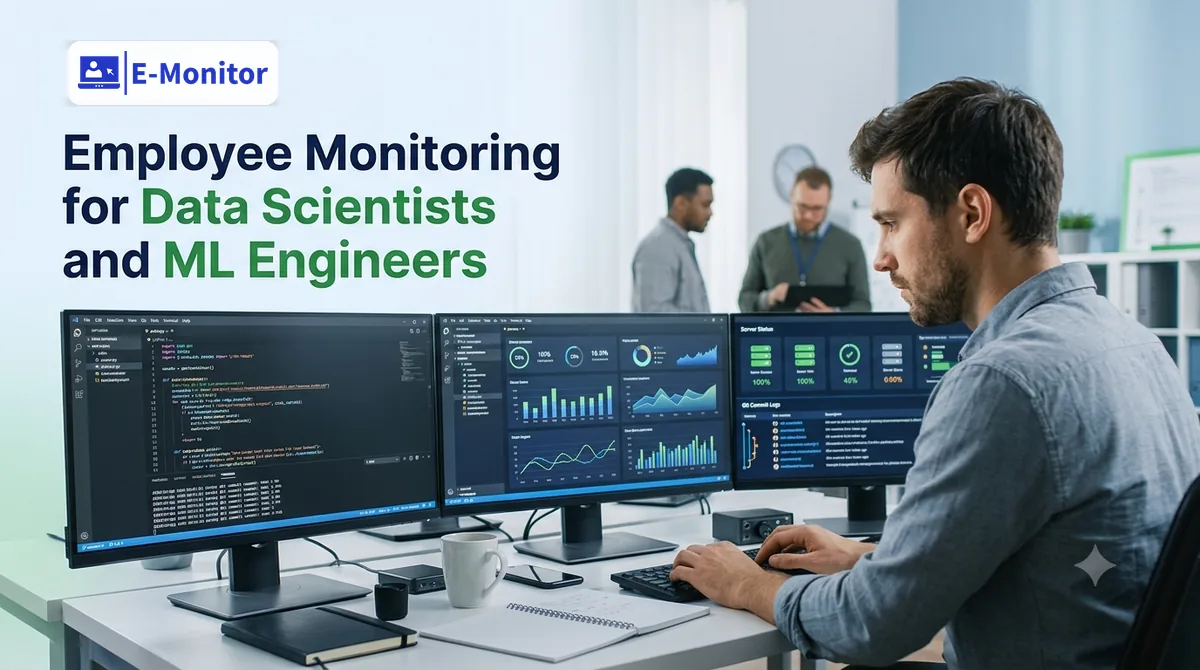
Employee Monitoring for Data Scientists and ML Engineers: Measuring Productivity Without Undermining Autonomy
Monitoring ML engineers requires a fundamentally different approach than tracking hours or counting keystrokes. E-Monitor measures what actually matters for knowledge workers, tool engagement, research patterns, compute usage, and IP protection, without the activity-percentage theater that drives technical talent to look for new jobs.
7-day free trial. No credit card required. Trusted by 1,000+ companies.
Why Monitoring Data Science Teams Requires a Different Framework Entirely
Monitoring data science and ML engineer productivity is one of the most nuanced challenges in knowledge work management. The output of a data scientist is a trained model, a validated insight, a working pipeline, or a research recommendation, none of which maps cleanly to hours worked, keystrokes generated, or activity percentage scores. A researcher in a four-hour deep work session reading arXiv papers and annotating a notebook appears completely inactive to a naive monitoring system. In reality, that may be the most valuable work they do all week.
This mismatch between what traditional monitoring measures and what DS/ML work actually looks like is not a minor calibration issue. It is a structural incompatibility that causes real damage. A 2023 survey by the Stack Overflow Developer Survey found that 59% of developers said invasive monitoring would make them more likely to leave their current job, and data scientists and ML engineers, who command among the highest median salaries in technology ($130,000-$185,000 in the U.S. according to the Bureau of Labor Statistics), have the market mobility to act on that preference immediately.
The solution is not to abandon monitoring, it is to monitor the right things. This page explains what those right things are, what to avoid, and how to configure E-Monitor for a DS/ML team in a way that creates genuine organizational value without alienating the people it is meant to support.
What Can Be Productively Measured in a DS/ML Team?
Not everything about a data scientist's workday is immeasurable. Several behavioral indicators correlate meaningfully with research productivity and can be captured through tool-level monitoring without requiring the invasive activity tracking that technical talent rejects.
Tool Utilization: Time in Primary Research Environments
The most direct behavioral signal of productive ML engineering work is time spent in primary research and development tools. For data scientists and ML engineers, these typically include Jupyter Notebook, JupyterLab, VS Code, PyCharm, RStudio, and domain-specific ML frameworks accessed through their respective interfaces. Time in these environments is a reasonable proxy for active research and development work.
E-Monitor's application usage analytics classify applications into productive, neutral, and non-productive categories. For DS/ML teams, the productive application list should be configured to include all primary development environments, experiment tracking platforms (MLflow, Weights & Biases, Neptune), cloud console interfaces, and scientific computing tools. Time in these environments, even when the engineer appears "idle" by mouse and keyboard activity metrics, represents legitimate research work.
What does a healthy tool utilization ratio look like? Top-performing data science teams typically show their researchers spending 45-65% of working time in coding and research environments, 15-25% in communication and collaboration tools, and 10-20% in documentation and experiment tracking. Teams where researchers spend more than 40% of their time in communication tools are typically meeting-overloaded, and the monitoring data provides the quantified evidence to address it.
Research Tool Access Patterns and Paper Reading
ML engineers doing active research regularly access scientific paper repositories: arXiv, Semantic Scholar, Google Scholar, ACL Anthology, Papers With Code. Monitoring time spent in these research sources, rather than flagging it as non-productive browsing, gives team leads a behavioral signal of a researcher's literature engagement level. A team member spending significant time in research paper sources is in an exploration phase; one spending no time there may be stuck or disengaged.
This framing requires a custom productivity classification in E-Monitor: research databases and scientific paper sources should be configured as productive applications rather than left in the default neutral or non-productive category. The application usage analytics configuration panel allows per-team custom classifications to support exactly this kind of domain-specific setup.
Deployment Cadence as an Output Proxy
While E-Monitor tracks tool-level inputs, team leads can correlate this data with output indicators visible in adjacent systems. Access to staging and production deployment interfaces (Kubernetes dashboards, MLflow model registry, SageMaker, Vertex AI) is a strong behavioral signal of a researcher moving from exploration to delivery. An ML engineer who consistently accesses deployment tooling at the end of sprint cycles is exhibiting the behavior pattern of someone delivering research to production, the highest-value output a DS/ML team produces.
Meeting Load vs. Deep Work Time
One of the most impactful management decisions available to a data science team lead is protecting deep work time from meeting overload. Research by Gloria Mark at UC Irvine found that context switching costs an average of 23 minutes per interruption to restore full cognitive focus, and ML work, which involves maintaining complex mental models of training dynamics, data distributions, and model architectures, is particularly vulnerable to interruption cost.
E-Monitor's time allocation analytics surface the ratio of calendar/meeting tool time to coding environment time at the individual and team level. If a team is spending 50%+ of their days in video conferencing and communication tools, the data makes the meeting problem visible and quantifiable, enabling the team lead to make a concrete case for structural changes like no-meeting blocks, async standup protocols, or reduced meeting frequency.
[Image: E-Monitor application usage analytics for DS/ML team, time breakdown across coding environments, research tools, communication tools, and deployment interfaces]
What Not to Measure: and Why It Matters for Talent Retention
The technical capabilities available in monitoring software exceed what is appropriate for a data science team by a wide margin. Deploying the full feature set without considering its effect on team culture is one of the most common mistakes engineering leaders make when introducing monitoring to technical teams.
Keystroke and Mouse Activity Scores Are Misleading for Knowledge Work
Activity percentage scores, which measure the ratio of active mouse and keyboard input to total work session time, are built for roles where productive work involves continuous computer interaction: data entry, customer support, transcription. They are fundamentally unsuited to knowledge work.
A data scientist reading a long paper and annotating their notes has near-zero mouse and keyboard activity. A researcher thinking through a model architecture problem while staring at a whiteboard has zero activity. A ML engineer waiting for a training run to complete while reviewing the loss curves has minimal activity. All of these are productive states. An activity percentage score that shows 15% for a brilliant researcher in a deep thinking session is not measuring productivity, it is measuring something irrelevant and punishing people for doing their best work.
The practical consequence of deploying activity percentage monitoring for ML teams is that it creates an incentive to perform busyness: moving the mouse periodically, keeping email open, fragmenting focus to maintain a high activity score. This is exactly the opposite of what you want from a team whose core value is sustained, uninterrupted deep thinking.
High-Frequency Screenshot Monitoring Signals Distrust
Periodic screenshot capture at frequent intervals (every 3-5 minutes) is appropriate in contexts where visual verification of work content is needed, customer support, document processing, compliance review. For data science teams, it signals a level of distrust that is fundamentally incompatible with the psychological safety that research work requires.
Data scientists need to feel free to explore dead ends, write speculative code, and pursue intuitions without the sense that every intermediate step is being observed and potentially evaluated. High-frequency screenshot monitoring creates a surveillance atmosphere that chills the exploratory behavior that generates breakthrough results. See the extended discussion in employee monitoring and creativity and innovation.
The Autonomy Principle: Monitoring for Context, Not Control
The organizing principle for DS/ML team monitoring should be: data is used by team leads to remove obstacles and allocate resources, not to penalize individuals for how they structure their research time. When engineers understand that monitoring data flows to their team lead as a support tool, helping the lead know when someone is meeting-overloaded, potentially stuck, or showing early attrition signals, rather than as a performance evaluation instrument, reception changes dramatically.
This principle requires explicit commitment from leadership. State it in the monitoring policy. State it again in the team meeting where you introduce the tool. And honor it consistently, if monitoring data is used to penalize a researcher for a "low activity" day that happened to be their best thinking day of the month, you will lose the team's trust irreversibly. The guide at monitoring without losing talent covers this cultural implementation in depth.
Protecting ML Team IP: Why Monitoring Is Security, Not Surveillance
Proprietary machine learning models, training pipelines, and research architectures represent some of the most valuable, and most vulnerable, intellectual property that a technology company holds. Unlike a sales deck or a marketing strategy, ML IP is highly specific, difficult to recreate without the original research path, and immediately deployable by a competitor who acquires it. When a senior ML engineer leaves and takes model files, training code, or architecture documentation with them, the damage can represent months or years of research investment.
What ML IP Is Most at Risk
The assets most commonly taken by departing ML engineers fall into several categories:
- Trained model weights and checkpoint files: These are the direct product of training compute expenditure. A competitor who receives trained weights skips the training cost entirely.
- Proprietary feature engineering pipelines: Often represent years of domain-specific iteration and are directly applicable in competing products.
- Custom training datasets: Particularly proprietary if custom-labeled with domain annotations that required significant human effort or specialized expertise.
- Experiment logs and research paths: Document the research decisions that led to a working architecture, allowing a competitor to learn from your failures without incurring them.
- Model evaluation frameworks: Custom benchmarks and evaluation criteria that reflect domain-specific performance requirements are competitive intelligence.
Monitoring File Access to Model Repositories
E-Monitor's file activity monitoring tracks file creation, modification, deletion, and transfer events at the individual user level. For ML teams, this monitoring should be configured to cover directories containing model weights, training code, dataset files, and experiment logs. Access events in these directories by users outside the normal project team, or bulk export events from these directories, generate immediate alerts for review by the team lead or security team.
The DLP capability additionally monitors for transfer of files to external storage destinations: personal cloud accounts, USB drives, or upload events to external URLs. These transfer events, particularly when they occur in the period before an employee resignation, represent the highest-risk IP exfiltration vector for ML teams. Early detection through monitoring allows the organization to respond before the data leaves the controlled environment.
Monitoring as IP Protection Culture
When framed correctly, IP protection monitoring is something most ML engineers support rather than resist. Researchers who have invested months building a training pipeline or developing a novel architecture understand that protecting that work serves the team's collective interest. They do not want their work appropriated by competitors any more than the business does.
Frame the file access monitoring specifically as protecting the team's research investment, and make clear that it applies equally to everyone, including leadership. This symmetric framing removes the surveillance dynamic and positions monitoring as a shared professional standard. See the DevOps and SRE monitoring guide for a parallel treatment of IP protection in engineering teams.
[Image: E-Monitor file activity monitoring alert, bulk export event from model repository directory with user identity, timestamp, and file destination]
GPU and Compute Cost Management: The CFO Problem Nobody Talks About
Cloud compute costs for ML teams have become one of the fastest-growing line items in technology budgets. Gartner forecasts that by 2027, over 30% of AI projects will exceed their compute budget due to uncontrolled experimentation costs. For organizations running training and fine-tuning workloads on cloud GPU instances, unmonitored compute usage can produce five- and six-figure monthly surprise bills.
Correlating Compute Usage With Research Activity
E-Monitor cannot directly track cloud GPU consumption, that requires cloud billing tools. But it can track which team members are spending time in the cloud console and compute management interfaces where training jobs are initiated and monitored. When a team member's access to AWS SageMaker or Google Vertex AI shows extended sessions outside of their normal research schedule, or shows access by someone whose project does not currently require training compute, this is a signal for the team lead to review the associated billing events.
The correlation between individual researcher activity patterns (visible in E-Monitor) and compute billing events (visible in cloud cost management tools) creates a practical accountability layer: team members know that their access to compute management interfaces is visible, which naturally encourages more intentional use of training resources. This is not about penalizing exploration, it is about creating the shared context that makes thoughtful resource allocation a team norm rather than an afterthought.
Identifying Abandoned Training Runs
One of the most common sources of wasted ML compute budget is training runs initiated but not actively monitored, jobs that a researcher started, then lost track of as other priorities emerged. E-Monitor's time data can surface a pattern worth investigating: a researcher who accessed a cloud training interface, initiated a job, and then shows no subsequent access to that interface or its associated experiment tracking platform. A team lead noticing this pattern can check whether the training job is still running and whether it is still needed, often recovering significant compute budget.
Async-First Teams: Visibility Without Synchronous Requirements
Data science teams have led the shift to async-first, distributed work models, partly because the nature of ML research accommodates flexible schedules, and partly because the talent pool for senior ML engineers is genuinely global. A team might include researchers in San Francisco, London, Bangalore, and Singapore working across a 13-hour time difference.
What Changes About Monitoring in an Async Context
Async ML teams require monitoring configuration that does not assume synchronous work patterns. The following standard monitoring alerts should be disabled or significantly adjusted for async DS/ML teams:
- Late login alerts: Irrelevant when team members work on self-determined schedules across time zones.
- Incomplete hours alerts for specific time windows: Replace with weekly aggregate hours minimums rather than daily check-ins.
- Idle time alerts at standard thresholds: Extend the idle threshold significantly (45-60+ minutes) to accommodate deep thinking periods, or disable entirely for senior researchers.
What remains valuable in async monitoring: weekly tool engagement summaries showing time in research environments, file activity alerts for IP-relevant directories, and workload balance metrics showing whether individual researchers are overloaded or underutilized relative to their peers.
Making Async Work Visible to Leadership
One of the challenges async ML teams face is leadership visibility, executives and VPs accustomed to synchronous office work often feel uncertain about whether distributed researchers are engaged and productive, particularly during extended exploration phases where visible output is limited. E-Monitor's weekly activity summaries provide the ambient visibility that makes leadership comfortable with async structures: not "is this person at their desk right now?" but "did this person spend meaningful time in their research tools this week?"
This visibility is protective for researchers as well as reassuring for leadership. A researcher who is genuinely productive but whose work is invisible, because they work at unusual hours and do not generate many Slack messages, benefits from having objective tool engagement data that demonstrates their contribution. Compare how this approach translates to other engineering disciplines in the developer productivity monitoring guide.
Early Attrition Signals in DS/ML Teams: What the Data Reveals Before the Resignation Letter
Data scientists and ML engineers are among the most highly recruited professionals in technology. LinkedIn's 2024 Jobs on the Rise report found that ML engineering roles experienced 74% year-over-year growth in job postings, and senior researchers regularly receive unsolicited recruiting outreach multiple times per week. The question for team leads is not whether their engineers are being recruited, they are, but whether they can identify disengagement early enough to intervene.
The Behavioral Signature of a Researcher Considering Leaving
E-Monitor's attrition risk monitoring tracks behavioral pattern changes that correlate with disengagement and departure risk. For DS/ML roles specifically, the early attrition signature typically includes a gradual shift in tool utilization patterns (less time in research environments, more time in communication and browser tools), increased time on professional networking platforms during work hours, declining engagement with internal documentation and experiment tracking systems, and reduced access to shared code repositories relative to personal work.
These signals typically precede a resignation by 60-120 days, enough lead time for a proactive team lead to schedule a retention conversation, address compensation gaps, adjust research direction, or restructure responsibilities in a way that re-engages the researcher before they accept an offer elsewhere. The activity logs provide the longitudinal data needed to identify these trend changes rather than one-off variations.
The Hidden Cost of Losing a Senior ML Engineer
The cost of replacing a senior ML engineer is substantially higher than most organizations account for in their workforce planning. SHRM research estimates that replacing a specialized technical employee costs 50-200% of annual salary, but this calculation typically undercounts the ML-specific costs: the research continuity loss when an engineer leaves mid-project, the institutional knowledge embedded in their experiment history and model intuitions, and the competitive risk when they join a competitor and the implicit knowledge transfer that goes with them.
For a $175,000 ML engineer, replacement cost at the conservative end of the SHRM range is $87,500, not including the 6-9 months of reduced velocity while a replacement researcher comes up to speed. Early attrition detection that prevents even two senior departures per year pays for an enterprise monitoring deployment many times over. The DevOps and SRE monitoring guide addresses similar retention economics for adjacent engineering roles.
Get started
Monitoring That Respects How ML Teams Actually Work
Configure E-Monitor for your data science team in under two hours, with the tool classifications, idle thresholds, and alert configurations that make monitoring genuinely useful rather than alienating.
- 7-day free trial
- No credit card
- Live in minutes
How to Configure E-Monitor for a Data Science Team: A Practical Setup Guide
Getting the configuration right is the difference between monitoring that improves your DS/ML team and monitoring that damages it. The following setup recommendations are specific to data science and ML engineering contexts.
Step 1: Define Productive Application Classifications
Mark the following application categories as productive in E-Monitor's classification engine:
- Development environments: VS Code, PyCharm, Jupyter Notebook, JupyterLab, RStudio, Vim/NeoVim, Emacs, DataSpell
- ML platforms and experiment tracking: MLflow UI, Weights & Biases, Neptune, Comet ML, DVC, Hugging Face Hub
- Cloud compute interfaces: AWS SageMaker, Google Vertex AI, Azure ML, Lambda Labs, Paperspace consoles
- Research tools: arXiv, Semantic Scholar, Papers With Code, Google Scholar, ACL Anthology, CVPR Open Access
- Version control: GitHub, GitLab, Bitbucket, Git command line interfaces
- Data tools: DBeaver, DataGrip, Tableau, Streamlit, Gradio, Plotly Dash
Step 2: Adjust Idle Detection Thresholds
Set idle detection thresholds to 45-60 minutes for researcher roles rather than the standard 5-10 minutes. Configure the system to not penalize idle periods that occur within active sessions in development environments, a researcher in Jupyter who pauses for 30 minutes of focused thinking should not have that time reclassified as idle.
Step 3: Configure DLP Alerts for IP-Relevant Directories
Work with your security team to identify the file directories containing the highest-value ML IP (model weights, training code, datasets, experiment logs) and configure E-Monitor's file activity monitoring to alert on bulk access or transfer events from these locations. Set USB monitoring alerts to fire for any device connection by users with access to production model repositories.
Step 4: Disable or Adjust Schedule-Based Alerts
For async or flexible-schedule teams, disable late login alerts and replace daily incomplete hours alerts with weekly aggregate metrics. This respects the work patterns of researchers while maintaining visibility into genuine disengagement. See the broader monitoring configuration discussion in the monitoring without losing talent guide.
[Image: E-Monitor configuration panel for DS/ML team, showing custom productive application list, extended idle threshold settings, and DLP alert configuration for model repository directories]
Related reading: Monitoring Data & Analytics Teams.
Frequently Asked Questions: Data Science and ML Engineer Monitoring
Why is monitoring data scientists and ML engineers different from monitoring other employees?
Data science and ML engineering is knowledge work where the most productive periods involve sustained, uninterrupted deep focus, not measurable activity in the conventional sense. A ML engineer spending four hours reading papers on transformer architectures appears "inactive" to a naive monitoring system but may be doing the highest-value work of their week. Effective monitoring for this role measures tool engagement and research patterns, not activity percentages or keystrokes. See the broader principles in the developer productivity monitoring guide.
Does employee monitoring alienate data scientists and ML engineers?
Traditional surveillance-style monitoring, keystroke logging presented as a productivity score, high-frequency screenshot monitoring, activity percentage dashboards, does alienate technical talent because it measures the wrong things. Monitoring focused on tool utilization, research access patterns, deployment cadence, and IP protection is much better received because it maps to how engineers think about their work and creates mutual value. The Stack Overflow Developer Survey found 59% of developers would leave over invasive monitoring, but the operative word is "invasive," not "monitoring." See employee monitoring and creativity for the research.
How can I measure ML engineer productivity without counting lines of code or activity percentage?
Effective ML engineer productivity monitoring looks at deployment cadence (models shipped to staging or production), tool utilization (time in Jupyter, VS Code, and ML frameworks vs. meetings and email), compute resource usage relative to research outputs, and meeting load relative to deep work time. These indicators correlate with actual research and engineering output rather than measuring proxy activities that are easy to game. E-Monitor's application usage analytics support all of these measurements with appropriate configuration.
What proprietary IP are data scientists and ML engineers most likely to take when they leave?
The highest-risk IP for departing data scientists includes trained model weights and architecture files, proprietary feature engineering pipelines, training datasets (especially custom-labeled), model evaluation frameworks, and experiment logs documenting the research path to a breakthrough result. E-Monitor's file activity monitoring covers these asset types through directory-level access tracking and bulk transfer detection, with real-time alerts for high-risk export events.
How does monitoring help manage cloud GPU and compute costs for ML teams?
E-Monitor tracks time spent in cloud console and compute management interfaces, enabling team leads to correlate compute consumption with individual researcher activity patterns. This data surfaces situations where training jobs are initiated but not monitored, where compute access occurs outside research periods, or where a single team member's exploration is consuming a disproportionate share of the compute budget. Gartner projects that over 30% of AI projects will exceed compute budget by 2027, behavioral visibility is a practical cost control.
What does early attrition risk look like in a data science team's activity data?
Early attrition signals in DS/ML teams include: a sustained shift from coding tools toward communication and browser tools, increased time on professional networking platforms during work hours, declining engagement with experiment tracking platforms and internal knowledge bases, and after-hours access to personal repositories or cloud storage. These signals typically appear 60-90 days before resignation. E-Monitor's attrition risk monitoring surfaces these trend changes against the individual's own historical baseline, reducing false positives from one-off behavioral variations.
How should deep work periods be handled in monitoring data for ML engineers?
Deep work periods should not be flagged as idle or unproductive. Configure E-Monitor to classify all primary ML tooling as productive applications and set idle detection thresholds to 45-60 minutes for researcher roles. A researcher reading papers for two hours, thinking through a model architecture problem, or waiting for a training run to complete while reviewing loss curves is not idle, they are doing research. Standard idle thresholds (5-10 minutes) designed for customer service roles are inappropriate for knowledge workers.
Can monitoring data help make the case for protecting ML engineers' deep work time?
Yes, this is one of the highest-value applications of monitoring data for ML team leads. If your data shows engineers spending 55% of their time in meetings and communication tools versus 30% in coding and research environments, you have quantified evidence of a meeting overload problem. This data is far more compelling to leadership than a qualitative complaint and creates the foundation for structural changes like no-meeting days. Gloria Mark's research at UC Irvine found context switching costs 23 minutes per interruption, monitoring data puts a number on that cost.
What is the right monitoring approach for ML engineers who work asynchronously across time zones?
Async-first ML teams require monitoring focused on output and tool engagement rather than schedule adherence. Disable late login alerts and daily hour-completion alerts. Replace with weekly aggregate tool engagement metrics and deployment cadence indicators. Configure E-Monitor's alert system to fire on security-relevant events (IP access, bulk exports) rather than schedule-based events. This approach provides the organizational visibility that makes async structures sustainable without imposing synchronous requirements on global research teams.
How do I introduce monitoring to a data science team without triggering resistance?
Lead with the value proposition that resonates most with ML engineers: IP protection and compute cost visibility. Frame monitoring as protecting the team's research investment. Involve a senior team member in configuring the productive application list. Commit explicitly to what will not be monitored: keystroke content, activity percentage scoring, or high-frequency screenshot review. Give engineers access to their own data from day one through the employee-facing dashboard. The guide at monitoring without losing talent covers the full cultural implementation process.
Get started
Monitoring That Works With How ML Teams Work: Not Against It
E-Monitor gives data science leaders tool-level visibility, IP protection, and early attrition signals without the activity-percentage theater that drives your best engineers to LinkedIn. Trusted by 1,000+ companies. Starting at $3.90 per user per month.
- 7-day free trial
- No credit card
- Live in minutes