
Monitoring Employees in Coworking Spaces: Security, Productivity, and Compliance on Shared Networks
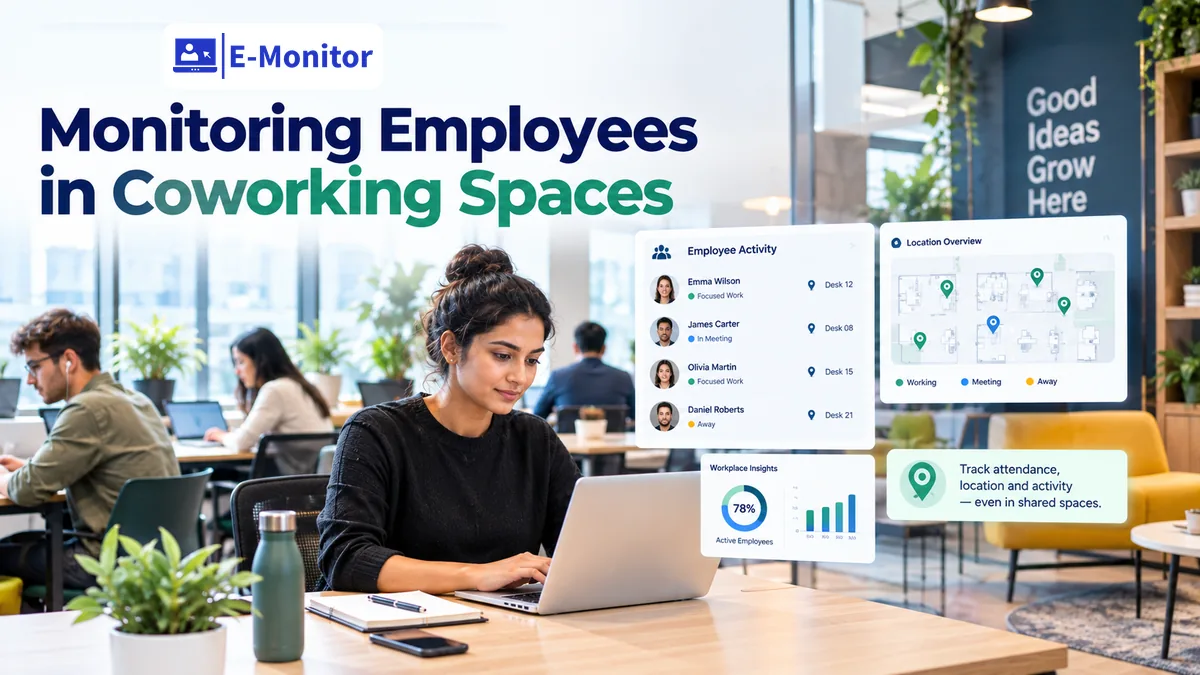
Monitoring employees in coworking spaces requires a device-centric approach, because you cannot monitor a network you do not own. E-Monitor runs on company devices regardless of what WiFi they are connected to, giving you consistent visibility whether your team is at WeWork, Regus, or a neighborhood shared office.
7-day free trial. No credit card required. Trusted by 1,000+ companies.
What Security Risks Do Coworking Spaces Actually Create?
Monitoring employees in coworking spaces addresses a risk category that is distinct from both office-based and home-based remote work. Coworking environments are shared, semi-public spaces where your employees sit alongside workers from dozens of other companies, often on the same network, in rooms without private security controls. The risk is real and quantified.
The Ponemon Institute found that 70% of remote workers use public or shared networks for work, and 45% admitted to accessing sensitive work data in public locations. IBM's Cost of a Data Breach Report 2024 found that breaches involving compromised credentials, the most common outcome of public network exposure, cost an average of $4.81 million per incident. Coworking spaces are not casual security risks. They are environments where the baseline threat level is structurally higher than a controlled office or a secured home network.
The Shared Network Problem
In a traditional corporate office, the IT team manages the network, firewalls, intrusion detection, network access control, and encrypted internal traffic. In a coworking space, none of this exists. The WiFi is shared among all occupants, and depending on the space's configuration, other occupants on the same network segment may be able to observe unencrypted traffic. For employees working without an active VPN, this is a genuine data exposure risk for any transmission not encrypted at the application layer.
Physical Security: Shoulder Surfing and Visible Screens
The physical layout of coworking spaces, open floor plans, shared tables, hot desks in sight of strangers, creates a shoulder surfing risk that office environments minimize through spatial controls. An employee reviewing salary data, source code, M&A documents, or client financial information in an open coworking space may inadvertently expose it to anyone who happens to be looking in the right direction. This is not a theoretical concern: 52% of cybersecurity professionals in a 2023 Shred-it survey identified visual data exposure as a real-world data breach source at their organizations.
Why Traditional Network-Based Monitoring Fails Here
Many enterprise monitoring solutions work by analyzing network traffic, monitoring what enters and exits the corporate network perimeter. In a coworking space, there is no corporate network perimeter. The monitoring tool has nothing to analyze. This is why E-Monitor's device-centric approach is specifically valuable for distributed work environments: it monitors the device, not the network, and operates identically whether the device is at headquarters, at home, or at a WeWork hot desk.
How E-Monitor's Device-Centric Architecture Works in Coworking Environments
E-Monitor operates as a lightweight agent installed on the company device. Its monitoring capability is entirely independent of what network the device connects to. This architectural decision, which seems obvious in retrospect, is actually the critical differentiator for coworking and distributed workforce scenarios.
Consistent Visibility Across All Work Locations
The same application and website tracking, productivity analytics, time tracking, and screen monitoring capabilities that run in the office run identically at a coworking space. There is no degraded mode for non-office networks. Managers see the same quality of data regardless of where employees are working. For organizations that allow employees to choose their daily work location, this consistency is essential for fair and accurate performance measurement.
VPN Compliance Monitoring
Most organizations with distributed workforces require VPN use when employees work outside the office. The policy is clear; enforcement is the challenge. How does a manager know whether an employee at a coworking space is actually using the required VPN, or bypassing it for convenience? E-Monitor's application tracking captures the status of VPN clients on the device. Alert rules can be configured to notify IT security teams when an employee is working from a non-corporate network without an active VPN connection. This converts a policy that was previously unenforceable into one with real-time compliance visibility.
Sensitive Data Access Policy Enforcement
Many organizations maintain policies that restrict access to certain data categories outside the corporate network: HR records, financial reporting systems, M&A deal rooms, source code in restricted repositories, and legal documents. In practice, these policies rely entirely on employee judgment. E-Monitor enables a more structured approach: real-time alerts can be configured to fire when restricted applications or file types are accessed from devices not connected to the corporate network. This gives the employer immediate awareness of policy exceptions, enabling a conversation or intervention before a minor policy breach becomes a data incident.
Productivity and Attendance Verification in Coworking Environments
Beyond security, coworking presents a simpler management challenge: when employees self-select their work location each day, how do managers maintain visibility into whether work is actually happening?
GPS Attendance Confirmation
E-Monitor's GPS tracking confirms the device location at clock-in. For organizations that require employees to work from coworking spaces (rather than home) on certain days, perhaps for collaboration, to maintain a consistent address for tax purposes, or per the terms of a coworking membership they expense, GPS confirmation provides the attendance record that a building access card would provide in a traditional office.
Geofencing configured around each coworking location generates alerts if an employee clocks in from outside the designated area. For a distributed workforce using multiple coworking locations, each location can be defined as a separate geofence zone, with clock-in confirmation required from within the appropriate perimeter.
Work Hours Without Manager Oversight
Coworking spaces have no manager present from the employer's organization. The employee is accountable to their manager remotely. E-Monitor's automated time tracking, capturing clock-in time, active work periods, idle time, and clock-out time, provides the attendance and productivity record that would otherwise require physical presence to verify. This is not about distrust. It is about having consistent, objective data for a workforce that operates in environments where subjective observation is unavailable.
Productivity Patterns Across Locations
An interesting application of coworking monitoring is comparative productivity analysis. Some employees are more productive at a coworking space than at home; others find the background activity distracting. E-Monitor's productivity analytics can be segmented by location to identify which work environment produces the best focus time and output quality for each team member or role type. This data enables managers to have an evidence-based conversation about optimal work location rather than relying on anecdote or preference.
Screen Monitoring and DLP in Open-Plan Coworking Environments
The intersection of screen monitoring and data loss prevention is particularly important in coworking environments, where screens are physically visible to third parties and data handling mistakes have immediate exposure consequences.
Screenshot Monitoring as an Audit Trail
Periodic screenshot monitoring captures what was on an employee's screen at key points during their coworking session. If a data incident later implicates a session conducted from a coworking location, the screenshot record documents what was visible on screen, what applications were open, and whether sensitive data was displayed during the session. This is both a deterrent, employees who know screenshots are being taken behave more carefully with sensitive data in public spaces, and an investigative resource when incidents occur.
File Activity and USB Monitoring
E-Monitor's data loss prevention capabilities monitor file creation, modification, deletion, uploads, and downloads with domain and timestamp records. In a coworking environment, where employees may be tempted to use personal USB drives (perhaps to share files with a coworking colleague, or to avoid using a slow shared printer), DLP USB monitoring provides the awareness layer that an office environment's physical controls would otherwise deliver.
Real-time alerts for unauthorized USB device insertion, combined with upload violation alerts for file transfers to non-approved cloud storage destinations, give security teams visibility into data exfiltration risks that are elevated in coworking environments simply due to the relaxed physical security context. See data loss prevention monitoring for the full DLP framework.
Sensitive Work Policy Configuration
Organizations can configure E-Monitor to alert when specific application categories are accessed from non-corporate network locations. For example: access to the HR information system, the legal document management platform, or the customer database from a coworking WiFi network without an active VPN. This enforces a sensitive work policy that previously had to be self-enforced by employees, with predictable results. The alert creates a documented record of policy exceptions and triggers a management conversation before a minor policy breach escalates.
Get started
Monitor Coworking Teams as Confidently as Office Teams
E-Monitor works on company devices regardless of network. VPN compliance, GPS attendance, DLP alerts, all from one platform. Start your free trial.
- 7-day free trial
- No credit card
- Live in minutes
Building a Coworking Work Policy That Monitoring Can Enforce
E-Monitor provides the technical enforcement capability; the policy provides the behavioral framework. A coworking work policy should address the following at minimum, and monitoring rules should align directly with each policy commitment.
Required VPN Use Outside the Office
The policy should specify that VPN use is mandatory when working from any non-corporate network, including coworking spaces. E-Monitor enforces this by alerting when VPN is inactive during active work sessions from non-office locations. The alert log becomes the compliance record for VPN policy, replacing the honor system with documented oversight.
Prohibited Data Access Categories From Shared Environments
Define which data categories or systems employees may not access from coworking environments, even with VPN. Common prohibitions include: HR and compensation data, M&A-sensitive deal information, unmasked customer PII in bulk, and security-critical system administration interfaces. Configure E-Monitor alerts for access to these categories from non-office network locations to enforce the policy with real-time monitoring rather than retrospective review.
Screen Visibility Awareness
The policy should remind employees that coworking spaces are shared and that screens are visible to others. For employees who work with particularly sensitive data, the policy should specify that screen privacy filters are required when working from open environments. While E-Monitor cannot enforce a physical screen filter policy, screenshot monitoring creates accountability, if an employee is consistently displaying sensitive data on screen in uncontrolled environments, the evidence exists to support a coaching conversation.
For the broader remote work monitoring framework that coworking policies should integrate with, see remote team monitoring and the compliance and resources library.
Frequently Asked Questions: Monitoring Employees in Coworking Spaces
Does E-Monitor work on coworking space networks?
Yes. E-Monitor monitors the company device regardless of what network it is connected to. A coworking space's shared WiFi is simply the internet connection the device uses to sync data, E-Monitor's monitoring capability is entirely device-based, not network-based. You get full visibility whether employees are at WeWork, Regus, a hotel business center, or a coffee shop, without requiring any access to or control over the local network infrastructure.
What are the security risks of employees working in coworking spaces?
Coworking environments expose company devices and data to: shared network traffic visible to other occupants, physical shoulder surfing by people at adjacent desks, inadvertent data sharing via visible screens, insecure file handling, and the absence of physical security controls present in a dedicated office. The Ponemon Institute found that 70% of remote workers use public or shared networks, and 45% admitted to doing sensitive work in public locations.
How can employers enforce VPN policy when employees work from coworking spaces?
E-Monitor's app tracking detects whether the VPN application is active. Alert rules can be configured to notify IT or security teams when an employee is working without an active VPN connection from a non-office network. This gives the employer real-time awareness of VPN policy compliance across the distributed workforce, replacing the honor system with documented, auditable oversight.
Can monitoring detect when employees access sensitive data from coworking environments?
Yes. E-Monitor's DLP features alert when specific sensitive applications, restricted directories, or high-sensitivity systems are accessed from devices not connected to the corporate network. This enforces policies that prohibit access to certain data categories from shared environments, with real-time alerts enabling immediate intervention or employee notification before a minor policy breach escalates to a reportable incident.
How do you verify work hours when employees self-select coworking locations?
E-Monitor's automated time tracking captures clock-in and clock-out timestamps, active work time, and idle periods regardless of location. GPS confirms the device location at clock-in, so the employer knows whether the employee is at the coworking space they planned to work from. For distributed workforces without fixed office requirements, this GPS-backed time record provides the attendance verification that managers would otherwise lack entirely.
Is it legal to monitor employees working from coworking spaces?
Yes. Monitoring of company-owned devices is legal in most jurisdictions when employees have been informed of the monitoring policy. The coworking space is not the employer's premises, but the device being monitored is the employer's property. Employees working from coworking spaces should be covered by the same monitoring policy disclosure that applies to remote workers generally.
Can E-Monitor detect if an employee is sharing their screen in a coworking space?
E-Monitor captures application usage including screen sharing applications like Zoom, Teams, and other tools. If an employee initiates a screen share from a coworking environment where sensitive data is visible, the application activity log records the session. Combined with screenshot monitoring, this creates visibility into screen sharing behavior that might otherwise be completely invisible to the employer.
What sensitive work should employees avoid doing in coworking spaces?
Employees should avoid accessing highly sensitive data categories, HR records, financial reporting systems, legal documents, M&A data, and customer PII in bulk, from coworking environments where screens are visible to others. A written sensitive work policy defining these categories, combined with E-Monitor alerts for policy-prohibited access from non-office networks, enforces this without relying solely on employee judgment.
How does screen monitoring help with coworking security?
Periodic screenshots capture what was on an employee's screen during their coworking session. If a data incident later implicates a session from a coworking location, the screenshot record documents what was visible and what applications were open. This is both a deterrent for employees tempted to handle sensitive data carelessly in public and an investigative resource when incidents require forensic reconstruction.
What is the difference between monitoring for remote employees and coworking employees?
The monitoring approach is identical, E-Monitor runs the same way on both. The risk profile differs: coworking employees face network-level risks (shared WiFi) and physical security risks (shoulder surfing, visible screens) that home-based remote workers typically do not. Policy configuration for coworking scenarios should add VPN compliance monitoring and sensitive data access alerts that may not be necessary for employees working from a secured home office with a dedicated network.
Get started
Protect Your Data Wherever Your Team Works
E-Monitor gives you consistent security and productivity visibility across every work environment, office, home, or coworking. Trusted by 1,000+ companies. Start your 7-day free trial.
- 7-day free trial
- No credit card
- Live in minutes