
Operations Director Workforce Visibility: Building the Dashboard That Actually Drives Decisions
An operations director workforce visibility dashboard is a centralized reporting interface that aggregates real-time employee activity, capacity utilization, and productivity data into actionable KPIs for operational decision-making. Unlike generic HR dashboards that report historical headcount and leave balances, an operations-focused workforce visibility layer answers the questions that VPs and directors of operations actually ask: Where is capacity tight? Which teams are over-utilized? Where are bottlenecks forming before they disrupt delivery timelines?
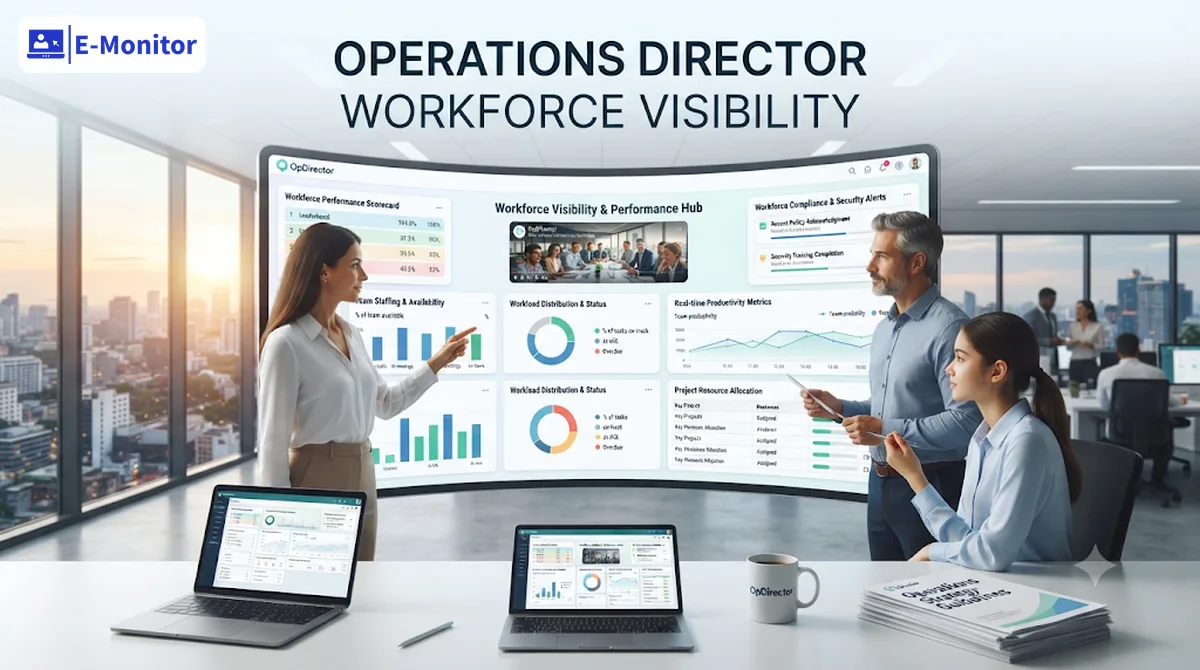
Why Operations Directors Need Workforce Visibility Dashboards
Operations directors manage the intersection of people, processes, and output. Yet most operate with a significant blind spot: they can see project timelines, they can see financial reports, but they cannot see how their workforce actually spends its available hours. Workforce visibility closes that gap.
The problem is not a lack of data. Most organizations generate enormous volumes of workforce information across HRIS systems, project management tools, communication platforms, and time tracking apps. The problem is fragmentation. A 2024 Deloitte survey found that the average mid-market company uses 4.7 separate systems to track different aspects of workforce activity, and none of them share a unified view. Operations directors end up stitching together spreadsheets from three departments to answer a simple question: "Do we have enough capacity to take on the Q3 client expansion?"
This is where an operations director workforce visibility dashboard changes the equation. Instead of waiting for weekly status reports or monthly HR summaries, the dashboard provides a live operational picture. Team utilization rates update in real time. Attendance anomalies surface through automated alerts. Productivity trends appear as trend lines rather than anecdotes from team leads.
The Cost of Operating Without Visibility
Operations teams without workforce visibility consistently overspend on labor. A Harvard Business Review analysis found that companies lacking real-time staffing data overspend on contractor and overtime labor by 12-20% annually compared to companies with workforce analytics in place. For a 200-person operations team with an average loaded cost of $65,000 per employee, that gap represents $1.56 million to $2.6 million in avoidable annual expense.
The hidden costs extend beyond direct labor spend. Without visibility into actual work patterns, operations directors cannot identify process bottlenecks until they become delivery failures. They cannot predict capacity shortfalls until the team misses a deadline. They cannot justify headcount requests to the CFO because they lack the utilization data to prove the existing team is at capacity.
But recognizing the need for workforce visibility is only the starting point. What specific metrics should an operations director workforce visibility dashboard actually track?
Core Workforce Metrics Every Operations Director Dashboard Requires
An operations director workforce visibility dashboard differs from a standard HR dashboard in one critical way: it prioritizes operational throughput over administrative compliance. The metrics below form the foundation of an operations-grade workforce view.
Capacity Utilization Rate
Capacity utilization measures the percentage of scheduled work hours spent on productive, assigned, or billable tasks. E-Monitor calculates this automatically by comparing active productive time (as classified by app and website usage rules) against total shift duration. The formula is straightforward: (Productive Hours / Scheduled Hours) x 100.
Industry benchmarks from the Bureau of Labor Statistics place healthy capacity utilization between 75% and 85% for knowledge-work teams. Below 70% signals underutilization, which means the operations director is carrying labor cost without proportional output. Above 90% signals burnout risk, which Gallup's 2025 workplace research links to a 63% increase in sick days and a 2.6x higher voluntary turnover rate within 12 months.
Active vs. Idle Time Ratio
Active time is the portion of the workday where the employee is actively using applications, websites, or tools classified as work-related. Idle time is the portion where no keyboard or mouse input is detected for a configurable threshold (typically 5-10 minutes). E-Monitor tracks this ratio per employee, per team, and per department.
For operations directors, the team-level view matters most. A team averaging 82% active time is performing well. A team averaging 58% active time has a structural problem: either the work is not there (a demand issue), the work is not reaching them efficiently (a process issue), or the team is disengaged (a management issue). Each cause requires a different intervention, and the dashboard data points the operations director toward the right diagnosis.
Overtime Frequency and Distribution
Overtime data reveals whether workload is distributed evenly or concentrated on specific individuals or teams. E-Monitor tracks overtime hours per employee against configurable thresholds and surfaces patterns through trend reports. An operations director who sees Team A logging 15% overtime while Team B logs 2% has a clear rebalancing opportunity, not just a cost problem.
The U.S. Department of Labor recovered over $274 million in back wages for overtime violations in fiscal year 2023 alone. Compliance aside, chronic overtime in specific teams is the earliest warning sign of capacity gaps that will eventually produce delivery failures.
Task Completion Velocity
Task completion velocity measures how quickly teams move work items from start to finish. When paired with time tracking data from E-Monitor, operations directors can see not just that a task took five days, but that the actual active work time within those five days was only 11 hours. The remaining time was wait states, context switching, or other tasks. This distinction between elapsed time and effort time is essential for accurate capacity planning.
Attendance Compliance Rate
Attendance compliance measures the percentage of scheduled shifts where employees clocked in on time, completed their full shift, and followed break protocols. E-Monitor captures clock-in and clock-out times automatically, calculates late arrivals and early departures, and flags patterns. A 200-person operations team with a 92% attendance compliance rate is losing the equivalent of 16 full-time employees worth of weekly capacity to attendance gaps, every single week.
These five core metrics form the operational backbone of workforce visibility. But raw metrics alone do not drive decisions. How should an operations director structure these metrics into a dashboard that enables action?
How to Build an Operations Director Workforce Visibility Dashboard
Building an effective workforce visibility dashboard is not a technology problem. Most operations directors have access to dashboarding tools, BI platforms, or built-in reporting features. The challenge is designing a dashboard that surfaces the right information at the right level of detail for operational decision-making.
Step 1: Define Your Decision Framework First
Before selecting a single metric, list the five to eight decisions you make most frequently as an operations director. Common decisions include: staffing level adjustments, workload rebalancing, overtime approval or denial, shift schedule changes, contractor engagement, and capacity commitments to new projects or clients. Each decision requires specific data inputs. The dashboard exists to serve those decisions, not to display every available data point.
Step 2: Establish Role-Specific Benchmarks
A software developer at 78% capacity utilization is performing well. A customer support agent at 78% may be significantly underperforming relative to contact center standards that expect 85-90%. E-Monitor allows operations directors to configure productivity classifications and utilization benchmarks by role, team, or department. This role-specific calibration is what separates an operations-grade dashboard from a generic activity monitor.
Set benchmarks based on three sources: industry data (Bureau of Labor Statistics, Gartner, or sector-specific benchmarks), historical internal data (what did the team's utilization look like during its most productive quarter?), and workload modeling (given current demand, what utilization rate is both achievable and sustainable?).
Step 3: Layer Your Dashboard into Three Views
Operations directors need three distinct dashboard layers, accessible from a single interface:
- Executive Summary View: Five to six headline KPIs with trend arrows. Designed for the daily 2-minute morning scan. Shows overall team utilization, attendance compliance, overtime alert count, and any threshold violations. This is the view you check before your 9 AM stand-up.
- Team Drill-Down View: Clicking any headline KPI reveals team-level breakdowns. If overall utilization is 79%, the drill-down shows which teams are at 92% (overloaded) and which are at 64% (underutilized). This is the view you use in your weekly operations review.
- Trend and Forecasting View: Weekly and monthly trend lines for each core metric. This is the view that supports quarterly planning conversations, headcount justifications, and capacity commitment decisions for new business.
Step 4: Configure Exception-Based Alerts
The best dashboards are ones you do not need to check constantly. E-Monitor's alert system notifies operations directors when metrics breach configured thresholds: utilization dropping below 70%, overtime approaching 35 hours, attendance compliance falling below 90%, or idle time exceeding 25% of scheduled hours. These alerts convert the dashboard from a passive display into an active operational tool.
Step 5: Connect Workforce Data to Operational Outcomes
The final step is correlating workforce visibility data with operational KPIs. When team utilization increases from 74% to 82%, does on-time delivery improve? When overtime drops by 15%, does error rate decrease? E-Monitor's reporting dashboards export data in formats compatible with BI platforms like Power BI, Tableau, and Looker, allowing operations directors to build these correlations over time.
A well-structured dashboard answers questions before they are asked. But what specific operational decisions does workforce visibility support in practice?
Using Workforce Visibility for Operations Capacity Planning
Capacity planning is the highest-value application of an operations director workforce visibility dashboard. Every staffing decision, whether hiring, contractor engagement, or workload redistribution, depends on knowing current capacity with precision rather than estimation.
Identifying True Available Capacity
Most operations teams overestimate their available capacity because they calculate it from headcount and scheduled hours. A team of 20 people working 40-hour weeks appears to have 800 hours of weekly capacity. But E-Monitor's actual activity data reveals a different picture. After accounting for meetings (average 23% of the work week per Atlassian's 2024 workplace research), administrative overhead, break time, and idle periods, the effective productive capacity of that same team is closer to 520-560 hours. That is 30-35% less than the theoretical number most capacity models use.
Operations directors who plan based on theoretical capacity consistently over-commit. They say yes to projects the team cannot absorb. They delay hiring because headcount "looks sufficient." Workforce visibility corrects this by showing actual productive capacity, not scheduled hours.
Forecasting Demand Against Real Capacity
E-Monitor's trend data enables operations directors to forecast capacity needs with greater accuracy. If utilization has trended from 76% to 83% over three months, and the sales pipeline includes two new client onboardings, the data supports a quantified headcount request: "At current trajectory, we reach 92% utilization by Q3 without additional headcount, which our data shows correlates with a 40% increase in overtime cost and a measurable decline in delivery quality."
This is the language that gets CFO approval. Not "we feel stretched," but "our utilization data shows we are 8 weeks from a capacity threshold that historically produces delivery delays."
Seasonal and Cyclical Planning
Operations directors in sectors with seasonal demand (retail, tax services, education, construction) can use 12-month workforce visibility trends to predict staffing needs with precision. E-Monitor's historical data shows exactly when utilization peaked last year, how much overtime was required, and which teams absorbed the surge. This data transforms seasonal staffing from reactive scrambling into proactive planning.
Capacity planning addresses future demand. But what about the operational bottlenecks happening right now?
How Operations Directors Use Workforce Visibility to Detect Bottlenecks
Bottlenecks in operations rarely announce themselves. They accumulate quietly: a team that takes slightly longer to process requests each week, a department where active time is declining while overtime is increasing (a signature of process inefficiency), or a project phase where task velocity drops consistently. Workforce visibility dashboards make these patterns visible before they become crises.
The Three Types of Operational Bottlenecks
People bottlenecks occur when one person or a small group becomes a critical dependency. E-Monitor's individual utilization data reveals when specific employees are consistently above 95% utilization while their teammates operate at 70%. The fix is not monitoring the overloaded person more closely; it is cross-training, redistributing assignments, or adding capacity to that role.
Process bottlenecks appear when time-per-task increases despite stable or increasing workforce capacity. If a claims processing team's average task completion time increased from 22 minutes to 34 minutes over four months, the workforce visibility data tells the operations director to investigate the process, not the people. Common causes include added approval steps, system slowdowns, or scope creep in task definitions.
Tool bottlenecks show up in E-Monitor's app usage analytics. If employees spend 35% of their workday in a legacy system that takes 8 seconds to load each screen, the operational impact is quantifiable. For a 50-person team, that latency costs approximately 110 productive hours per week (assuming 200 screen loads per day per person at 8 seconds each). This data gives the operations director the business case for a system upgrade or replacement.
From Detection to Action
Identifying a bottleneck is step one. Workforce visibility data also supports the resolution. E-Monitor's trend reports show whether the bottleneck is worsening, stable, or improving. They show the downstream impact on team utilization and output. And they provide the before-and-after data to measure whether the intervention worked. Without this data feedback loop, operations directors implement changes but have no objective way to measure their effect.
Get started
See Your Operations Team's Real Capacity in Minutes
E-Monitor gives operations directors the workforce visibility dashboard they need to plan staffing, detect bottlenecks, and justify headcount decisions with real data. Rated 4.8/5 on Capterra by 1,000+ companies.
- 7-day free trial
- No credit card
- Live in minutes
The Operations Director KPI Dashboard Framework
An operations director KPI dashboard extends beyond workforce metrics to connect people data with operational outcomes. The framework below maps workforce visibility data to the KPIs that VP and director-level operations leaders report to executive leadership.
Tier 1: Operational Efficiency KPIs
These are the metrics the COO or CEO reviews in quarterly business reviews:
- Cost per unit of output: Total labor cost (from utilization data) divided by units produced, tickets resolved, projects delivered, or revenue generated. Workforce visibility data provides the labor cost numerator with far greater accuracy than payroll data alone, because it accounts for productive time versus total paid time.
- On-time delivery rate: Percentage of projects, orders, or deliverables completed by their committed deadline. Correlation with team utilization data reveals whether missed deadlines stem from capacity issues or process issues.
- Operational throughput: Volume of work completed per team per period. When combined with utilization data, throughput reveals whether output increases come from better efficiency (more output per hour) or just more hours worked (overtime), a distinction with very different sustainability profiles.
Tier 2: Workforce Health KPIs
These metrics predict future operational performance:
- Overtime ratio: Overtime hours as a percentage of total hours worked. E-Monitor tracks this automatically. A rising overtime ratio is a leading indicator of either capacity shortfall or demand spike. The Society for Human Resource Management (SHRM) finds that sustained overtime above 10% of total hours correlates with a 31% increase in error rates and a 23% increase in employee turnover within 6 months.
- Absenteeism rate: Unplanned absences as a percentage of scheduled days. E-Monitor's attendance tracking provides the raw data. The Centers for Disease Control estimates that absenteeism costs U.S. employers $225.8 billion annually, or $1,685 per employee per year.
- Utilization balance index: A custom metric that measures the standard deviation of utilization rates across teams. Low deviation means balanced workloads. High deviation means some teams are overloaded while others are underutilized. This single number summarizes workforce balance more effectively than reviewing individual team metrics.
Tier 3: Predictive Indicators
These metrics support forward-looking planning:
- Capacity runway: Based on current utilization trend and known upcoming demand, how many weeks until the team hits the 85% utilization threshold? E-Monitor's trend data, exported to a BI tool, can power this projection.
- Attrition risk score: E-Monitor's attrition prediction module analyzes behavioral signals (declining activity, engagement pattern changes, increased idle time) to flag employees at elevated departure risk. For operations directors, losing a key team member during a capacity-constrained period can cascade into delivery failures.
- Seasonal demand correlation: Historical utilization patterns mapped against business cycle data to predict future capacity needs. A tax services operations director, for instance, knows from two years of E-Monitor data that utilization spikes from 72% to 94% between January and April, and plans staffing accordingly.
This three-tier framework transforms workforce visibility from a monitoring function into a strategic planning input. But how does the operations director actually implement this with real tools?
Implementing Workforce Visibility for Operations Teams: A Practical Guide
Implementation of an operations director workforce visibility dashboard follows a predictable sequence. The technical setup is straightforward; the organizational change management is where most deployments succeed or fail.
Week 1: Deploy and Baseline
E-Monitor's desktop agent installs in under two minutes per machine and begins collecting activity data immediately. The first week is a baselining period. No decisions should be made from week-one data because it reflects the team's behavior during a transition period. Communicate clearly to the team: "We are implementing a workforce analytics tool to improve capacity planning and workload balance. Here is what it tracks, here is what it does not track, and here is how you can see your own data." Transparency during deployment is not optional; it is the single strongest predictor of successful adoption.
Week 2-3: Configure and Calibrate
Use baseline data to set role-specific benchmarks. If the development team averaged 76% productive time during the baseline period, do not set a target of 95%. Set a target of 80% and adjust over time based on what the data reveals is achievable and sustainable. Configure alerts for the four priority thresholds: overtime approaching, utilization dropping below target, attendance anomalies, and idle time spikes. E-Monitor's alert system handles all four natively.
Week 4: First Operational Review
Conduct the first data-driven operations review using the dashboard. Focus on team-level patterns rather than individual data. Ask three questions: Where is utilization above 85%? Where is it below 70%? What explains the gap? The answers to these three questions typically reveal at least one actionable rebalancing opportunity that would have been invisible without workforce visibility.
Month 2-3: Build the Feedback Loop
Start correlating workforce data with operational outcomes. Did rebalancing workload between Team A and Team B improve on-time delivery? Did addressing the idle-time pattern in the processing department increase throughput? These correlations build the business case for continued investment in workforce analytics and convert skeptics into advocates.
Month 4+: Scale to Strategic Planning
By month four, the operations director has enough trend data to begin forecasting. Export utilization trends to the BI platform, overlay demand forecasts, and present capacity projections to executive leadership with data backing. This is the stage where workforce visibility transitions from an operational tool to a strategic planning input that influences headcount budgets, facility planning, and client capacity commitments.
Workforce Visibility Without Eroding Trust
Operations directors champion workforce visibility tools, which means they also own the responsibility of implementing them ethically. The fastest way to destroy the value of a workforce dashboard is to deploy it in a way that makes employees feel policed rather than supported.
Transparency as a Design Principle
E-Monitor includes employee-facing dashboards where individuals can see their own activity data, productivity scores, and time logs. This is not a concession to employee concerns; it is a feature that improves data quality. When employees know they can see the same data their manager sees, they are more likely to trust the system and less likely to develop workarounds that corrupt the data. A 2024 Gartner survey found that organizations with transparent employee monitoring policies see 41% higher employee acceptance of monitoring tools compared to organizations that deploy monitoring without clear communication.
Focus on Teams, Not Individuals
Operations directors do not need minute-by-minute individual activity logs. They need team-level capacity, utilization, and throughput data. Configure E-Monitor's reporting to emphasize team aggregates in the operations dashboard, reserving individual detail for the team lead's direct management view. This structural decision, made during dashboard configuration, prevents the tool from being perceived as a micro-management instrument.
When Workforce Visibility Is Not the Right Approach
Workforce visibility dashboards work best for operations teams of 20 or more people where capacity planning, workload distribution, and staffing decisions are ongoing management activities. For a five-person startup where the founder sits in the same room as the team, a visibility dashboard adds overhead without proportional value. Honest scoping prevents tool fatigue and ensures the investment delivers operational return.
Real-World Operations Scenarios: Workforce Visibility in Action
Abstract metrics become concrete when applied to real operational scenarios. The following examples illustrate how operations directors use workforce visibility dashboards to solve common challenges.
Scenario 1: Justifying Headcount to the CFO
A 150-person BPO operations team has been running at 88% average utilization for three consecutive months. Overtime has increased 23% quarter-over-quarter. The operations director needs four additional FTEs but knows the CFO will push back on headcount growth. With E-Monitor data, the director presents: "Current utilization is 88% against our 82% sustainable target. Overtime cost has increased $47,000 this quarter. At $4,500/month per contractor versus $6,200/month loaded FTE cost, the four FTEs pay for themselves in 7 months while reducing burnout risk that our attrition prediction model flags as elevated." The CFO approves because the request is backed by quantified operational data, not subjective assessment.
Scenario 2: Diagnosing a Productivity Decline
A software development operations team's throughput has declined 15% over six weeks despite stable headcount. The operations director opens the workforce visibility dashboard and identifies the pattern: active productive time has dropped from 6.2 hours/day to 5.1 hours/day, while meeting time has increased from 1.4 hours/day to 2.6 hours/day. The root cause is not a people problem; it is a meeting proliferation problem that followed a reorganization. The director implements a "no-meeting Wednesday" policy and caps recurring meetings at 45 minutes. Four weeks later, active productive time recovers to 5.9 hours/day and throughput rebounds.
Scenario 3: Rebalancing Workload Across Geographies
A distributed operations team spanning three time zones shows significant utilization imbalance: the U.S. East Coast team operates at 91% utilization while the India team operates at 68%. The operations director uses E-Monitor's team-level dashboards to identify the cause: work assignment routing sends 70% of requests to the U.S. team by default. After restructuring the routing logic to distribute work based on real-time capacity (visible in the dashboard), utilization balances to 81% and 79% respectively. Overtime in the U.S. team drops by 34% in the first month.
Five Mistakes Operations Directors Make With Workforce Visibility Dashboards
After working with 1,000+ companies, we have observed consistent patterns in how operations teams misuse or underuse workforce visibility. Avoiding these mistakes accelerates time-to-value.
Mistake 1: Tracking Everything, Analyzing Nothing
The most common failure mode is building a dashboard with 30 metrics and reviewing none of them consistently. Start with five core KPIs. Add metrics only when a specific decision requires additional data. A dashboard with five metrics reviewed weekly produces more operational value than a dashboard with 30 metrics ignored.
Mistake 2: Individual Focus Instead of Team Focus
Operations directors who use workforce visibility to monitor individual employees lose sight of the operational purpose. The dashboard exists to answer "do we have enough capacity?" and "where are the bottlenecks?", not "what did Sarah do at 2:15 PM?" Individual performance management is the team lead's responsibility. Operations visibility is about aggregate patterns and systemic issues.
Mistake 3: Ignoring the Baseline Period
Making decisions based on the first week of data leads to false conclusions. The first two weeks of any monitoring deployment reflect transition behavior, not steady-state operations. Wait for a minimum 3-week baseline before drawing conclusions or setting targets.
Mistake 4: Setting Unrealistic Utilization Targets
An operations director who sees 76% utilization and sets an 95% target is creating a burnout problem, not a productivity improvement. Knowledge workers cannot sustain utilization above 85% without quality degradation. Industrial engineering research from the Georgia Institute of Technology shows that sustained utilization above 87% increases error rates by 35% in cognitive work. Set targets that are ambitious but grounded in what the data shows is sustainable.
Mistake 5: Deploying Without Communication
Silent deployment of workforce monitoring tools generates suspicion, workarounds, and union grievances. Every successful operations director deployment we have observed included pre-deployment communication, an employee FAQ, and transparency about what data is collected and who can access it. The 10 minutes spent on a team-wide communication saves weeks of trust repair.
Operations Director Workforce Visibility vs. HR Workforce Analytics: Key Differences
Operations directors and HR leaders both use workforce data, but they ask fundamentally different questions and need different dashboard designs. Understanding these differences prevents the common mistake of trying to serve both audiences with a single view.
| Dimension | Operations Director View | HR View |
|---|---|---|
| Primary question | "Do we have enough capacity to meet demand?" | "Are our people healthy, engaged, and retained?" |
| Time horizon | Daily operational, weekly tactical, quarterly strategic | Monthly compliance, quarterly engagement, annual planning |
| Key metrics | Utilization, throughput, capacity, overtime cost | Headcount, turnover, engagement scores, training completion |
| Data granularity | Team and department level, drill-down to role level | Individual level for performance and compliance |
| Action outputs | Staffing decisions, workload rebalancing, process changes | Policy changes, benefits adjustments, L&D programs |
| Reporting audience | COO, VP Operations, project stakeholders | CHRO, CEO, board compensation committee |
E-Monitor serves both audiences through configurable dashboards. Operations directors configure their view around utilization, capacity, and throughput metrics. HR leaders configure their view around engagement indicators, attendance patterns, and attrition risk scores. The underlying data source is the same; the lens through which each audience views it differs.
What Operations Managers Actually Need from Monitoring Data
Operations managers think about throughput, not hours. The question an operations leader asks when reviewing a team's performance is not "how many hours did they work?" but "how much did they produce, and where did the process slow down?" This distinction matters because it determines what monitoring data is useful and what is noise.
Most employee monitoring tools are designed for managers who want to know if employees are working. Operations managers already know their teams are working; what they cannot see is whether the work follows the process, whether the tools are being used in the right sequence, and where in the workflow time is being lost to queue delays, rework, or tool friction. E-Monitor provides the process intelligence layer that the org chart does not.
The Four Operations Questions Monitoring Answers
Operations monitoring delivers value by answering four specific questions that operations managers ask repeatedly about their teams. First: are teams using the tools and systems specified in the standard operating procedure? Second: which teams or locations are running at capacity, and which have room to absorb more volume? Third: where in the workflow is time being lost to delays, queue waits, or handoff problems? Fourth: how do different locations or shifts performing the same function compare on the metrics that drive output?
These are process intelligence questions, not surveillance questions. The difference in framing changes how monitoring data is collected, analyzed, and presented to operations teams. Operations managers who introduce monitoring as a process improvement tool, not a productivity policing system, see faster team adoption and higher data quality because employees engage with the monitoring data rather than trying to game it.
SOP Compliance Monitoring: Are Teams Using the Right Tools?
Standard operating procedure compliance monitoring is one of the highest-value applications of workforce activity data for operations teams. SOPs specify which tools, in which sequence, for which tasks. Deviations from the approved workflow are often invisible to managers until they cause an error, a rework event, or a customer complaint. E-Monitor makes SOP tool compliance measurable in real time.
How SOP Compliance Monitoring Works
Operations managers configure E-Monitor's application classification to mark the tools specified in each team's SOPs as "productive" applications for that role. Applications outside the approved workflow are classified as non-productive or neutral. The SOP compliance report shows the percentage of each employee's work time spent in approved tools, grouped by team and location. A customer support team whose SOP requires Zendesk, a knowledge base, and a CRM should show 80 to 90 percent of their active work time in those three tools. A team showing 50 percent in-SOP time is using significant time in applications that are not part of the approved workflow, a signal worth investigating.
Diagnosing SOP Deviations
When E-Monitor identifies a team with low SOP tool compliance, operations managers investigate the cause before concluding it is a discipline issue. Low compliance rates most often reflect one of three underlying problems: inadequate training on the approved tools, unofficial workarounds that employees have developed because the approved tools do not fully support the actual work, or tool availability issues such as licensing problems or system performance that makes the approved tool slower than the workaround. Each cause requires a different response, and monitoring data identifies where to look rather than what the answer is.
In one common pattern, a team processing insurance claims develops a workaround using Excel spreadsheets because the approved claims system has a workflow step that the team finds cumbersome. The SOP compliance report shows low in-system time for that team. Investigation reveals the workaround, which also reveals a system configuration problem that IT had not prioritized because no one had documented its operational impact. Fixing the configuration eliminates the workaround and improves both SOP compliance and processing speed.
Bottleneck Detection Through Idle Time Distribution Analysis
Workflow bottlenecks are the most consequential process problem operations managers face, and they are also the hardest to diagnose without data. A bottleneck is a point in a workflow where capacity constraints cause upstream work to queue and downstream work to stall. In knowledge work environments, bottlenecks appear as idle time in the roles waiting for output from the constrained role, not as obvious congestion visible on a production floor.
Reading the Idle Time Distribution
E-Monitor's idle time distribution report shows active time and idle time for each role or team in a workflow sequence. Operations managers look for a specific pattern: a downstream team or role showing significantly higher idle time than adjacent upstream roles. This pattern indicates that the downstream team is waiting for inputs from the upstream process, a classic bottleneck signature.
A document review team that shows 40 percent idle time while the document preparation team they depend on shows 15 percent idle time is waiting. The preparation team is the constraint. Every hour of idle time in the review team represents production capacity lost to upstream queuing. Operations managers who identify this pattern can address it through staffing adjustments to the preparation team, process redesign to reduce preparation time, or SLA changes to manage client expectations about throughput. The monitoring data does not prescribe the fix; it identifies the constraint precisely enough that the fix becomes obvious.
Distinguishing Process Bottlenecks from Individual Performance Issues
Idle time analysis at the team level reveals process problems. Idle time analysis at the individual level, compared against role peers, identifies individuals who may need coaching or support. Operations managers use both levels of analysis, but they start at the team level to rule out process explanations before moving to individual-level investigation. An entire team with high idle time has a process problem. One individual with high idle time in an otherwise active team has an individual performance question that warrants a different conversation.
Multi-Location Benchmarking: Comparing Sites Running the Same Function
Operations managers overseeing multiple locations, branches, or distributed teams performing the same function have a natural benchmarking opportunity that most organizations fail to use systematically. When the same workflow runs in five locations, the differences in productivity metrics between the best-performing and worst-performing locations tell the operations manager something important about process, staffing, or management practices that is transferable.
Building a Multi-Location Benchmark View
E-Monitor aggregates productivity metrics by location for any time period. Operations managers configure location groupings to match their organizational structure, then view the benchmark comparison for key metrics: active time ratio (active hours divided by clock hours), SOP tool compliance percentage, shift readiness rate, and average daily throughput hours per employee. Each location's performance on these metrics appears alongside the group average and the top-quartile benchmark.
The benchmark comparison surfaces several actionable patterns. Locations below the group average on active time ratio may have a scheduling problem (too many employees clocked in during low-demand periods) or a process problem (workflows that create waiting time between tasks). Locations below the group average on SOP compliance may have a training quality issue specific to that location's onboarding cohort. Locations below the group average on shift readiness may have a management discipline issue or a commuting pattern that creates late arrivals.
Using Top-Quartile Locations as Process Models
The most valuable output of multi-location benchmarking is the identification of practices that top-performing locations do differently from the group. This is not always visible in the monitoring data itself; it requires the operations manager to visit or interview the top-performing location to understand what drives their metrics. But the monitoring data identifies which locations to learn from, and it provides the specific metrics that define what "better" looks like in quantitative terms that can be tracked after a practice is adopted elsewhere.
Capacity Planning from Monitoring Data: Replacing Headcount Assumptions
Most operations teams plan capacity using headcount and scheduled hours as proxies for available work capacity. The problem with this approach is that headcount and scheduled hours do not account for actual productive utilization: the percentage of clock hours that converts to active, tool-based work output. A team of 20 people working 8-hour shifts produces very different output depending on whether their active time ratio is 75 percent or 55 percent.
Active Time Utilization as the Capacity Metric
E-Monitor's active time ratio, calculated as active computer work hours divided by total clock hours, provides operations managers with a more accurate measure of team capacity than headcount. A team with an 80 percent active time ratio over a 30-day period is running near full productive capacity. Adding volume to this team without adding staff will push the ratio above sustainable levels and eventually create quality and SLA compliance problems. A team at 60 percent active time ratio has room to absorb more volume without additional headcount.
Operations managers who use active time ratio as their capacity metric make more accurate staffing decisions than those who rely on headcount alone. Hiring decisions that add staff to a team at 60 percent utilization before diagnosing and resolving the process inefficiency that creates the unused capacity are expensive mistakes that monitoring data makes avoidable.
Predicting Overtime Before It Happens
E-Monitor's real-time overtime alerts notify operations managers when employees approach overtime thresholds, creating the opportunity to redistribute workload before overtime hours accrue. Operations managers who configure overtime alerts at 35 hours (for a standard 40-hour week) receive 48 to 72 hours of warning before overtime costs begin. This window allows them to request voluntary overtime from team members in other locations, adjust delivery schedules, or approve pre-approved overtime for the specific workload spike rather than discovering the overtime cost after the pay period closes.
Organizations using proactive overtime management through monitoring alerts report 15 to 30 percent reductions in unplanned overtime costs within 60 days of implementation. The cost savings alone typically recover the full cost of an E-Monitor subscription within the first month for teams where unplanned overtime is a recurring budget issue.
The 5 Monitoring Reports Operations Managers Check Weekly
Operations managers who use monitoring data most effectively integrate it into a structured weekly review rather than ad hoc investigation. The following five reports, reviewed in sequence, provide a complete picture of operational health in approximately 30 minutes per week.
- Report 1: SOP Tool Compliance. Pull the application usage report filtered to the approved tools for each team or role. Flag any team averaging less than 70 percent SOP tool time. Investigate the specific applications consuming the remainder before concluding it is a compliance issue rather than a tool or training problem.
- Report 2: Throughput Capacity. Review the active hours versus clock hours comparison for each team. Flag teams where the active time ratio has dropped more than 5 percentage points week-over-week. A declining ratio signals emerging capacity problems or process friction worth investigating before it affects output.
- Report 3: Multi-Location Benchmark Comparison. Compare the top four to six metrics across all locations running the same function. Flag any location more than 10 percentage points below the group average on two or more metrics. A single metric underperformance may be noise; two or more concurrent underperformances signal a systemic issue at that location.
- Report 4: Shift Readiness. Review clock-in patterns against scheduled shift times. Flag any team or location where fewer than 85 percent of employees are logged in and active within 10 minutes of shift start. Persistent shift readiness failures reduce first-hour throughput and create backlog effects that extend into mid-shift.
- Report 5: Idle Time Distribution by Process Stage. Review idle time by role across the workflow sequence. Flag any role showing more than 25 percent idle time while adjacent upstream roles show less than 10 percent idle time. This pattern is the primary bottleneck indicator, and it requires investigation to distinguish process constraints from individual performance issues.
Rollout Best Practices: Introducing Monitoring to Operations Teams
Operations managers who introduce monitoring to their teams using a process improvement frame consistently see better adoption and data quality than those who introduce it as a productivity accountability system. The distinction is not cosmetic; it changes how employees interact with the monitoring system and whether they report data accurately or try to optimize their visible metrics at the expense of actual output.
The Communication Framework
Effective monitoring rollout communication for operations teams leads with the process problem the monitoring is designed to solve, not with the monitoring capability itself. "We are going to use activity data to find and fix the parts of our workflow that create the most waiting time" lands differently with an operations team than "we are going to monitor your productivity." Both describe the same deployment; only the first creates the buy-in that makes monitoring data accurate and useful.
The rollout communication should specify: what data is collected and what is not; who has access to individual-level data (typically only the direct manager and HR, not colleagues); how data will be used (process improvement and capacity planning, not individual scorecards); and how employees can access their own data through E-Monitor's self-service dashboard. Transparency about monitoring scope and data access is the single most effective predictor of team acceptance.
Manager Training Before Employee Communication
Operations managers who deploy monitoring without first training their supervisors on how to interpret and discuss the data create problems. A supervisor who responds to a monitoring report by confronting an individual employee about their idle time percentage, without first determining whether the idle time reflects a process constraint or an individual issue, creates a trust problem that undermines data quality across the entire team. Train supervisors to start with process-level analysis and escalate to individual-level investigation only after process explanations have been ruled out.

Escalation Workflow: When Monitoring Flags an Operations Issue
Operations managers need a defined escalation process for when monitoring data surfaces a significant anomaly. Without a process, flagged data either gets ignored (if there is no clear owner) or triggers inappropriate responses (if individual managers act without coordination). The following escalation workflow reflects best practice for operations teams using monitoring data for process management.
Level 1: Data Anomaly Identified
When the weekly monitoring review identifies an anomaly (a team below SOP compliance threshold, a location below benchmark on multiple metrics, a role with bottleneck-pattern idle time), the operations manager documents the specific metric, the deviation from baseline, and the date range. This documentation becomes the starting point for investigation and, if the issue persists, a record showing when management became aware of the problem and what actions were taken.
Level 2: Process Investigation
The operations manager investigates process explanations before moving to individual accountability conversations. This investigation typically involves talking to the team lead for the flagged team, reviewing recent workflow changes or system issues that could explain the deviation, and checking whether the pattern affects the entire team or specific individuals. If a process explanation exists (a new tool was introduced, a workflow step changed, a system experienced downtime), the fix is a process response, not a performance conversation.
Level 3: Performance Conversation
If the investigation rules out process explanations and identifies individual performance as the driver of the anomaly, the team lead or direct manager initiates a performance conversation with the specific individuals involved. This conversation is backed by specific data: the dates, the metrics, and the comparison to team peers running the same workflow. HR should be involved if the conversation is likely to result in a formal performance improvement plan or disciplinary action.
Operational Metrics Every Chief of Staff Should Track
Workforce visibility produces dozens of metrics. Not all of them matter at the CoS level. The metrics that belong on a Chief of Staff's dashboard are those that connect workforce activity to business outcomes and strategic objectives.
What specific metrics translate workforce data into executive-level insights? The following six metrics form the operational intelligence layer a CoS needs.
1. Workforce Utilization Rate
Workforce utilization rate measures productive hours as a percentage of available hours. A team with 40 available hours per week per employee and 31 productive hours shows a 77.5% utilization rate. Bain & Company's research indicates that the average knowledge worker is productively engaged for only 60-65% of the workday (Bain, "Time, Talent, and Energy," 2024). Any team consistently above 85% is likely overloaded. Any team below 60% warrants investigation into workflow friction, tool misalignment, or skill gaps.
E-Monitor calculates utilization rate automatically by comparing active productive time (as classified by the productivity engine) against total scheduled hours. The CoS can view this metric at the team, department, or organization level without drilling into individual records.
2. Cross-Departmental Time Allocation
Time allocation reveals where organizational energy flows. When the CEO launches a new strategic initiative, the CoS needs to verify that teams are actually shifting effort toward it. Time allocation data from workforce monitoring shows how many hours each department dedicates to specific projects, client work, internal operations, and administrative overhead.
A practical example: a 300-person company launches a product pivot and expects engineering to dedicate 40% of capacity to the new product. Three weeks in, workforce visibility data shows engineering is spending only 22% on the new product because legacy support tickets consume 35% of their week. Without this data, the CoS would not discover the misalignment until the product timeline slips months later.
3. Overtime Frequency and Distribution
Overtime data at the department level signals either understaffing or poor workload distribution. When one team shows 28% of employees working more than 45 hours per week while an adjacent team shows 3%, the imbalance is clear. The U.S. Bureau of Labor Statistics reports that sustained overtime beyond 50 hours per week reduces hourly output by 25% (BLS, "Productivity and Costs," 2024). The CoS uses overtime trends to recommend headcount adjustments, workload rebalancing, or process changes before burnout degrades output.
4. Attendance Consistency Index
Attendance consistency measures the reliability of team presence, not just whether people show up, but whether they maintain consistent working patterns. High variance in daily start times, frequent partial days, and irregular break patterns correlate with disengagement. Gallup's 2025 engagement research found that teams with consistent attendance patterns score 21% higher on productivity measures than teams with erratic attendance (Gallup, "State of the Global Workplace," 2025).
E-Monitor's attendance tracking captures clock-in times, break durations, and daily active hours. The CoS reviews attendance consistency at the department level, flagging teams that show declining consistency as candidates for management attention or schedule restructuring.
5. Productive vs. Administrative Time Ratio
Every organization has administrative overhead: email, meetings, internal documentation, status updates. The question is how much. Research from Microsoft's 2024 Work Trend Index shows that knowledge workers spend 57% of their time on communication and coordination, leaving only 43% for focused, productive work (Microsoft, "Work Trend Index," 2024). When a CoS sees a department where administrative overhead exceeds 60%, it signals a process problem worth escalating.
E-Monitor's productivity classification engine categorizes applications and websites into productive, administrative, and non-productive buckets. The CoS uses the productive-to-administrative ratio as a leading indicator of operational friction. Departments drowning in coordination overhead produce less, regardless of headcount.
6. Capacity Headroom by Team
Capacity headroom is the difference between current utilization and maximum sustainable utilization (typically 85%). A team running at 72% utilization has roughly 13 percentage points of headroom, meaning they can absorb additional work without new hires. A team at 89% has negative headroom and is likely already experiencing quality degradation or overtime.
This metric is the most valuable for the CoS's resource planning conversations. When a new project requires 500 hours per month, the CoS can identify which teams have headroom to absorb it and which need additional support. E-Monitor's capacity planning reports surface headroom calculations automatically, replacing the spreadsheet gymnastics that traditionally consume days of a CoS's preparation time.
How Chiefs of Staff Use Workforce Data for Executive Briefings
The executive briefing is the CoS's primary deliverable. Whether it is a weekly CEO update, a monthly leadership team review, or a quarterly board presentation, the quality of the briefing depends on the quality of the underlying data.
How does workforce visibility data translate into executive-ready content? The answer is a three-layer framework that moves from headline metrics to trend analysis to actionable recommendations.
Layer 1: Headline KPIs
The first layer presents 3-5 headline numbers the CEO can absorb in 30 seconds. Organization-wide utilization rate, total productive hours per FTE, overtime cost for the period, and headcount efficiency ratio (revenue per employee) form the standard set. These headline KPIs answer the CEO's first question: "How is the organization performing right now?"
E-Monitor's executive summary reports generate these headline KPIs automatically, comparing current period to the previous period with percentage change indicators. A CoS who previously spent 4-6 hours compiling this data from department submissions can generate it in minutes.
Layer 2: Trend Comparisons
The second layer adds context through trend lines. Utilization rate this month versus last month. Overtime hours Q1 versus Q4. Attendance consistency over the past 12 weeks. Trend data answers the CEO's second question: "Are we getting better or worse?"
Trend comparisons also reveal seasonality. A BPO operation might show predictable utilization dips during the holiday season and spikes during tax season. The CoS uses these patterns to plan ahead rather than react. E-Monitor's reporting dashboards store historical data and generate trend visualizations that export directly into presentation formats.
Layer 3: Actionable Recommendations
The third layer is where the CoS adds strategic value. Data without interpretation is noise. The CoS translates workforce visibility data into specific, actionable recommendations: "Engineering utilization is at 91%, up from 84% last quarter. Recommend approving 3 additional hires before Q3 to prevent burnout-driven attrition." Or: "Marketing's productive-to-administrative ratio dropped to 38/62 this month, driven by a 40% increase in cross-functional meeting time. Recommend a meeting audit to reclaim 15+ hours per week."
This recommendation layer is what separates a CoS who distributes reports from a CoS who drives operational decisions. Workforce visibility data provides the evidence; the CoS provides the judgment.
Using Workforce Visibility for Cross-Functional Alignment
Cross-functional alignment is one of the most difficult operational challenges in scaling organizations. Departments develop their own priorities, metrics, and definitions of success. The CoS sits at the intersection of these silos and is often the only person with visibility across all of them.
How does workforce data help a Chief of Staff align departments that operate with different priorities? The answer is shared metrics and objective evidence.
When the product team claims engineering is not delivering fast enough, and engineering claims product requirements keep changing, the CoS can pull time allocation data showing exactly how many engineering hours went to new development versus rework versus support. If rework consumes 30% of engineering time, the problem is requirements quality, not engineering speed. That data reframes the conversation from blame to root cause.
Workforce visibility also exposes hidden dependencies. A 2024 Harvard Business Review study on cross-functional collaboration found that 68% of project delays originate from handoff failures between departments, not from within-team execution problems (HBR, "The Hidden Cost of Handoffs," 2024). Time allocation data reveals where handoff bottlenecks exist by showing when teams are idle waiting for inputs from other groups.
E-Monitor's team-level analytics allow the CoS to compare time allocation across departments working on the same initiative. If three departments are supposed to contribute equally to a product launch and one department is allocating half the hours of the others, the CoS can address the gap before it becomes a deadline crisis.
Building a Data-Driven Operational Culture From the CoS Seat
Workforce visibility tools are only as valuable as the culture that supports their use. A Chief of Staff who deploys monitoring software but makes decisions based on gut instinct has wasted the investment. The CoS sets the standard for how the organization uses data.
Start by modeling data-driven behavior in every interaction. When a department head requests resources, ask for the utilization data supporting the request. When an executive proposes a reorganization, ask what workforce data informed the structure. When a project falls behind, ask for time allocation data before accepting the narrative explanation.
Over time, this expectation cascades through the organization. Department heads begin monitoring their own team's data proactively because they know the CoS will ask. Project managers start including time allocation summaries in status reports because the data is available and expected. The cultural shift is not instant, but the CoS's position at the intersection of every department makes them the most effective catalyst for data-driven operations.
Organizations trusted by more than 1,000 companies worldwide use E-Monitor's platform to build this kind of operational visibility. The transition from manual reporting to automated workforce analytics typically takes 2-4 weeks and delivers measurable improvements in decision speed within the first month.
Executive series: this guide is one of nine written for leadership roles. See also Board-Level Workforce Analytics, CEO's Guide to Employee Monitoring ROI, CFO's Guide to Employee Monitoring, The CPO's Guide to Transparent Employee Monitoring, Can You Monitor C-Suite Executives? The Legal Framework, Ethics,…, HR Director's Guide to Ethical Employee Monitoring in 2026, IT Director's Guide to Employee Monitoring, Manager Overhead, and the supporting Employee Monitoring Board Presentation Template, Measuring Employee Monitoring Program Success.
Frequently Asked Questions
What workforce metrics do operations directors need?
Operations directors need capacity utilization rates, active vs. idle time ratios, task completion velocity, overtime frequency, and team-level throughput metrics. E-Monitor surfaces these KPIs automatically from real activity data, removing the manual reporting burden that typically delays operational decisions by days or weeks.
How to build an operations workforce dashboard?
E-Monitor's workforce dashboard starts with four core panels: capacity utilization by team, real-time activity status, productivity trend lines, and attendance compliance. Operations directors configure role-specific benchmarks, then layer on exception alerts for idle spikes or overtime thresholds. The dashboard auto-populates from tracked activity data, requiring zero manual input.
What is workforce capacity utilization?
Workforce capacity utilization measures the percentage of available work hours spent on productive, billable, or assigned tasks versus total scheduled hours. E-Monitor calculates this automatically by comparing active productive time against shift duration. Industry benchmarks place healthy utilization between 75% and 85%, with anything above 90% signaling burnout risk.
How does monitoring help operations planning?
Employee monitoring provides the real activity data that operations planning requires: actual hours per task type, peak workload periods, team-level throughput patterns, and resource bottlenecks. E-Monitor converts this raw data into trend reports and forecasting inputs, replacing the guesswork that leads to chronic understaffing or overspending on contractor labor.
What is the difference between workforce visibility and surveillance?
Workforce visibility focuses on aggregate operational metrics like utilization rates, throughput, and capacity gaps to inform planning decisions. E-Monitor provides operations-level visibility through team dashboards and trend analytics, not individual behavior policing. Employees access their own data through transparent self-service dashboards.
How do operations directors measure team productivity without micromanaging?
E-Monitor gives operations directors team-level productivity scores based on app usage classification, task completion rates, and active work time ratios. These aggregate metrics reveal team patterns without exposing individual minute-by-minute activity. Directors set benchmarks per role, then review weekly trend lines rather than daily individual logs.
Can workforce visibility dashboards integrate with ERP systems?
E-Monitor exports workforce data in CSV and PDF formats compatible with major ERP and BI platforms. Operations directors feed utilization rates, attendance data, and project hours into SAP, Oracle, or Power BI for unified operational reporting. API-based integrations enable automated data flows without manual export steps.
What does a good capacity planning dashboard include?
A capacity planning dashboard includes current utilization rates by team, forecasted demand based on historical trends, overtime frequency, open headcount needs, and skill-based availability. E-Monitor provides the utilization and activity data layer, while operations directors overlay demand forecasts from project pipelines to identify staffing gaps before they become delivery risks.
How often should operations directors review workforce dashboards?
E-Monitor's real-time dashboards support daily exception monitoring and weekly trend reviews. Most operations directors check daily for anomalies like sudden idle spikes or attendance drops, then conduct weekly deep reviews of utilization trends, overtime patterns, and capacity gaps. Monthly reviews focus on strategic workforce planning and headcount adjustments.
What is the ROI of workforce visibility tools for operations teams?
Organizations implementing workforce visibility tools report 15-25% reductions in unplanned overtime and 10-18% improvements in resource utilization within six months (Gartner, 2025). E-Monitor customers at the operations director level typically recover $2,000-$5,000 per employee annually through better capacity planning, reduced idle time, and eliminated timesheet inaccuracies.
How does workforce visibility support hybrid and remote operations?
E-Monitor tracks activity identically across remote, hybrid, and in-office environments, normalizing timezone differences automatically. Operations directors see a single unified dashboard regardless of where teams work. This eliminates the visibility gap that causes remote teams to be over-staffed or under-supported during peak demand periods.
What alerts should operations directors configure first?
E-Monitor recommends operations directors start with four alert categories: overtime threshold approaching (at 35 and 38 hours weekly), team utilization dropping below 70%, attendance anomalies exceeding two standard deviations from baseline, and idle time exceeding 25% of scheduled hours. These four alerts catch the most costly operational issues before they compound.
How do operations managers use employee monitoring?
Operations managers use employee monitoring as a process intelligence tool. The primary applications are identifying which teams have lower SOP tool compliance, detecting workflow bottlenecks through idle time distribution analysis, comparing productivity patterns across multiple locations, and making capacity planning decisions based on actual workload data rather than headcount assumptions. Monitoring replaces assumptions with measurements in operations decisions.
What monitoring reports matter most for operations?
Operations managers check five core reports weekly: the SOP tool compliance report showing whether teams use required systems, the throughput capacity report comparing active work hours to clock hours, the multi-location benchmark comparison, the shift readiness report tracking on-time login rates, and the idle time distribution report that identifies process bottlenecks by showing where delays accumulate in the workflow sequence.
How does E-Monitor identify SOP compliance issues?
E-Monitor identifies SOP compliance issues by tracking which applications each employee uses and what percentage of their work time is spent in the tools the standard operating procedure specifies for their role. When a team spends significant time in applications outside the approved workflow, the compliance report flags the gap. This reveals training deficiencies, tool adoption failures, or unofficial workarounds that managers may not know exist.
Can E-Monitor compare productivity across multiple locations?
E-Monitor compares productivity metrics across multiple locations, branches, or sites running the same function through the multi-location benchmark report. The report shows each location's active time ratio, SOP tool compliance percentage, and shift readiness rate alongside the group average. Operations managers use this comparison to identify top-performing locations and diagnose why underperforming ones lag the benchmark.
What is the best way to frame monitoring for an operations team?
Operations managers who successfully introduce monitoring frame it as a process improvement tool rather than productivity surveillance. The rollout communication leads with the workflow problem the monitoring is designed to solve, not the monitoring capability itself. Showing the team their first bottleneck report and asking them to help diagnose the cause generates far more buy-in than announcing that individual productivity is being tracked.
How does E-Monitor detect workflow bottlenecks?
E-Monitor detects workflow bottlenecks by identifying roles or teams with disproportionately high idle time relative to adjacent process stages. When a downstream team shows high idle time while an upstream team shows high active time, the data pattern indicates a queue building at the handoff between them. Operations managers use this to diagnose handoff delays, approval bottlenecks, or tool latency issues that consume capacity without appearing as individual performance problems.
Can monitoring data replace direct observation for ops managers?
Monitoring data complements direct observation rather than replacing it. E-Monitor identifies which teams or processes to observe more closely by surfacing anomalies: a team with unusually low SOP compliance or a persistent shift readiness problem is a target for direct investigation. The monitoring data tells the operations manager where to look; direct observation tells them why the pattern exists and what the process fix requires.
How does E-Monitor integrate with operations management tools?
E-Monitor exports productivity and time data in CSV and PDF formats compatible with operations management and BI reporting platforms. The export includes team-level and individual-level active time, SOP tool compliance percentages, shift timing data, and idle time distributions. Operations managers who use Power BI or Tableau connect E-Monitor exports to their existing reporting dashboards for integrated workflow performance views.
What is the ROI of employee monitoring for an operations department?
Operations departments using productivity monitoring report two primary ROI sources: process efficiency gains from bottleneck elimination, typically 10 to 20 percent throughput improvement within 90 days of identifying and resolving a constraint, and reduced unplanned overtime from better capacity visibility, typically 15 to 30 percent reduction in overtime costs. At $3.90 per user per month, E-Monitor's cost is typically recovered within the first month of productivity improvement for teams managing recurring overtime costs.
How does a Chief of Staff use workforce data?
A Chief of Staff uses workforce visibility data to prepare executive briefings, identify cross-functional bottlenecks, and validate operational efficiency across departments. E-Monitor provides real-time productivity scores, attendance trends, and time allocation breakdowns that translate directly into board-ready metrics.
What visibility tools help Chiefs of Staff?
Chiefs of Staff benefit from workforce monitoring platforms that combine productivity analytics, time tracking, and attendance data in a single dashboard. E-Monitor consolidates app usage, active hours, idle patterns, and project time allocation into exportable reports designed for executive consumption.
How to present workforce metrics to the CEO?
Present workforce metrics to the CEO using three layers: headline KPIs (utilization rate, productive hours per FTE), trend comparisons (month-over-month or quarter-over-quarter), and actionable recommendations tied to specific data points. E-Monitor's reporting dashboards generate these layers automatically.
What operational metrics should a CoS track?
A Chief of Staff should track workforce utilization rate, productive vs. non-productive time ratio, overtime frequency, attendance consistency, and cross-departmental time allocation. E-Monitor captures these metrics automatically and presents them in role-based dashboards configurable to executive reporting needs.
What is workforce visibility in an operational context?
Workforce visibility is the ability to see, in real time, how employee work hours are allocated across tasks, projects, and departments. For operational leaders, workforce visibility means having data that reveals capacity gaps, productivity patterns, and resource distribution without relying on self-reported estimates.
How does workforce data improve cross-functional alignment?
Workforce data exposes where departments overlap, where handoffs stall, and where resource imbalances create friction. A Chief of Staff uses this data to mediate resource disputes with objective evidence. E-Monitor's team-level analytics show exactly how many hours each department allocates to shared initiatives.
Can a Chief of Staff use monitoring data without creating a surveillance culture?
Yes. The key is transparency and aggregation. Chiefs of Staff should use team-level and department-level data for strategic planning, not individual keystroke logs. E-Monitor supports this through configurable visibility levels, employee-facing dashboards, and aggregate reporting that respects individual privacy.
How often should a Chief of Staff review workforce metrics?
Weekly reviews of operational dashboards catch emerging trends. Monthly deep dives into department-level data inform strategic recommendations. Quarterly analysis supports board presentations and annual planning. E-Monitor's automated reporting schedules align with each cadence without manual data pulls.
How does a Chief of Staff build a business case for workforce analytics tools?
Build the business case around three pillars: time recovery (the American Payroll Association estimates 20-30 minutes lost per employee per day to inaccurate tracking), decision speed (real-time data vs. monthly manual reports), and cost avoidance (overtime overruns, compliance penalties). E-Monitor's ROI calculator quantifies these for your headcount.
What workforce data belongs in board presentations?
Board presentations should include workforce utilization rate, revenue per productive hour, overtime cost trends, headcount efficiency ratios, and department-level capacity data. Avoid granular individual metrics. E-Monitor's executive reporting templates export board-ready visualizations with trend lines and benchmark comparisons.
Building Workforce Visibility That Operations Directors Actually Use
An operations director workforce visibility dashboard is not a monitoring tool. It is a planning instrument. The operations directors who extract the most value from workforce visibility are the ones who treat the dashboard as an input to staffing decisions, capacity planning, and process improvement, not as an employee tracking mechanism.
The foundation is real activity data. E-Monitor collects that data automatically, classifies it according to role-specific benchmarks, and surfaces it through dashboards designed for operational decision-making. From there, the operations director builds the KPI framework, configures the alert thresholds, and correlates workforce metrics with operational outcomes.
The result is an operations function that runs on data instead of intuition, one that can justify headcount requests with utilization trends, identify bottlenecks before they affect delivery, and plan capacity with the precision that executive leadership expects. That is the competitive advantage that workforce visibility delivers for operations directors who build their dashboards with intention.
Get started
See E-Monitor in action for your team
Book a demo tailored to your use case, or sign up and be monitoring in minutes.
- 7-day free trial
- No credit card
- Live in minutes