
Payroll Manager's Guide to Detecting Timesheet Fraud with Employee Monitoring
Payroll manager timesheet fraud detection with employee monitoring is the practice of using activity tracking data to verify reported work hours against actual computer usage patterns, identify discrepancies that indicate buddy punching, inflated time entries, or off-clock work claims. The Association of Certified Fraud Examiners estimates payroll fraud affects 27 percent of businesses, with median losses of $90,000 per incident before detection.
7-day free trial. No credit card required.
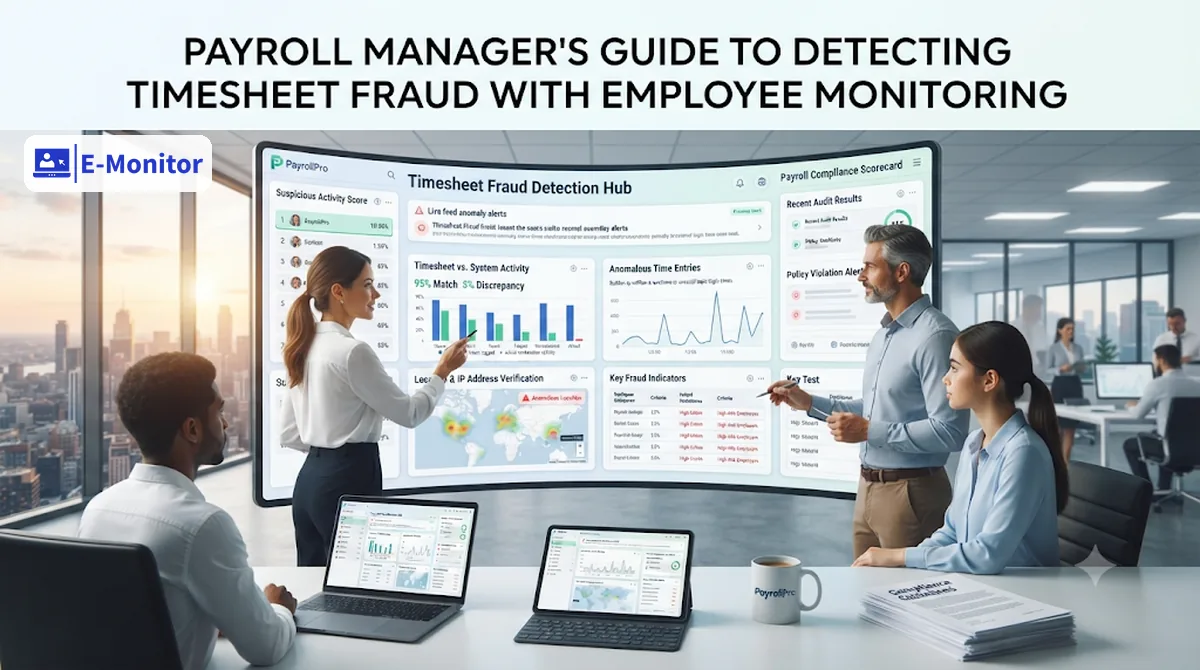
Types of Timesheet Fraud Payroll Managers Encounter
Timesheet fraud in payroll takes multiple forms, and each type leaves a different signature in monitoring data. Payroll managers who understand the mechanics of each fraud type can build review routines that catch them before they compound over multiple pay periods.
Buddy Punching
Buddy punching occurs when one employee clocks in on behalf of a colleague who is absent or late, creating a false record of attendance. The Association of Certified Fraud Examiners estimates that buddy punching costs U.S. employers more than $373 million annually. In organizations using time clock systems without biometric verification, buddy punching is the most common form of payroll fraud. E-Monitor detects it by cross-referencing clock-in events with actual computer activity: a colleague who clocks in but is not at the workstation produces a clock-in event followed by zero application activity, a signature that is clear in the attendance log.
Inflated Hours
Hour inflation involves an employee recording more hours on their timesheet than they actually worked. This is most common in organizations using self-reported timesheets where no independent verification exists. The inflation is often incremental: 15 to 30 minutes per day, which feels small but accumulates to 60 to 120 hours of fraudulent pay annually per employee. E-Monitor's payroll verification report compares reported hours against monitored active hours for every employee, automatically flagging variances above a configurable threshold.
Unauthorized Overtime
Unauthorized overtime occurs when an employee works additional hours beyond their scheduled shift without management approval, expecting to be compensated regardless. Under the FLSA, employers must compensate employees for all hours worked, including unauthorized overtime, though they can discipline employees for working unapproved additional hours. E-Monitor's real-time overtime alerts notify managers when employees approach overtime thresholds, creating the opportunity to address unauthorized hours before they appear on a timesheet.
Ghost Employees
Ghost employee fraud involves creating fictitious employees in the payroll system and directing their wages to an account controlled by the fraudster. This fraud type is typically perpetrated by payroll insiders with system access rather than regular employees. Monitoring software does not directly prevent ghost employee fraud, but the absence of any monitoring activity for a payroll employee flags the account for investigation. An employee receiving wages with no associated monitoring account is an anomaly that payroll managers should investigate.
Off-Clock Injury and Workers' Compensation Fraud
Off-clock injury fraud involves an employee claiming a workplace injury occurred during work hours when the injury actually happened outside of work. Monitoring records provide objective evidence of whether the employee was actively working their computer at the claimed time of injury. While monitoring data is not conclusive evidence (an employee could be injured while away from their desk during work hours for legitimate reasons), it is a significant piece of evidence in a disputed workers' compensation claim.
The Payroll Manager's Monitoring Toolkit in E-Monitor
E-Monitor provides payroll managers with four specific report types that form the core of a fraud detection routine. These reports are designed to surface discrepancies without requiring the payroll manager to review raw activity logs for every employee individually.
Hours Variance Report
The hours variance report compares self-reported or system-recorded clock hours against E-Monitor's tracked active hours for each employee over a defined period. The comparison identifies employees whose reported hours consistently exceed monitored hours, which is the primary signal of inflated time entries. The report calculates variance as a percentage and a total hour count, allowing payroll managers to prioritize investigation by magnitude of discrepancy. A 5 percent variance over a two-week period may reflect legitimate breaks or system gaps; a consistent 20 percent variance over four pay periods warrants investigation.
Attendance Anomaly Report
The attendance anomaly report identifies specific clock-in events that display unusual patterns: clock-in followed by no application activity within 30 minutes, clock-out without a corresponding work session, multiple clock events within a single day outside of normal break patterns, and remote-day clock-ins with no subsequent computer activity. Each anomaly is flagged with the specific date, time, and the nature of the anomaly. Payroll managers can review all flagged events for their team in a single view rather than auditing individual records.
Overtime Verification Report
The overtime verification report cross-references overtime hours claimed against productivity data for the same periods. Legitimate overtime typically shows productive time percentages comparable to or higher than normal workday percentages: an employee working late to meet a deadline is working. Overtime periods that show significantly lower productive time than the employee's daily average suggest the overtime hours were not fully worked. The report presents this comparison for every overtime event in the pay period, sorted by variance magnitude.
Remote Day Activity Summary
Remote employees are the highest-risk category for timesheet fraud because the absence of physical observation creates opportunity. The remote day activity summary shows, for each remote workday, the total clock hours, total active hours, longest idle period, and application usage distribution. Payroll managers can spot remote days where an employee clocked a full eight hours but active computer time was under four hours, a pattern consistent with clock-in fraud or extended unrecorded breaks.
The 7-Step Weekly Payroll Fraud Review Process
Payroll managers who integrate monitoring data into a structured weekly review routine catch timesheet fraud consistently rather than by accident. The following process takes approximately 30 to 45 minutes per week for teams of up to 50 employees and is designed to be completed before payroll is run.
- Step 1: Pull the Hours Variance Report. Generate the weekly hours variance report in E-Monitor comparing reported hours against system-recorded active hours for every employee. Flag any employee whose reported hours exceed monitored active hours by more than 15 percent. This threshold filters out normal measurement gaps while catching material discrepancies.
- Step 2: Review Clock-In Anomalies. Check the attendance anomaly report for employees whose clock-in time is recorded but who show zero or near-zero application activity in the 30 minutes following clock-in. This specific pattern is the primary indicator of buddy punching. Also review for any clock-in events outside normal shift hours that are not associated with approved overtime.
- Step 3: Audit Overtime Days Against Productivity Data. For each employee claiming overtime hours, cross-reference the overtime period against productivity data for that day. Overtime claims accompanied by low productive time percentages relative to that employee's baseline are a flag. Not every low-productivity overtime day is fraud (sometimes people work late on administrative tasks), but the pattern warrants a conversation.
- Step 4: Check Remote Day Patterns. Review remote employees' activity summaries for the week. Flag any remote days where clock hours exceed active hours by more than 20 percent or where the longest idle period exceeds 90 minutes without a logged break. Compare remote day patterns against in-office day patterns for the same employee to identify systematic differences.
- Step 5: Identify Repeat Patterns. Compare this week's flags against flags from the previous four weeks. A single day of low activity may reflect illness, a difficult project, or a system gap. The same pattern appearing on every Friday or every remote day across six weeks is a systemic issue that requires action. E-Monitor's trend view shows whether flagged patterns are isolated or recurring.
- Step 6: Document Findings Before Any Conversation. Before raising any discrepancy with an employee or their manager, export and save the specific monitoring data supporting the flag: the dates, reported hours, monitored hours, and the percentage variance. This documentation becomes the factual basis for the conversation and, if the matter escalates, a disciplinary record. Never rely on memory or verbal notes.
- Step 7: Escalate Material Discrepancies to HR and Legal. Any discrepancy exceeding 10 percent of total pay period hours, or any pattern that persists across three or more pay periods, warrants HR involvement before the payroll manager speaks with the employee. Legal counsel review is essential before any termination decision that relies on monitoring data as primary evidence.
Get started
Add Objective Hour Verification to Your Payroll Process
E-Monitor cross-references every timesheet against actual computer activity. Flag discrepancies before payroll runs, not after.
- 7-day free trial
- No credit card
- Live in minutes
FLSA Documentation Requirements and How Monitoring Satisfies Them
The Fair Labor Standards Act establishes specific recordkeeping requirements for employers with non-exempt employees. Payroll managers are typically responsible for maintaining these records and producing them on request during Department of Labor investigations or audits.
FLSA Section 11(c) requires employers to keep records of: each employee's name, address, and occupation; the basis on which wages are paid; total hours worked each workday and each workweek; total straight-time earnings; total overtime earnings; all additions or deductions from wages; total wages paid each pay period; and the date of payment and the pay period covered. These records must be retained for three years for payroll records and two years for records underlying wage computations.
E-Monitor's digital activity logs satisfy the hours worked requirements with greater precision than most manual systems. Each day's record includes clock-in time, clock-out time, break durations, total hours, and overtime hours, with second-level timestamp accuracy. These records are stored in E-Monitor's system and are exportable at any time for DOL investigations. Unlike paper timesheets or Excel files, E-Monitor's logs are tamper-evident: any modification to a record is logged with the modification timestamp and the identity of the user who made the change.
Audit Trail Requirements
When a payroll manager approves or edits a timesheet in E-Monitor, the system records the approval event, the approving manager's identity, the timestamp, and any specific changes made. This audit trail is separate from the activity log and is preserved alongside the underlying time records. In a DOL investigation where an employee claims they were not paid for all hours worked, the combination of activity logs and approval audit trails gives the employer a complete, objective record of what was recorded and when.
How to Raise Timesheet Discrepancies With Employees
The most common mistake payroll managers make when they identify a monitoring discrepancy is approaching the employee directly and alone, without HR involvement, and framing the conversation as an accusation. This approach creates legal risk, damages the working relationship even if the discrepancy has a legitimate explanation, and may violate company disciplinary procedures.
Before the Conversation
Involve HR before any conversation about a timesheet discrepancy identified through monitoring data. HR needs to review the evidence, confirm it meets the threshold for a formal investigation versus an informal inquiry, and decide whether legal counsel should be consulted. For patterns involving more than $1,000 in potential fraudulent pay or more than three consecutive pay periods, legal counsel review is advisable before the first conversation with the employee.
The Conversation Framework
Frame the initial conversation as a records verification discussion, not an investigation or accusation. A productive opening is: "We're reviewing payroll records for the period of [dates] and noticed a discrepancy between your reported hours and the system activity records. Can you help us understand what happened on [specific days]?" This framing gives the employee an opportunity to provide context (a legitimate system gap, a medical issue, approved off-site work) before the payroll manager concludes fraud occurred. Document the employee's explanation verbatim.
When the Explanation Is Unsatisfactory
If the employee's explanation does not account for the discrepancy, or if the discrepancy is part of a documented pattern, return to HR with both the monitoring data and the employee's explanation. HR will determine the appropriate disciplinary response in consultation with legal counsel. Payroll managers should not make termination recommendations based on monitoring data alone without this HR and legal review process.
ROI of Monitoring-Based Payroll Fraud Prevention
Payroll monitoring delivers measurable financial returns that justify the investment for organizations of almost any size. The calculation is straightforward: compare the cost of monitoring against the estimated fraud prevented.
The ACFE's 2024 Report to the Nations found that organizations with monitoring controls in place experience payroll fraud losses 54 percent lower than those without such controls. For a company with 100 employees averaging $55,000 in annual salary, a 2 percent payroll fraud rate (a conservative estimate; ACFE data suggests actual rates are higher) represents $110,000 in annual fraudulent payroll. Preventing 54 percent of that loss yields approximately $59,400 in annual savings. E-Monitor's cost for 100 users at $3.90 per user per month is $4,680 annually, producing a net return of approximately $54,720 per year from fraud prevention alone, before counting productivity monitoring benefits.
For payroll managers making the business case for monitoring software, this ROI frame is typically more persuasive with finance leadership than productivity improvement arguments, because payroll fraud costs are concrete and the prevention value is directly calculable from existing payroll data.
Frequently Asked Questions
What is timesheet fraud and how common is it?
Timesheet fraud is the deliberate misrepresentation of hours worked on a payroll timesheet, including inflating hours, recording time not actually worked, or having a colleague clock in on your behalf. The ACFE reports that payroll fraud affects approximately 27 percent of businesses and costs US employers more than $800 billion annually in aggregate losses, with a median loss of $90,000 per incident before detection.
How does employee monitoring detect buddy punching?
E-Monitor detects buddy punching by cross-referencing clock-in events with actual computer activity following the clock-in. Buddy punching creates a specific signature: a clock-in event followed by zero or minimal application activity for an extended period, then normal activity beginning when the actual employee arrives. This pattern appears in E-Monitor's attendance and activity report as a gap anomaly that payroll managers can review weekly.
What payroll fraud red flags appear in monitoring data?
E-Monitor surfaces six primary fraud signals: clock-in events with no subsequent application activity, overtime hours on days with below-average productive time, remote-day clock-ins with no computer activity for 2 or more consecutive hours, consistent time inflation of 30 to 60 minutes per day across multiple weeks, weekend clock-ins with no active work data, and off-clock injury claims on days where monitoring shows no work activity at all.
How does E-Monitor integrate with payroll systems?
E-Monitor exports timesheet data in CSV and PDF formats compatible with major payroll platforms. The export includes employee ID, regular hours, overtime hours, break durations, and absence records formatted for standard payroll import specifications. This eliminates manual re-entry and creates a verifiable audit trail from monitored activity to payroll submission, with each export event logged in the audit record.
What is the FLSA requirement for payroll records?
The Fair Labor Standards Act requires employers to retain payroll records for non-exempt employees for a minimum of three years, and records underlying pay computations for two years. E-Monitor's digital activity logs satisfy both requirements with timestamped, tamper-evident records that include clock-in and clock-out times, break durations, total hours, and overtime hours, exceeding what manual timesheets typically provide.
Can monitoring data be used to terminate an employee for timesheet fraud?
Monitoring data supports termination decisions for timesheet fraud, but employment counsel review is essential before acting on it. The data must be collected under a disclosed monitoring policy, the comparison between reported and monitored hours must show a clear and consistent pattern, and HR must document the full process from initial flag to termination decision. Using monitoring data without this process creates wrongful termination liability.
How does E-Monitor report work hours for payroll verification?
E-Monitor generates a payroll verification report showing for each employee and each day: clock-in time, clock-out time, total hours clocked, active computer time, idle time, and flagged anomalies. The system automatically calculates the variance between clocked hours and active hours and highlights any day where the variance exceeds a configurable threshold, defaulting to 15 percent.
What is the ROI of monitoring for payroll fraud prevention?
The ACFE finds that organizations with monitoring controls experience payroll fraud losses 54 percent lower than those without them. For a 100-person company with $5.5M in annual payroll, even a 2 percent fraud rate represents $110,000 in losses annually. Monitoring prevents an estimated $59,000 of that annually against an E-Monitor cost of approximately $4,680, producing a return ratio of 13 to 1 on the monitoring investment from fraud prevention alone.
Does monitoring prevent off-clock injury fraud claims?
E-Monitor's activity logs provide objective evidence of whether an employee was actively using their workstation at a specific time. In workers' compensation disputes where an employee claims an injury during a specific work period, monitoring records showing no computer activity during that period are relevant evidence for the employer. Employers should preserve relevant monitoring logs as part of a litigation hold when any injury claim is filed.
How do I talk to an employee about timesheet discrepancies?
Payroll managers who identify a timesheet discrepancy through monitoring data should involve HR before speaking with the employee. The conversation should be framed as a records verification discussion: present the specific dates and variances, ask the employee to explain the discrepancy, document the response, and escalate to HR and legal if the explanation is unsatisfactory or the pattern persists across multiple pay periods. Never confront based on a single data point.
Get started
Stop Payroll Fraud Before It Compounds
E-Monitor's payroll verification reports catch timesheet discrepancies in your weekly review cycle, not during annual audits. Start a 7-day free trial or book a demo to see the detection reports in action.
- 7-day free trial
- No credit card
- Live in minutes