


Best DeskTime Alternatives in 2026: Features, Pricing, and Honest Comparison
DeskTime is a time tracking and employee monitoring tool used by small to mid-sized teams for automatic productivity measurement. But DeskTime alternatives have expanded well beyond basic time tracking in 2026, and many now offer deeper monitoring, better pricing, and features DeskTime simply does not include. This guide compares the 10 strongest DeskTime competitors across features, cost, and real-world fit so you can choose the right tool for your team.
Why Teams Search for DeskTime Alternatives in 2026
DeskTime entered the market as an automatic time tracker with a built-in Pomodoro timer and a "private time" feature that lets employees pause tracking. For solo users and small teams, that combination works well. The problem appears when organizations grow past 20-30 people and need capabilities DeskTime was not designed to provide.
Three recurring gaps push teams toward DeskTime alternatives. First, DeskTime lacks screen recording. It captures periodic screenshots on Premium and Enterprise plans, but there is no continuous video recording for compliance audits or quality assurance reviews. Second, DeskTime does not include data loss prevention (DLP): no USB monitoring, no file transfer alerts, no website access restriction controls. Third, DeskTime offers limited real-time alerting. Managers cannot receive instant notifications when an employee exceeds idle time thresholds or accesses unauthorized applications.
According to a 2025 Gartner survey, 70% of large employers now use some form of employee monitoring software, up from 60% in 2023. As monitoring becomes standard, teams need platforms that go beyond time tracking into productivity analytics, compliance documentation, and workforce intelligence. That shift explains why DeskTime alternative searches increased 40% year over year according to Google Trends data.
But which alternative fits your team? The answer depends on your priorities: budget, feature depth, privacy philosophy, and team size. The comparison below addresses each factor for every tool on this list.
DeskTime Alternatives: Quick Feature and Pricing Comparison
Before reviewing each tool individually, this table summarizes the features and pricing that matter most when evaluating DeskTime competitors. All prices reflect annual billing as of April 2026.
| Tool | Starting Price | Screenshots | Screen Recording | DLP | GPS Tracking | Real-Time Alerts | Productivity Scoring |
|---|---|---|---|---|---|---|---|
| DeskTime | $7.00/user/mo | Premium+ | No | No | No | Limited | Yes |
| eMonitor | $4.50/user/mo | Yes | Yes | Yes | Yes | Yes | Yes |
| Hubstaff | $4.99/user/mo | Yes | No | No | Yes | Limited | Yes |
| Time Doctor | $7.00/user/mo | Yes | Yes | No | No | Yes | Yes |
| Teramind | $15.00/user/mo | Yes | Yes | Yes | No | Yes | Yes |
| ActivTrak | Free (3 users) | No | No | No | No | Yes | Yes |
| Insightful | $6.40/user/mo | Yes | No | No | No | Yes | Yes |
| Clockify | Free | Pro+ | No | No | Pro+ | No | No |
| Toggl Track | $9.00/user/mo | No | No | No | No | No | No |
| Monitask | $5.99/user/mo | Yes | No | No | No | Yes | Yes |
| Apploye | $5.00/user/mo | Yes | No | No | Yes | Limited | Yes |
The table reveals a clear pattern: DeskTime sits in the mid-price range ($7.00 per user) but lacks several features available from lower-priced alternatives. eMonitor offers the broadest feature set at $4.50 per user, while Teramind provides enterprise-grade DLP at a premium price point. The right choice depends on which capabilities your team actually needs.
eMonitor vs Alternatives — This Week
Capability score
Coverage
▲ Full feature parity at roughly half the cost of alternatives.
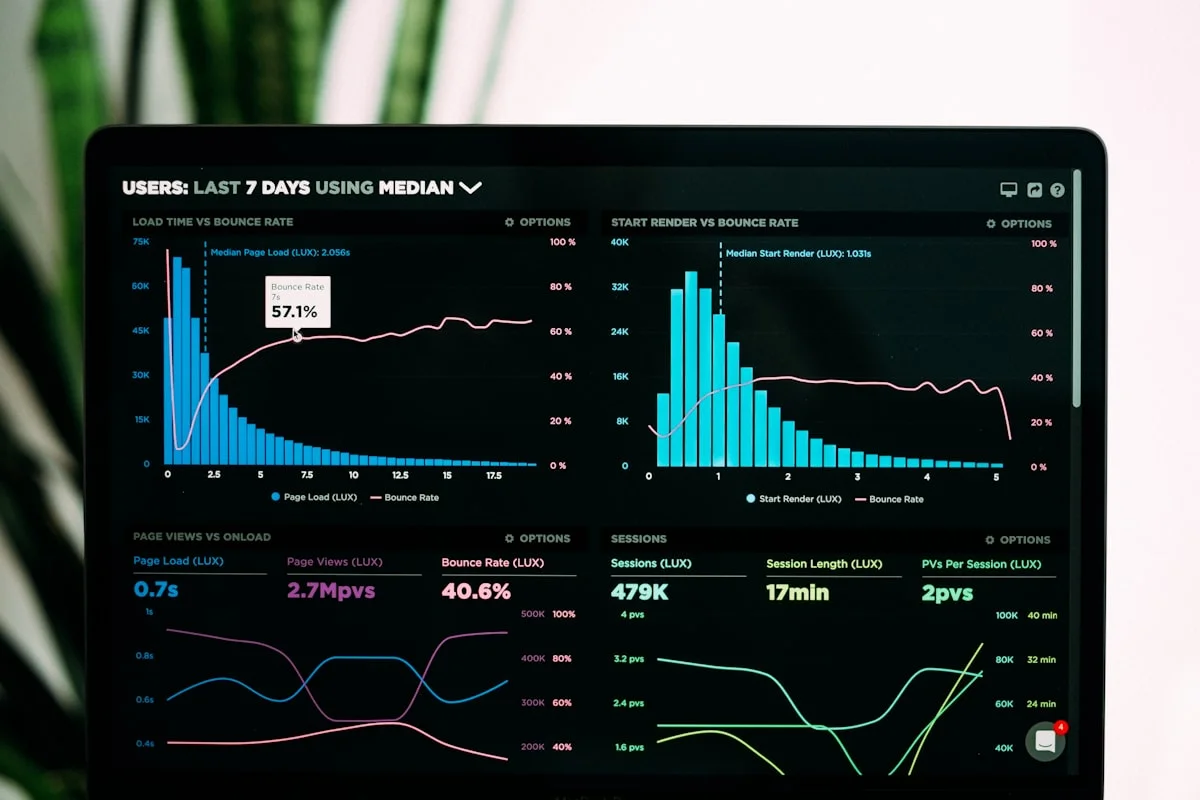
Illustrative eMonitor dashboard.
10 Best DeskTime Alternatives: Detailed Reviews
Each review below covers what the tool does well, where it falls short compared to DeskTime, and which teams benefit most from it. We tested or evaluated each product's current 2026 feature set, pricing, and user reviews from G2, Capterra, and Software Advice.
1. eMonitor: Best Overall DeskTime Alternative
eMonitor is an employee monitoring and productivity platform that combines time tracking, screenshot monitoring, screen recording, productivity analytics, and data loss prevention in a single agent. Where DeskTime focuses primarily on time tracking with basic productivity labels, eMonitor delivers a full monitoring stack at a lower price point.
Key advantages over DeskTime:
- Screen recording with anomaly detection: eMonitor records employee screens continuously or on trigger, while DeskTime offers only periodic screenshots. This matters for compliance-heavy industries where visual proof of work is a regulatory requirement.
- Data loss prevention: eMonitor includes USB monitoring, file transfer alerts, and website access controls. DeskTime has no DLP capabilities at any pricing tier.
- Real-time activity alerts: Managers receive instant notifications for idle time, unauthorized app usage, and productivity drops. DeskTime's alerting is limited to daily summary emails.
- Deeper productivity analytics: eMonitor's AI-powered productivity engine classifies applications by role, generates heatmaps, and identifies focus-time patterns. DeskTime's productivity scoring uses a simpler productive/unproductive binary.
- Lower cost: eMonitor starts at $4.50 per user per month (Starter plan). DeskTime Pro starts at $7.00 per user, and you need the $10.00 Premium plan for screenshots.
What DeskTime does better: DeskTime's Pomodoro timer and private time feature are well-designed for individual focus management. eMonitor emphasizes team-level productivity over personal time-boxing tools.
Best for: Teams of 10-500 that need monitoring depth beyond time tracking, including screen recording, DLP, and real-time alerts, at mid-range pricing. eMonitor is rated 4.8 out of 5 on Capterra (57 reviews) and 4.85 out of 5 on Software Advice (66 reviews).
Pricing: Starter $4.50 per user per month, Professional $6.90, Enterprise $13.90 (annual billing).
2. Hubstaff: Best for Field Teams and GPS Tracking
Hubstaff is a time tracking and workforce management platform used by over 112,000 businesses. Hubstaff's core strength is GPS tracking with geofencing, making it the default choice for teams managing field workers, construction crews, and delivery operations.
Key advantages over DeskTime:
- GPS tracking and geofencing: Hubstaff offers real-time location tracking and geofenced clock-ins. DeskTime has no GPS features.
- Payroll integration: Hubstaff includes built-in payroll processing for U.S. teams and integrates with Wise for international payments.
- Invoicing: Hubstaff generates client invoices directly from tracked time. DeskTime requires third-party tools for billing.
Where Hubstaff falls short: Hubstaff does not offer screen recording or DLP. Its screenshot feature captures images at random intervals but provides no continuous visual oversight. Productivity analytics are more basic than DeskTime's automatic tracking categories. For a detailed breakdown, see the eMonitor vs Hubstaff comparison.
Best for: Teams with field workers who need GPS tracking combined with time tracking. Less suited for desk-based teams needing deep activity monitoring.
Pricing: Starter $4.99 per user per month, Grow $7.50, Team $10.00, Enterprise custom.
3. Time Doctor: Best for Distraction Management
Time Doctor is an employee productivity platform used by companies like Verizon, Ericsson, and RE/MAX. Time Doctor's signature feature is its distraction alert system, which pops up a notification when employees spend too long on non-work websites or applications.
Key advantages over DeskTime:
- Distraction alerts: Real-time pop-ups remind employees to return to work. DeskTime has no equivalent notification system.
- Screen recording: Time Doctor captures screen video, not just screenshots. DeskTime lacks this feature entirely.
- Persona-based dashboards: Time Doctor offers different views for managers, HR, executives, and employees.
Where Time Doctor falls short: Time Doctor starts at $7.00 per user for the Basic plan, and the Premium plan (which includes screen recording) costs $16.70 per user. That makes it one of the most expensive options on this list. Time Doctor also lacks DLP and GPS tracking.
Best for: Organizations with a specific distraction problem who value real-time behavioral nudges. Less cost-effective for teams that need broad monitoring at scale.
Pricing: Basic $7.00 per user per month, Standard $10.00, Premium $16.70.
4. Teramind: Best for Enterprise Security and DLP
Teramind is an enterprise-grade employee monitoring and insider threat prevention platform used by over 10,000 organizations. Teramind goes far beyond time tracking into behavioral analytics, data loss prevention, and regulatory compliance for industries like finance, healthcare, and government.
Key advantages over DeskTime:
- Full DLP suite: USB blocking, file transfer monitoring, email content scanning, clipboard tracking, and print monitoring.
- User behavior analytics (UBA): Teramind detects anomalous behavior patterns that signal insider threats, policy violations, or data exfiltration attempts.
- Regulatory compliance: Pre-built compliance templates for HIPAA, PCI-DSS, GDPR, and SOX.
Where Teramind falls short: Teramind's starting price of $15.00 per user per month is more than double DeskTime's Pro plan and more than triple eMonitor's Starter plan. The platform is also complex to configure, with a steeper learning curve suited to IT security teams rather than general managers. For teams that need DLP without enterprise pricing, eMonitor's DLP features offer a more accessible entry point.
Best for: Enterprises in regulated industries (finance, healthcare, government) that require advanced insider threat detection and compliance documentation.
Pricing: Starter $15.00 per user per month, UAM $25.00, DLP $30.00, Enterprise custom.
5. ActivTrak: Best Free Option for Analytics
ActivTrak is a workforce analytics platform that focuses on productivity insights rather than traditional employee monitoring. ActivTrak positions itself as a "workforce analytics" company, and its marketing materials specifically emphasize that it does not capture screenshots, record screens, or log keystrokes.
Key advantages over DeskTime:
- Free tier: ActivTrak offers a genuinely usable free plan for up to three users with 90 days of data history.
- Workforce analytics depth: ActivTrak's analytics include workload balance insights, team comparison benchmarks, and coaching recommendations.
- Privacy-first positioning: No screenshots, no screen recording, no keystroke logging. ActivTrak claims a "122X ROI" based on a Forrester study of customer outcomes.
Where ActivTrak falls short: ActivTrak's privacy-first approach means it lacks the monitoring depth many teams need. No screenshots, no screen recording, no DLP, no GPS. Teams that need visual verification of work, compliance documentation, or security features must look elsewhere.
Best for: Teams that want productivity analytics without any form of visual monitoring. Good for organizations where employee privacy concerns are the top priority.
Pricing: Free (3 users), Essentials $10.00 per user per month, Professional $17.00, Enterprise custom.

6. Insightful (formerly Workpuls): Best for Mid-Market Productivity
Insightful is a workforce analytics and productivity management platform that rebranded from Workpuls in 2021. Insightful targets mid-market companies (50-500 employees) with a balance of monitoring features and productivity analytics that sits between ActivTrak's pure analytics approach and Teramind's enterprise security focus.
Key advantages over DeskTime:
- Real-time dashboards: Insightful provides live employee activity feeds with active/idle/offline status indicators.
- Automatic time mapping: Insightful maps time to projects based on application usage patterns, reducing manual time entry.
- Screenshots with privacy controls: Configurable screenshot frequency and blur options for sensitive content.
Where Insightful falls short: Insightful does not offer screen recording, DLP, GPS tracking, or keystroke analytics. Its pricing ($6.40 per user) is close to DeskTime but provides a narrower feature set than eMonitor at $4.50.
Best for: Mid-market companies that want more analytics depth than DeskTime without the complexity of enterprise tools.
Pricing: Productivity Management $6.40 per user per month, Time Tracking $8.00, Enterprise custom.
7. Clockify: Best Free Time Tracker
Clockify is the most popular free time tracking tool in the market, with over 4.7 million users. Clockify offers unlimited users on its free plan, which includes manual and timer-based time tracking, basic reporting, and project management. However, Clockify is a time tracker first and a monitoring tool second.
Key advantages over DeskTime:
- Unlimited free users: Clockify's free plan has no user cap, while DeskTime's free Lite plan supports only one user.
- Extensive integrations: Clockify connects to 80+ tools including Asana, Trello, Jira, and QuickBooks.
- Simple interface: Clockify's learning curve is near zero, making it ideal for teams that resist complex software.
Where Clockify falls short: Clockify has minimal monitoring capabilities. Screenshots, GPS, and basic admin features require paid plans ($3.99 to $11.99 per user). Clockify has no productivity scoring, no activity tracking, no DLP, and no screen recording at any tier. It is not a real DeskTime alternative for teams that need monitoring. Read the Clockify alternatives comparison for more detail.
Best for: Freelancers, agencies, and small teams that need simple time tracking with zero budget. Not a fit for teams needing employee monitoring.
Pricing: Free (unlimited users), Basic $3.99, Standard $5.49, Pro $7.99, Enterprise $11.99 per user per month.
8. Toggl Track: Best for Team Time Analytics
Toggl Track is a time tracking tool designed for simplicity and speed, used by over 70,000 teams including companies like Amazon, Uber, and Deloitte. Toggl Track deliberately avoids employee monitoring features, positioning itself as a "time tracking for teams" product rather than a monitoring platform.
Key advantages over DeskTime:
- Calendar integrations: Toggl Track integrates with Google Calendar and Outlook, automatically suggesting time entries based on scheduled meetings.
- Project profitability reports: Toggl Track provides detailed project revenue and profitability analysis that DeskTime's project tracking cannot match.
- Cross-platform mobile app: Toggl's mobile app is widely regarded as the best in the time tracking category.
Where Toggl Track falls short: Toggl Track has zero monitoring features. No screenshots, no activity tracking, no productivity scoring, no DLP. Toggl is explicitly not an employee monitoring tool. Its pricing ($9.00 per user per month for Starter) also exceeds DeskTime's for a narrower feature set.
Best for: Teams that want clean time tracking without any monitoring component. Consulting firms and agencies tracking billable hours.
Pricing: Free (up to 5 users), Starter $9.00, Premium $18.00, Enterprise custom per user per month.
9. Monitask: Best Budget Monitoring Option
Monitask is a lightweight employee monitoring and time tracking tool designed for remote teams. Monitask offers screenshots, activity monitoring, and project tracking at a competitive price point, positioning itself as a simpler alternative to both DeskTime and heavier monitoring platforms.
Key advantages over DeskTime:
- Screenshot frequency control: Monitask lets managers configure screenshot intervals from every 3 minutes to every 30 minutes.
- Activity level tracking: Monitask measures keyboard and mouse activity intensity to calculate engagement levels.
- Lower entry price: Monitask Pro starts at $5.99 per user, undercutting DeskTime Pro by $1.00 per user.
Where Monitask falls short: Monitask lacks screen recording, DLP, GPS tracking, and advanced analytics. Its reporting is basic compared to both DeskTime and eMonitor. The interface feels dated compared to newer platforms.
Best for: Small remote teams on a tight budget that need basic screenshots and activity monitoring without advanced features.
Pricing: Pro $5.99, Business $8.99, Enterprise $11.99 per user per month.
10. Apploye: Best for Freelancer Teams
Apploye is a time tracking and employee monitoring tool built for remote teams, freelancers, and agencies. Apploye combines time tracking with screenshots, app monitoring, GPS tracking, and basic invoicing in a single platform priced at $5.00 per user per month.
Key advantages over DeskTime:
- GPS and location tracking: Apploye offers GPS-based clock-ins and location history, features DeskTime lacks entirely.
- Client invoicing: Apploye generates invoices from tracked time, a feature DeskTime does not include.
- Lower price: At $5.00 per user, Apploye undercuts DeskTime by $2.00 per user per month.
Where Apploye falls short: Apploye lacks screen recording, DLP, and advanced analytics. Its GPS tracking is less sophisticated than Hubstaff's geofencing system. Apploye's reporting capabilities are limited compared to DeskTime's automatic tracking categories.
Best for: Small agencies and freelancer teams that need time tracking with GPS and basic monitoring at a low price.
Pricing: Standard $5.00, Elite $7.00, Elite + GPS $9.00 per user per month.
How to Choose the Right DeskTime Alternative for Your Team
Selecting the right DeskTime replacement depends on four factors: what you need to monitor, how many people you manage, what your budget allows, and how your employees feel about monitoring. Here is a decision framework based on common team profiles.
Choose Based on Your Primary Need
- If you need deeper monitoring at a lower price: eMonitor ($4.50 per user) includes everything DeskTime offers plus screen recording, DLP, and real-time alerts. It is the most feature-dense option below $7.00 per user.
- If you manage field workers: Hubstaff ($4.99 per user) is the strongest choice for GPS tracking, geofencing, and mobile workforce management.
- If distraction management is your priority: Time Doctor ($7.00+ per user) offers the only real-time distraction alert system in this category.
- If you are in a regulated industry: Teramind ($15.00+ per user) provides the DLP and compliance depth that healthcare, finance, and government organizations require.
- If you want analytics without monitoring: ActivTrak (free to $17.00 per user) delivers workforce productivity insights without screenshots or screen recording.
- If budget is the only constraint: Clockify (free) and Monitask ($5.99 per user) offer the lowest-cost entry points with basic functionality.
Choose Based on Team Size
Team size affects both cost and required features. A 2024 report from the Society for Human Resource Management (SHRM) found that organizations with over 100 employees need at minimum: automated reporting, role-based access controls, and configurable monitoring levels. Here is how that maps to DeskTime alternatives:
- 1-10 employees: DeskTime, Clockify, Apploye, or Monitask. Simplicity matters more than depth at this scale.
- 10-50 employees: eMonitor, Hubstaff, or Time Doctor. You need real dashboards, team-level analytics, and manager-specific views.
- 50-500 employees: eMonitor, Insightful, or ActivTrak. Role-based access, department-level reporting, and automated reporting become essential.
- 500+ employees: Teramind or eMonitor Enterprise. Compliance documentation, audit trails, and enterprise SSO are non-negotiable at this scale.

Switch from DeskTime in Under 5 Minutes
eMonitor installs in 2 minutes, imports your team structure, and starts tracking immediately. Trusted by 1,000+ companies worldwide.
What DeskTime Does Well (and When to Stay)
An honest comparison acknowledges where DeskTime excels. If your requirements align with DeskTime's strengths, switching may not be worth the disruption.
DeskTime's genuine advantages:
- Automatic time tracking: DeskTime tracks time in the background without requiring employees to start or stop timers. This automatic approach reduces friction and captures more accurate data than manual methods.
- Private time feature: DeskTime lets employees pause tracking with one click for personal tasks. No screenshots, no activity data, no questions. This feature reduces employee anxiety about monitoring and is unique among tools at this price point.
- Pomodoro timer integration: DeskTime includes a built-in Pomodoro timer that integrates with its productivity tracking. Employees can use timed work sessions, and the system factors break compliance into productivity scores.
- Clean, simple interface: DeskTime's UI is less cluttered than many alternatives. For teams that want basic time and productivity tracking without a complex dashboard, DeskTime's simplicity is a genuine advantage.
- EU data residency: DeskTime is based in Latvia and stores data on EU servers by default. For European organizations prioritizing data sovereignty under GDPR, this is a meaningful compliance benefit.
When to stay with DeskTime: If your team is under 20 people, you only need time tracking and basic productivity labels, your employees value the private time feature, and you do not need screen recording, DLP, or real-time alerts, DeskTime remains a reasonable choice at $7.00 per user. For a direct head-to-head analysis, see the eMonitor vs DeskTime comparison page.
How to Migrate from DeskTime to a New Platform
Switching from DeskTime to an alternative is a straightforward process. Most teams complete the migration within a single business day. Here is the step-by-step approach used by organizations that have made the switch.
- Export your DeskTime data: DeskTime allows CSV exports of time logs, project data, and attendance records. Export all historical data before canceling your subscription. Save reports for at least the previous 12 months for comparison benchmarking.
- Set up the new platform: Create your team structure, departments, and monitoring configurations in the new tool. eMonitor's setup wizard, for example, takes under two minutes and automatically detects existing team hierarchies.
- Install the new agent: Deploy the desktop agent to employee machines. Most modern tools (eMonitor, Hubstaff, Time Doctor) offer silent deployment through MDM tools like SCCM, Intune, or Jamf for large organizations.
- Run both tools in parallel for one week: Keep DeskTime running alongside the new tool for 5-7 business days. This overlap period validates that the new tool captures data accurately and gives employees time to adjust.
- Communicate the change: Inform employees about the new tool, why you switched, and what (if anything) changes about monitoring policies. Transparency during transitions builds trust and reduces resistance. Our guide on how to announce employee monitoring covers communication best practices.
- Decommission DeskTime: Uninstall the DeskTime agent, cancel your subscription, and archive your exported data. Verify that the new tool is tracking all employees correctly before completing decommission.
DeskTime Alternatives: True Cost Comparison at Scale
Per-user pricing tells only part of the story. The true cost of a monitoring platform includes the base subscription, add-on costs for features hidden behind higher tiers, and the administrative overhead of managing the tool. Here is what DeskTime and its top alternatives actually cost for a 50-person team on annual billing.
| Tool | Plan Needed | Per User/Month | 50-User Annual Cost | Key Feature Gaps |
|---|---|---|---|---|
| DeskTime Premium | Premium (for screenshots) | $10.00 | $6,000 | No screen recording, no DLP, no alerts |
| eMonitor Professional | Professional | $6.90 | $4,140 | None at this tier |
| Hubstaff Grow | Grow (for app tracking) | $7.50 | $4,500 | No screen recording, no DLP |
| Time Doctor Standard | Standard (for screenshots) | $10.00 | $6,000 | No DLP, no GPS |
| Teramind Starter | Starter | $15.00 | $9,000 | Complex setup, enterprise-focused |
| ActivTrak Professional | Professional | $17.00 | $10,200 | No screenshots, no screen recording |
For a 50-person team, the annual cost difference between DeskTime Premium ($6,000) and eMonitor Professional ($4,140) is $1,860 per year, and eMonitor includes screen recording, DLP, and real-time alerts that DeskTime does not offer at any price. Over three years, that delta grows to $5,580 in savings with significantly more functionality. See our full pricing breakdown for plan details.
The Employee Monitoring Market in 2026: Context for Your Decision
Understanding where the employee monitoring market is heading helps inform which DeskTime alternative will serve you best over the next two to three years, not just today.
The global employee monitoring software market reached $1.67 billion in 2025 and is projected to grow to $4.5 billion by 2030, according to Grand View Research. Three trends are shaping which platforms survive and which become obsolete.
Trend 1: Privacy-aware monitoring is replacing covert tracking. Legislation like the EU's AI Act (effective 2025), updates to GDPR enforcement guidelines, and new state-level laws in the United States (Connecticut, New York, California) all push toward transparency. Tools that offer employee-facing dashboards, configurable monitoring levels, and clear data retention policies are gaining market share. eMonitor's transparent activity tracking with employee-visible dashboards aligns with this direction.
Trend 2: AI-powered analytics are replacing raw data dumps. Managers do not want to review screenshots. They want productivity insights, anomaly detection, and coaching recommendations. The Deloitte 2025 Human Capital Trends report found that 64% of HR leaders consider "turning workforce data into actionable intelligence" a top priority. Tools limited to basic time tracking and screenshot capture (including DeskTime) are losing ground to platforms with AI-driven analytics layers.
Trend 3: Platform consolidation is reducing tool sprawl. Organizations that previously used separate tools for time tracking, monitoring, attendance, and project management are consolidating onto unified platforms. A single platform covering time tracking, activity monitoring, productivity analytics, and attendance management reduces integration complexity, training costs, and per-user spending.
Frequently Asked Questions About DeskTime Alternatives
What is better than DeskTime?
DeskTime alternatives like eMonitor, Hubstaff, and Time Doctor offer deeper monitoring capabilities at competitive pricing. eMonitor stands out with screen recording, real-time alerts, and productivity analytics starting at $4.50 per user per month, compared to DeskTime Pro at $7.00 per user.
Is DeskTime free?
DeskTime offers a free Lite plan for a single user with basic time tracking. The free plan lacks screenshots, project tracking, and team management features. Paid DeskTime plans start at $7.00 per user per month for the Pro tier, making it more expensive than several alternatives on this list.
How much does DeskTime cost per user?
DeskTime pricing starts at $7.00 per user per month for the Pro plan on annual billing. The Premium plan costs $10.00 per user and adds screenshots and integrations. The Enterprise plan costs $20.00 per user. DeskTime alternatives like eMonitor start at $4.50 per user with more features included at every tier.
DeskTime vs Hubstaff: which is better?
DeskTime focuses on automatic time tracking with a Pomodoro timer, while Hubstaff offers GPS tracking, invoicing, and payroll integrations. Hubstaff starts at $4.99 per user. For teams needing monitoring depth beyond what either tool provides, eMonitor includes screen recording and DLP starting at $4.50 per user.
Does DeskTime have screen recording?
DeskTime does not offer screen recording at any pricing tier. DeskTime captures periodic screenshots on Premium ($10.00 per user) and Enterprise ($20.00 per user) plans only. DeskTime alternatives such as eMonitor and Teramind include continuous screen recording for compliance audits and quality assurance workflows.
Can DeskTime track remote employees effectively?
DeskTime tracks remote employee time and application usage automatically. However, DeskTime lacks real-time idle-time alerts, activity-based notifications, and data loss prevention features. Remote-first teams managing sensitive data or requiring visual proof of work often prefer DeskTime alternatives with deeper monitoring capabilities.
What are the main limitations of DeskTime?
DeskTime lacks screen recording, real-time activity alerts, data loss prevention, keystroke analytics, and audio monitoring. DeskTime also does not support geofencing or GPS-based attendance verification. Teams needing any of these capabilities require a DeskTime alternative with broader feature coverage.
Is DeskTime GDPR compliant?
DeskTime is GDPR compliant and stores data on EU-based servers in Latvia. DeskTime includes a private-time feature that lets employees pause tracking during breaks. However, DeskTime does not offer the configurable monitoring levels or role-based data access controls found in enterprise-grade alternatives.
Which DeskTime alternative is best for small businesses?
DeskTime alternatives for small businesses include eMonitor at $4.50 per user, Hubstaff at $4.99 per user, and ActivTrak with a free tier for up to three users. eMonitor offers the widest feature set at the lowest price point, including screenshots, productivity scoring, and automated timesheets.
How do I migrate from DeskTime to another tool?
DeskTime allows CSV export of time logs, project data, and attendance records. Most DeskTime alternatives support CSV imports for historical data. Migration typically takes under one hour: export your data from DeskTime, install the new agent, and import records into the replacement platform.
Does DeskTime offer data loss prevention?
DeskTime does not include data loss prevention features at any tier. DeskTime focuses exclusively on time tracking and basic productivity monitoring. Organizations requiring USB monitoring, file transfer alerts, or website access controls need a DeskTime alternative like eMonitor or Teramind that includes DLP.
What is the best free DeskTime alternative?
DeskTime's best free alternative is ActivTrak, which offers a free plan for up to three users with basic productivity reports. Clockify provides unlimited free time tracking without monitoring features. For teams willing to invest, eMonitor at $4.50 per user delivers far more functionality than any free tool.
Ready to Move Beyond DeskTime?
eMonitor gives you screen recording, DLP, real-time alerts, and productivity analytics at $4.50 per user per month. Trusted by 1,000+ companies. Set up in under 2 minutes.
Sources
- Gartner, "Monitoring Employee Productivity: 2025 Survey Results," gartner.com/en/human-resources
- Grand View Research, "Employee Monitoring Software Market Size Report, 2025-2030," grandviewresearch.com
- Deloitte, "2025 Global Human Capital Trends," deloitte.com
- Society for Human Resource Management (SHRM), "Employee Monitoring and Workplace Privacy Report, 2024," shrm.org
- Google Trends, "DeskTime alternatives" search volume trend data, 2024-2026, trends.google.com