


eMonitor vs ActivTrak 2026: Workforce Analytics Compared
eMonitor vs ActivTrak is one of the most frequent comparisons teams face when choosing workforce monitoring software in 2026. eMonitor is an AI-powered employee monitoring and productivity platform that combines screen capture, time tracking, DLP, and workforce analytics in a single tool at $4.50 per user per month. ActivTrak is a workforce analytics platform focused on application and website usage tracking, starting at $10 per user per month, that deliberately excludes screenshots, screen recording, and keystroke logging. This guide compares every meaningful feature, pricing tier, and deployment detail so you can pick the right platform for your team's size, budget, and monitoring requirements.
Companies Trust eMonitor
Capterra Rating (57 Reviews)
Per User, Per Month
Average Setup Time
eMonitor vs ActivTrak: Quick Comparison Table
Before we break down each feature in detail, here is the high-level view across the fourteen factors that matter most when evaluating eMonitor against ActivTrak. This table reflects publicly available data from each vendor's website, Capterra, G2, and Software Advice as of April 2026.
| Factor | eMonitor | ActivTrak |
|---|---|---|
| Starting price | $4.50/user/month | $10/user/month (Essentials) |
| Free plan | 7-day full-feature trial | Free for up to 3 users (limited features) |
| Screenshot capture | Yes, configurable intervals + on-demand | No |
| Screen recording | Yes, with anomaly-triggered recording | No |
| Live screen viewing | Yes (Office TV) | No |
| Time tracking | Full module: timesheets, overtime, payroll export | No dedicated time tracking |
| Productivity analytics | AI-powered scoring, heatmaps, timelines | Productivity reports, ActivTrak Insights |
| Data loss prevention | USB, file, upload/download monitoring, alerts | No DLP capabilities |
| Keystroke logging | Activity intensity measurement (not content) | No |
| GPS/geofencing | Yes, with geo-verified attendance | No |
| Project management | Kanban boards, task assignment, budgets | No |
| Employee self-service | Personal dashboard with full visibility | Personal Insights dashboard |
| Platform support | Windows, macOS, Linux, Chromebook | Windows, macOS, Chrome OS (extension) |
| Best for | SMBs and mid-market needing complete monitoring | Teams wanting analytics-only, no visual monitoring |
The quick verdict: eMonitor delivers deeper monitoring, built-in time tracking, visual verification, and DLP at 55% lower cost. ActivTrak appeals to organizations that explicitly want analytics without any form of screen capture or keystroke measurement. Your choice depends on whether your team needs proof-of-work verification or analytics-only visibility.
Why the eMonitor vs ActivTrak Decision Matters in 2026
The employee monitoring software market is projected to reach $12.3 billion by 2028 (Source: MarketsandMarkets, 2025). Within that market, two distinct philosophies have emerged: comprehensive monitoring platforms that provide visual verification alongside analytics, and analytics-only platforms that avoid any form of screen-level data collection.
eMonitor represents the comprehensive approach. ActivTrak represents the analytics-only approach. Both positions have legitimate use cases, but choosing the wrong one costs your organization either in visibility gaps or unnecessary overhead.
How does the choice between comprehensive monitoring and analytics-only tracking affect day-to-day management decisions?
Organizations using analytics-only tools like ActivTrak can see which applications employees use and how long they spend on each. They cannot verify what employees actually do within those applications. A team member who has a CRM open for three hours registers as "productive" regardless of whether they processed 40 records or browsed social media in another tab. eMonitor's screenshot capture and activity timelines close that verification gap, providing managers with the evidence they need to coach effectively and the confidence that productivity metrics reflect real output.
According to Gartner's 2025 Market Guide for Workforce Management Applications, 78% of organizations that deployed monitoring software reported that visual verification features (screenshots and recordings) were "important" or "critical" to justifying the investment. Analytics-only tools leave that 78% underserved.
eMonitor vs Alternatives — This Week
Capability score
Coverage
▲ Full feature parity at roughly half the cost of alternatives.
Illustrative eMonitor dashboard.
eMonitor vs ActivTrak Pricing: What You Actually Pay
Pricing is where the two platforms diverge most sharply. ActivTrak's per-user cost is more than double eMonitor's entry price, and the feature gap at each tier favors eMonitor. The total cost of ownership difference grows as team size increases.
Tier-by-Tier Breakdown
eMonitor offers three plans: Starter at $4.50/user/month, Professional at $6.90/user/month, and Enterprise at $13.90/user/month, all billed annually. Every paid tier includes screenshots, screen recording, time tracking, productivity analytics, and DLP monitoring.
ActivTrak offers a free plan (up to 3 users, limited data retention), Essentials at $10/user/month, Professional at $17/user/month, and Enterprise (custom pricing). No ActivTrak tier includes screenshots, screen recording, or DLP. The price difference buys you analytics depth and integrations, not monitoring capabilities.
Annual Cost at Scale
Here is what each platform costs annually at common team sizes, comparing eMonitor Professional to ActivTrak Professional, which are the most popular tiers:
| Team Size | eMonitor (Professional) | ActivTrak (Professional) | Annual Savings with eMonitor |
|---|---|---|---|
| 10 employees | $828/year | $2,040/year | $1,212 (59% less) |
| 25 employees | $2,070/year | $5,100/year | $3,030 (59% less) |
| 50 employees | $4,140/year | $10,200/year | $6,060 (59% less) |
| 100 employees | $8,280/year | $20,400/year | $12,120 (59% less) |
| 250 employees | $20,700/year | $51,000/year | $30,300 (59% less) |
| 500 employees | $41,400/year | $102,000/year | $60,600 (59% less) |
At 100 employees, eMonitor saves $12,120 per year compared to ActivTrak Professional. At 500 employees, the annual savings exceed $60,000. That budget difference is large enough to fund additional team hires, technology investments, or operational improvements. And the savings come while gaining features that ActivTrak does not offer at any price.
ActivTrak's Hidden Pricing Limitation
ActivTrak's free plan attracts small teams, but its limitations make it unsuitable for real management. Three users, restricted data retention, and no advanced analytics mean the free plan functions as a trial, not a production tool. Organizations that start on ActivTrak's free plan and grow beyond three users face an immediate jump to $10/user/month with no intermediate option.
eMonitor's 7-day trial provides full feature access for your entire team, giving you a realistic preview of the production experience before committing. Once the trial ends, the Starter plan at $4.50/user/month includes capabilities that ActivTrak charges $17/user/month or more to approximate.
Feature-by-Feature: eMonitor vs ActivTrak Compared
Price matters, but features determine whether a platform actually solves your management challenges. Here is a detailed comparison across the eight feature categories that buyers evaluate most when choosing between eMonitor and ActivTrak: screen monitoring, productivity analytics, time tracking, data loss prevention, alerting, project management, attendance, and field tracking.
Screen Monitoring and Visual Verification
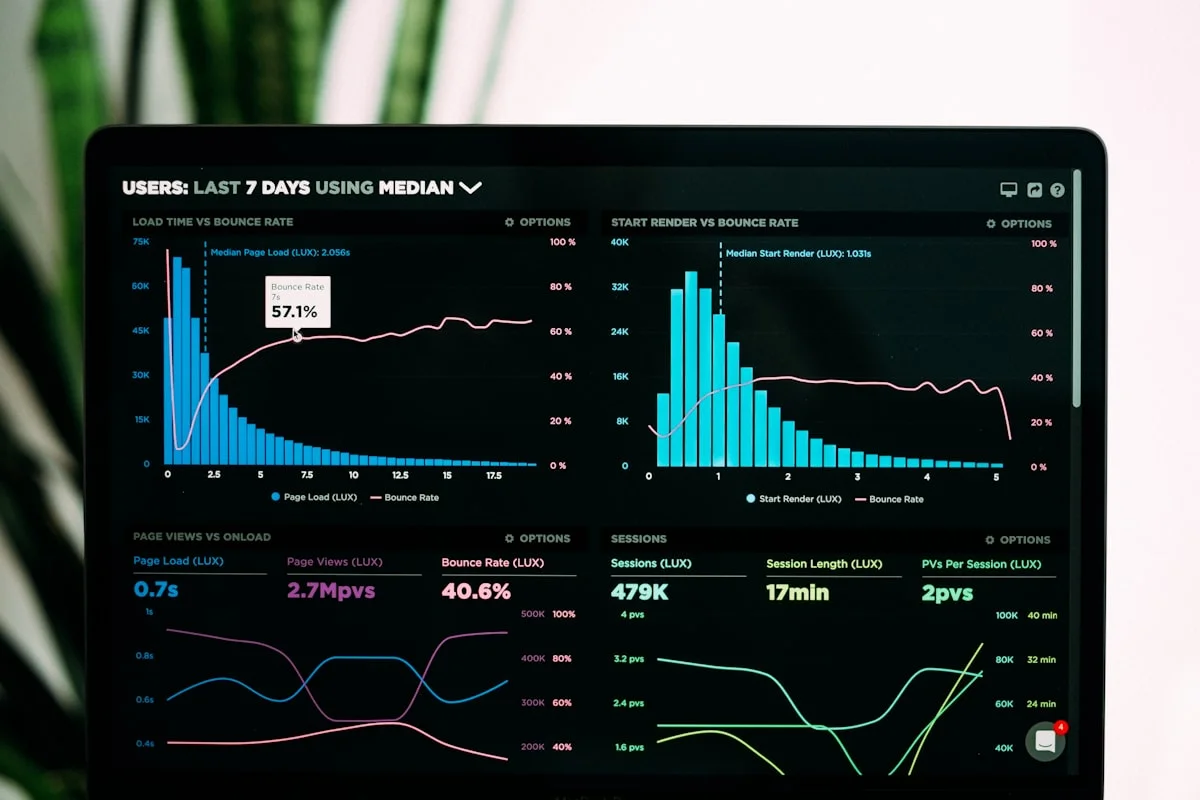
This is the most significant feature gap between the two platforms. eMonitor captures automated screenshots at configurable intervals (every 1, 5, 10, or 15 minutes), supports on-demand manual captures, provides live screen viewing through Office TV, and records screen activity with anomaly-triggered recording. Screenshots include blur options for privacy-sensitive applications, and all visual data is stored with encryption and role-based access controls.
ActivTrak does not offer screenshots, screen recording, or live screen viewing. The platform deliberately excludes visual monitoring as a product philosophy. ActivTrak's approach depends entirely on application and website usage metadata.
Why does visual verification matter? A 2024 study by the Harvard Business Review found that 41% of remote employees admit to "cyberloafing" (using work devices for personal activities during work hours). Application-level tracking detects obvious non-work apps, but it cannot detect personal browsing within work applications, idle screens left open to appear active, or time spent reading non-work content in a browser tab categorized as "productive." eMonitor's periodic screenshots catch these patterns. ActivTrak cannot.
Productivity Analytics and Workforce Intelligence
Both platforms provide productivity analytics, and this is where ActivTrak is strongest. ActivTrak classifies applications and websites as productive, unproductive, or undefined. It offers team productivity dashboards, individual productivity scores, workload balance views, and a feature called "ActivTrak Insights" that provides benchmarking and trend analysis. ActivTrak's analytics are well-designed and visually clear.
eMonitor's productivity analytics include AI-powered scoring, color-coded heatmaps, activity intensity graphs based on keystroke and mouse patterns, hour-by-hour timeline views, work-life balance overviews, attrition risk indicators, and team-vs-individual comparisons. eMonitor's AI engine flags productivity drops, detects early burnout signals through sustained overload and declining activity metrics, and identifies disengagement patterns that predict turnover.
The core difference is depth. ActivTrak tells you which apps your team uses and for how long. eMonitor tells you that, plus how intensely they use them (via activity patterns), whether their engagement is declining over time (via attrition prediction), and whether their workload is sustainable (via burnout indicators). For organizations where the question is "are my teams productive?", ActivTrak delivers a good answer. For organizations where the question is "why is productivity changing, and what do I do about it?", eMonitor provides the richer dataset.
Time Tracking and Timesheet Management
eMonitor includes a complete time tracking module: automatic time capture, one-click task timers, manual time logging with bulk editing, offline capture with automatic sync, billable vs. non-billable classification, overtime calculation, break scheduling with reminders, automated timesheet generation, and payroll-ready exports in CSV and PDF formats.
ActivTrak does not include dedicated time tracking. It measures active time, idle time, and total logged-in time as part of its analytics, but it does not generate timesheets, calculate overtime, classify billable hours, or export payroll-ready reports. Organizations using ActivTrak need a separate time tracking tool, which adds subscription cost, creates data fragmentation, and requires employees to manage two agents or interfaces.
According to the American Payroll Association, businesses that automate time tracking reduce payroll errors by 80% and save 2-8% of gross payroll costs annually. For a company with $2.5 million in annual payroll, that represents $50,000 to $200,000 in savings. eMonitor captures this value natively. ActivTrak requires you to purchase and integrate a separate time tracking tool to access the same benefit.
Data Loss Prevention and Security Monitoring
eMonitor includes DLP capabilities: USB device insertion monitoring with blocking for unauthorized devices, file activity tracking (creation, modification, deletion with paths and timestamps), upload and download violation alerts, website access violation logging, suspicious activity detection with instant alerts, and exportable compliance reports in XLSX, CSV, and PDF formats.
ActivTrak does not include data loss prevention features. There is no USB monitoring, no file activity tracking, no upload/download alerts, and no content inspection. Organizations with data security requirements that use ActivTrak need a separate DLP solution, which typically costs $5-15 per endpoint per month (Source: Gartner Peer Insights, 2025 DLP pricing survey).
This gap matters most for organizations in regulated industries: financial services, healthcare, legal, and government. If your compliance requirements include monitoring data movement, tracking file access, or logging USB device usage, eMonitor handles those requirements within the same platform. ActivTrak does not address them at all.
Alerts and Real-Time Notifications
eMonitor sends configurable real-time alerts for: incomplete work hours, late logins, extended idle time, productivity drops, non-productive application usage, burnout risk indicators, sensitive file access, USB device connections, geofencing violations, and daily activity summaries. Thresholds are configurable per team, department, or individual employee.
ActivTrak provides alerts for productivity changes, unusual activity patterns, and work schedule adherence. The alerting system is tied to its analytics engine and focuses on productivity trends rather than security events. ActivTrak does not alert for USB connections, file access violations, or geofencing breaches because it does not monitor those activities.
eMonitor's broader alert coverage reflects its position as a comprehensive monitoring platform. Organizations that need to respond to both productivity issues and security events can manage both from a single dashboard rather than correlating alerts across multiple tools.
Project Management and Task Tracking
eMonitor includes built-in project management: centralized project creation with billable/non-billable tagging, task assignment with priorities and timelines, Kanban boards, project status tracking, task timers, budget tracking by hours or cost, resource allocation views, and client management. Project time data connects directly to time tracking and billing modules.
ActivTrak does not include project management or task tracking capabilities. Teams using ActivTrak need separate project management tools (Asana, Monday.com, Jira, etc.), which means project-level time data lives in a different system than productivity data, making cross-analysis manual and fragmented.
Attendance and Shift Scheduling
eMonitor automates attendance tracking with clock-in/clock-out capture, break logging, shift scheduling with timezone awareness, GPS-based attendance for field teams, late login alerts, missed check-in notifications, and a real-time attendance dashboard showing present, absent, and on-leave employees at a glance.
ActivTrak tracks when employees are online and active but does not provide structured attendance management, shift scheduling, or formal clock-in/clock-out workflows. Organizations with shift-based teams or compliance requirements for attendance documentation need a separate attendance system alongside ActivTrak.
GPS Tracking and Field Workforce Management
eMonitor supports GPS location tracking, geo-verified clock-ins, smart geofencing with zone violation alerts, route and movement history, visit management with GPS-stamped logs, and automated field reports. These capabilities serve construction firms, field service companies, delivery operations, and any organization with employees who work outside an office.
ActivTrak does not offer GPS tracking, geofencing, or field workforce features. The platform is designed exclusively for desktop and laptop-based knowledge workers. Organizations with field teams that choose ActivTrak need a completely separate field workforce tool.
Where ActivTrak Performs Well
An honest comparison acknowledges where the competitor genuinely excels. ActivTrak has real strengths that matter for certain organizations, and we respect the product for what it does well.
Privacy-First Positioning
ActivTrak's decision to exclude screenshots, screen recording, and keystroke logging is deliberate and consistent. For organizations where employee pushback against visual monitoring is a dealbreaker, or where legal restrictions prohibit screen-level data collection (certain EU member states have strict interpretations of GDPR Article 8 on private life), ActivTrak's analytics-only approach simplifies compliance and employee communication.
eMonitor addresses this concern through configurable monitoring levels. Administrators can disable screenshots, disable screen recording, and reduce monitoring to analytics-only mode if needed, giving you ActivTrak-level privacy within a platform that can scale up to comprehensive monitoring when requirements change.
Benchmarking and Insights
ActivTrak's "Insights" feature provides cross-industry benchmarking data that helps organizations understand how their productivity metrics compare to similar companies. This feature draws on ActivTrak's aggregate user base and provides context that standalone analytics cannot. eMonitor does not currently offer cross-industry benchmarking, though its AI-driven pattern recognition identifies internal trends and anomalies that serve a similar analytical purpose.
Integrations Ecosystem
ActivTrak integrates with Slack, Microsoft Teams, Salesforce, and several HRIS platforms. These integrations allow productivity data to surface within tools managers already use. eMonitor's integration ecosystem is growing but currently focuses on data export and API access rather than native third-party app integrations.

Free Plan for Micro-Teams
ActivTrak's free plan for up to three users is genuinely useful for freelancers, solopreneurs, or very small teams that want basic productivity visibility without any cost. eMonitor does not offer a permanent free plan, though its 7-day trial provides a more complete evaluation experience.

See the Difference in 7 Days
Try eMonitor with your full team. Screenshots, time tracking, productivity analytics, and DLP included at every tier.
Who Should Choose eMonitor vs ActivTrak
The right choice depends on what your organization actually needs. Here are clear recommendations based on team size, industry, and monitoring goals.
Choose eMonitor If You Need
- Visual proof of work: Screenshots, screen recording, and live viewing verify that productive time actually involves productive work. Essential for client-facing teams, BPOs, and regulated industries.
- Built-in time tracking: Automatic timesheets, overtime calculation, billable hour classification, and payroll exports replace a separate time tracking subscription. Agencies, consultancies, and professional services firms benefit most.
- Data loss prevention: USB monitoring, file activity tracking, and upload/download alerts protect sensitive data without purchasing a separate DLP tool. Required for financial services, healthcare, and legal teams.
- Field team management: GPS tracking, geofencing, and location-verified attendance serve construction, field service, and delivery operations.
- Budget-conscious teams: 55-59% lower per-user cost than ActivTrak with more features included at every tier.
- All-in-one consolidation: Replace 3-4 separate tools (monitoring, time tracking, project management, attendance) with one platform.
Choose ActivTrak If You Need
- Analytics-only monitoring: If your organization's policy or legal environment prohibits any form of visual monitoring, ActivTrak's approach avoids that category entirely.
- Cross-industry benchmarking: ActivTrak's Insights feature provides external benchmarking data that helps you contextualize your team's productivity against industry peers.
- Native third-party integrations: If surfacing productivity data inside Slack, Teams, or Salesforce is a priority, ActivTrak's existing integrations provide that out of the box.
- A free tool for 1-3 people: Solo practitioners and micro-teams that need basic activity tracking at zero cost.
The Overlap: When Either Tool Works
For knowledge-worker teams of 10-50 employees that primarily need productivity dashboards, application usage tracking, and idle time detection, both platforms deliver adequate results. In this scenario, the deciding factors are price (eMonitor costs 55% less) and future needs (eMonitor scales to comprehensive monitoring if your requirements change).
How to Switch from ActivTrak to eMonitor
Organizations that outgrow ActivTrak's analytics-only approach or want to reduce per-user costs often consider migrating to eMonitor. The process is straightforward and typically completes within one business day for teams under 500 employees.
Migration Steps
- Start an eMonitor trial: Sign up at employee-monitoring.net/signup. The 7-day trial includes all features, allowing you to test the full platform with your actual team before committing.
- Install the eMonitor desktop agent: The agent installs in under two minutes per machine. For larger deployments, silent installation via GPO or SCCM is available. The eMonitor agent can run alongside the ActivTrak agent during the transition period.
- Configure monitoring policies: Set screenshot intervals, productivity categories, alert thresholds, and privacy settings. eMonitor's defaults are production-ready, so minimal configuration is needed for most teams.
- Import team structures: Create departments, teams, and manager assignments in eMonitor's admin panel. CSV bulk import is supported for larger organizations.
- Run both platforms in parallel: Operate eMonitor and ActivTrak simultaneously for 5-7 days to validate that eMonitor captures the data you need. Compare dashboards, verify alert accuracy, and confirm reporting formats meet your requirements.
- Uninstall ActivTrak: Once validation is complete, remove the ActivTrak agent from all machines and cancel the subscription.
Historical data from ActivTrak does not transfer to eMonitor. However, you can export ActivTrak reports before cancellation to maintain historical records. eMonitor begins collecting new data from the moment the agent is installed, so the transition gap is limited to the parallel-run period.
What Teams Gain After Switching
Organizations that move from ActivTrak to eMonitor report several immediate benefits. Visual verification through screenshots provides the proof-of-work data that ActivTrak's analytics alone cannot deliver. Built-in time tracking eliminates a separate subscription (typically $3-8 per user per month for standalone time tracking tools), reducing total software spend even further. DLP monitoring closes security gaps that analytics-only tools leave open. And the consolidated dashboard reduces the administrative burden of correlating data across multiple platforms.
Real-World Scenarios: eMonitor vs ActivTrak in Practice
Abstract feature comparisons only tell part of the story. Here is how the two platforms perform in four common real-world scenarios that organizations face when managing distributed, hybrid, and in-office teams.
Scenario 1: Managing a 50-Person Remote Development Team
A software company with 50 remote developers needs to track billable hours for client projects, verify that contractors are working during billed hours, and generate timesheets for payroll.
With ActivTrak: The team gets productivity dashboards showing which applications developers use and time spent in IDEs vs. non-work apps. There are no timesheets, no billable hour classification, and no visual verification of work during billed hours. The company needs a separate time tracking tool ($3-8/user/month) and relies on self-reported billing data. Annual cost: $10,200 (ActivTrak) + $1,800-$4,800 (time tracking) = $12,000-$15,000.
With eMonitor: The team gets the same productivity dashboards plus automated timesheets with billable/non-billable classification, overtime calculation, periodic screenshots verifying work during billed hours, and payroll-ready exports. One platform, one dashboard, one invoice. Annual cost: $4,140 (eMonitor Professional). Savings: $7,860-$10,860 per year.
Scenario 2: BPO Call Center Compliance
A 200-seat BPO needs to monitor agent activity for client SLA compliance, track shift attendance, prevent data leaks from client systems, and provide audit-ready reports.
With ActivTrak: The BPO gets application usage analytics but no screen captures for SLA evidence, no DLP for data leak prevention, no shift scheduling, and no attendance management. At least two additional tools are needed. Annual cost: $40,800 (ActivTrak) + $12,000-$24,000 (DLP + attendance tools) = $52,800-$64,800.
With eMonitor: The BPO gets screenshots for SLA documentation, USB and file monitoring for DLP compliance, automated shift scheduling, attendance tracking with late-login alerts, and audio tracking for call quality. Annual cost: $16,560 (eMonitor Professional). Savings: $36,240-$48,240 per year.
Scenario 3: Small Marketing Agency (15 People)
A marketing agency needs to track billable hours per client, understand how team time splits between creative work and administrative overhead, and invoice clients based on actual hours worked.
With ActivTrak: The agency sees time-in-application data but cannot generate client invoices, track billable hours, or export timesheets. A separate invoicing and time tracking tool adds $45-$120/month. Annual cost: $3,060 (ActivTrak Professional) + $540-$1,440 (time/billing tools) = $3,600-$4,500.
With eMonitor: The agency tracks billable hours per project, generates timesheets automatically, and exports data for invoicing. Screenshots verify creative work for client documentation. Annual cost: $1,242 (eMonitor Professional). Savings: $2,358-$3,258 per year.
Scenario 4: Construction Company with Office and Field Staff
A construction firm with 30 office workers and 70 field workers needs to track hours for all employees, verify field attendance at job sites, and manage multiple shift schedules.
With ActivTrak: ActivTrak monitors the 30 office workers' desktop activity. It provides zero coverage for the 70 field workers because it has no GPS, geofencing, or mobile tracking. The company needs a separate field workforce management tool for the majority of its employees. Annual cost for office only: $6,120 (ActivTrak Professional) + $8,400-$16,800 (field tracking tool) = $14,520-$22,920.
With eMonitor: One platform covers both groups. Office staff get desktop monitoring and productivity analytics. Field staff get GPS tracking, geofenced clock-ins, route history, and mobile-based time tracking. Annual cost for all 100 employees: $8,280 (eMonitor Professional). Savings: $6,240-$14,640 per year.
Platform Support and Deployment: eMonitor vs ActivTrak
Both platforms deploy through lightweight desktop agents, but there are meaningful differences in OS coverage, setup complexity, and administration overhead.
Operating System Support
eMonitor supports Windows, macOS, Linux (native desktop agent), and Chromebook (beta). ActivTrak supports Windows, macOS, and Chrome OS (via a Chrome browser extension, not a native agent). The key difference: eMonitor provides a native Linux agent, which matters for development teams, IT organizations, and any environment running Linux workstations. ActivTrak's Chrome OS support is extension-based, meaning it only monitors activity within the Chrome browser, not system-wide activity.

Setup and Deployment Speed
eMonitor installs in under two minutes per machine. The cloud dashboard is accessible immediately after account creation, and agents begin reporting data within seconds of installation. For enterprise deployments, silent installation through Group Policy Objects (GPO), SCCM, or Intune is supported.
ActivTrak's setup is similarly straightforward for small teams. The agent installs quickly on Windows and macOS. Larger deployments may require more configuration time for productivity categorization rules, team structures, and alert thresholds. Both platforms are cloud-hosted, eliminating on-premise infrastructure requirements.
Administration Overhead
eMonitor's default configuration is production-ready. Screenshot intervals, productivity categories, and alert thresholds are pre-configured with sensible defaults that work for most organizations. Administrators can customize every setting, but minimal configuration is needed to start getting value from the platform.
ActivTrak requires more upfront configuration to maximize value. Productivity categorization rules need to be defined for your specific industry and roles. Without careful categorization, the analytics data can be misleading, as a "productive" label on a generic website category may not reflect actual productivity for your team's specific workflow.
Privacy and Compliance: How Both Platforms Handle Employee Data
Employee monitoring raises legitimate privacy concerns, and both eMonitor and ActivTrak address them, though from different angles.
ActivTrak's Privacy Approach
ActivTrak's privacy model is based on exclusion: no screenshots, no screen recording, no keystroke logging, no content inspection. This approach simplifies compliance because there is less data to govern. ActivTrak markets itself as the "employee-friendly" monitoring option and highlights its lack of visual monitoring as a trust signal. For organizations under strict data minimization requirements (GDPR Article 5(1)(c)), ActivTrak's limited data collection is a straightforward compliance path.
eMonitor's Privacy Approach
eMonitor's privacy model is based on configurability and transparency. Monitoring activates only during work hours, never outside scheduled shifts. Employees access personal dashboards showing their own productivity data, time logs, and activity summaries. Administrators configure monitoring levels from light (analytics-only, similar to ActivTrak) to comprehensive (screenshots, recording, activity logs). Screenshot blur protects sensitive personal data that appears on screen. All monitoring data is encrypted, stored with role-based access controls, and subject to configurable retention policies.
eMonitor's approach serves organizations that need visual monitoring capabilities but want to implement them ethically. You can start with analytics-only monitoring and increase depth as the team builds trust, or deploy comprehensive monitoring from day one with full transparency through employee dashboards.
Regulatory Compliance Considerations
Both platforms support GDPR-compliant configurations. eMonitor's work-hours-only tracking, employee data access, and configurable retention align with GDPR's principles of lawful processing under Article 6(1)(f) (legitimate interest). ActivTrak's data minimization approach simplifies the Data Protection Impact Assessment (DPIA) process because fewer data categories are collected.
For U.S. organizations, the Electronic Communications Privacy Act (ECPA) permits employer monitoring of work systems with appropriate notice. Both platforms satisfy ECPA requirements when deployed with employee notification. State-level laws vary: Connecticut and Delaware require written notice, California has additional privacy protections, and several states are considering monitoring-specific legislation in 2026.
Organizations in healthcare (HIPAA), financial services (SOX, GLBA), or government (FedRAMP) should evaluate both platforms against their specific regulatory requirements. eMonitor's DLP capabilities provide additional compliance coverage for data-handling regulations that ActivTrak does not address.
The Final Verdict: eMonitor vs ActivTrak in 2026
eMonitor and ActivTrak serve different monitoring philosophies. ActivTrak provides clean, focused workforce analytics for teams that explicitly want to avoid visual monitoring. eMonitor provides comprehensive workforce management, combining analytics with visual verification, time tracking, DLP, project management, and field tracking in one platform at a lower per-user cost.
For the majority of organizations, eMonitor is the stronger choice. It costs 55-59% less than ActivTrak's comparable tier, includes features that ActivTrak does not offer at any price (screenshots, screen recording, time tracking, DLP, GPS, project management), and provides configurable monitoring levels that can match ActivTrak's analytics-only approach when needed.
ActivTrak earns consideration when an organization's monitoring policy explicitly forbids any form of visual data collection, when cross-industry benchmarking data is a primary requirement, or when native integrations with Slack, Teams, or Salesforce are essential from day one.
The question is not whether eMonitor or ActivTrak is the "better" product in the abstract. The question is which platform gives your specific organization the data, the controls, and the value it needs. For 1,000+ companies worldwide, eMonitor has been that answer. A 7-day free trial with full feature access gives you the evidence to decide for yourself.
Frequently Asked Questions
Is ActivTrak good for employee monitoring?
ActivTrak is a workforce analytics platform that tracks application usage, website visits, and productivity patterns. It does not capture screenshots, record screens, or log keystrokes. Organizations needing visual proof of work or deeper activity monitoring require a more comprehensive tool like eMonitor.
How much does ActivTrak cost?
ActivTrak offers a limited free plan for up to three users. Paid plans start at $10 per user per month for Essentials and $17 per user per month for Professional. Enterprise pricing requires a custom quote. eMonitor starts at $4.50 per user per month with full monitoring included.
Does ActivTrak have screen recording?
ActivTrak does not offer screen recording or screenshot capture. The platform tracks application and website usage data only. eMonitor includes automated screenshots at configurable intervals, on-demand capture, live screen viewing, and screen recording with anomaly detection.
What is the difference between ActivTrak free and paid plans?
ActivTrak's free plan supports up to three users with basic activity tracking and limited data retention. Paid plans add team productivity reports, advanced analytics, integrations, longer data history, and features like location insights. The free tier is useful for evaluation but insufficient for managing a real team.
Can ActivTrak track remote employees effectively?
ActivTrak tracks remote employee application and website usage through a desktop agent on Windows and macOS. It cannot verify work through screenshots, screen recording, or live viewing. eMonitor provides full remote monitoring with visual verification, activity timelines, and real-time alerts across four operating systems.
Does ActivTrak log keystrokes?
ActivTrak does not log keystrokes and markets this as a privacy feature. eMonitor measures keystroke activity intensity to assess engagement levels without capturing typed content. This provides engagement data while maintaining employee privacy and complying with data protection regulations.
Is eMonitor cheaper than ActivTrak?
eMonitor costs 55-59% less than ActivTrak at every comparable tier. eMonitor starts at $4.50 per user per month with screenshots, screen recording, time tracking, and DLP included. ActivTrak starts at $10 per user per month without those features. A 100-person team saves over $12,000 annually.
Can eMonitor replace ActivTrak completely?
eMonitor replaces ActivTrak for productivity monitoring while adding screen capture, time tracking, DLP, project management, attendance scheduling, and GPS tracking. Organizations switching from ActivTrak gain deeper monitoring capabilities at lower cost with no feature trade-offs on the analytics side.
Does ActivTrak work on Linux?
ActivTrak does not support native Linux desktop agents. It supports Windows, macOS, and Chrome OS via a browser extension. eMonitor supports Windows, macOS, Linux with a native agent, and Chromebook in beta, providing broader OS coverage for mixed environments.
How does ActivTrak handle employee privacy?
ActivTrak excludes screenshots, screen recording, and keystroke logging by design. It tracks application and website usage metadata only. eMonitor takes a configurable approach where administrators set monitoring depth from analytics-only to comprehensive visual monitoring, with employee dashboards for transparency.
Can I migrate from ActivTrak to eMonitor?
eMonitor's onboarding team supports migrations from ActivTrak. Install the eMonitor agent, configure policies, and import team structures. Most migrations complete within one business day. Historical ActivTrak data does not transfer, but new data collection starts immediately upon agent installation.
Which is better for a small business, eMonitor or ActivTrak?
eMonitor is the stronger choice for small businesses. At $4.50 per user per month, it costs 55% less than ActivTrak Essentials while including screenshots, screen recording, time tracking, and DLP. Small businesses gain a complete workforce management platform without purchasing additional tools.
Sources
- MarketsandMarkets, "Employee Monitoring Solutions Market, Global Forecast to 2028," 2025.
- Gartner, "Market Guide for Workforce Management Applications," 2025.
- American Payroll Association, "Time and Attendance Technology Report," 2024.
- Harvard Business Review, "The Impact of Remote Work on Employee Productivity and Behavior," 2024.
- Gartner Peer Insights, "DLP Solutions Pricing Survey," 2025.
- ActivTrak official website pricing and feature pages, accessed April 2026.
- eMonitor official pricing page, accessed April 2026.
- Capterra, G2, and Software Advice review aggregations, Q1 2026.
Ready to See What ActivTrak Cannot Show You?
Start a free 7-day trial with full feature access. Screenshots, time tracking, DLP, and productivity analytics included. No credit card required.