
Summary
Open source employee monitoring is free to license but not free to run: a properly maintained self-hosted deployment costs $6,280 to $13,920 a year for 50 people once servers, IT labour and security work are counted. This guide compares that bill with the five commercial platforms most teams shortlist, Time Champ, E-Monitor, Hubstaff, Time Doctor and TimeCamp, on price, features and compliance, and gives you a four-question framework for choosing.
Open source employee monitoring software is a category of workforce visibility tools whose source code is public and self-hostable. The appeal is obvious: no licence fee and data on servers you control. The reality is that self-hosting has its own bill, and the commercial alternatives most teams actually shortlist start at a few dollars per user per month with nothing to maintain.
This guide quantifies what self-hosting really costs and compares the five platforms on price, features and compliance so you can decide on numbers rather than on the word "free".
Want full monitoring with nothing to host? E-Monitor starts at $3.90 per user per month with a 7-day free trial. Try E-Monitor free →
Before you dive in, here is the shortlist at a glance:
| Platform | Best for | Team size | Pricing |
|---|---|---|---|
| Time Champ | AI-powered productivity analytics and attendance | Mid-size to large, BPO | Per user, published on vendor site; free trial |
| E-Monitor | Full monitoring with employee transparency at the lowest entry price | 10 to 1,000+ | From $3.90 per user per month; 7-day free trial |
| Hubstaff | Distributed teams, contractors and field crews | Small to mid-size | From about $4.99 per user per month (annual) |
| Time Doctor | BPOs, call centres and outsourced teams | Mid-size to large | From about $6.70 per user per month (annual) |
| TimeCamp | Agencies and small teams that mainly need timesheets | Freelancers to mid-size | Free plan; from about $2.99 per user per month |
What Is Open Source Employee Monitoring Software?
Open source employee monitoring software refers to workforce tracking and activity visibility tools whose underlying code is publicly accessible on platforms like GitHub. Unlike proprietary SaaS tools, the source code can be inspected, modified and deployed on servers controlled by the adopting organisation. That self-hosting characteristic is the primary draw: data stays on infrastructure the organisation owns, with no third party having access.
But "open source" does not mean "no cost". It means the licensing fee is zero. The infrastructure, labour, security and compliance costs remain very much present. For a 50-person team, those operational costs frequently exceed the annual cost of a commercial subscription, sometimes by a factor of two or more.
Genuinely open source, employer-side monitoring is also rare in 2026. Cattr is the only actively maintained project that captures screenshots and app usage to a central dashboard; ActivityWatch is a privacy-first personal tracker with no manager view; Kimai is manual time tracking with no monitoring at all. Everything else in search results is either abandoned or a commercial tool with a free tier. That is why most evaluations end up comparing a self-hosted deployment against the five commercial platforms below.
The 5 Best Alternatives to Self-Hosted Employee Monitoring in 2026
Time Champ and E-Monitor are full employee monitoring platforms with productivity analytics, screenshots, attendance and employee-facing dashboards. Hubstaff and Time Doctor are established time-tracking-first tools that added monitoring over the years. TimeCamp is the lightest of the five: automatic time tracking and timesheets with basic app and website categorisation.
1. Time Champ: Best for AI-Powered Productivity Analytics and Attendance
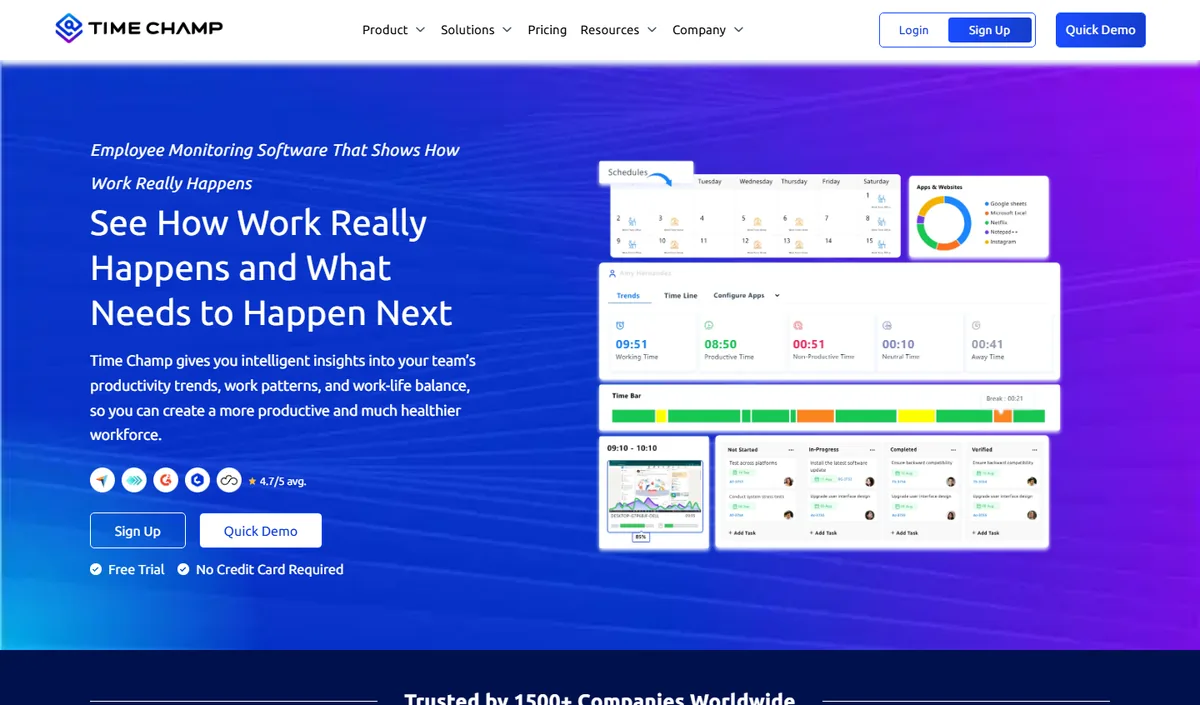
Time Champ is a full employee monitoring and productivity platform: automatic time tracking, app and website usage, productivity scoring, screenshots, attendance and shift tracking, with dashboards at individual, team and company level on Windows, macOS and Linux. It comes from the same product family as E-Monitor, so the two overlap heavily on monitoring depth; Time Champ leans harder into analytics and reporting.
It suits mid-size and larger teams, BPO and operations-heavy organisations that want deep analytics alongside monitoring. Small teams may find it more capability than they use.
Key features:
- Automatic time tracking with app and website categorisation
- Productivity scoring with weekly heat maps
- Configurable screenshots and attendance, shift and leave management
- Role-based dashboards for managers and employees
Pricing: per-user plans published on the Time Champ website, with a free trial.
| Pros | Cons |
|---|---|
| Deep productivity analytics and reporting | Cloud-hosted: review data residency and the DPA |
| Attendance, shifts and heat maps built in | Per-user pricing must be checked on the vendor site |
2. E-Monitor: Best Value for Full Monitoring With Employee Transparency
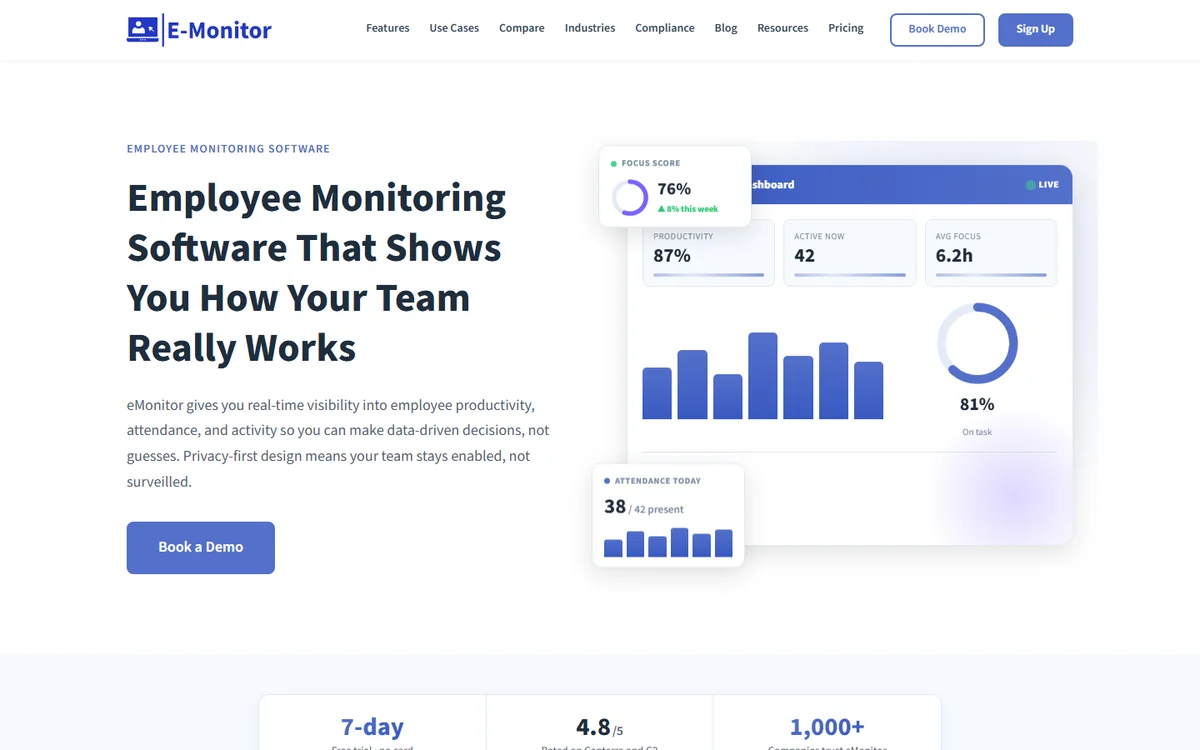
E-Monitor covers time tracking, productivity analytics, screen monitoring, app and website tracking, attendance, DLP alerts and employee-facing dashboards across Windows, macOS, Linux and Chromebook. Employees see their own data, tracking runs during work hours only, and app classifications can be corrected.
It is the lowest-priced full monitoring platform of the five, and Professional and Enterprise plans add US, EU and India data residency, which answers the sovereignty argument for most organisations short of an air-gapped mandate.
Key features:
- Time, productivity, app and website tracking on every plan
- Screen monitoring and DLP alerts on Professional and above
- Employee self-view and work-hours-only tracking by default
- US, EU and India data residency on Professional and Enterprise
Pricing: $3.90 (Starter), $6.90 (Professional) or $13.90 (Enterprise) per user per month; 7-day free trial, no credit card. See E-Monitor pricing.
| Pros | Cons |
|---|---|
| Lowest full-monitoring entry price of the five | Screen monitoring and DLP need the Professional plan |
| Employee transparency and regional data residency built in | Cloud-only: not for air-gapped environments |
3. Hubstaff: Best for Distributed Teams, Contractors and Field Crews
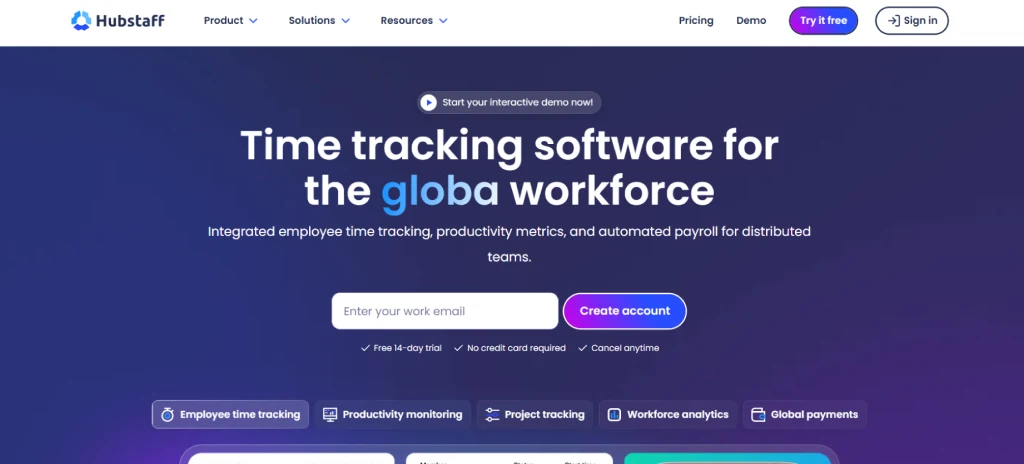
Hubstaff started as a time tracker for remote and field teams and grew into a broad workforce platform: time tracking with optional screenshots, activity levels based on keyboard and mouse input, app and URL tracking, GPS and geofenced tracking for mobile crews, scheduling, and payroll and invoicing integrations.
Its strength is pay-for-tracked-time workflows and a large integration ecosystem. Monitoring depth is lighter than Time Doctor or E-Monitor, and the input-based activity score is the feature employees most often push back on.
Key features:
- Time tracking with optional screenshots and activity levels
- GPS and geofencing for field teams
- Scheduling, payroll and invoicing integrations
- App and URL tracking on higher tiers
Pricing: from about $4.99 per user per month on annual billing; 14-day free trial. Check the vendor's pricing page.
| Pros | Cons |
|---|---|
| Strong payroll and pay-for-tracked-time workflows | Screenshots and app tracking sit on higher tiers |
| Mature integration ecosystem and GPS for field crews | Input-based activity levels draw employee pushback |
4. Time Doctor: Best for BPOs, Call Centres and Outsourced Teams
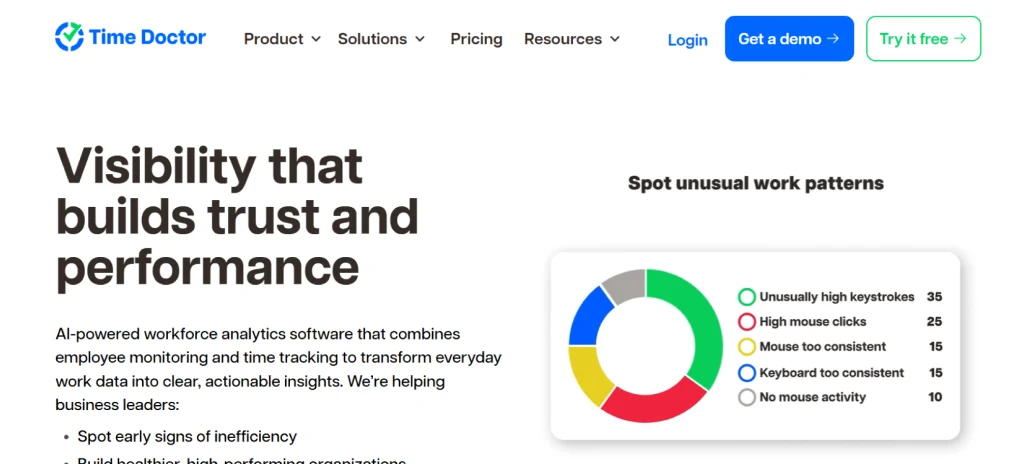
Time Doctor pairs time tracking with heavier monitoring: periodic screenshots and optional video, web and app usage, idle-time detection with on-screen prompts, distraction alerts, per-application productivity ratings and detailed reports built for outsourcing operations, plus extensive payroll and project integrations.
It offers the deepest oversight of the five and the per-agent reporting that BPO contracts expect. The trade-off is the highest entry price here and an idle-time pop-up that is the most criticised feature in the category.
Key features:
- Screenshots and optional video recording on every plan
- Idle-time detection with on-screen prompts and distraction alerts
- Per-application productivity ratings and per-agent reports
- Payroll and project management integrations
Pricing: about $6.70 to $16.70 per user per month on annual billing across three tiers; 14-day free trial. Check the vendor's pricing page.
| Pros | Cons |
|---|---|
| Deepest oversight of the five, screenshots not tiered | Idle-time pop-ups draw the most employee criticism |
| Per-agent reporting BPO contracts expect | Highest entry price; heavy for teams that only want visibility |
5. TimeCamp: Best for Agencies and Small Teams That Mainly Need Timesheets
TimeCamp is an automatic time tracker: it records time against projects and tasks, categorises applications and websites as productive or not, produces timesheets and attendance records, and handles invoicing and billing. Monitoring depth is deliberately light, which is exactly what some teams want.
There is a free plan and the cheapest paid tier in this list, and it is light enough that employees rarely object. It is not a monitoring tool in the fuller sense: no screenshots, DLP or real-time alerts.
Key features:
- Automatic time tracking against projects and tasks
- Productive and unproductive app and website categorisation
- Timesheets, attendance records and approvals
- Invoicing and billing from tracked time
Pricing: free plan; from about $2.99 per user per month on annual billing. Check the vendor's pricing page.
| Pros | Cons |
|---|---|
| Free plan and the cheapest paid tier here | No screenshots, DLP or real-time alerts |
| Accurate automatic timesheets and billing | Attendance enforcement is basic |
The Hidden Costs of Self-Hosted Monitoring
"No licence fee" is not "no cost". A self-hosted deployment carries four bills that every commercial vendor absorbs on your behalf. The figures below are for a 50-person team; Cattr is the reference deployment.
1. Infrastructure: $780 to $1,920 a year
A compute instance ($30 to $60 a month), managed PostgreSQL ($25 to $80) and backup storage ($10 to $20), before setup time and screenshot transfer costs.
2. IT labour: $4,500 to $9,000 a year
OS patches, database upkeep, application updates, storage cleanup and incident response take 5 to 10 hours a month. At a loaded rate of $75 an hour, that labour alone exceeds the annual subscription for most of the commercial tools at this team size.
3. Security operations: $1,000 to $3,000 a year
Screenshots and activity logs are breach-sensitive. Patching, intrusion monitoring, encryption and access control are your team's job, with GDPR fines of up to 4% of turnover if it goes wrong.
4. Support and reliability: no SLA
When the server is down at 9 AM on a Monday there is no support line, only GitHub issues and forums with response times measured in days.
Add these up and a properly run self-hosted deployment costs $6,280 to $13,920 a year at 50 users, against $1,794 to $4,020 for the commercial platforms in the table below.
Self-Hosted vs Time Champ, E-Monitor, Hubstaff, Time Doctor and TimeCamp: Comparison Table
The table compares the five commercial platforms for a 50-person team over 12 months at each vendor's entry-level list price. Feature columns show the plan needed to get that capability, not the cheapest tier.
| Platform | Entry price | 50 users / year | Screenshots | App & web tracking | Attendance | Employee self-view |
|---|---|---|---|---|---|---|
| Time Champ | Per user, on vendor site | Per-user rate × 50 | ✓ | ✓ | ✓ | ✓ |
| E-Monitor | $3.90 / user / mo | $2,340 | ✓ Professional | ✓ | ✓ | ✓ |
| Hubstaff | ~$4.99 / user / mo | ~$2,994 | ✓ higher tiers | ✓ higher tiers | ✓ scheduling | ✓ |
| Time Doctor | ~$6.70 / user / mo | ~$4,020 | ✓ | ✓ | ✓ | ✓ |
| TimeCamp | Free plan; ~$2.99 / user / mo | ~$1,794 | ✗ | ✓ categorised | ✓ | ✓ |
Commercial prices are annual-billing list prices at the time of writing; check each vendor's pricing page. Two things stand out. First, even the most expensive commercial option costs less than the low end of a properly maintained self-hosted deployment at 50 users, because IT labour dominates the self-hosted bill. Second, price differences between the commercial tools are smaller than their feature differences: TimeCamp is the cheapest but does not monitor screens; Time Doctor costs the most at entry level and monitors the hardest; E-Monitor and Time Champ sit in the middle with the fullest feature sets per dollar.
Compliance and Data Governance: Where Self-Hosting Creates the Biggest Risk
Monitoring employee activity data carries compliance obligations regardless of whether the software is open source or commercial. GDPR requires a Data Protection Impact Assessment (DPIA) for monitoring that involves systematic, large-scale processing of personal data, which employee monitoring typically qualifies as. The DPIA must document the lawful basis for processing, the proportionality of monitoring relative to the business purpose, and the safeguards protecting employee rights.
The technology choice affects how burdensome that work is. Commercial vendors maintain their own security documentation and Data Processing Agreements that can be incorporated directly into your compliance framework. When you self-host, you are the data processor and the data controller simultaneously, bearing the full documentation burden.
Cross-border data transfers
For organisations with employees in EU member states, the physical location of your monitoring server determines whether cross-border transfer rules apply. Host in an EU data centre and employee data stays within the EU. Pick a US-hosted server for cost or familiarity and you have created a Schrems II problem that requires Standard Contractual Clauses or another transfer mechanism under GDPR Chapter V.
Breach notification
Under GDPR Article 33, a personal data breach must be reported to the supervisory authority within 72 hours. When self-hosting, your organisation is responsible for breach detection, assessment and notification, which requires incident response procedures, logging to detect unauthorised access and communication protocols. Commercial vendors run these procedures as part of their security operations and notify customers as specified in their DPA.
When Does Self-Hosted Monitoring Actually Make Sense?
Self-hosted employee monitoring is not universally the wrong choice. Three genuine use cases justify the additional complexity and cost.
1. Air-gapped environments with strict data sovereignty requirements
Defence contractors operating under ITAR, government agencies handling classified information and financial institutions subject to certain data residency mandates may face prohibitions on sending any data to cloud infrastructure they do not directly control. For them, self-hosting is a compliance requirement, not a cost decision. None of the five commercial tools can be air-gapped.
2. Organisations with existing DevOps capacity
A technology company with a 10-person DevOps team managing 50 or more servers already has the infrastructure and skills to run an open source tool at near-zero marginal cost. If a senior engineer can maintain it in 2 hours a month of genuinely spare capacity, the TCO advantage of SaaS shrinks considerably. This is realistic for engineering-heavy organisations, not for the typical HR or operations team.
3. Very large deployments
At 2,000 or more employees, per-user SaaS costs at a Professional tier reach $165,600 a year. At that scale, a $50,000 infrastructure investment plus $100,000 in annual IT labour creates genuine savings. Most organisations do not reach this size before needing enterprise features such as SSO, SCIM provisioning and custom retention policies that vendors offer at enterprise pricing anyway.
What the Commercial Platforms Give You That Self-Hosting Does Not
Three things, and they matter more than any single feature. Time: every one of the five installs an agent in minutes and is reporting the same day, while a self-hosted deployment takes a competent administrator 4 to 8 hours to stand up and 5 to 10 hours a month to keep online. Continuous updates: vendors ship security patches and new integrations to every customer automatically. Compliance paperwork: each vendor supplies a data processing agreement and documented security practices you can drop into a DPIA.
The one thing self-hosting still does better is transparency by architecture: nobody outside the organisation ever holds the data. The five commercial tools answer that with employee-facing views and, in E-Monitor's case, regional data residency, which is enough for most organisations short of an air-gapped mandate.
How to Choose Between Open Source and SaaS Monitoring
Four questions settle the choice for almost every team. Answer them in order.
1. Do you have a hard data-sovereignty mandate?
If regulation or contract says monitoring data can never leave infrastructure you physically control, self-hosting is the only compliant path. Confirm it with counsel first; a vendor DPA with EU data residency satisfies most organisations.
2. Who will own the server, and how many spare hours a month do they really have?
Fewer than five means deferred patches or resentment. Neither serves the monitoring programme.
3. What is the true 12-month cost at your headcount?
Use the four cost lines above with your own IT rate, then compare with the table. Below roughly 500 employees, the commercial platforms win on cost alone. The E-Monitor ROI calculator does the arithmetic for you.
4. Which features do you actually need?
Screenshots, alerts, DLP, attendance, payroll export. Map them to the comparison table; every gap in a self-hosted build is another tool to integrate and maintain.
Migrating From a Self-Hosted Tool to a Commercial Platform
Organisations that tried self-hosting and found the overhead exceeds their capacity can move to a commercial platform without losing much. A self-hosted tool stores activity logs and screenshots in PostgreSQL and the local file system, and that data does not transfer directly into a SaaS platform, so migration effectively starts fresh.
In practice, 30 to 90 days of history is the lookback window managers actually use. Export critical historical reports as CSV or PDF, deploy the new agent to employee machines, run both in parallel for 2 to 3 weeks, and decommission the server once the new platform has enough data.
Conclusion
Open source employee monitoring fills a real need for a narrow group: organisations with genuine data sovereignty requirements, dedicated DevOps capacity and the infrastructure to operate it responsibly. For everyone else, the maths points clearly toward one of the five commercial platforms, whose per-user fee is almost always lower than the honest cost of self-hosting.
Choose between them on the feature you actually need: TimeCamp for timesheets, Hubstaff for distributed and field teams, Time Doctor for BPO-grade oversight, and E-Monitor or Time Champ for full monitoring with employee transparency at the lowest entry price. Not sure which fits? Talk to us →
Frequently Asked Questions
1. What is open source employee monitoring software?
Open source employee monitoring software is a workforce visibility tool whose source code is publicly available for inspection, modification and self-hosting. Cattr is the only actively maintained employer-side option; ActivityWatch is a personal tracker and Kimai is manual time tracking. Self-hosting gives you control of the data but also full responsibility for servers, patching, security and compliance.
2. Is open source employee monitoring really free?
The licence is free; operating it is not. A realistic self-hosted deployment for 50 employees needs a server and database ($65-$160 per month), backups, security patching and 5-10 hours of IT labour a month. At $75 an hour that labour alone is $4,500-$9,000 a year, more than the annual subscription for E-Monitor, TimeCamp or Hubstaff at the same team size.
3. How do Time Champ, E-Monitor, Hubstaff, Time Doctor and TimeCamp differ?
Time Champ and E-Monitor are full monitoring platforms with productivity analytics, screenshots, attendance and employee dashboards. Hubstaff is time-tracking-first with monitoring on higher tiers and GPS for field teams. Time Doctor offers the deepest oversight, including idle prompts, and is popular with BPOs. TimeCamp is automatic time tracking and timesheets with light app categorisation and no screenshots.
4. Which commercial employee monitoring tool is cheapest?
On list prices at the time of writing, TimeCamp is cheapest at about $2.99 per user per month (annual) but does not monitor screens. E-Monitor is the lowest-priced full monitoring platform at $3.90 per user per month with a 7-day free trial. Hubstaff starts around $4.99 and Time Doctor around $6.70 on annual billing; Time Champ publishes per-user pricing on its site. Check each vendor's pricing page for current figures.
5. How does self-hosted TCO compare with the commercial tools?
For 50 users over 12 months, self-hosting costs roughly $6,280-$13,920 once infrastructure, IT labour and security work are counted. E-Monitor Starter costs $2,340, TimeCamp about $1,794, Hubstaff about $2,994 and Time Doctor about $4,020 at entry-level list prices. Every commercial option is cheaper than the low end of the self-hosted estimate at this team size.
6. Can open source monitoring tools meet GDPR requirements?
They can be configured to, but the entire compliance burden falls on you: your own DPIA, lawful basis, retention policy, data subject request workflow and breach procedures. Commercial vendors supply a data processing agreement and, in E-Monitor's case, EU data residency, which removes most of that documentation work.
7. When does self-hosted employee monitoring actually make sense?
In three cases: air-gapped environments where policy forbids any cloud transfer (none of the five commercial tools can be air-gapped); organisations with existing DevOps capacity that is genuinely spare; and very large deployments, roughly 1,000 users and above, where per-user subscription costs justify infrastructure investment. Below about 500 employees, a commercial platform is almost always cheaper.
8. Which platform is best for a small team that just needs timesheets?
TimeCamp, and it has a free plan. If the same small team also wants to see productivity patterns or screenshots, E-Monitor's Starter plan at $3.90 per user is the next step up; Time Champ is the equivalent choice for teams that want deeper analytics from the start.

