
Summary
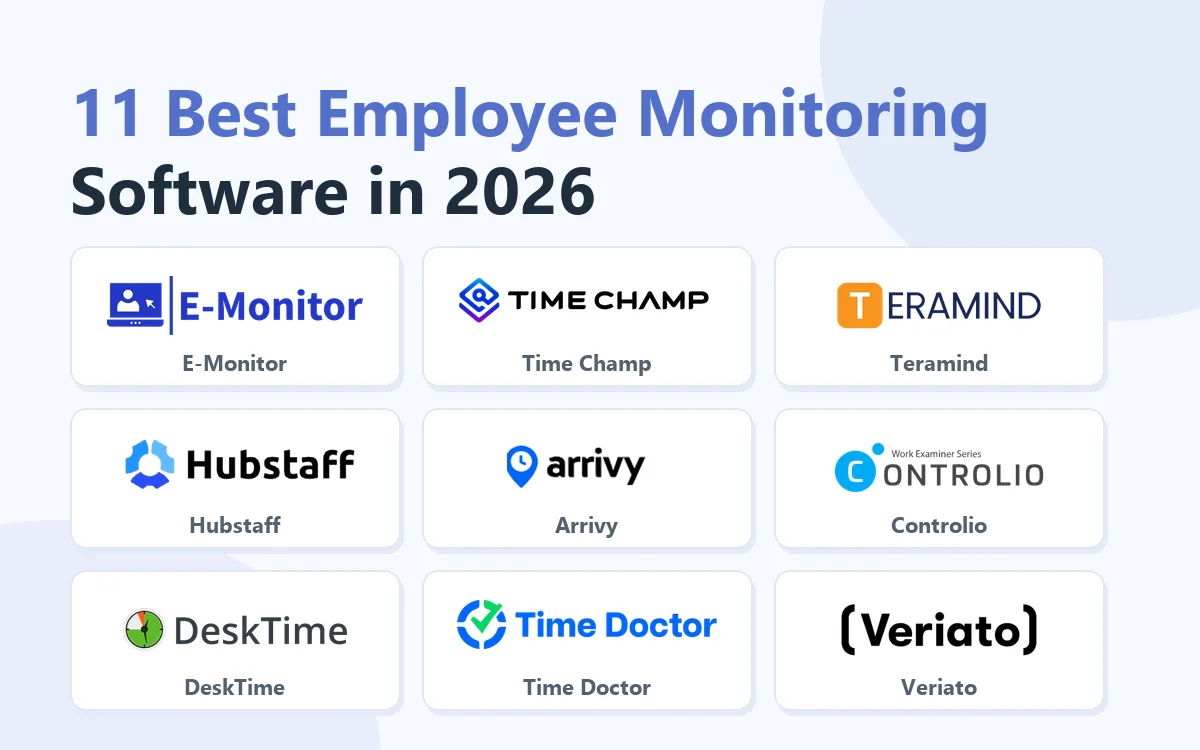
There are dozens of employee monitoring tools and most listicles just rank whoever pays the most. This guide compares the 11 that actually matter in 2026 on the things that decide a purchase: features, price, platform support, and how they handle privacy.
Want full monitoring with nothing to configure? E-Monitor starts at $3.90 per user per month with a 7-day free trial. Try E-Monitor free →
If you are weighing Hubstaff, compare the options in our guide to the best Hubstaff alternatives. If you want a category-specific shortlist instead of the general ranking, see our guides to the best tools for remote teams and the best tools for small business.
The 11 Best Employee Monitoring Tools
Below is the detailed rundown, what each tool does best, who it fits, and where it costs you. Use the structured details under each entry as a side-by-side shortlist.
1. E-Monitor: Best All-Round Value
Compare: E-Monitor pricing · all features
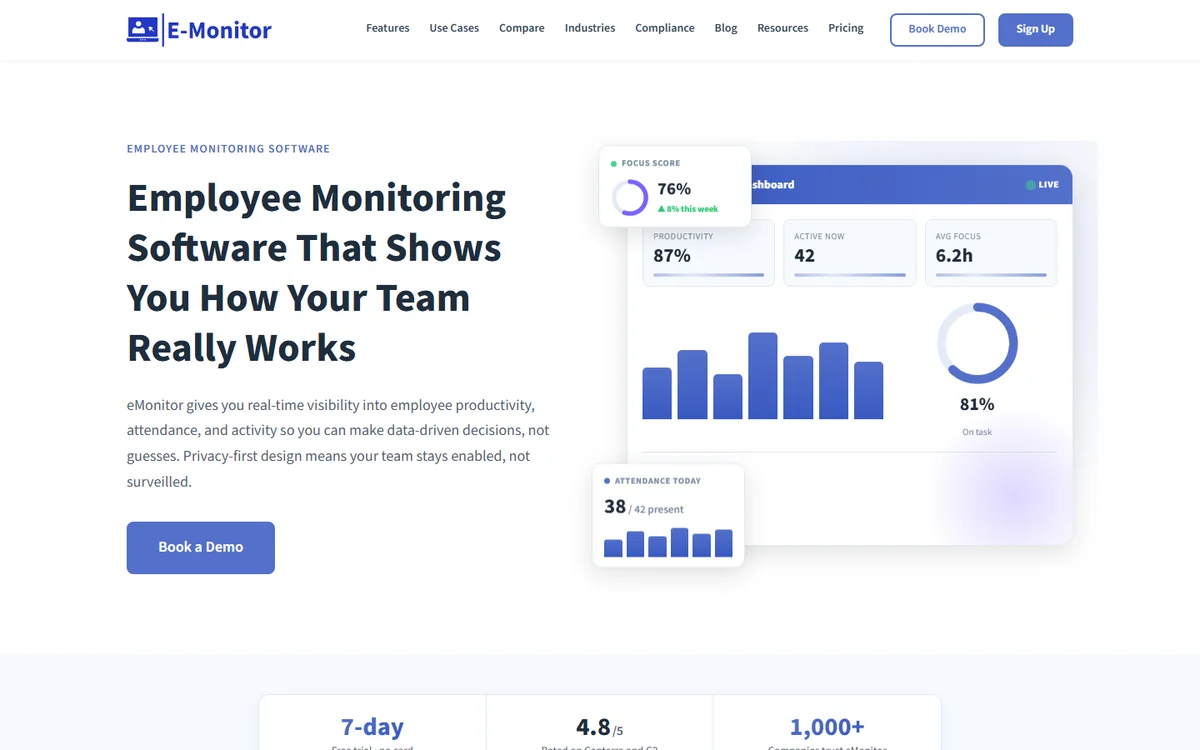
E-Monitor is the best balance of capability, price, and transparency for SMB and mid-market teams in 2026. It bundles automated time tracking, configurable screenshots, app and website monitoring, DLP, and AI-driven productivity analytics into one platform at roughly half the cost of comparable enterprise tools. The platform runs on Windows, macOS, Linux, and Chromebook from a single lightweight agent.
What makes it the editorial pick is the privacy posture: employees get their own dashboard, off-hours capture is disabled by default, and screenshot blur protects sensitive content. That removes the cultural risk that sinks most monitoring rollouts. The reporting is opinionated, it surfaces the few signals that actually drive decisions instead of burying you in raw data.
- Best for: SMB and mid-market teams (5–500 employees) on mixed OS fleets
- Pricing: From $3.90/user/month · 7-day free trial · no credit card
- Standout: Full feature parity with enterprise tools at roughly half the price
- Watch out for: Newer in the enterprise tier, very large rollouts (5,000+) should pilot first
2. Time Champ: Best for AI-Powered Employee Monitoring
Compare: E-Monitor vs Time Champ
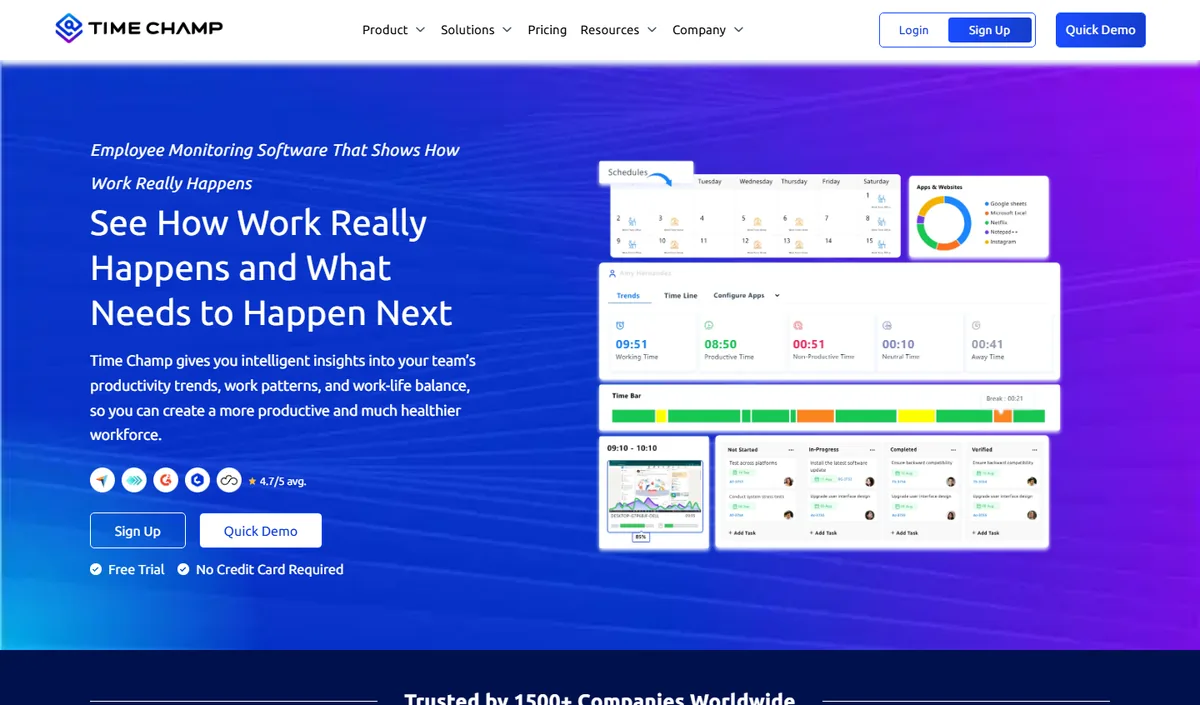
Time Champ is AI-powered employee monitoring software that stands out for combining monitoring, time tracking, attendance, and data loss prevention in one platform. That breadth places it near the top of any general best-of list for teams that want one product rather than several tools.
Key features:
- Screenshots and screen recording
- App and website tracking with AI productivity scoring
- Time tracking with automatic timesheets and attendance
- Project and task management
- Data loss prevention with USB and file-transfer monitoring
- Workforce analytics with anomaly and attrition insights
Pricing: Starter $3.90, Professional $6.90, Enterprise $13.90 per user per month (annual billing); free trial available.
G2 rating: 95% satisfaction on G2 (4.9 / 5 on Capterra, 13 reviews).
Pros: AI-native productivity scoring and anomaly detection; one platform for monitoring, time tracking, attendance, and DLP; transparent, employee-facing dashboards; affordable, with a free trial; responsive support and a 4.9 / 5 Capterra rating.
Cons: Generates payroll-ready exports rather than running payroll; no built-in video conferencing or CRM; smaller brand presence in Western markets than some incumbents; the platform breadth can exceed what very small teams need.
3. Teramind: Best for Deep DLP and Insider Threat
Compare: E-Monitor vs Teramind · Teramind alternatives
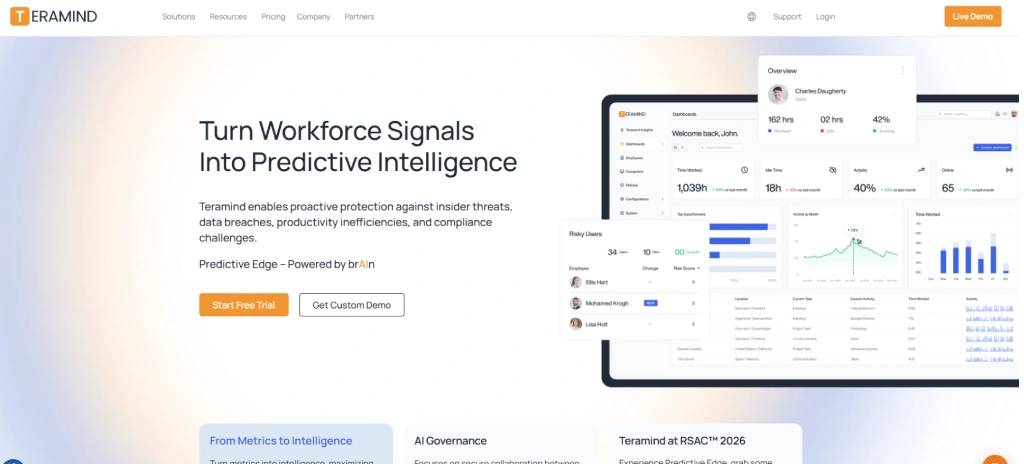
Teramind is the deepest policy and DLP engine in the category. It enforces keystroke rules, file-movement alerts, USB blocking, and conditional screen-record triggers down to a granularity most tools don't approach. When monitoring is a security obligation rather than a productivity measure, Teramind is the default shortlist entry.
The depth comes with friction: the admin learning curve is steep, deployments lean toward annual enterprise contracts, and the price reflects both. For smaller teams the configuration overhead alone is usually disqualifying, but for enterprises with strict IP, financial, or insider-threat exposure, the coverage is hard to match.
- Best for: Enterprises with strict DLP, IP-theft, or insider-threat exposure
- Pricing: From ~$15–$25+/user/month · annual contracts typical
- Standout: The most granular policy and DLP engine in the category
- Watch out for: Steep admin learning curve and high total cost of ownership
4. Hubstaff: Best for Field Teams and GPS Time Tracking
Compare: E-Monitor vs Hubstaff · Hubstaff alternatives
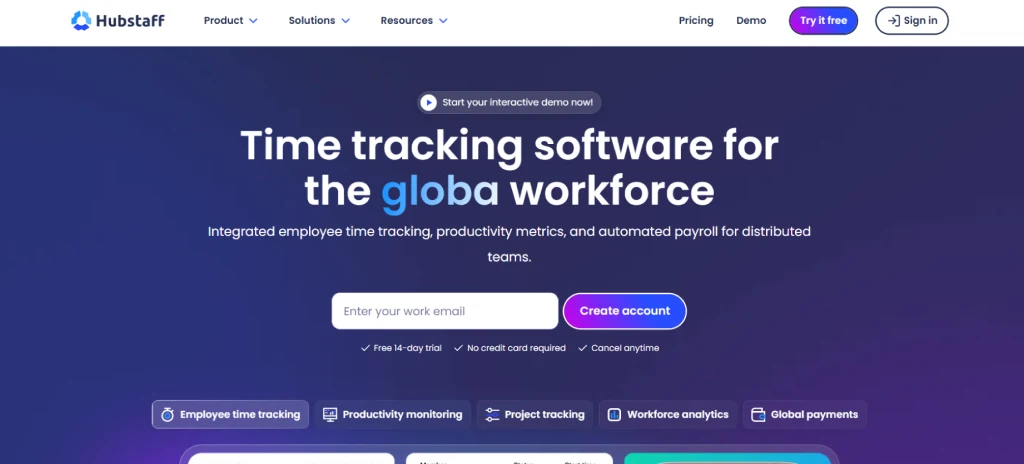
Hubstaff started as a freelancer time tracker and still feels purpose-built for distributed labor. GPS check-ins, job-site geofencing, automatic timesheets, and payroll integrations make it the strongest pick for crews and contractors who move between sites. The mobile experience is well past what most desk-bound monitoring tools offer.
For office-only knowledge teams, the productivity analytics layer feels thin compared to ActivTrak or E-Monitor. The screenshot and app-tracking features are competent but secondary, you're paying mainly for the GPS and timesheet engine.
- Best for: Field teams, construction, remote contractors, agencies billing hourly
- Pricing: From ~$7/user/month (Time), ~$10/user/month (Desk)
- Standout: GPS tracking and geofencing inside the time tracker
- Watch out for: Thin productivity analytics for desk-bound teams
5. Arrivy: Best for Field Crew Coordination and Job Visibility
Compare: monitoring field service technicians · best clock-in clock-out apps
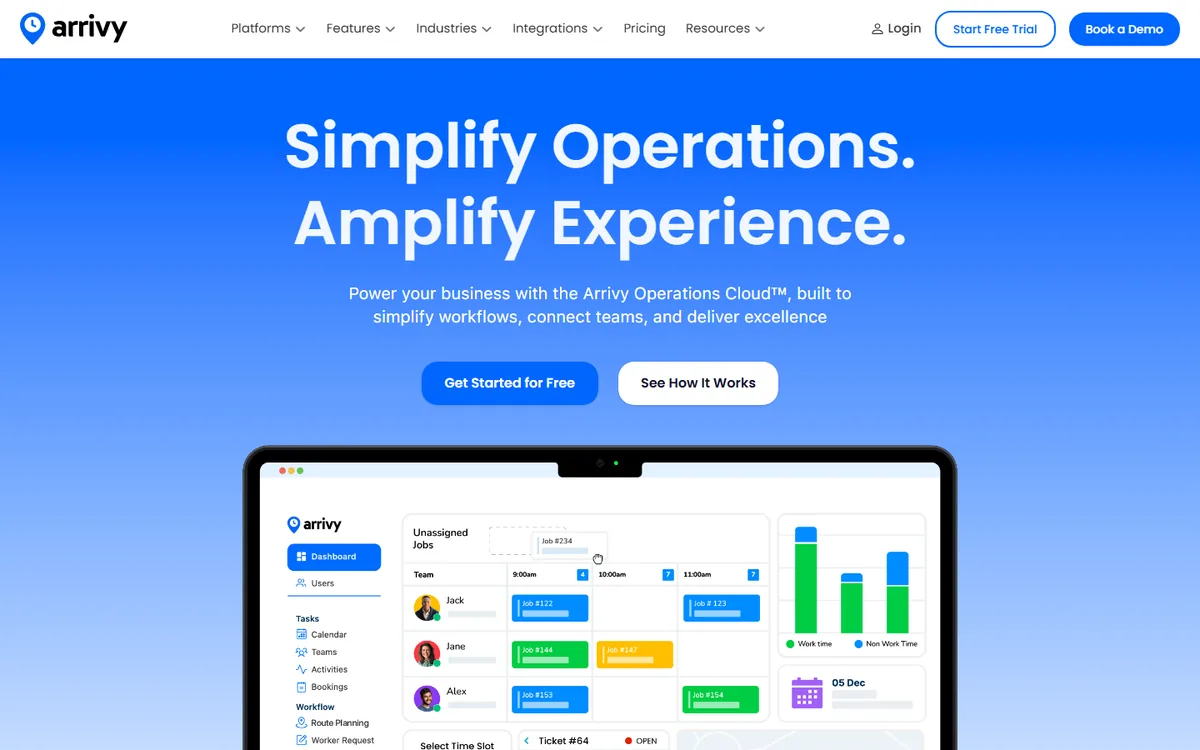
Arrivy is built for businesses managing employees and crews across multiple job sites. It combines scheduling, dispatching, GPS tracking, real-time job updates and performance reporting in one platform. For field service teams, it provides visibility into crew locations, task progress and job completion without relying on constant calls or manual check-ins.
The trade-off is its focus on operational visibility rather than traditional employee monitoring. Arrivy does not offer keystroke logging or desktop screen monitoring, so it will not suit office teams that need detailed computer activity analytics. For contractors and service businesses, its crew coordination and job tracking are the stronger fit.
- Best for: Field service teams, contractors and businesses managing mobile crews
- Pricing: From $25/user/month (Standard) · 14-day free trial
- Standout: Real-time GPS tracking with crew coordination and job progress visibility
- Watch out for: No desktop activity monitoring
6. Controlio: Best for Continuous Video Timeline Review
Compare: Controlio alternatives
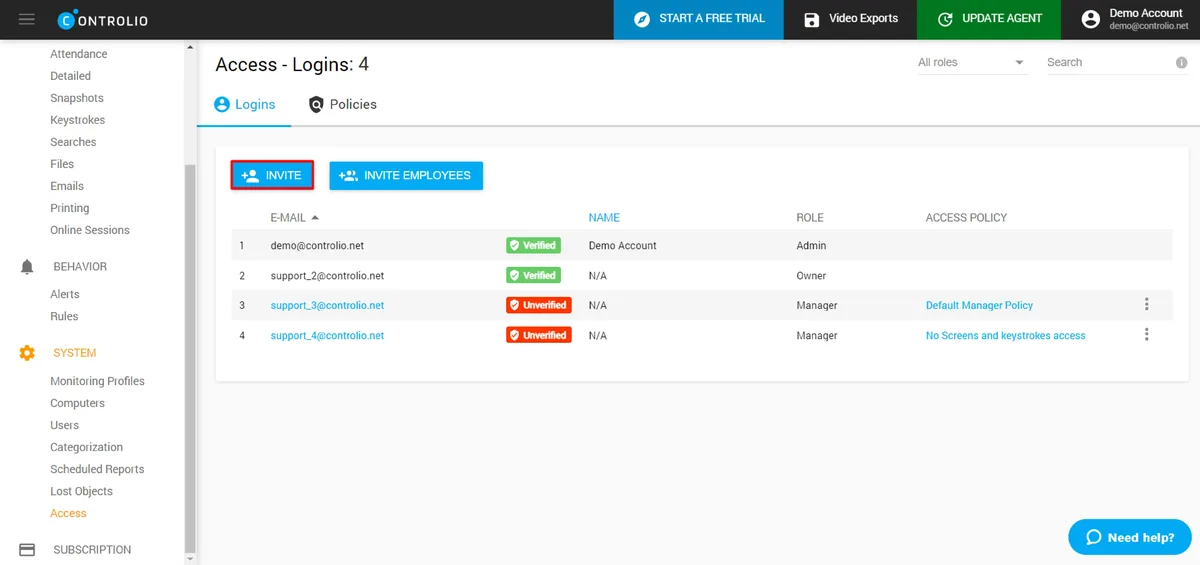
Controlio's signature is the continuous video timeline, you can scrub back through any user's day frame-by-frame instead of relying on periodic screenshots. For incident reconstruction and quality reviews, that's a meaningful capability difference. The cloud-based admin console is simpler than most enterprise tools.
The trade-off is storage and bandwidth: continuous video is heavy by definition, and longer retention windows materially raise total cost. Configure retention tightly and the value is real.
- Best for: Teams that genuinely need continuous video timeline review
- Pricing: From ~$7.99/user/month
- Standout: Continuous video recording with timeline scrubbing
- Watch out for: Storage cost grows fast with longer retention windows
7. DeskTime: Best for Time Tracking with Light Productivity Insight
Compare: E-Monitor vs DeskTime · DeskTime alternatives
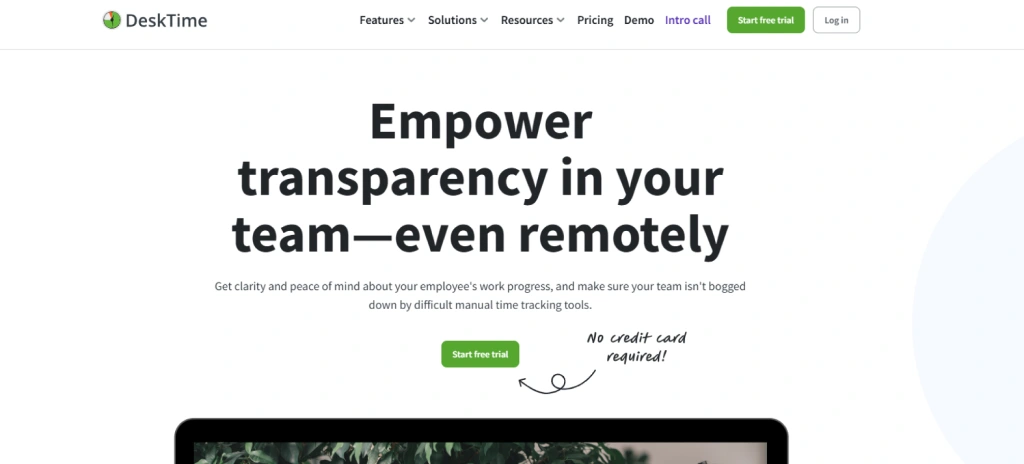
DeskTime sits closer to time-and-attendance than full monitoring: automatic time tracking, absence management, Pomodoro mode, and project-time reporting are its real strengths. The productivity classification is layered on top but isn't the headline feature.
For small to mid-sized teams that primarily need defensible time data with a productivity overlay, DeskTime is a calm, well-built choice. Larger teams looking for serious analytics or DLP should look elsewhere.
- Best for: Small to mid-sized teams prioritizing accurate time tracking
- Pricing: From ~$7/user/month (Pro), ~$10/user/month (Premium)
- Standout: Pomodoro mode and offline time tracking built in
- Watch out for: Limited analytics depth and minimal DLP
8. Time Doctor: Best for Agencies and Billable-Hour Verification
Compare: E-Monitor vs Time Doctor · Time Doctor alternatives
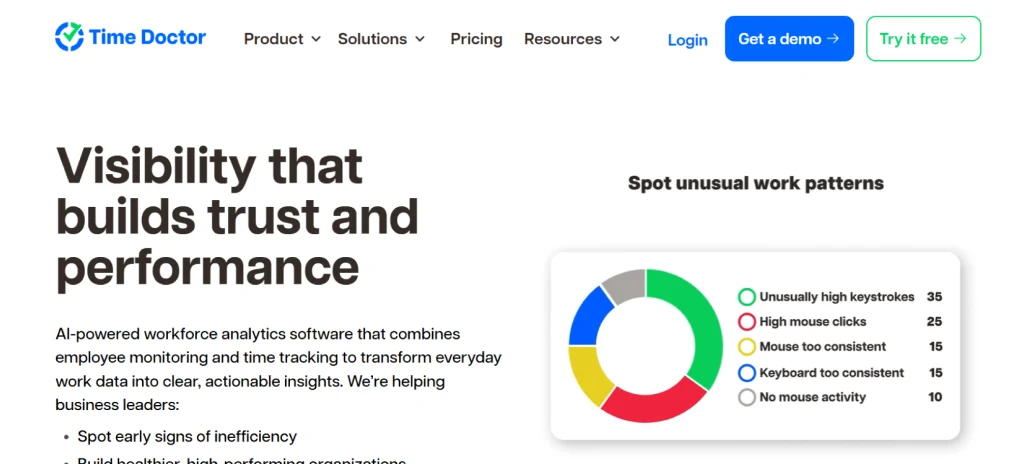
Time Doctor is tightly focused on billable work, distraction alerts, screenshots, and idle detection. The reports are designed for client-facing transparency, which is why agencies, BPOs, and outsourced teams adopt it widely. It's narrower than full monitoring platforms but excellent at what it does.
If you don't need productivity analytics across an in-house workforce, the narrower scope is an advantage, less to configure, less to explain, and faster onboarding. For internal teams it can feel limited.
- Best for: Agencies, BPOs, outsourced teams billing hourly
- Pricing: From ~$5.90/user/month (Basic) to ~$16.70/user/month (Premium)
- Standout: Verified billable hours with client-facing reports
- Watch out for: Narrow scope, thin internal-productivity analytics
9. Veriato: Best for Insider-Risk and Forensic Monitoring
Compare: E-Monitor vs Veriato · Veriato alternatives
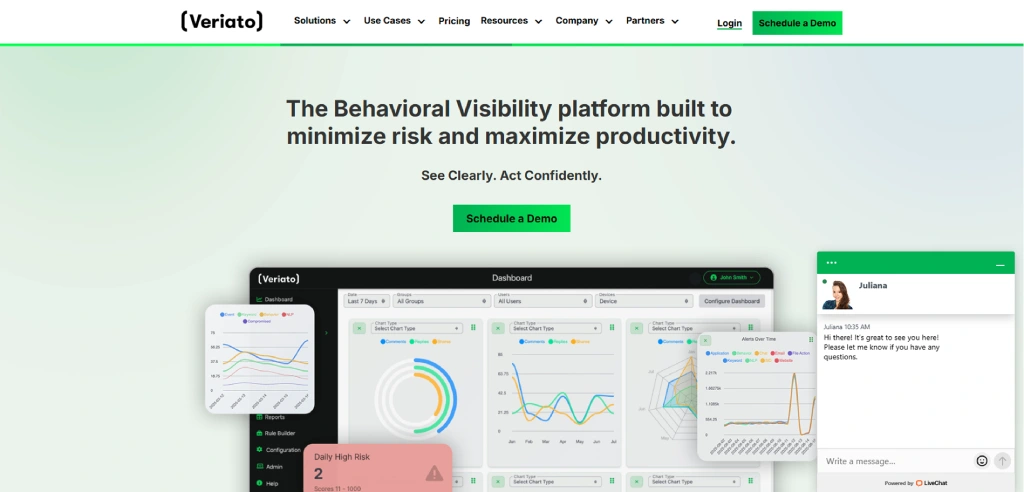
Veriato is built for security teams investigating insider threats rather than productivity teams running weekly reports. Keystroke capture, AI-driven risk scoring, and detailed forensic recording give investigators evidence-grade data. The category fit is "security tool that uses monitoring as its instrument."
If you don't have an insider-risk program, Veriato is overkill. If you do, it's one of a small number of tools that meet the forensic bar regulators and counsel expect.
- Best for: Security and compliance teams investigating insider risk
- Pricing: Enterprise / custom (typically $20+/user/month)
- Standout: AI risk scoring and forensic-grade evidence capture
- Watch out for: Productivity reporting is secondary; pricing is enterprise-only
10. InterGuard: Best for Regulated Industries
Compare: InterGuard alternatives
InterGuard offers comprehensive monitoring tuned for financial services, healthcare, and government buyers. Screenshots, keystroke logging, web/email monitoring, and granular policy controls are paired with compliance-oriented policy templates and audit-ready reporting. For regulated industries that have to defend monitoring choices to an examiner, the templates save weeks of configuration.
The admin learning curve is steep and the UI feels enterprise-dated, but the coverage is broad and the audit story is strong.
- Best for: Regulated industries with strict compliance audits
- Pricing: From ~$9.99/user/month, scales for enterprise
- Standout: Compliance-tuned policy templates for regulated industries
- Watch out for: Steeper admin learning curve and dated UI
11. CleverControl: Best for Lowest Sticker Price
Compare: CleverControl alternatives
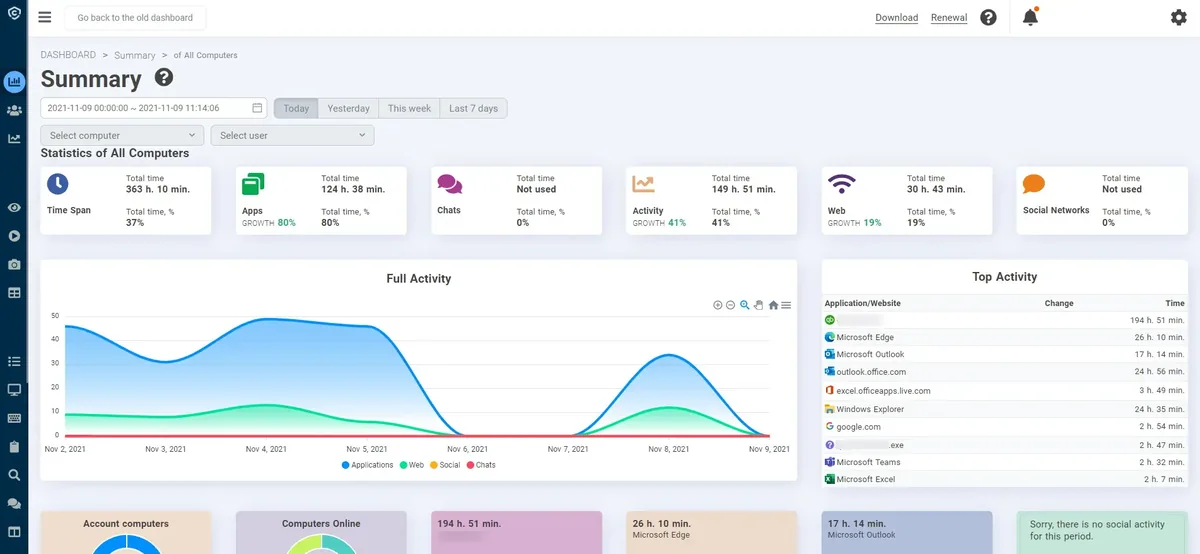
CleverControl is the budget pick for comprehensive monitoring basics: live screen viewing, keystroke logging, web filtering, and remote control at the lowest sticker price in the category. For very price-sensitive small businesses needing baseline coverage, it works.
The UI feels dated, the analytics layer is limited, and the polish is well behind the leaders, so this is a "covers the basics cheaply" choice rather than a strategic platform. For most teams, a slightly higher per-seat price buys materially better tooling.
- Best for: Budget-conscious small teams needing baseline monitoring
- Pricing: From ~$5/user/month (billed annually)
- Standout: Live screen viewing and remote control at the lowest price tier
- Watch out for: Dated UI and limited analytics depth
For head-to-head comparisons against E-Monitor specifically, see E-Monitor vs ActivTrak, E-Monitor vs Hubstaff, E-Monitor vs Time Doctor, or browse the full comparison hub.
Best Pick by Use Case
Best overall / SMB & mid-market: E-Monitor, full feature set at roughly half the price of enterprise tools. Analytics-only, no screenshots: ActivTrak. Heavy DLP / insider threat: Teramind or Veriato. Field teams needing GPS: Hubstaff.
Whatever you shortlist, run a paid pilot on one team before rolling out. Our pilot program guide shows how to structure it.
See Why Teams Pick E-Monitor Full monitoring, time tracking, DLP, and AI analytics in one transparent platform at $3.90/user/month. Try it free for 7 days. Sign up →
What to Avoid
Avoid tools that hide what they collect from employees, lock core features behind enterprise tiers, or have no clear data-retention controls. Covert-only monitoring erodes trust and creates legal exposure; transparent monitoring delivers the same data with far better adoption.
Check platform coverage too, many tools are Windows-only. If you run a mixed fleet, confirm macOS, Linux, and Chromebook support up front.
The Verdict
For most teams in 2026, E-Monitor is the best balance of capability, price, and transparency. Start with a free trial, pilot it on one team, and compare the data against your current process before committing.
How to Choose the Right Tool for Your Team
Start from your problem, not the feature list. If your pain is time theft and inaccurate timesheets, weight time tracking and attendance. If it's data leakage, weight DLP and USB/file controls. If it's remote visibility, weight activity and productivity analytics with transparent employee dashboards. The best tool is the one that solves your top one or two problems without forcing you to pay for ten you'll never use.
Then filter by constraints: platform mix (Windows, macOS, Linux, Chromebook), team size and pricing tier, deployment method (Group Policy, MDM, manual), and the privacy/legal requirements of every jurisdiction you operate in. A tool that nails features but can't deploy silently to your fleet, or can't run on half your machines, fails in practice.
Finally, score adoption risk. A platform employees can see into - where they view their own data - is adopted faster and resented less than a black box. Adoption, not raw capability, is what turns a purchase into ROI.
Pricing Models, Explained
Most vendors price per user per month, but the headline number hides the real cost. Watch for features gated behind higher tiers (DLP, screen recording, integrations), minimum seat counts, annual-only billing, and onboarding or support fees. A $7 tool with everything included can be cheaper than a $4 tool that needs three add-ons.
Analytics-only platforms (no screenshots) cluster around $10-15/user/month. Enterprise DLP suites run $20-25+ with annual commitments. Value platforms that bundle the full feature set - E-Monitor at $3.90/user/month - sit at the bottom of the range precisely because nothing important is an add-on.
Build a three-year total-cost view, not a per-seat sticker price: licenses, add-ons, onboarding, and the admin time to run it. The cheapest sticker price and the lowest total cost are often different tools.
Implementing Without Backlash
The fastest way to waste a good tool is to roll it out badly. Announce monitoring before you deploy it, explain what's collected and why, and give employees access to their own dashboards on day one. Transparency converts the rollout from something done to people into something shared with them.
Pilot on one willing team first. Use the pilot to validate data accuracy, tune productivity classifications per role, and gather the questions you'll answer in the full rollout. Then expand in waves, not all at once.
Measure a 30-day baseline before you change any behavior or policy, so you can prove impact later. Teams that pilot and communicate see adoption in days; teams that deploy silently spend months rebuilding trust.
Common Buying Mistakes to Avoid
The biggest mistake is buying for features you won't operationalize. A platform with 200 capabilities is worthless if your managers only ever open one report. Buy for the workflow you'll actually run weekly.
Other frequent errors: choosing a Windows-only tool for a mixed fleet, ignoring data-retention and access controls, skipping the pilot, and selecting covert-only monitoring that creates legal and cultural risk. Each is avoidable with a short requirements checklist.
Most importantly, don't confuse activity with productivity when comparing tools. The platforms worth buying measure output relative to active time, not just hours logged - so they reward results, not theater.
Build vs Buy: Why DIY Monitoring Rarely Wins
Some teams consider stitching monitoring together from screenshots scripts, spreadsheet timesheets, and a BI dashboard. It almost never pays off. A DIY stack has no tamper resistance, no cross-platform agent, no privacy controls like screenshot blur, and no maintenance path when an OS update breaks it. The engineering time to build and maintain it dwarfs a per-seat subscription.
Purpose-built platforms also carry the compliance work you'd otherwise own: disclosure tooling, role-based access, retention controls, and audit logs. Reinventing that correctly is expensive and risky.
Buy when monitoring is a means to an end (visibility, compliance, productivity) and build only if monitoring itself is your product. For everyone else, a platform is faster, safer, and cheaper over any realistic time horizon.
Vetting the Vendor's Own Security
You're handing a vendor sensitive workforce data, so vet how they protect it. Ask for encryption in transit and at rest, SOC 2 or ISO 27001 attestation, data-residency options, configurable retention, and granular role-based access so not every admin sees everything. A monitoring tool with weak security is a breach multiplier.
Check the data-processing terms: who can access your data, where it's stored, and how it's deleted on offboarding. For regulated industries, confirm the vendor supports your specific obligations (HIPAA, GDPR, and similar).
A vendor that can't answer these crisply is telling you something. Security posture should be a gating criterion, not an afterthought.
Migrating From Your Current Tool
Switching tools is easier than teams fear if you sequence it. Run the new platform in parallel with the old one for a short overlap, export historical data you need to retain, and re-create your policies and productivity classifications in the new system before cutover. Validate the data matches during the overlap, then decommission the old agent fleet-wide.
Communicate the change the same way you would a first rollout - what's changing, what's staying, and why. A migration is a chance to fix the classification and policy debt that accumulated in the old tool.
Plan the uninstall of the old agent as carefully as the install of the new one; orphaned agents are a security and support liability.
Trends Shaping Monitoring Tools in 2026
Three shifts are reshaping the category. First, AI is moving from buzzword to substance: the leading platforms now use machine learning to classify activity, flag anomalies, and predict risks like burnout and attrition rather than just logging events. When you evaluate AI claims, ask what decision the model actually improves; reject features that are AI in name only.
Second, privacy-first design has become a buyer requirement, not a nice-to-have. Screenshot blur, transparent employee dashboards, and granular retention controls are now table stakes because regulators and employees both demand them. Tools built around covert capture are aging out.
Third, consolidation: buyers increasingly want one platform that covers time, productivity, DLP, and analytics across every OS, rather than a drawer of point tools. The winners are the platforms that unify capability without unifying price into the enterprise stratosphere.
A Quick Shortlisting Checklist
Before you book demos, score each candidate against a one-page checklist: does it solve your top one or two problems; does it run on every OS in your fleet; can it deploy silently through your management tool; does it offer transparent employee dashboards; what is the true three-year total cost including add-ons; and does the vendor hold recognized security attestations?
Add two adoption questions that most buyers skip: will managers realistically use the weekly reports, and will employees accept the tool as disclosed and fair? A platform that fails those two becomes shelfware no matter how strong the feature list.
Shortlist two or three, run a paid pilot on one team with each, and let your own data - not the sales deck - make the final call.
Key Takeaways
- Buy for your top one or two problems, not the longest feature list.
- Confirm coverage for every OS in your fleet before shortlisting.
- Compare three-year total cost, including add-ons, not the per-seat sticker price.
- Transparent, employee-visible tools get adopted; covert tools get resented.
- Vet the vendor's own security: encryption, SOC 2/ISO 27001, retention, RBAC.
- Run a paid pilot on one team and let your own data decide.
- For most teams, E-Monitor offers the best capability-to-price-to-transparency balance.
The Bottom Line
The best employee monitoring software isn't the one with the most features - it's the one your team will actually adopt to solve a real problem. Anchor the decision on the one or two outcomes you need, the platforms your fleet runs, the true total cost, and how transparently the tool treats employees.
Shortlist two or three against those criteria, pilot them on a single team, and compare the results with your own data rather than the sales narrative. The right tool pays for itself within the first pay cycle through reclaimed time and clearer decisions.
Whatever you choose, deploy it openly, give employees access to their own dashboards, and review the setup quarterly. Monitoring done transparently is a productivity and trust instrument; done covertly, it's a liability.
Related reading: E-Monitor vs We360.ai, Best Employee Monitoring Tools for Mac.
Frequently Asked Questions
1. What is the best employee monitoring software in 2026?
For most teams, E-Monitor offers the best balance of features (screenshots, time tracking, DLP, AI analytics), transparency, and price ($3.90/user/month). The best tool for you depends on team size, platform mix, and whether you need visual monitoring or analytics only.
2. How much does employee monitoring software cost?
Most tools range from about $3.90 to $25 per user per month. Analytics-only and enterprise DLP tools sit at the higher end; full-featured value tools like E-Monitor sit at the lower end.
3. Is employee monitoring software legal?
Yes, when done on company devices with proper disclosure. Most jurisdictions require notifying employees. See our guide on whether employee monitoring is legal.
4. What features should employee monitoring software have?
At minimum: automated time tracking, app and website usage, activity/idle detection, productivity analytics, and configurable privacy controls. DLP and screenshots are valuable depending on your risk profile.
5. Should monitoring be transparent or covert?
Transparent. Disclosed monitoring with employee-facing dashboards produces the same data with far higher adoption and trust, and avoids the legal risk of covert surveillance.
Find the Right Monitoring Tool Start a free trial of E-Monitor and compare it against your shortlist with your own team's data. Sign up →

