
Summary
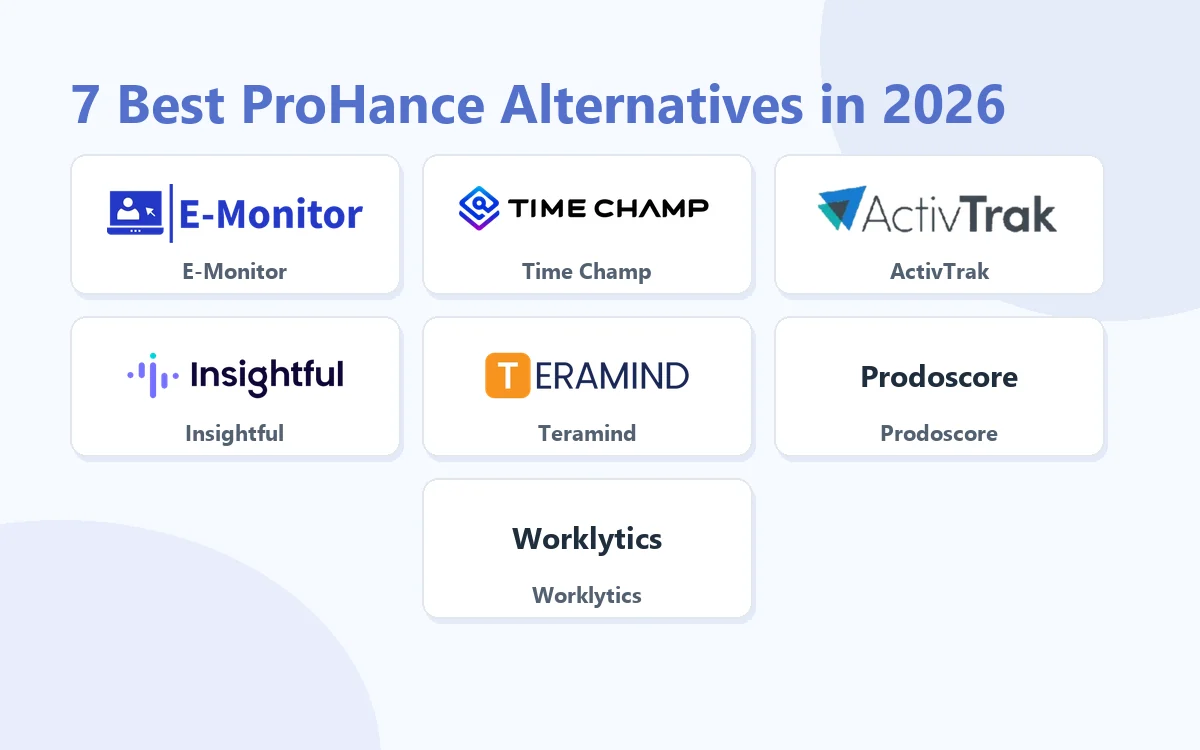
ProHance alternatives are employee monitoring and workforce analytics platforms that provide full behavioral data capture, including screenshots, app monitoring, and compliance evidence, beyond ProHance's metadata-only analytics model. This guide compares the seven strongest options across pricing, monitoring depth, compliance capability, and use case fit.
Want full monitoring with nothing to configure? E-Monitor starts at $3.90 per user per month with a 7-day free trial. Try E-Monitor free →
Why Do Teams Start Looking Beyond ProHance?
ProHance delivers strong workforce analytics from application metadata. It measures how long employees spend in different tools, identifies focus patterns, and generates productivity reports, all without capturing screenshots or screen content. For teams that need workforce analytics and nothing more, that architecture is a feature, not a limitation.
The problem arises when organizational requirements change. Three scenarios drive most ProHance departures:
- Compliance audit requirements. Regulators in financial services, healthcare, and legal sectors increasingly ask for behavioral evidence, not just time-spent signals. Screenshot logs and session recordings hold up to scrutiny in ways that metadata alone cannot. According to a 2024 Gartner survey, 67% of compliance-focused organizations now require visual evidence capability as a minimum standard for their monitoring tools.
- Insider threat investigation. When an incident occurs, data exfiltration, policy violation, unauthorized access, metadata tells you how long an employee spent in an application. It cannot tell you what they did inside it. Investigation capability requires screen recordings, file activity logs, and keystroke context. Without these, HR and security teams face dead ends at the point the investigation matters most.
- Client billing disputes. For professional services firms and agencies, clients occasionally challenge invoices. Answering a billing dispute with metadata patterns rather than verifiable activity logs and screenshots puts your revenue at risk. Timestamped visual evidence resolves disputes immediately and deters future challenges.
The good news is that the market has matured considerably. Platforms now exist at every price point, from $3.90 to $15+ per user per month, that fill these gaps without requiring enterprise procurement cycles. Here is how the leading options compare.
ProHance Alternatives: At a Glance
The table below compares each tool across the key dimensions that differentiate ProHance alternatives.
| Tool | Starting Price | Screenshots | Screen Recording | DLP / File Monitoring | Keystroke Logging | Compliance Audit Trails | Best For |
|---|---|---|---|---|---|---|---|
| E-Monitor | $3.90/user/mo | Yes, configurable frequency | Yes, anomaly-triggered | Yes, USB + file + web | Yes, intensity-based | Excellent, exportable | SMB to mid-market, compliance-sensitive teams |
| Time Champ | Per user (vendor site) | Yes, configurable frequency | Yes, anomaly-triggered | Yes, USB + file + web | Yes, intensity-based | Excellent, exportable | SMB to mid-market, compliance-sensitive teams |
| ActivTrak | $10+/user/mo | Optional add-on | No | Limited | No | Good | US mid-market, analytics-first teams |
| Insightful | $6.40+/user/mo | Yes, optional | No | Limited | No | Good | Clean analytics + light monitoring |
| Teramind | $15+/user/mo | Yes, high frequency | Yes, continuous | Yes, full DLP suite | Yes, full content | Excellent, forensic grade | Enterprise, regulated industries |
| Prodoscore | Contact for pricing | No | No | No | No | Limited | Cloud-app analytics only |
| Microsoft Viva Insights | Included with M365 | No | No | No | No | Limited | M365 shops needing collaboration analytics |
| Worklytics | Enterprise pricing | No | No | No | No | Limited | Privacy-preserving enterprise analytics |
#1 Best ProHance Alternative
E-Monitor: Full Monitoring & Compliance at $3.90/User/Month
Compare: E-Monitor pricing · all features
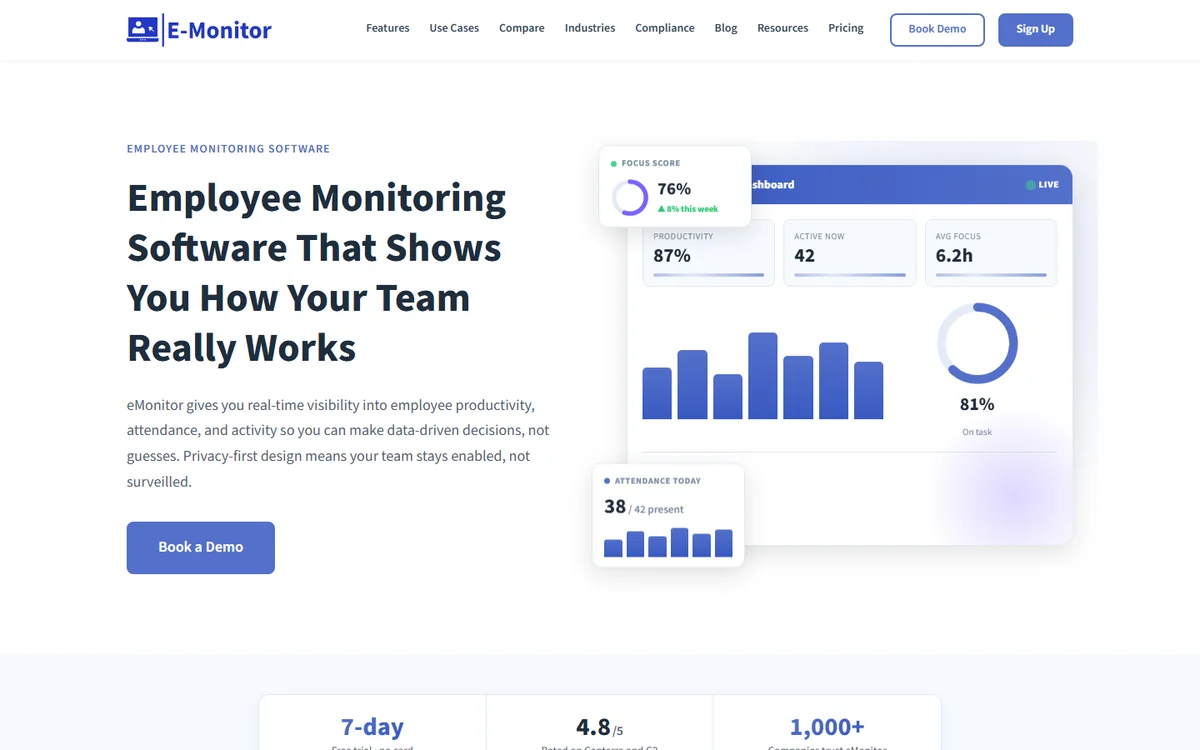
E-Monitor is the most direct ProHance alternative for organizations that need to preserve workforce analytics capability while adding the behavioral data capture that ProHance does not provide. Trusted by 1,000+ companies worldwide and rated 4.8/5 on Capterra, it delivers comprehensive monitoring at a price point that does not require enterprise contract negotiations.
Where ProHance builds its analytics model entirely on metadata signals from application usage, E-Monitor installs a lightweight desktop agent that captures actual behavioral evidence. The two approaches answer fundamentally different questions: ProHance tells you how long an employee spent in an application; E-Monitor tells you what they were doing there.
Key Capabilities That ProHance Does Not Offer
- Periodic screenshot monitoring: Configurable capture frequency creates a visual timeline of every employee's workday. Screenshots are encrypted, stored with timestamps, and accessible to authorized managers only. Use them for client billing evidence, compliance documentation, or performance coaching.
- Anomaly-triggered screen recording: When the system detects unusual activity spikes, a sudden burst of file operations, unauthorized application usage, or policy violations, it automatically initiates a screen recording. This targeted approach captures forensic evidence at the moment it matters without recording every second of every day.
- Data Loss Prevention (DLP): Real-time monitoring of USB device connections, file creation, modification, and deletion, plus upload and download activity across web domains. Alerts fire immediately on policy violations, and full logs are exportable for compliance audits. This capability is entirely absent in ProHance's architecture.
- Keystroke activity intensity: E-Monitor measures keyboard and mouse activity intensity to assess engagement without reading the content of what employees type. This adds a behavioral signal layer that metadata-only tools cannot provide, distinguishing genuine productive work from idle application windows.
- Complete audit trail exports: Every monitoring event, alert, screenshot, and DLP violation is logged with timestamps and user identity. Export in CSV or PDF format for regulators, legal proceedings, or internal compliance reviews. The audit trail is tamper-proof and role-access controlled.
What E-Monitor Preserves From the ProHance Experience
Switching platforms is disruptive. E-Monitor's productivity monitoring preserves the analytics experience ProHance users value, app and website usage breakdowns, productivity classification by tool category, daily activity heatmaps, and team-vs-individual productivity comparisons. You do not lose the workforce analytics layer; you add behavioral evidence on top of it.
Setup takes under two minutes per device. The desktop agent is lightweight and non-intrusive. Employee-facing dashboards give team members visibility into their own data, which consistently reduces resistance during rollout. Organizations in enterprise workforce analytics contexts typically see adoption rates above 90% within the first week.
Pricing
E-Monitor starts at $3.90/user/month: significantly below ActivTrak ($10+) and Teramind ($15+). The full monitoring suite, including screenshots, DLP, and audit trails, is available without requiring a premium tier upgrade. A 7-day free trial requires no credit card.
| Factor | ProHance | E-Monitor |
|---|---|---|
| Screenshots | Not available | Configurable frequency, encrypted storage |
| Screen recording | Not available | Anomaly-triggered + on-demand |
| DLP controls | Not available | USB + file + web violation monitoring |
| Keystroke logging | Not available | Activity intensity (no content capture) |
| Audit trail export | Limited reporting | Full tamper-proof logs, CSV/PDF export |
| Productivity analytics | Strong, metadata model | Strong, desktop agent model |
| Starting price | Enterprise pricing | $3.90/user/month |
| Setup time | Days to weeks | Under 2 minutes per device |
Best for: SMB to mid-market organizations in compliance-sensitive industries, financial services, healthcare, legal, BPO, that need full behavioral evidence capability without enterprise pricing or complex procurement.
Pros: Most complete feature set at this price point; full DLP suite included; employee-friendly design; 2-minute setup; strong audit trail exports.
Cons: No GPS field tracking at base tier; does not offer the privacy-preserving analytics model some enterprise HR teams prefer for adoption messaging.
#2 ProHance Alternative
Time Champ: Best for AI-Powered Productivity Analytics and Attendance
Compare: E-Monitor vs Time Champ
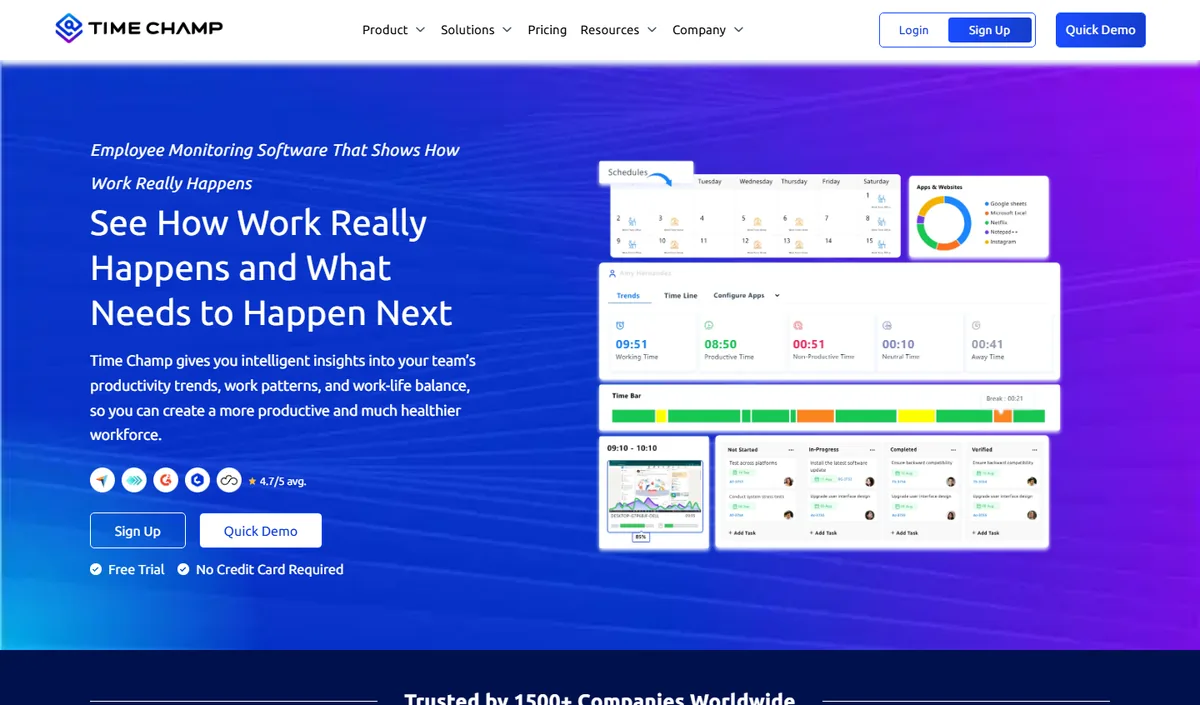
Time Champ is an AI-powered employee monitoring and productivity platform that combines automatic time tracking, application and website usage, productivity scoring, configurable screenshots, attendance and shift tracking, and dashboards at individual, team and company level. It runs on Windows, macOS and Linux and comes from the same product family as E-Monitor, so teams looking for an alternative to ProHance get comparable monitoring depth with a heavier emphasis on analytics and reporting.
Key features: automatic time tracking, app and website categorisation, productivity scoring with weekly heat maps, configurable screenshots, attendance and shift management, leave and payroll modules, role-based dashboards for managers and employees.
Best for: mid-size and larger teams, BPO and operations-heavy organisations that want deep analytics alongside monitoring.
Pricing: per-user plans published on the Time Champ website, with a free trial.
Limitation: cloud-hosted only, and more capability than a very small team may use; review the data-residency options before committing.
ActivTrak: Analytics-First Design With Optional Screenshot Monitoring
Compare: E-Monitor vs ActivTrak · ActivTrak alternatives
ActivTrak is a US-based workforce analytics platform that sits between ProHance and full-monitoring tools on the capability spectrum. Its core product is built around productivity dashboards, behavior benchmarking, and work pattern analysis, a familiar experience for ProHance users. The key difference is that ActivTrak installs a desktop agent that captures app and website usage at the application level, not just from metadata signals.
Screenshot monitoring is available as an optional add-on rather than a core feature. This makes ActivTrak suitable for teams that want to preserve an analytics-first culture while gaining the option to enable visual evidence when specific situations require it. The platform is particularly strong for US-based mid-market organizations where the clean, modern dashboard design drives high adoption rates.
What Makes ActivTrak Different From ProHance
The desktop agent is the fundamental distinction. ActivTrak's agent captures actual application and website activity at the process level, providing more granular data than ProHance's metadata model. Productivity benchmarking features allow managers to compare individual performance against team averages and identify outliers, a capability that goes beyond what metadata patterns alone can support.
ActivTrak's dashboards are widely regarded as among the cleanest in the monitoring category. For organizations where HR and people analytics teams are the primary users, rather than IT or security, this design approach reduces training time and increases sustained adoption.
Where ActivTrak Falls Short
ActivTrak does not offer DLP controls, keystroke logging, or forensic screen recording. For teams that need compliance evidence beyond productivity analytics, ActivTrak addresses part of the gap but not all of it. At $10+/user/month, it also sits at roughly three times the cost of E-Monitor for comparable, or lesser, monitoring depth. Organizations that need USB monitoring, file activity logs, or complete audit trail exports for regulatory compliance will outgrow ActivTrak's capabilities.
Pricing: From $10/user/month (Essentials); Advanced tier required for screenshot access.
Best for: US mid-market companies with analytics-first culture, HR-led monitoring programs, and limited need for deep forensic capability.
Pros: Excellent dashboards; strong behavior benchmarking; clean UX; US-based data residency; optional screenshots.
Cons: No DLP; no keystroke logging; no screen recording; higher price than most alternatives for what it delivers; screenshots require higher-tier plan.
#3 ProHance Alternative
Insightful: Clean Workforce Analytics With Monitoring Added
Compare: E-Monitor vs Insightful · Insightful alternatives
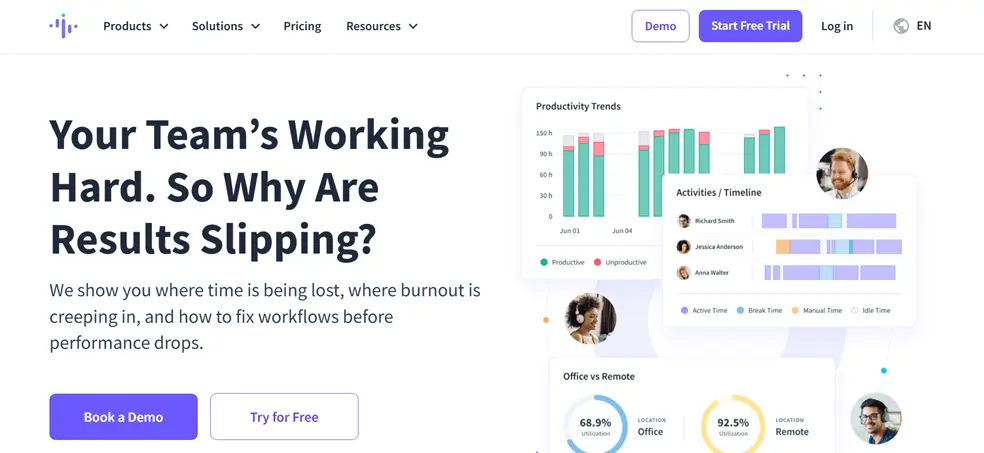
Insightful (formerly Workpuls) positions itself as the most natural transition point from ProHance. Its interface preserves the clean workforce analytics experience, time and attendance reports, productivity trend visualization, team utilization overviews, while adding a desktop agent layer that captures app and website usage data and optionally enables screenshots.
This makes Insightful appealing for ProHance users whose primary complaint is the lack of visual evidence capability rather than the absence of a comprehensive monitoring suite. Teams that want to step incrementally toward fuller monitoring, without jumping directly to enterprise-grade tools, find Insightful's approach intuitive.
Monitoring Depth Compared to ProHance
Insightful's desktop agent provides activity data at the application level, which apps were used, for how long, and in what patterns. Productivity classification allows administrators to label applications as productive, non-productive, or neutral, then generate productivity scores and trend reports. This mirrors ProHance's analytics model structurally, but because it comes from direct activity capture rather than metadata inference, the data is more granular and actionable.
Screenshot monitoring is available as a feature within Insightful's plans. Screenshots are captured at configurable intervals and stored with timestamps, providing the visual evidence layer that drives most ProHance departures. However, Insightful does not offer DLP controls, keystroke logging, or screen recording, so organizations with deeper compliance or investigation requirements will still need a more capable tool.
Pricing and Value Assessment
Insightful starts at $6.40/user/month, placing it between E-Monitor ($3.90) and ActivTrak ($10+). For the mid-tier price point, it delivers a competent analytics and light-monitoring experience. Teams that are primarily replacing ProHance for the screenshot capability, and do not need DLP or forensic tools, will find Insightful's feature-to-price ratio reasonable. Teams with broader compliance requirements will find E-Monitor more complete at lower cost.
Read the detailed reporting and dashboards comparison to understand how Insightful's visualization approach differs from E-Monitor's.
Pricing: From $6.40/user/month.
Best for: Teams transitioning from analytics-only tools who want incremental monitoring capability without enterprise complexity.
Pros: Clean analytics interface; natural ProHance workflow transition; optional screenshots; time and attendance reporting.
Cons: No DLP; no screen recording; no keystroke monitoring; limited compliance audit trail depth; higher price than E-Monitor for fewer capabilities.
#4 ProHance Alternative
Teramind: Enterprise Forensic Monitoring for Regulated Industries
Compare: E-Monitor vs Teramind · Teramind alternatives
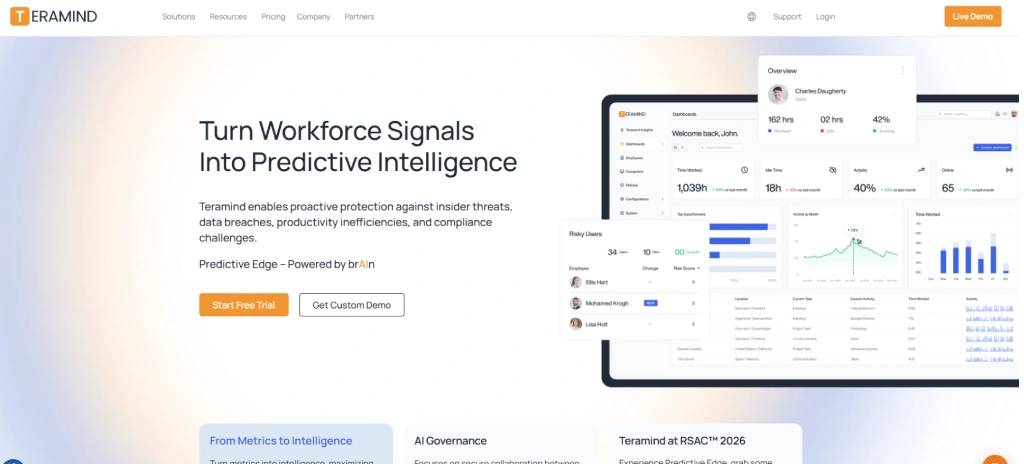
Teramind occupies the opposite end of the spectrum from ProHance. Where ProHance is intentionally minimal in its data capture, Teramind captures everything, continuous screen recordings, full keystroke logging with content access, deep network and file activity monitoring, and behavior analytics built on a rule engine that can trigger automated responses to policy violations.
This level of depth makes Teramind the right choice for organizations in heavily regulated sectors, financial services under SEC or FINRA oversight, healthcare environments requiring HIPAA audit trails, government contractors with insider threat program requirements. According to Gartner, the market for enterprise insider risk management grew 28% in 2024, driven largely by regulatory pressure in these sectors.
Where Teramind Surpasses Other ProHance Alternatives
Teramind's behavior rule engine is genuinely differentiated. Administrators can define complex behavioral rules, "alert when an employee copies more than 500 files to a USB drive within 10 minutes" or "record screen when a finance employee accesses CRM data outside of business hours", and the system automatically enforces these policies in real time. This moves monitoring from passive observation to active risk management.
The forensic investigation interface allows security teams to replay screen recordings with synchronized keystroke logs, correlate file activity with application sessions, and generate court-admissible evidence packages. No other tool in this comparison provides this level of investigation capability.
The Trade-off: Complexity and Cost
Teramind's power comes with commensurate complexity. Implementation typically takes days or weeks rather than minutes. The interface requires training for investigators and HR teams. And at $15+/user/month, with the most capable tiers priced significantly higher, the total cost of ownership is only justifiable for organizations with genuine enterprise-grade requirements. SMBs and mid-market companies that need compliance evidence but not forensic investigation capability will overpay for capabilities they will rarely use.
Pricing: From $15/user/month (Starter); DLP and behavior analytics tiers are priced higher.
Best for: Regulated enterprise environments, financial services, healthcare, government contractors, with insider threat programs and forensic investigation requirements.
Pros: Most comprehensive monitoring capability in the market; forensic-grade evidence collection; behavior rule engine; continuous screen recording; full DLP suite.
Cons: High cost; complex implementation; steep learning curve; overkill for most SMB and mid-market use cases; employee experience can be adversarial without careful configuration.
Get Full Monitoring at a Fraction of Enterprise Pricing E-Monitor delivers screenshots, DLP, audit trails, and screen recording starting at $3.90/user/month. No enterprise contract. No lengthy implementation. Sign up →
#5 ProHance Alternative
Prodoscore: Integration-Only Analytics, Even Lighter Than ProHance
Compare: E-Monitor vs Prodoscore · Prodoscore alternatives
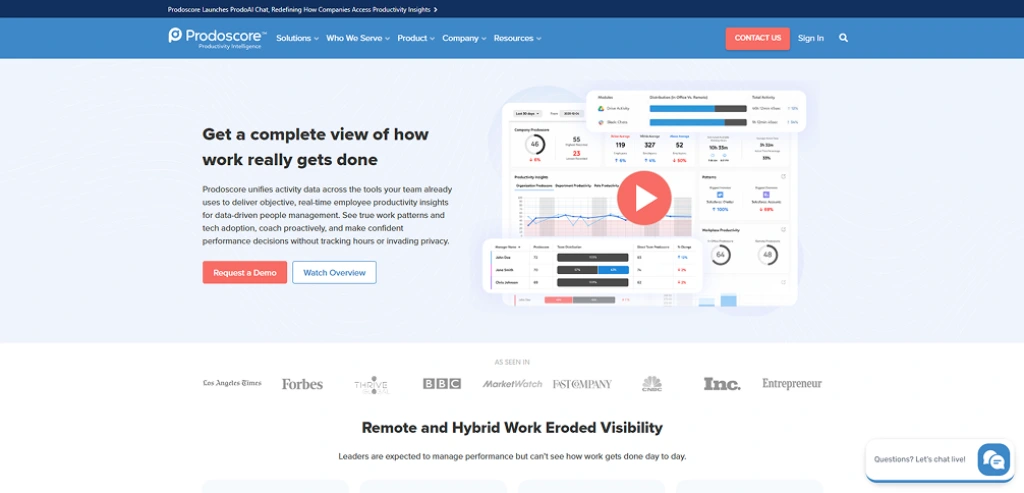
Prodoscore is worth including in this comparison precisely because it demonstrates the opposite direction from where most ProHance buyers are heading. Rather than adding monitoring depth beyond ProHance, Prodoscore goes lighter, deriving productivity scores exclusively from cloud application integrations with tools like Google Workspace, Salesforce, Microsoft 365, and Slack.
There is no desktop agent. There is no screenshot capability. There are no file activity logs. Prodoscore is a pure analytics scoring system that reads activity signals from the APIs of tools employees already use, then synthesizes those signals into a daily productivity score per employee.
When Prodoscore Makes Sense
For organizations where employee work happens almost entirely in cloud applications, where a Google Workspace score and a Salesforce activity level is genuinely sufficient to understand workforce productivity, Prodoscore is a reasonable analytics overlay. It has zero device deployment requirements and minimal IT overhead.
The challenge is that the use cases driving most ProHance departures are exactly the ones Prodoscore cannot address. A productivity score derived from email volume and calendar activity will not satisfy a compliance auditor. It will not support an insider threat investigation. It will not verify billable hours for a disputed client invoice. If these are the reasons you are looking beyond ProHance, Prodoscore is not the answer.
Pricing: Contact Prodoscore for pricing (typically mid-market enterprise contracts).
Best for: Organizations fully committed to cloud-only workflows that want analytics scoring without device deployment; useful as a supplement to other monitoring tools rather than a replacement.
Pros: Zero device deployment; no privacy controversy; clean scoring model; good integration breadth with cloud applications.
Cons: No monitoring capability whatsoever; cannot address compliance evidence requirements; does not capture desktop activity; analytics derived from metadata inference like ProHance, not direct observation.
#6 ProHance Alternative
Microsoft Viva Insights: The Zero-Cost Option for M365 Environments
Microsoft Viva Insights is the most compelling option for organizations running Microsoft 365 that need workforce analytics beyond ProHance's model but are not yet ready to invest in a dedicated monitoring platform. The core analytics features are included with qualifying Microsoft 365 licenses, making the marginal cost of adoption zero for existing M365 customers.
Viva Insights analyzes collaboration patterns from Microsoft's own ecosystem: meeting frequency and duration, email response times, after-hours work signals, focus time between meetings, and manager-to-employee meeting ratios. This gives People Analytics and HR teams rich organizational data without requiring a separate tool or deployment project.
Where Viva Insights Excels Over ProHance
The Microsoft ecosystem integration is genuinely superior to ProHance for organizations living in Teams and Outlook. Meeting analytics are particularly strong, Viva Insights can identify which teams are over-meeting, which employees have fragmented calendars that prevent deep work, and which managers are creating stress through after-hours communication patterns. These organizational health signals are more sophisticated than what ProHance's productivity metadata provides.
Viva Insights also benefits from Microsoft's privacy engineering investment. All analytics are aggregated by default, individual scores are not surfaced to managers without employee consent, which makes adoption messaging to employees straightforward. The workforce analytics vs employee monitoring distinction matters here: Viva Insights is firmly in the analytics category, designed for organizational intelligence rather than individual accountability.
The Monitoring Gap
Like ProHance, Viva Insights offers no screenshot capability, no DLP controls, no keystroke monitoring, and no compliance audit trail exports. It is an analytics overlay on collaboration metadata, not a monitoring platform. Organizations that need behavioral evidence will still require a dedicated monitoring tool. The most practical approach for Microsoft shops is to use Viva Insights for organizational analytics alongside screen monitoring tools like E-Monitor for compliance evidence, rather than treating Viva Insights as a complete ProHance replacement.
Pricing: Included with Microsoft 365 E3, E5, and Business Premium. Advanced analytics features available as an add-on.
Best for: M365-committed organizations that want to add workforce analytics without a new vendor relationship; good starting point before committing to a full monitoring platform.
Pros: Included in existing M365 licenses; deep collaboration analytics; strong privacy design; zero deployment for Teams users; organizational health focus.
Cons: No monitoring beyond collaboration metadata; no compliance evidence capability; analytics are Microsoft-ecosystem only; does not capture desktop or non-Microsoft application activity.
#7 ProHance Alternative
Worklytics: Privacy-Preserving Enterprise Analytics via API
Worklytics serves large enterprise organizations that want organizational network analysis and collaboration analytics while maintaining strong privacy guarantees at the individual level. Like ProHance, its philosophy is that workforce intelligence can be derived without direct behavioral monitoring of individual employees.
Worklytics connects to enterprise tools via API, Google Workspace, Microsoft 365, GitHub, Jira, Slack, and others, and applies graph analysis to collaboration patterns, contribution networks, and cross-team communication flows. The output is organizational intelligence: which teams are siloed, which collaboration patterns correlate with high performance, where communication bottlenecks exist, how engineering teams' commit patterns relate to delivery outcomes.
The ProHance Parallel and Where It Diverges
Worklytics and ProHance share a philosophical commitment to privacy-preserving analytics. Both argue that most workforce intelligence questions can be answered without capturing behavioral data at the individual level. Where they differ is in scope: ProHance focuses on individual productivity analytics from desktop activity signals, while Worklytics focuses on organizational network analysis from collaboration tool APIs.
Neither addresses compliance evidence requirements. Neither can support insider threat investigations. Both represent a deliberate architectural choice to prioritize privacy over monitoring completeness, which is the right choice for some organizations and the wrong choice for others.
Who Should Consider Worklytics
Worklytics is designed for large enterprises with People Analytics functions and sophisticated HR data science teams. The output is strategic and organizational, not operational or individual. Implementation requires API integrations and typically involves a professional services engagement. This is not a self-serve, quick-deployment tool.
For most organizations looking for ProHance alternatives because they need more monitoring capability, not less, Worklytics is not the right direction. It is worth considering for enterprise HR teams that need a ProHance replacement for organizational analytics specifically, who already have a separate monitoring platform for individual-level compliance requirements.
Pricing: Enterprise pricing; contact Worklytics for quotes. Typically mid-six-figure annual contracts for large organizations.
Best for: Large enterprise People Analytics teams focused on organizational network analysis and collaboration intelligence.
Pros: Strong organizational network analysis; privacy-first design; deep API integration breadth; sophisticated analytics for HR data science teams.
Cons: Enterprise-only pricing and complexity; no individual monitoring capability; no compliance evidence; requires professional services for implementation.
How Do You Choose the Right ProHance Alternative for Your Organization?
The decision tree for selecting among these tools is actually straightforward once you clarify the gap you are trying to fill.
Start With Your Compliance Requirements
If your primary driver for leaving ProHance is compliance evidence, audit trails, screenshot logs, DLP violation records, then the tools without these capabilities (Prodoscore, Microsoft Viva Insights, Worklytics) are eliminated immediately. You need a desktop agent that captures behavioral data, not an analytics overlay on metadata.
Between the tools that do offer compliance capability, the question becomes depth: Are you satisfying basic productivity monitoring requirements with periodic screenshots and exportable logs (E-Monitor at $3.90), adding analytics-focused productivity management with optional visual evidence (ActivTrak at $10+, Insightful at $6.40+), or operating a full insider threat program with forensic investigation requirements (Teramind at $15+)?
Consider Your Team Size and Budget
Pricing differences compound significantly at scale. For a 200-person team over 12 months:
- E-Monitor: $8,400/year
- Insightful: $15,360/year
- ActivTrak: $24,000/year
- Teramind: $36,000+ /year
The cost difference between E-Monitor and Teramind at this scale is nearly $28,000 annually, enough to hire additional headcount in most markets. Unless your requirements genuinely demand Teramind's forensic capabilities, the monitoring depth E-Monitor provides at its price point represents a significantly stronger return on investment.
Evaluate Employee Experience Impact
How you introduce monitoring capability affects adoption and team culture. Tools with employee-facing dashboards, where employees can see their own data, consistently report higher adoption rates and lower resistance than opaque monitoring systems. E-Monitor's design prioritizes employee transparency: every monitored employee can view their own activity data, productivity scores, and screenshot logs, which transforms the conversation from "we're watching you" to "here's your performance data."
This matters particularly when transitioning from ProHance, which has no screen monitoring. Your employees have been working under a metadata-only analytics model. Jumping to full monitoring without transparent communication and employee-accessible data creates more trust damage than the monitoring capability is worth. A measured approach, starting with activity analytics and screenshots, enabling DLP later, builds acceptance incrementally. See the complete comparison at E-Monitor vs ProHance for implementation guidance.
The Recommendation Matrix
- Need compliance evidence at accessible price: E-Monitor
- Need clean analytics + optional screenshots, US-based: ActivTrak
- Need ProHance-style analytics + basic screenshots: Insightful
- Need enterprise forensic investigation capability: Teramind
- Fully in M365, need collaboration analytics only: Microsoft Viva Insights
- Need cloud-app productivity scores with no device deployment: Prodoscore
- Large enterprise People Analytics team: Worklytics
Sources & Research
- Gartner, "Market Guide for Insider Risk Management Solutions," 2024, insider risk management market growth, compliance evidence requirements
- Gartner, "Workforce Analytics Platforms Survey," 2024 to 67% of compliance-focused organizations require visual evidence capability
- Microsoft, "Viva Insights Documentation and Feature Overview," 2025
- E-Monitor customer data, pricing, setup time, adoption rates based on 1,000+ company deployment records
- Capterra, Software Advice, GetApp, E-Monitor ratings as of April 2026 (4.8/5 on Capterra, 57 reviews)
Frequently Asked Questions: ProHance Alternatives
1. What is the main limitation of ProHance that drives users to look for alternatives?
ProHance is built on metadata-only analytics, it measures work patterns from application activity signals without capturing screenshots or screen content. This is valuable for workforce analytics but insufficient when organizations need compliance evidence for audits, forensic investigation of insider incidents, or visual proof of work for client billing disputes. Buyers switch when they need behavioral data capture beyond what metadata alone can provide.
2. Which ProHance alternative is best for compliance-heavy industries?
E-Monitor and Teramind are the strongest options for compliance-heavy industries. E-Monitor provides full audit trails, screenshot evidence, DLP controls, and USB monitoring at $3.90/user/month, making it accessible for mid-market teams. Teramind adds deeper forensic capability and behavior analytics at $15+/user, which is better suited for financial services, healthcare, and regulated enterprise environments that run formal insider threat programs.
3. Can I switch from ProHance to E-Monitor without losing historical data?
Historical ProHance analytics data cannot be migrated directly, as the two platforms use different data architectures. However, E-Monitor's onboarding takes under two minutes per device, and your team begins generating new activity and compliance records immediately. Most organizations run both tools in parallel for one pay period before fully transitioning to ensure continuity in workforce analytics reporting.
4. Does E-Monitor track employee behavior outside of work hours?
No. E-Monitor only records activity during active clock-in sessions. Monitoring begins when an employee clocks in and stops when they clock out. There is no off-hours tracking of personal devices or activity outside defined work periods. This design protects employee privacy while ensuring complete visibility during working hours, a deliberate architectural decision that differentiates E-Monitor from surveillance-oriented tools.
5. What is the difference between ProHance and Prodoscore?
Both ProHance and Prodoscore rely on integration-based metadata rather than desktop agents. Prodoscore is even lighter, it derives productivity scores exclusively from cloud app integrations like Google Workspace and Salesforce, without any desktop monitoring. ProHance uses a desktop agent but limits itself to metadata signals. Organizations needing actual behavioral data require a different category of tool, such as E-Monitor or Teramind, entirely.
6. How does Microsoft Viva Insights compare to ProHance?
Microsoft Viva Insights is a strong ProHance alternative specifically for organizations fully committed to the Microsoft 365 ecosystem. Like ProHance, it analyzes metadata patterns, from email, Teams, and calendar activity. It offers no screen monitoring or DLP. For M365 shops that only need collaboration analytics and meeting pattern insights, Viva Insights is included at no extra cost, making it an attractive upgrade path before committing to a dedicated monitoring platform.
7. Is Insightful a direct ProHance alternative?
Yes. Insightful is one of the most popular ProHance alternatives because it offers clean productivity analytics similar to ProHance, but adds optional screenshot monitoring and a lightweight desktop agent. Starting at $6.40/user/month, it sits between ProHance's analytics-only model and enterprise tools like Teramind. Teams that want to preserve the clean dashboard experience while gaining basic visual evidence capability often move to Insightful, though E-Monitor provides more complete monitoring at lower cost.
8. What monitoring features does ActivTrak offer compared to ProHance?
ActivTrak adds desktop agent-level activity tracking on top of analytics, capturing app and website usage data that goes beyond ProHance's metadata signals. It optionally supports screenshots and offers strong productivity dashboards. At $10+/user/month, it is positioned for US-based mid-market companies that want analytics-first design with added monitoring depth. However, it lacks keystroke logging and full DLP controls that tools like E-Monitor and Teramind provide.
9. How much does E-Monitor cost compared to ProHance?
E-Monitor starts at $3.90/user/month, which is generally lower than ProHance's enterprise-oriented pricing. More importantly, E-Monitor delivers capabilities that ProHance does not offer at any price, screenshots, screen recording, DLP controls, USB monitoring, and keystroke activity logging. The full feature set is available without requiring enterprise contract negotiations or premium tier upgrades, making it accessible to teams of any size.
10. What should I look for when evaluating ProHance alternatives?
Start by identifying why ProHance's metadata model is insufficient for your use case. If you need compliance evidence, prioritize screenshot frequency, audit trail exports, and DLP controls. If you need insider threat investigation capability, look for screen recording, keystroke analysis, and forensic reporting. If you need proof of work for client billing, focus on project-level time allocation and verifiable activity logs. Each gap maps to a different set of must-have capabilities in a replacement tool.
Further Reading
- E-Monitor vs ProHance: Full Feature & Pricing Comparison
- E-Monitor Productivity Monitoring, Analytics Beyond Metadata
- Reporting & Dashboards, Workforce Analytics Visualization
- Screen Monitoring, Visual Compliance Evidence
- Enterprise Workforce Analytics Use Case
- Workforce Analytics vs Employee Monitoring: What Is the Difference?