
Summary
SentryPC alternatives are employee monitoring and productivity platforms that go where SentryPC cannot: iOS devices, GDPR-compliant data handling, productivity analytics, and pricing that actually holds at 50-plus users. We compared 10 alternatives across platform coverage, compliance, analytics depth, and total cost so growing SMBs can make a confident move.
Want full monitoring with nothing to configure? E-Monitor starts at $3.90 per user per month with a 7-day free trial. Try E-Monitor free →
What Is SentryPC and Who Is It Designed For?
SentryPC is a cloud-based monitoring and content filtering tool that tracks computer activity, blocks websites, limits application usage, and logs keystrokes across Windows and macOS devices. It was originally built as a parental control and school environment tool before being repositioned for small business use. SentryPC captures screenshots, records app and website usage, and sends activity summaries to administrators through a web-based dashboard.
The platform targets two audiences in practice: households wanting to monitor family computer use, and micro-businesses with fewer than 20 employees that need basic content filtering without the complexity of enterprise monitoring software. For these use cases, SentryPC works reasonably well. The interface is accessible, deployment is straightforward, and the pricing is low enough that early-stage teams find it easy to justify.
But SentryPC is a product built for a specific moment in a team's growth. Once that moment passes, the limitations become operational friction. Understanding exactly where SentryPC falls short is the starting point for choosing the right alternative. For a direct feature comparison between E-Monitor and SentryPC, see the E-Monitor vs SentryPC comparison.
Why Growing Teams Outgrow SentryPC
SentryPC alternatives consistently attract the same profile: SMBs that started with SentryPC at 5 to 15 employees and now find the tool breaking down under the demands of a 25-to-100 person operation. Five specific limitations drive the majority of replacement searches.
No iOS Support
SentryPC monitors Windows and macOS desktops only. The platform has no iOS app and no Android monitoring capability. For businesses that issue iPhones or iPads to customer-facing staff, field teams, or remote workers, this creates an immediate coverage gap. According to a 2025 Statista report, 58% of knowledge workers use a smartphone as their primary work device for at least part of the workday. A monitoring platform that cannot see those devices cannot give managers a complete picture of how work happens.
Pricing That Scales Poorly
SentryPC's per-device pricing model works at small team sizes but becomes expensive relative to its feature set as headcount grows. At 50 users, teams pay for a content filtering tool at rates that approach mid-tier employee monitoring platforms offering five times more capability. Growing businesses increasingly find themselves paying SentryPC prices while needing to buy separate tools for productivity analytics, attendance tracking, and compliance reporting, which turns one affordable tool into three overlapping subscriptions.
No GDPR Compliance Framework
SentryPC does not hold GDPR certification and its privacy documentation does not address the lawful basis requirements under Article 6(1)(f) of the General Data Protection Regulation, data subject access rights, or EU data residency controls. For any business that monitors employees located in the European Union or the UK, this is not a minor gap. A 2024 European Data Protection Board guidance note confirmed that employee monitoring tools used on EU data subjects must demonstrate a documented lawful basis, provide transparency notices, and honor subject access requests. SentryPC's architecture was not designed with these obligations in mind.
Legacy Product Architecture
SentryPC belongs to a generation of monitoring tools built before the remote work transformation of 2020. Its feature set reflects that origin: the platform excels at blocking distracting websites and logging keystrokes but has not developed the workforce analytics, AI-powered productivity scoring, or real-time behavioral alerts that modern management teams expect. Competitors built in the 2020s treat monitoring as a data source for management decisions; SentryPC treats it as an activity log.
Basic Reporting With No Productivity Intelligence
SentryPC's reports show what websites were visited, what apps were used, and how many keystrokes were recorded. They do not classify activity as productive or unproductive based on the employee's role. They do not surface burnout risk signals, identify focus time patterns, or compare individual performance against team benchmarks. A sales manager cannot learn from a SentryPC report whether a rep spent the morning on CRM work or idle browsing, both look identical in the activity log. This forces managers to draw conclusions from raw data rather than interpreted insights.
No HRMS Integrations
SentryPC operates as a standalone tool. It does not connect to HR platforms, payroll systems, project management tools, or identity providers. Growing SMBs that want monitoring data to inform attendance records, payroll calculations, or performance reviews cannot link SentryPC output to the rest of their operational stack. The result is manual data transfer, spreadsheet bridging, and the kind of administrative overhead that monitoring software is supposed to eliminate.
Who Switches from SentryPC: The Typical Transition Profile
SentryPC replacement buyers share a recognizable profile: a growing SMB in the 20-to-100 employee range that adopted SentryPC early, found it useful for basic content filtering, and is now building the management infrastructure a scaling business requires.
The trigger for switching is usually one of three events. First, a compliance review identifies SentryPC's lack of GDPR documentation as an audit risk, particularly for UK and EU-registered businesses or those handling client data from those regions. Second, the team starts issuing mobile devices and immediately discovers SentryPC cannot monitor them. Third, HR or operations leadership asks for productivity reporting that goes beyond activity logs, and IT confirms SentryPC cannot produce it.
These teams are not looking for the cheapest tool. They are looking for the most capable tool that does not require an enterprise IT department to implement. The decision criteria are: platform coverage (including iOS, or at minimum Android and Chromebook), compliance documentation (GDPR at minimum), productivity analytics (not just activity logging), and pricing that holds at scale (flat per-user rates without feature tiers that segment capabilities teams need at different price points).
11 Best SentryPC Alternatives for Business Monitoring in 2026
We evaluated each alternative against the criteria SentryPC-migrating businesses care about most: platform coverage (especially iOS), GDPR compliance posture, productivity analytics depth, pricing transparency at 50 users, and ease of deployment for non-enterprise IT teams. Here is how the top 10 SentryPC competitors rank.
1. E-Monitor (Best Overall SentryPC Alternative)
Compare: E-Monitor pricing · all features
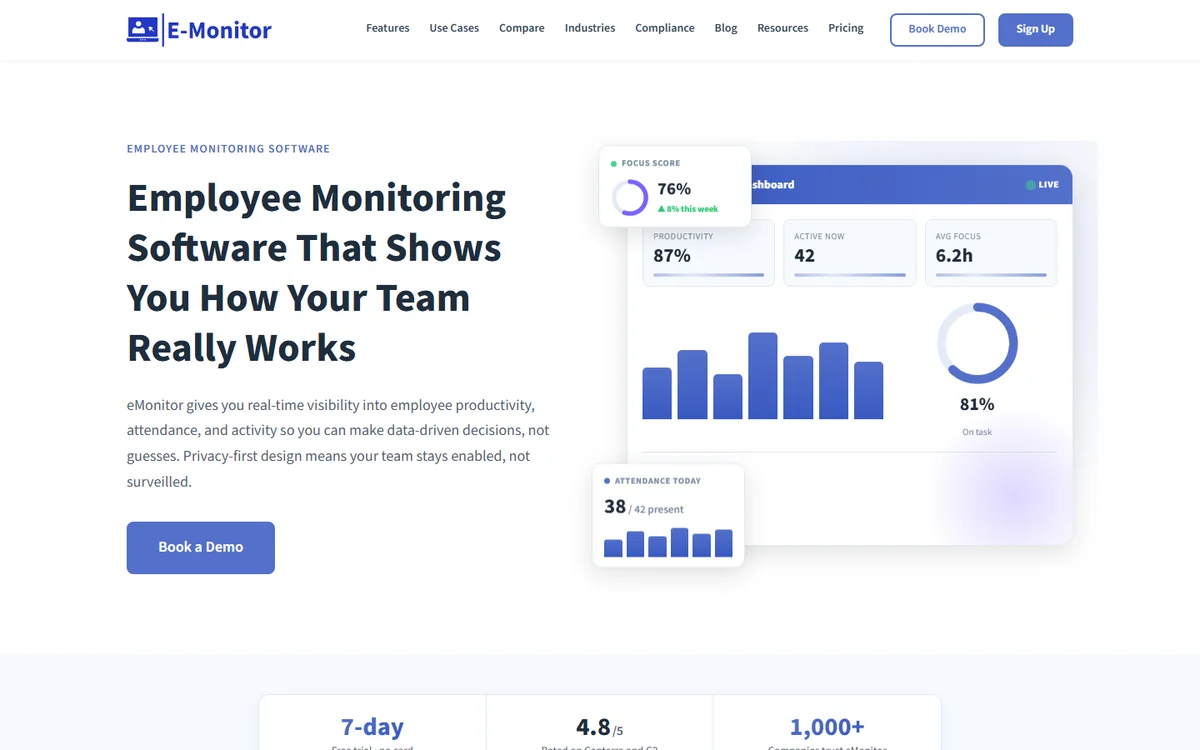
E-Monitor is an employee monitoring and productivity platform that replaces SentryPC's content filtering and activity logging with a far deeper capability set: app and website productivity classification, screenshot monitoring, screen recording, data loss prevention, real-time alerts, automated timesheets, and workforce analytics. It covers Windows, macOS, Linux, and Chromebook (beta) from a single dashboard, with Android mobile tracking through its mobile agent.
Where E-Monitor most clearly separates from SentryPC is in how it treats monitoring data. SentryPC records activity. E-Monitor interprets it. Every application an employee opens is classified as productive, non-productive, or neutral based on role-specific rules configured by the manager. A CRM is productive for a sales rep and non-productive for a developer working on backend code. This classification feeds productivity scores, heatmaps, and focus time analysis that SentryPC cannot produce at any price point.
GDPR compliance is built into E-Monitor's architecture. The platform supports configurable data retention, role-based access controls, transparent employee-facing dashboards, and privacy documentation that addresses lawful basis requirements. Teams in the UK and EU can deploy E-Monitor without the compliance exposure that SentryPC creates.
E-Monitor's pricing starts at rates well below SentryPC's business tier, and the per-user model means costs scale predictably as the team grows. All features are included in the base plan with no tiering that separates productivity analytics from monitoring or compliance tools from activity tracking.
Pricing: Starts below SentryPC's business tier per user per month (all features included). 7-day free trial, no credit card required.
Best for: SMBs with 20-200 employees that need comprehensive monitoring, GDPR compliance, and productivity analytics beyond basic content filtering.
iOS support: Android monitoring via mobile agent. iOS monitoring limited, browser-based activity visible via network-level tools.
Chromebook support: Beta (Windows, macOS, Linux fully supported).
GDPR compliant: Yes, configurable retention, employee dashboards, lawful basis documentation.
Ratings: 4.8/5 on Capterra (57 reviews), 4.85/5 on Software Advice (66 reviews), 4.75/5 on GetApp (66 reviews).
2. Time Champ: Best for AI-Powered Productivity Analytics and Attendance
Compare: E-Monitor vs Time Champ
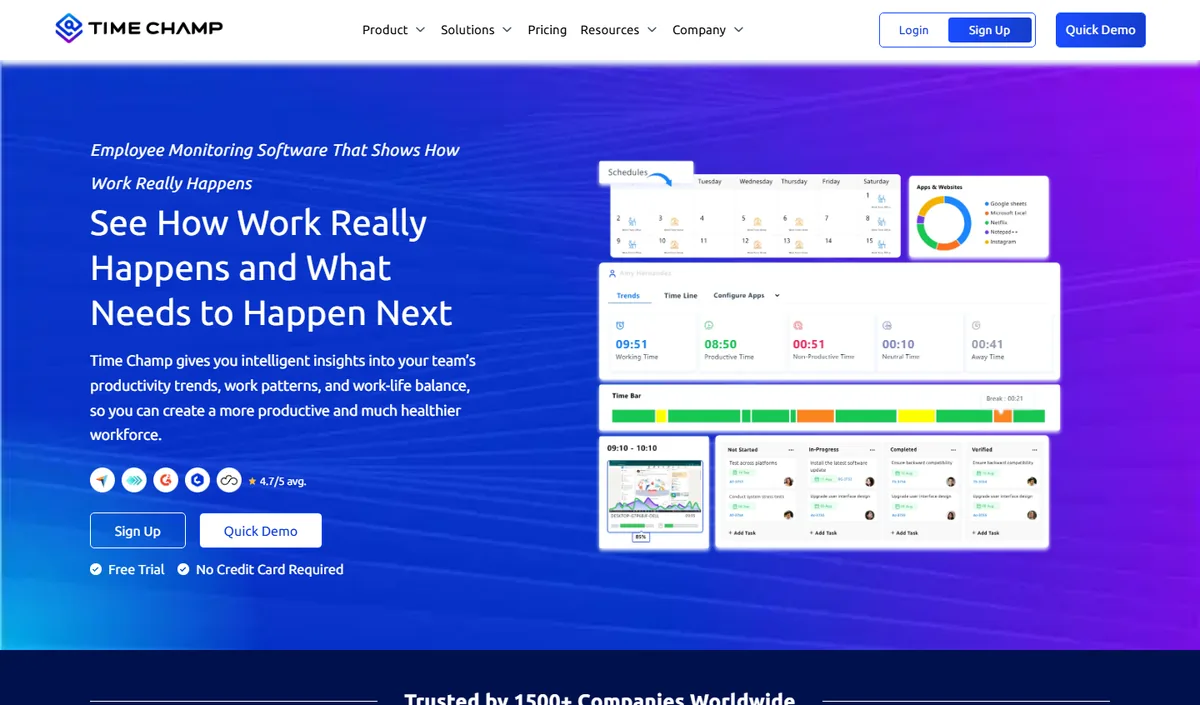
Time Champ is an AI-powered employee monitoring and productivity platform that combines automatic time tracking, application and website usage, productivity scoring, configurable screenshots, attendance and shift tracking, and dashboards at individual, team and company level. It runs on Windows, macOS and Linux and comes from the same product family as E-Monitor, so teams looking for an alternative to SentryPC get comparable monitoring depth with a heavier emphasis on analytics and reporting.
Key features: automatic time tracking, app and website categorisation, productivity scoring with weekly heat maps, configurable screenshots, attendance and shift management, leave and payroll modules, role-based dashboards for managers and employees.
Best for: mid-size and larger teams, BPO and operations-heavy organisations that want deep analytics alongside monitoring.
Pricing: per-user plans published on the Time Champ website, with a free trial.
Limitation: cloud-hosted only, and more capability than a very small team may use; review the data-residency options before committing.
3. ActivTrak (Best Behavioral Analytics)
Compare: E-Monitor vs ActivTrak · ActivTrak alternatives
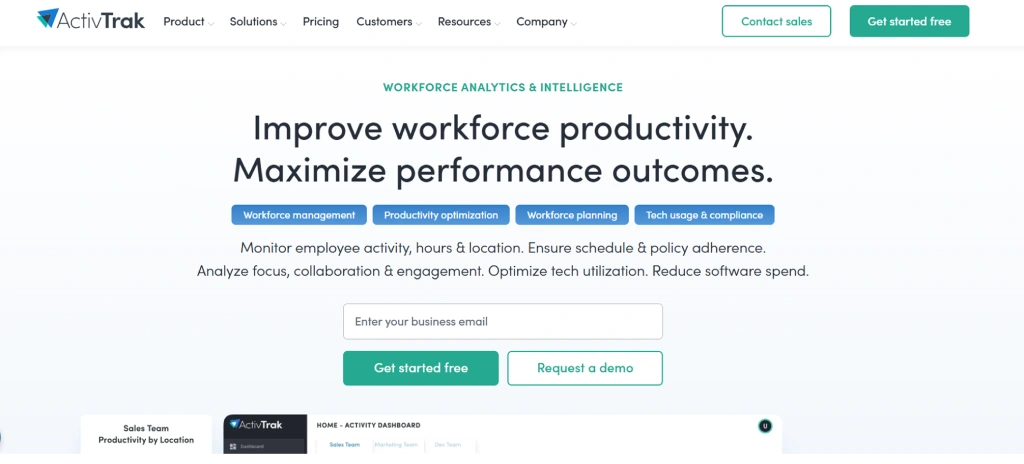
ActivTrak is a workforce analytics platform that classifies application and website usage, produces productivity benchmarks, and provides team-level analytics dashboards that SentryPC cannot match. Its strongest capability is benchmarking: the ability to compare a team's productivity patterns against organizational averages and industry baselines, giving managers context rather than just data.
ActivTrak's limitation relative to SentryPC switchers is monitoring depth on the visual side. The platform does not capture screenshots, does not offer screen recording, and does not provide keystroke-level activity data. For teams that need visual proof of work or want to verify specific employee behaviors, ActivTrak requires supplementing with other tools. It also does not include DLP features.
ActivTrak supports Windows, macOS, Linux, and Chromebook. iOS monitoring is limited to supervised device profiles via MDM integration, not a native app.
Pricing: $10 to $17 per user per month.
Best for: Organizations prioritizing analytics and workforce intelligence over visual monitoring.
iOS support: Limited via MDM integration, not native.
GDPR compliant: Yes, documented controls available.
4. Hubstaff (Best for GPS Plus Time Tracking)
Compare: E-Monitor vs Hubstaff · Hubstaff alternatives
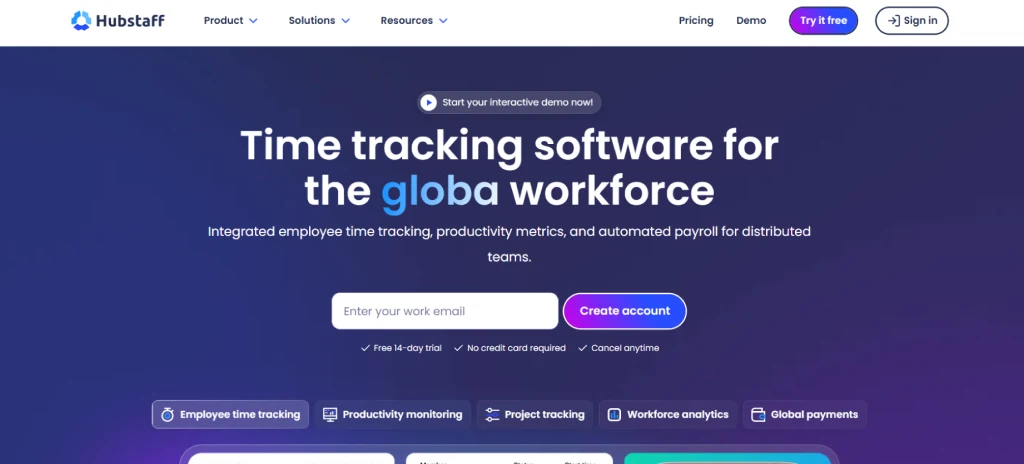
Hubstaff is a time tracking and employee monitoring platform that covers desktop activity, screenshots, GPS location tracking, and geofenced attendance. For businesses with field workers or distributed teams that need location verification alongside activity monitoring, Hubstaff provides a combination SentryPC cannot offer at any tier.
The trade-off is Hubstaff's add-on pricing model. The base plan covers time tracking and basic activity monitoring. Screenshots, advanced reporting, and GPS each require higher tiers or paid add-ons. A fully featured Hubstaff setup for a 50-person team frequently costs more than all-inclusive alternatives. Hubstaff also lacks GDPR certification for EU teams and does not offer native iOS monitoring beyond a time-tracking mobile app.
Pricing: $4.99 to $14+ per user per month depending on add-ons enabled.
Best for: Teams with field workers that need GPS tracking alongside desktop monitoring.
iOS support: iOS app for time tracking only; no iOS activity monitoring.
GDPR compliant: Partial, documented privacy controls but no GDPR certification.
5. Insightful (Best Workforce Intelligence Platform)
Compare: E-Monitor vs Insightful · Insightful alternatives
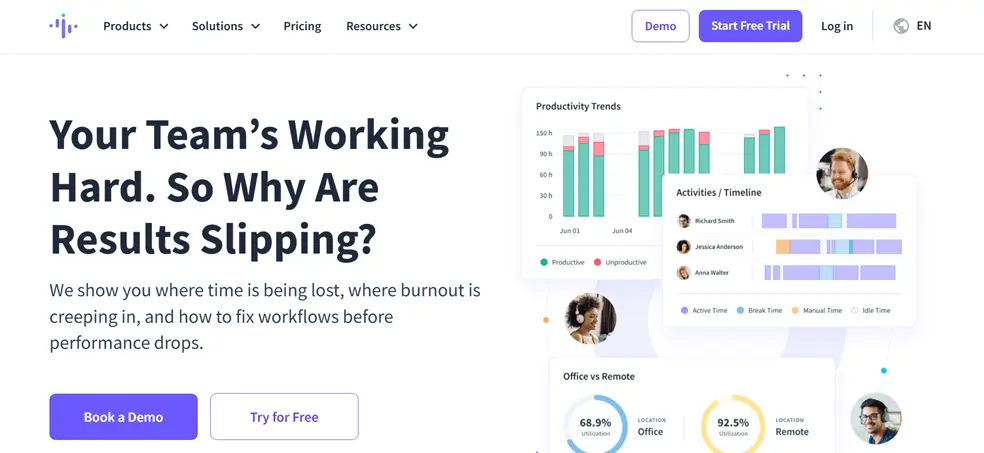
Insightful (formerly Workpuls) combines screenshot monitoring, app usage tracking, and productivity analytics with a workforce intelligence layer that SentryPC cannot approach. It offers two operational modes: "always on" monitoring for comprehensive activity capture, and "clock in/out" mode for teams that prefer time-bounded monitoring. Project and task tracking features make Insightful a broader operations tool than pure monitoring platforms.
Insightful's dual-plan structure is its main friction point. Productivity Management and Employee Monitoring are separate plans, meaning businesses that want both analytics and visual monitoring pay for both. At full capability, Insightful runs more expensive than all-inclusive alternatives. Chromebook support is limited. iOS monitoring is not available natively.
Pricing: $8 to $15 per user per month depending on plan combination.
Best for: Mid-size teams that want workforce analytics and monitoring depth without enterprise DLP complexity.
iOS support: No native iOS monitoring.
GDPR compliant: Yes, EU data processing documentation available.
6. DeskTime (Best Automatic Time Tracking)
Compare: E-Monitor vs DeskTime · DeskTime alternatives
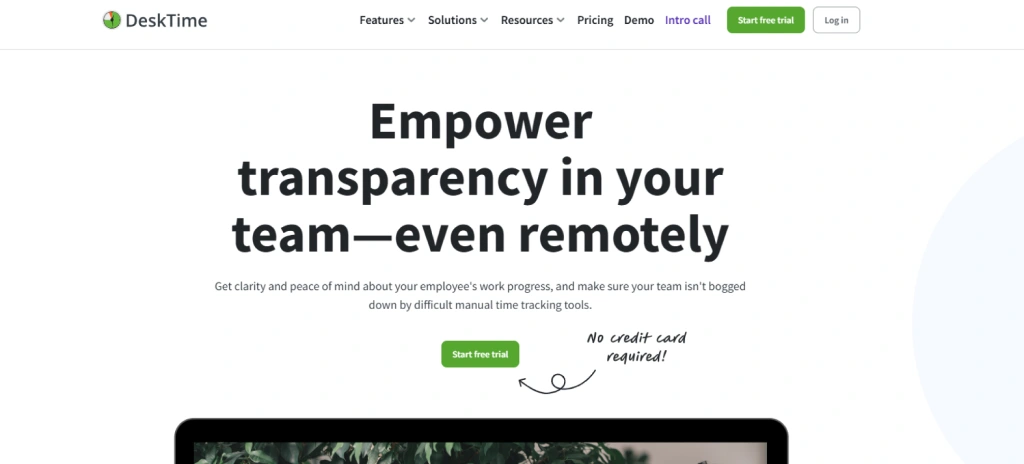
DeskTime is a lightweight productivity monitoring tool with a focus on automatic time capture, app usage analysis, and a built-in Pomodoro timer that encourages focused work sessions. Its private time mode, which lets employees pause monitoring for personal tasks, produces measurably higher employee acceptance than tools with always-on logging. For SentryPC users whose main requirement was basic activity tracking with minimal friction, DeskTime is a credible step up.
DeskTime does not offer screenshot monitoring in its base plan (screenshots require a higher tier), has no screen recording, no DLP features, and limited attendance and shift management tools. Reporting is straightforward but does not reach the analytics depth of platforms purpose-built for workforce intelligence. Chromebook support is not available. iOS monitoring is not offered.
Pricing: $7 to $20 per user per month.
Best for: Small teams wanting simple automatic time tracking with employee-friendly design.
iOS support: iOS app for time tracking only; no iOS activity monitoring.
GDPR compliant: Yes, GDPR documentation maintained.
7. Monitask (Best Simple SMB Tool)
Compare: E-Monitor vs Monitask
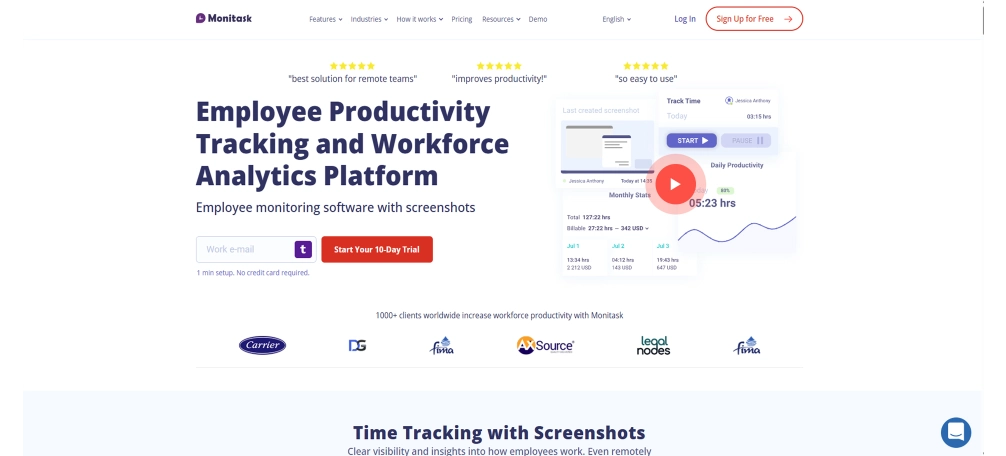
Monitask offers time tracking, screenshot capture at configurable intervals, and activity level measurement for remote and hybrid teams. The platform is designed for speed: onboarding a new employee takes under five minutes, the interface requires no training, and reporting covers the essentials without overwhelming administrators who are not dedicated IT staff. For small businesses replacing SentryPC primarily for its screenshot and activity monitoring functions, Monitask delivers those features without the complexity of a full workforce intelligence platform.
Monitask does not offer productivity scoring, DLP, or advanced analytics. It does not integrate with HR systems. Chromebook and iOS are not supported. For growing teams, Monitask is an intermediate step rather than a long-term foundation.
Pricing: $5.99 to $8.99 per user per month.
Best for: Small remote teams wanting fast deployment and basic monitoring at low cost.
iOS support: No.
GDPR compliant: Basic privacy documentation; no formal certification.
8. Time Doctor (Best for Remote and Distributed Teams)
Compare: E-Monitor vs Time Doctor · Time Doctor alternatives
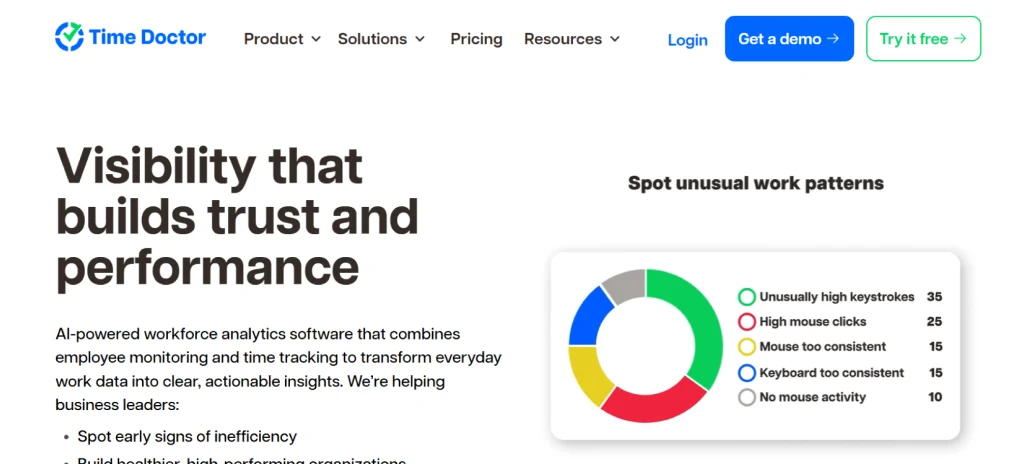
Time Doctor is a remote workforce management platform combining time tracking, screenshot capture, app and website monitoring, and distraction alerts. It is particularly strong for agencies and client-service businesses that bill by the hour, offering detailed client and project-level time reports that SentryPC cannot produce. Time Doctor's distraction popup system, which interrupts employees when non-work sites are detected, is valued by some managers for accountability and disliked by employees who find it intrusive.
Time Doctor's pricing is tiered with screenshots and advanced reporting at higher plan levels. A fully featured setup costs significantly more than all-inclusive alternatives. iOS monitoring is not offered beyond a mobile time-tracking app. GDPR documentation is available but certification status should be verified for EU deployments.
Pricing: $7 to $20 per user per month depending on plan.
Best for: Remote agencies and consultancies that need client-level billable hour tracking.
iOS support: iOS app for time tracking only; no iOS activity monitoring.
GDPR compliant: Documentation available; verify current certification status for EU use.
9. Controlio (Best Web Filtering Focus)
Compare: Controlio alternatives
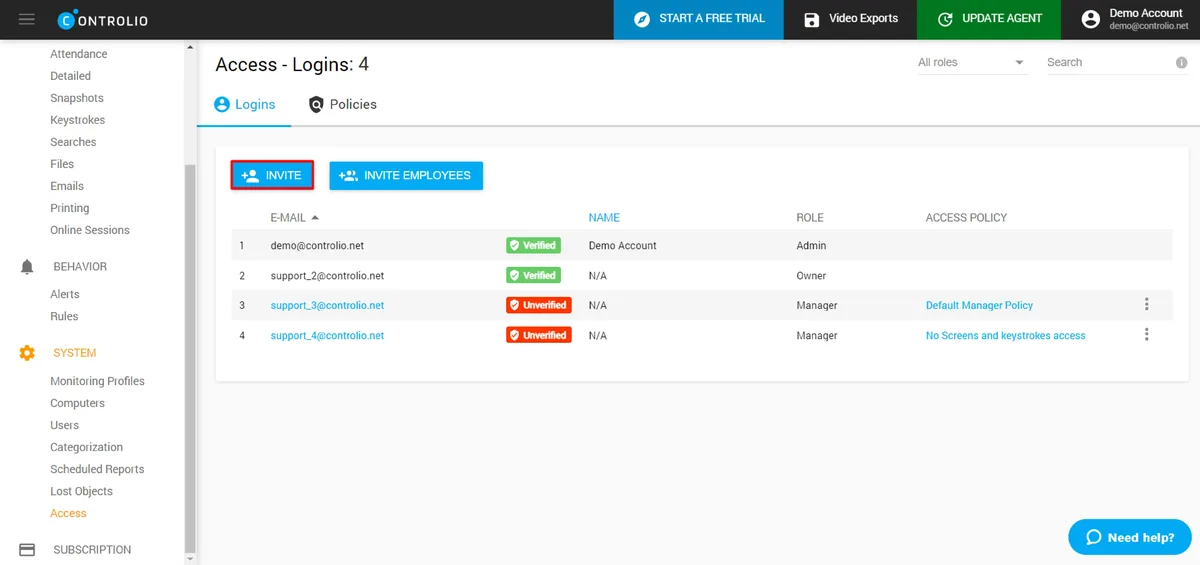
Controlio is a cloud-based employee monitoring tool that emphasizes web content filtering, URL categorization, and activity logging for compliance and productivity management. It is the closest functional successor to SentryPC's content filtering heritage among the tools on this list, offering granular website blocking rules, detailed browsing logs, and real-time user activity dashboards. For businesses that switched to SentryPC specifically for web filtering and want the same capability with better business controls, Controlio is a natural fit.
Controlio extends beyond SentryPC by adding screenshot monitoring, application usage tracking, and email activity logging. It does not reach the workforce analytics depth of platforms like E-Monitor or ActivTrak. Chromebook support is available. iOS monitoring requires network-level enforcement rather than a native agent.
Pricing: Tiered; entry pricing competitive with SentryPC at small team sizes.
Best for: Businesses transitioning from SentryPC that want stronger web filtering with added business monitoring.
iOS support: Network-level only; no native iOS agent.
GDPR compliant: Verify current compliance documentation before EU deployment.
10. Traqq (Best Privacy-First Option)
Compare: E-Monitor vs Traqq · Traqq alternatives
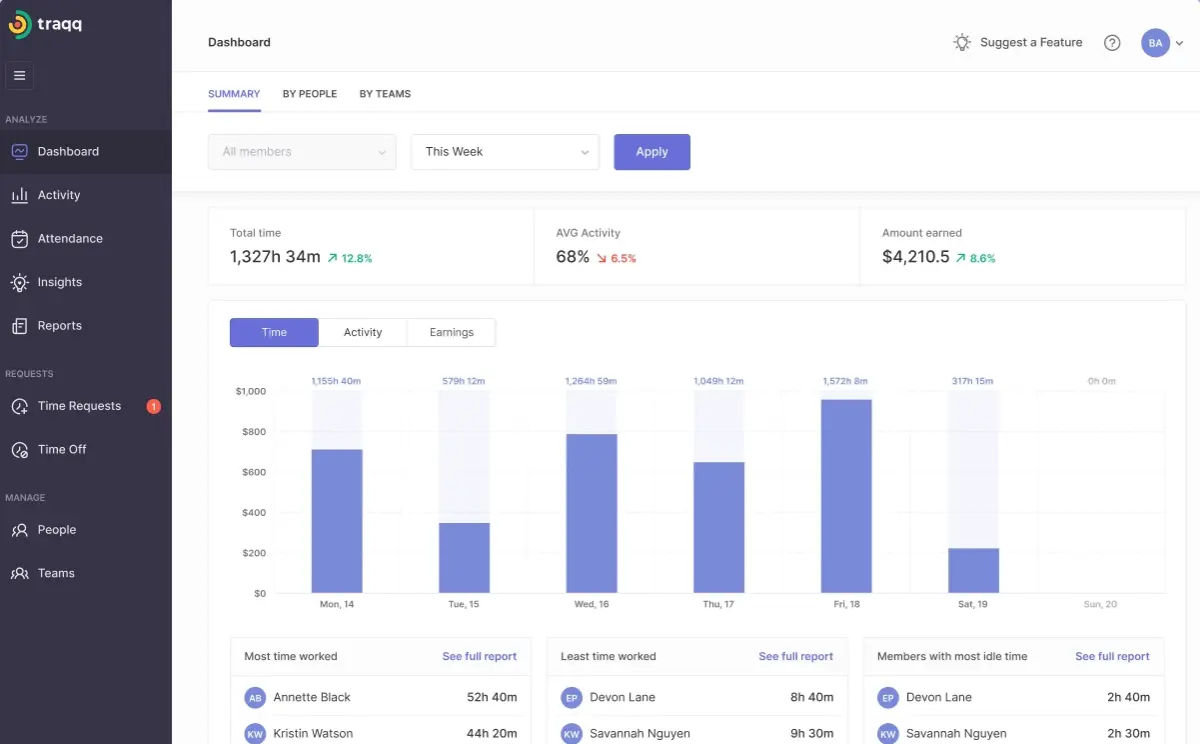
Traqq is a time tracking and basic activity monitoring tool built with an explicit privacy-first design philosophy. Screenshots are automatically blurred to protect sensitive on-screen content. Activity levels are reported as aggregated percentages rather than keystroke-level data. The monitoring footprint is intentionally lighter than most alternatives, which reduces employee resistance significantly. Traqq's pricing is accessible for small teams, with a generous free tier for the first three users.
The privacy-first approach is Traqq's strength and its limitation. Teams that need visual proof of work, detailed application logs, or productivity classification beyond basic active/idle distinctions will find Traqq insufficient. DLP, HRMS integration, and advanced reporting are not part of the Traqq offering. iOS is not supported. This is the right tool when employee trust is the primary concern and detailed monitoring is not needed.
Pricing: Free for up to 3 users; paid plans start around $6 per user per month.
Best for: Small teams where employee trust and minimal monitoring footprint matter most.
iOS support: No.
GDPR compliant: Privacy-forward design; GDPR documentation maintained.
11. CurrentWare (Best Content Filtering Plus Monitoring Combo)
CurrentWare is a suite of endpoint management tools covering web filtering (BrowseReporter, BrowseControl), application blocking, remote desktop management, and USB device control. It is the most direct enterprise successor to SentryPC's design philosophy, treating monitoring primarily through the lens of policy enforcement and content restriction rather than workforce productivity analytics. Organizations in regulated industries that need auditable content filtering logs with DLP-adjacent USB control find CurrentWare's suite model useful.
CurrentWare's suite structure means purchasing multiple modules to achieve coverage comparable to a unified platform. It lacks the productivity analytics and workforce intelligence features that modern monitoring platforms offer. iOS is not supported. For businesses that want more than SentryPC's policy enforcement but do not need full workforce intelligence, CurrentWare bridges the gap.
Pricing: Module-based pricing; contact for current rates by team size.
Best for: Organizations in regulated industries that need auditable web filtering and USB control.
iOS support: No.
GDPR compliant: Compliance documentation available for enterprise deployments.
SentryPC Alternatives Feature Comparison Table
This table compares the features SentryPC-migrating businesses care about most. "Included" means the feature is available in the base plan without additional purchase. "Add-on" means it requires a higher tier or separate fee. iOS support indicates whether the platform monitors iOS device activity, not merely whether a time-tracking iOS app exists.
| Feature | E-Monitor | ActivTrak | Hubstaff | Insightful | DeskTime | Monitask | Time Doctor | Controlio | Traqq | CurrentWare |
|---|---|---|---|---|---|---|---|---|---|---|
| Starting price/user/mo | Below SentryPC | $10.00 | $4.99 | $8.00 | $7.00 | $5.99 | $7.00 | Contact | $6.00 | Contact |
| iOS activity monitoring | Android only | MDM only | No | No | No | No | No | Network only | No | No |
| Chromebook support | Beta | Yes | No | Limited | No | No | No | Yes | No | No |
| GDPR compliant | Yes | Yes | Partial | Yes | Yes | Basic | Verify | Verify | Yes | Yes |
| Screenshot monitoring | Included | No | Add-on | Add-on | Add-on | Included | Add-on | Included | Blurred | No |
| App/website tracking | Included | Included | Included | Included | Included | Included | Included | Included | Basic | Included |
| Productivity scoring | Included | Included | Basic | Included | Basic | No | Limited | No | No | No |
| DLP / data protection | Included | No | No | No | No | No | No | No | No | USB module |
| HRMS integration | Payroll export | No | Limited | No | No | No | No | No | No | No |
| Real-time alerts | Included | Included | Included | Included | No | No | Included | Included | No | Included |
| Employee-facing dashboards | Included | Included | Limited | Included | Included | No | Limited | No | No | No |
| Screen recording | Included | No | No | Add-on | No | No | Add-on | No | No | No |
The table reveals a pattern that repeats across this category: no tool on this list offers native iOS activity monitoring through a dedicated agent. This is not a gap that any single SentryPC alternative resolves completely. Android monitoring is available through several platforms, and network-level web filtering provides partial iOS coverage for web activity. Teams with significant iOS fleets should evaluate Mobile Device Management (MDM) solutions as a complementary layer to whichever monitoring platform they select.
What Do SentryPC Alternatives Cost at 50 Users?
Per-user pricing only tells part of the story. The relevant question for growing SMBs is: what does each tool actually cost at 50 users annually, with the features a real business needs? The table below accounts for feature tiering, where lower-priced plans exclude screenshots, analytics, or advanced reporting that teams will inevitably require.
| Tool | Monthly (50 users) | Annual (50 users) | Screenshots included? | Productivity analytics? | GDPR compliant? |
|---|---|---|---|---|---|
| E-Monitor | Well below SentryPC equivalent | Lowest cost for full feature set | Yes | Yes | Yes |
| Time Champ | Well below SentryPC equivalent | Lowest cost for full feature set | Yes | Yes | Yes |
| Monitask | ~$300 | ~$3,600 | Yes | No | Basic |
| DeskTime | ~$350 | ~$4,200 | Add-on tier | Basic | Yes |
| Traqq | ~$300 | ~$3,600 | Blurred only | No | Yes |
| Hubstaff (with add-ons) | ~$600 | ~$7,200 | Add-on | Basic | Partial |
| Insightful (both plans) | ~$600 | ~$7,200 | Add-on tier | Yes | Yes |
| ActivTrak | ~$500 | ~$6,000 | No | Yes | Yes |
| Time Doctor (full) | ~$500 | ~$6,000 | Add-on tier | Limited | Verify |
| SentryPC (equivalent tier) | ~$250–$400 | ~$3,000–$4,800 | Basic | No | No |
SentryPC appears inexpensive at first glance, but the comparison changes when you account for what it does not include. A team paying SentryPC rates while separately purchasing an analytics tool, a compliance documentation service, and an HRMS integration layer quickly exceeds what an all-inclusive alternative would cost. The real cost of SentryPC at scale is SentryPC's price plus the cost of filling its gaps.
Ready to Replace SentryPC With a Business-Grade Platform? E-Monitor includes productivity analytics, GDPR-compliant data handling, DLP, and real-time alerts. One platform, one price, no feature tiers that hold back what you actually need. Sign up →
E-Monitor vs. SentryPC: A Direct Comparison
E-Monitor and SentryPC occupy the same category in name but serve fundamentally different use cases in practice. Understanding where they diverge helps SentryPC users determine exactly what they gain from switching.
For a complete side-by-side breakdown with detailed scoring, see the dedicated E-Monitor vs. SentryPC comparison page.
Activity Monitoring Depth
SentryPC logs application launches, website visits, and keystroke counts. E-Monitor does the same, and then layers interpretation on top of the data. Every application is classified against a configurable productivity ruleset. A company can define social media as non-productive for customer support agents and productive for the marketing team without creating two separate monitoring policies. SentryPC has no equivalent classification engine; everything is logged and administrators decide what to make of the raw data manually.
Screenshot and Visual Monitoring
Both platforms capture screenshots. SentryPC captures at fixed intervals and stores images in an administrator portal. E-Monitor adds configurable capture frequency, screenshot blur controls that protect sensitive on-screen content, and the Office TV live screen viewing feature that lets managers see all employee screens simultaneously from a single dashboard. E-Monitor also includes screen recording triggered by anomaly detection, an activity spike or unusual pattern causes the system to start recording automatically, providing contextual evidence rather than isolated snapshots.
Data Loss Prevention
SentryPC does not offer DLP features. E-Monitor includes USB device insertion monitoring with the ability to block unauthorized external drives, file creation and modification logs with path and timestamp records, upload and download violation alerts, and website access violation tracking. For businesses handling financial records, healthcare data, or client intellectual property, this capability gap alone is sufficient justification for switching.
Compliance and Privacy Architecture
SentryPC was built for parental control and school environments, where GDPR obligations and employee privacy rights do not apply in the same way they do in commercial employment. The platform lacks the data subject access request workflows, retention configuration controls, and transparency documentation that EU and UK employment law requires when monitoring employees. E-Monitor's privacy architecture addresses these requirements directly: employees see their own monitoring dashboards, data retention periods are configurable, and access to monitoring data is controlled by role-based permissions with full audit logging.
Workforce Analytics and Reporting
SentryPC produces activity logs. E-Monitor produces workforce analytics. The distinction matters practically: SentryPC shows that an employee used their computer for 7 hours and visited 340 websites. E-Monitor shows that the same employee spent 62% of their time on productive applications, had three focus periods of 90 minutes or more, experienced an idle time spike between 2 and 3 PM that coincides with a known meeting gap in their calendar, and is trending below their team benchmark by 8 percentage points for the week. One data set requires a manager to draw conclusions. The other gives managers a position to act from.
Integration Capability
SentryPC operates as a closed system. E-Monitor generates payroll-ready timesheet exports that feed directly into HR and finance workflows, supports role-based access for HR administrators alongside IT administrators, and is designed with the integration-ready architecture that connects to the operational stack growing businesses have already built. Teams that want monitoring data to inform attendance records, project billing, or performance reviews can use E-Monitor as the data source. SentryPC cannot serve that function.
Which SentryPC Alternative Is Right for Your Team?
The best SentryPC replacement depends on which limitations drove the search. Here are our recommendations by use case.
Best for Comprehensive Monitoring at SMB Pricing
E-Monitor. Teams that need to replace every function SentryPC covers and add productivity analytics, DLP, compliance documentation, and HRMS-ready reporting will find E-Monitor the strongest single-platform solution. It covers more ground than SentryPC at competitive pricing and does not require supplementing with other tools to fill feature gaps.
Best for Workforce Analytics Without Visual Monitoring
ActivTrak. Organizations where employees have pushed back against screenshot capture, or where leadership prioritizes understanding productivity patterns over collecting visual evidence, find ActivTrak's analytics-first approach a better cultural fit. The workforce benchmarking capability is class-leading. Accept the limitation that ActivTrak provides no screenshots and no screen recording.
Best for Field Teams Needing GPS Plus Desktop Monitoring
Hubstaff. When the team includes field workers that SentryPC cannot monitor at all, Hubstaff's GPS tracking and geofenced attendance add a capability dimension SentryPC never addressed. Calculate the full cost at your team size before committing, as Hubstaff's add-on model pushes real costs well above the base advertised price.
Best for Businesses in Regulated Industries
E-Monitor or CurrentWare. Teams that face formal compliance audits and need auditable monitoring logs with USB control and access violation documentation should evaluate both. E-Monitor covers the broader range of features. CurrentWare's dedicated compliance module suite is purpose-built for audit trail documentation in regulated environments.
Best for Small Teams With Minimal Monitoring Needs
Monitask or DeskTime. If the team is under 20 people and the primary requirement is lightweight activity monitoring with basic time tracking, neither Monitask nor DeskTime will overwhelm an SMB without dedicated IT staff. Monitask is faster to deploy. DeskTime provides a more polished employee experience with its private time mode and Pomodoro integration.
Best for Privacy-Conscious Environments
Traqq. When employee trust is the top constraint and detailed monitoring is genuinely not required, Traqq's blurred screenshots and aggregated activity reporting minimize the monitoring footprint while still giving managers a basis for time and attendance tracking. Understand that Traqq cannot serve as a compliance or analytics tool; it covers the basics and no more.
Best for Teams That Need Better Web Filtering
Controlio. Organizations switching from SentryPC primarily for its content filtering capability, and wanting improved business controls over web access, find Controlio the most direct feature successor. It handles URL categorization, blocking rules, and browsing logs more robustly than SentryPC while adding screenshot monitoring the current SentryPC setup may lack.
How to Migrate from SentryPC to E-Monitor
Switching from SentryPC to E-Monitor is a three-to-five day process for most SMBs. A parallel deployment period confirms the new tool captures data accurately before SentryPC is removed. Here is the sequence that minimizes disruption and data gaps.
Step 1: Export SentryPC Data (Day 1)
Log into the SentryPC admin portal and export the following datasets before beginning the migration. Download user activity reports covering the last six to twelve months in CSV format. Export your blocked website and application lists. Save any keyword alert configurations you have set up. SentryPC's export function is available under the Reports section. Store the exported files in a secure location, these become the audit record of activity during the SentryPC period.
Step 2: Configure E-Monitor (Days 1 to 2)
Create your E-Monitor account and configure the platform to match your operational requirements. Recreate your user groups and assign manager roles. Set up productivity classification rules: import the application and website categories from SentryPC's blocked lists as a starting point, then expand them into E-Monitor's productive/non-productive/neutral classification framework. Configure screenshot frequency, idle time thresholds, and alert rules. For a team of 50, this configuration typically takes two to four hours.
Step 3: Deploy the E-Monitor Agent (Days 2 to 3)
Deploy the E-Monitor desktop agent to each Windows, macOS, or Linux device. E-Monitor's deployment process supports group policy deployment for Windows environments and silent installation for macOS. For teams using Chromebook devices, deploy the E-Monitor Chromebook extension (currently in beta). Each device deployment takes under two minutes. E-Monitor's onboarding team provides a deployment checklist and can join a call to support bulk rollouts for teams of 20 or more.
Step 4: Run Both Tools in Parallel (Days 3 to 7)
Keep SentryPC active alongside E-Monitor for one full work week. This parallel period serves three purposes: it confirms E-Monitor is capturing all expected activity, it allows you to compare the data each tool produces and identify any configuration adjustments, and it gives employees a transition period before the old tool disappears. Compare daily activity summaries between both platforms to verify consistency.
Step 5: Communicate the Switch to Your Team (Day 5 to 6)
Send a brief team communication explaining the monitoring change before removing SentryPC. Explain why the switch is happening, what E-Monitor monitors and does not monitor, and how employees can access their own productivity dashboards. This communication step is disproportionately important: teams that receive clear communication before a monitoring tool change report significantly higher acceptance and lower complaints than teams for whom the change simply appears one morning. Transparency is both a legal requirement under GDPR and a practical tool for maintaining team trust.
Step 6: Remove SentryPC (Day 7 to 10)
Once you have confirmed E-Monitor is operating correctly through the parallel period, uninstall the SentryPC agent from all monitored devices. Log into the SentryPC admin portal and cancel your subscription before the next billing cycle. Keep your SentryPC data export archives for a minimum of twelve months as part of your activity records. E-Monitor's dashboard now becomes your single source of workforce visibility.
Three Migration Mistakes to Avoid
- Skipping the parallel deployment period: The parallel week catches configuration gaps before they become data gaps. A missed user or an incorrectly classified application category is easy to fix during the parallel period and difficult to reconstruct after SentryPC is gone.
- Not migrating classification rules: If you spent months building SentryPC's blocked site lists, translate those lists into E-Monitor's productivity classification rules before going live. Starting fresh means losing accumulated configuration work and producing inaccurate productivity scores in the first weeks.
- Canceling SentryPC before the parallel period completes: The small cost of a billing cycle overlap is significantly cheaper than discovering a deployment gap after SentryPC is removed and having no fallback.
Which Alternatives Address Which SentryPC Limitations?
Not every business hits every SentryPC limitation simultaneously. This section maps each specific SentryPC gap to the alternatives that address it most directly, so teams can prioritize based on their actual pain points.
For Teams Blocked by the iOS Gap
No tool on this list offers native iOS activity monitoring through an agent installed on the device, this is an iOS ecosystem restriction, not a vendor choice. The practical alternatives are: Android monitoring through E-Monitor or Hubstaff for mixed-device fleets, network-level web filtering through Controlio for iOS web activity, or pairing any desktop monitoring tool with an MDM solution (Jamf, Mosyle, Microsoft Intune) for supervised iOS policy enforcement. For businesses where iOS coverage is the primary driver of the SentryPC replacement search, the answer involves MDM integration rather than a single alternative tool.
For Teams Blocked by GDPR Compliance
E-Monitor, ActivTrak, Insightful, and DeskTime all maintain GDPR compliance documentation and have addressed data subject rights requirements in their platform architecture. E-Monitor and ActivTrak provide the strongest employee-facing transparency features, which satisfy both the legal transparency obligation and the practical requirement to maintain team trust when monitoring EU employees. Verify current certification status with any vendor before EU deployment, as compliance documentation can change.
For Teams Blocked by Reporting Depth
E-Monitor and ActivTrak provide the deepest productivity analytics on this list. E-Monitor's role-based app classification and focus time heatmaps give managers actionable data rather than raw logs. ActivTrak adds industry benchmarking that E-Monitor does not offer. For businesses where the primary SentryPC frustration is receiving activity counts without interpretation, either platform represents a significant improvement.
For Teams Blocked by Integration Limitations
E-Monitor generates payroll-ready timesheet exports and is built with integration-ready architecture for connecting to HR and finance workflows. It is the most integration-forward option on this list for teams that need monitoring data to feed into existing operational systems. Hubstaff offers integrations with payroll platforms like Gusto and QuickBooks for teams that already use those tools.
For Teams Blocked by Pricing at Scale
E-Monitor offers the strongest combination of features-per-dollar at 50-plus users. Monitask and DeskTime undercut E-Monitor on base price but require supplementing with other tools as analytics and compliance needs grow. The true cost comparison should account for what each tool includes, not just the starting rate.
Frequently Asked Questions About SentryPC Alternatives
1. Does SentryPC support iOS devices?
SentryPC does not support iOS. The platform covers Windows and macOS desktops only. For businesses that issue iPhones or iPads to employees, SentryPC creates a coverage blind spot. Alternatives such as E-Monitor support Android mobile monitoring, and several others on this list offer broader multi-platform coverage.
2. What is a better alternative to SentryPC for business monitoring?
E-Monitor is the strongest business-grade alternative to SentryPC. It includes productivity analytics, screenshot monitoring, app and website tracking, data loss prevention, real-time alerts, and GDPR-compliant data handling, all starting at lower per-user pricing than SentryPC's business tier. Setup takes under two minutes per device.
3. Is SentryPC GDPR compliant?
SentryPC does not hold GDPR certification and its privacy documentation does not address data subject rights, lawful basis for processing, or data residency controls required under the EU General Data Protection Regulation. Businesses operating in the EU or handling EU employee data face compliance exposure when using SentryPC.
4. How much does SentryPC cost for 50 users?
SentryPC's business pricing scales per device at rates that increase substantially at larger team sizes. For 50 users, SentryPC costs approximately $250 to $400 per month depending on plan, without productivity analytics or compliance features included. E-Monitor covers the same team size for significantly less with a broader feature set.
5. Can SentryPC monitor Chromebooks?
SentryPC does not support Chromebook devices. The platform is designed for Windows and macOS environments. Businesses with mixed device fleets that include Chromebooks require a different monitoring solution. E-Monitor offers Chromebook support in beta, covering Windows, macOS, Linux, and Chromebook from a single dashboard.
6. What is the difference between SentryPC and employee monitoring software?
SentryPC is a content filtering and basic monitoring tool originally built for parental controls and school environments. Enterprise-grade employee monitoring software, such as E-Monitor, adds productivity scoring, data loss prevention, payroll-ready timesheets, compliance reporting, real-time alerts, and HRMS integrations that SentryPC does not offer.
7. Why are businesses replacing SentryPC in 2026?
Businesses replace SentryPC for four primary reasons: the lack of iOS support leaves mobile workers unmonitored; pricing scales poorly above 20 users; there are no GDPR compliance tools for EU teams; and the reporting engine is too basic for managers who need productivity insights rather than simple web filtering logs.
8. Does E-Monitor replace SentryPC completely?
E-Monitor replaces SentryPC's core monitoring functions and extends well beyond them. E-Monitor covers app and website tracking, screenshot monitoring, productivity scoring, data loss prevention, real-time alerts, and automated timesheets. The one area SentryPC addresses that E-Monitor does not is family-oriented parental control features, which are not relevant to business use.
9. How do I migrate from SentryPC to E-Monitor?
Migrating from SentryPC to E-Monitor takes three to five days. Export your blocked site lists and user activity reports from SentryPC, configure equivalent app classification and alert rules in E-Monitor, deploy the E-Monitor agent to each device, and run both platforms in parallel for one week before removing SentryPC. E-Monitor's onboarding team provides migration support at no additional cost.
10. Which SentryPC alternative has the best productivity analytics?
E-Monitor and ActivTrak lead on productivity analytics among SentryPC competitors. E-Monitor provides role-specific app productivity classification, focus time heatmaps, idle detection, and team-vs-individual comparisons. ActivTrak adds workforce benchmarking against industry baselines. Both go significantly further than SentryPC's basic usage logs.
11. Does SentryPC integrate with HR systems?
SentryPC does not offer HRMS integrations. It operates as a standalone monitoring tool without connections to payroll platforms, HR software, or project management tools. Growing SMBs that need monitoring data to flow into HR workflows require a platform designed for business integration, such as E-Monitor, which supports payroll-ready timesheet exports and is built for third-party integration.
12. What SentryPC alternative is best for small businesses?
E-Monitor and Monitask are the strongest SentryPC alternatives for small businesses. E-Monitor provides enterprise-grade features at SMB pricing starting well below SentryPC's business tier. Monitask offers simpler monitoring at a straightforward per-user rate. Both are faster to configure than SentryPC and include employee dashboards that encourage adoption rather than resistance.
Sources
- Statista. "Primary work devices among knowledge workers globally," 2025. statista.com
- European Data Protection Board. "Guidelines on Employee Monitoring," 2024. edpb.europa.eu
- G2 Grid Report: Employee Monitoring Software, 2025. g2.com
- Capterra Employee Monitoring Software Reviews, 2025. capterra.com
- Gartner. "Market Guide for Employee Monitoring Software," 2024. gartner.com
- SentryPC Pricing Page. sentrypc.com/pricing
Move Past SentryPC in Under 10 Minutes Productivity analytics, GDPR-compliant monitoring, DLP, and real-time alerts. Everything SentryPC lacks, in one platform. Trusted by 1,000+ companies worldwide. Sign up →
Related Comparisons
E-Monitor vs. SentryPC
Full feature-by-feature breakdown with pricing analysis and migration guide.
Read comparison →Best ActivTrak Alternatives
Compare monitoring tools that go beyond behavioral analytics.
Read guide →Employee Monitoring for Small Teams
How growing SMBs implement monitoring without enterprise complexity.
Read article →