
Summary
Workstatus alternatives are employee monitoring and time tracking platforms that address the gaps teams encounter with Workstatus: limited desktop monitoring depth, thin GDPR compliance documentation, restricted Western HRMS integrations, and shallow enterprise reporting. We compared 10 alternatives across monitoring depth, compliance, pricing, and support so you can make an informed switch.
Want full monitoring with nothing to configure? E-Monitor starts at $3.90 per user per month with a 7-day free trial. Try E-Monitor free →
What Is Workstatus?
Workstatus is an India-based employee monitoring, GPS tracking, and time tracking platform designed for distributed, hybrid, and field teams. The platform combines real-time location tracking, geofence-verified attendance, shift scheduling, and basic desktop activity monitoring in a single subscription starting at $2.49 per user per month. It is available on Windows, macOS, Android, and iOS, and it has built a strong user base across South Asian markets, particularly in India.
Workstatus built its reputation on GPS capabilities. Real-time location tracking, route history, geofencing for job-site attendance, and field team management are where the product performs most reliably. For businesses managing large field workforces in India, Workstatus provides a cost-effective foundation for location-based oversight.
But does GPS strength alone make Workstatus the right tool for every team? That depends entirely on what your monitoring program needs to accomplish. When teams outgrow Workstatus's current capabilities, three specific limitations tend to drive the search for alternatives.
Why Teams Look for Workstatus Alternatives in 2026
Workstatus competitors consistently win business from four categories of teams: those that need deeper desktop activity monitoring, those operating in GDPR-regulated jurisdictions, those integrating with Western HRMS and payroll platforms, and those that require enterprise-grade reporting for compliance audits or executive dashboards.
Desktop Activity Monitoring Is Shallow
Workstatus includes basic screenshot capture and app usage tracking, but the depth falls short of what teams managing knowledge workers need. Screenshot frequency options are limited, there is no screen recording with anomaly detection, app-level productivity classification is basic, and there is no live screen viewing for real-time oversight. Teams that monitor software developers, BPO agents, or remote office workers find that Workstatus captures surface-level activity data without the granularity needed to drive productivity decisions.
For context: platforms like E-Monitor capture periodic screenshots at configurable intervals, record screens when activity anomalies are detected, classify every application as productive or non-productive based on employee roles, and display live screen feeds across all employees simultaneously. That depth matters when you are managing 50 to 500 knowledge workers whose output is measured in focus time and task completion, not physical location.
GDPR Compliance Documentation Is Thin
EU-based teams and global companies handling EU citizen data face a practical problem with Workstatus: the platform's GDPR compliance documentation, Data Processing Agreement (DPA) depth, and data residency options are less comprehensive than dedicated Western monitoring tools. GDPR Article 28 requires a signed DPA between organizations and their data processors. Article 13 requires employees to be informed about what data is collected and how it is used. These requirements demand vendor documentation that matches the thoroughness of a formal compliance audit, and independent reviewers consistently note that Workstatus's documentation is not at that level.
This is not a trivial concern. GDPR non-compliance penalties reach up to 4% of global annual revenue or 20 million euros, whichever is higher (GDPR Article 83). Teams subject to these regulations need a monitoring tool with explicit, auditable compliance posture.
Integrations with Western HRMS Platforms Are Limited
Workstatus integrations are primarily designed for Indian payroll and HR platforms. Teams using Workday, BambooHR, ADP, or Gusto encounter friction when trying to push time and attendance data into their existing HR stack. Most Western enterprises rely on these platforms for payroll processing, performance management, and headcount planning. When monitoring data does not flow automatically into the HRMS, teams end up with manual data entry, reconciliation errors, and reporting gaps. For a full ranking of tools with stronger Western integrations, see our full monitoring software comparison. Teams also commonly compare Workstatus against Hubstaff alternatives when evaluating GPS-capable platforms.
Enterprise Reporting Does Not Scale
Workstatus reporting covers the basics: time logs, attendance summaries, and GPS reports. For teams that need multi-department productivity analysis, custom report builders, executive dashboard views, or audit-ready compliance exports, the reporting layer hits its ceiling quickly. Enterprise customers running 200 to 1,000+ employees across multiple locations and time zones need reporting infrastructure that Workstatus does not currently provide.
What to Look for in a Workstatus Alternative
Before selecting a replacement, define which Workstatus gaps matter most to your team. The criteria below cover the areas where Workstatus falls shortest and where alternatives differentiate most clearly.
Desktop Monitoring Depth
If your team manages remote or hybrid knowledge workers, desktop monitoring depth is the primary selection criterion. Look for alternatives that offer configurable screenshot frequency, screen recording with anomaly triggering, app and website tracking with role-based productivity classification, idle detection with custom thresholds, and live screen viewing. Verify that these features are included in the base plan, not locked behind enterprise tiers.
GDPR and Compliance Documentation
Ask every vendor for their current Data Processing Agreement, privacy policy, data residency options, and audit log capabilities. A compliant monitoring tool should offer configurable data retention periods, role-based access controls, employee notification mechanisms (satisfying GDPR Article 13), and data deletion workflows. Verify compliance posture before signing any contract if your team operates in the EU or handles EU citizen data.
HRMS and Payroll Integrations
Check that the alternative integrates directly with the HRMS and payroll platforms your team already uses. Integration depth matters: the best tools push time, attendance, and productivity data automatically without manual CSV exports. Prioritize vendors that maintain a documented integration catalog rather than offering "API access" as a catch-all answer.
GPS vs. Desktop Monitoring: Clarifying Your Priority
This distinction drives more poor vendor selections than any other factor. GPS tracking and desktop activity monitoring serve fundamentally different audiences. GPS tracking matters most for field teams whose work is location-dependent: construction crews, delivery drivers, sales representatives, and service technicians. Desktop monitoring matters most for knowledge workers whose output is measured in application usage, focus time, and task completion: software developers, BPO agents, analysts, and remote office workers.
Workstatus is optimized for GPS-first use cases. If your team is entirely field-based and location verification is your primary need, Workstatus may still be the right fit. If your team is primarily desk-based or remote, you need a tool built around desktop monitoring first. Most teams have both populations, which is why the best Workstatus alternatives cover both GPS and desktop monitoring without compromising either.
Enterprise Reporting and Analytics
Enterprise reporting requirements typically include department-level productivity comparisons, project-level time allocation, custom date range filtering, exportable audit logs in multiple formats, and scheduled report delivery to stakeholders. Verify that the alternative can produce the specific report types your compliance, finance, or operations teams require.
11 Best Workstatus Alternatives Compared for 2026
We evaluated each tool against the five criteria above: desktop monitoring depth, GDPR compliance posture, Western HRMS integrations, enterprise reporting, and GPS capability. Here is how the 10 strongest Workstatus competitors compare.
1. E-Monitor (Best Overall Workstatus Alternative)
Compare: E-Monitor pricing · all features
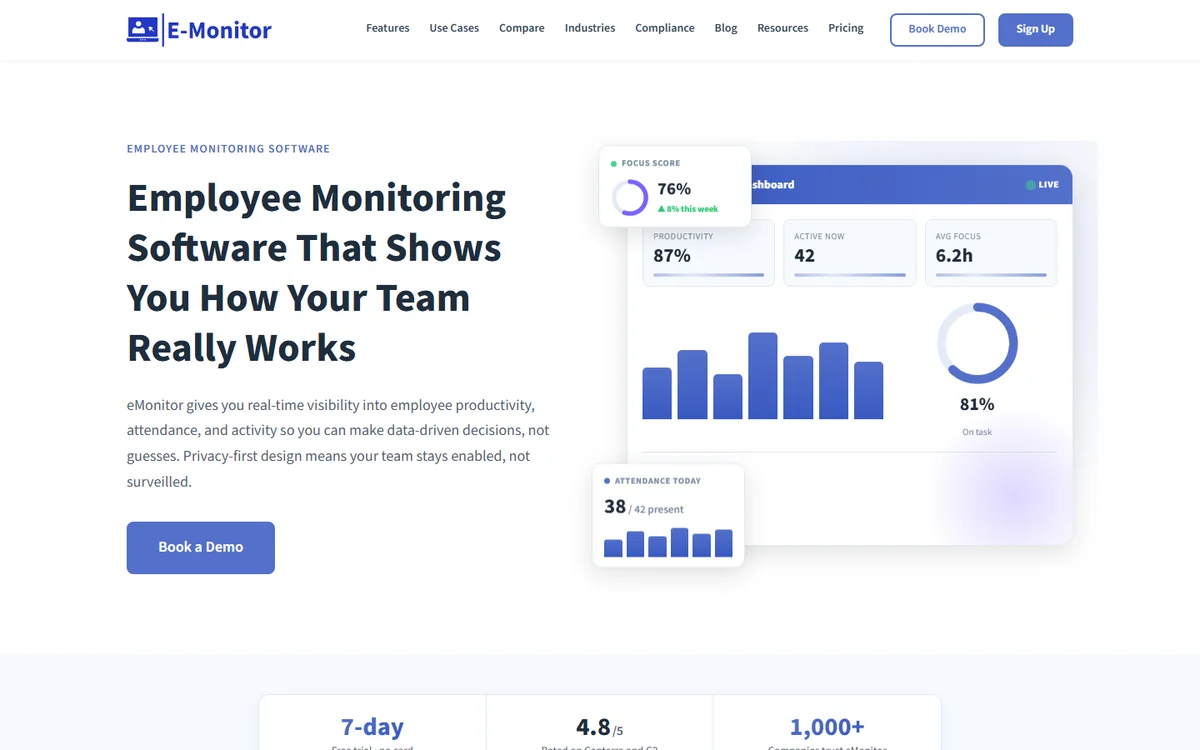
E-Monitor is an employee monitoring and productivity platform that addresses every major Workstatus limitation in a single subscription. It provides deep desktop activity monitoring, formal GDPR compliance documentation, integration-ready architecture for Western HRMS platforms, enterprise-grade reporting, and full GPS tracking for field teams. Pricing starts at $3.90 per user per month with no feature gating between plans.
The desktop monitoring depth is where E-Monitor separates most clearly from Workstatus. E-Monitor captures periodic screenshots at configurable intervals, records screens when anomalies are detected, streams live screen feeds across all employees simultaneously, classifies every app and website as productive or non-productive based on employee role, measures keystroke and mouse activity intensity, and monitors file transfers and USB device usage through its DLP module. This is not feature-level monitoring: it is workforce intelligence.
On the compliance side, E-Monitor provides formal GDPR compliance posture with configurable data retention periods, role-based access controls, employee-facing transparency dashboards (satisfying Article 13 notification requirements), and encrypted storage. For teams operating in the EU or under HIPAA, E-Monitor's compliance infrastructure is audit-ready in a way that Workstatus currently is not.
GPS tracking is also included: real-time location tracking via mobile, geofence-verified clock-ins, route and movement history, territory mapping, and field visit logging. Teams managing both office and field populations get a single platform rather than two separate tools.
Pricing: $3.90/user/month (all features included). 7-day free trial.
Best for: Teams needing desktop monitoring depth, GDPR compliance, and GPS tracking in one platform.
Ratings: 4.8/5 on Capterra (57 reviews), 4.85/5 on Software Advice (66 reviews).
2. Time Champ: Best for AI-Powered Productivity Analytics and Attendance
Compare: E-Monitor vs Time Champ
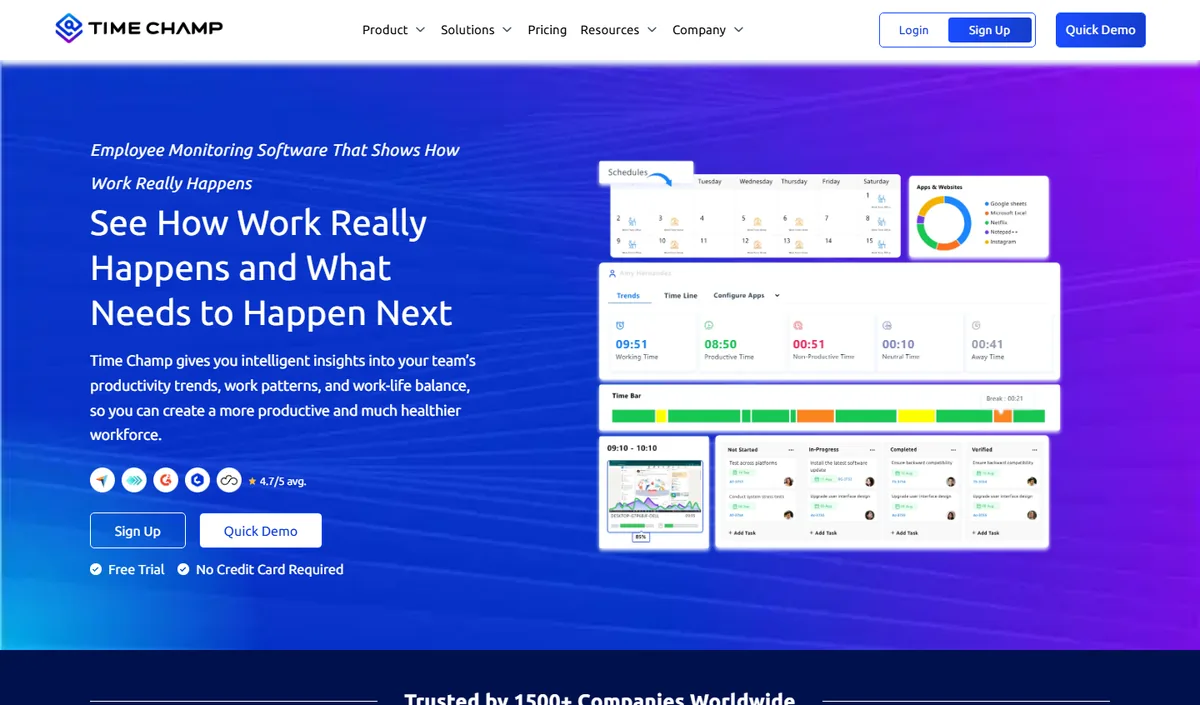
Time Champ is an AI-powered employee monitoring and productivity platform that combines automatic time tracking, application and website usage, productivity scoring, configurable screenshots, attendance and shift tracking, and dashboards at individual, team and company level. It runs on Windows, macOS and Linux and comes from the same product family as E-Monitor, so teams looking for an alternative to Workstatus get comparable monitoring depth with a heavier emphasis on analytics and reporting.
Key features: automatic time tracking, app and website categorisation, productivity scoring with weekly heat maps, configurable screenshots, attendance and shift management, leave and payroll modules, role-based dashboards for managers and employees.
Best for: mid-size and larger teams, BPO and operations-heavy organisations that want deep analytics alongside monitoring.
Pricing: per-user plans published on the Time Champ website, with a free trial.
Limitation: cloud-hosted only, and more capability than a very small team may use; review the data-residency options before committing.
3. Hubstaff (Best for GPS + Time Tracking Combination)
Compare: E-Monitor vs Hubstaff · Hubstaff alternatives
Hubstaff is the strongest direct competitor to Workstatus for GPS-centric teams. It offers real-time location tracking, geofencing, mileage tracking, route history, and job-site verification that match or exceed Workstatus's field capabilities. Hubstaff also provides time tracking, screenshots, and app monitoring, making it a more complete platform for mixed field-and-office workforces.
Where Hubstaff falls short relative to E-Monitor is pricing structure and monitoring depth. Core features like screenshots and app tracking require higher-tier plans rather than being included in the base price. A fully featured Hubstaff setup costs $10 to $14 per user per month once all add-ons are active. For pure GPS field management, Hubstaff's feature set is mature and reliable. For desktop monitoring depth, it does not match E-Monitor.
Pricing: $4.99 to $14+/user/month depending on add-ons.
Best for: Field teams that need GPS tracking as the primary feature with time tracking secondary.
Limitation: Add-on pricing model inflates total cost for full-featured setups.
4. Time Doctor (Best for Remote Team Time Tracking)
Compare: E-Monitor vs Time Doctor · Time Doctor alternatives
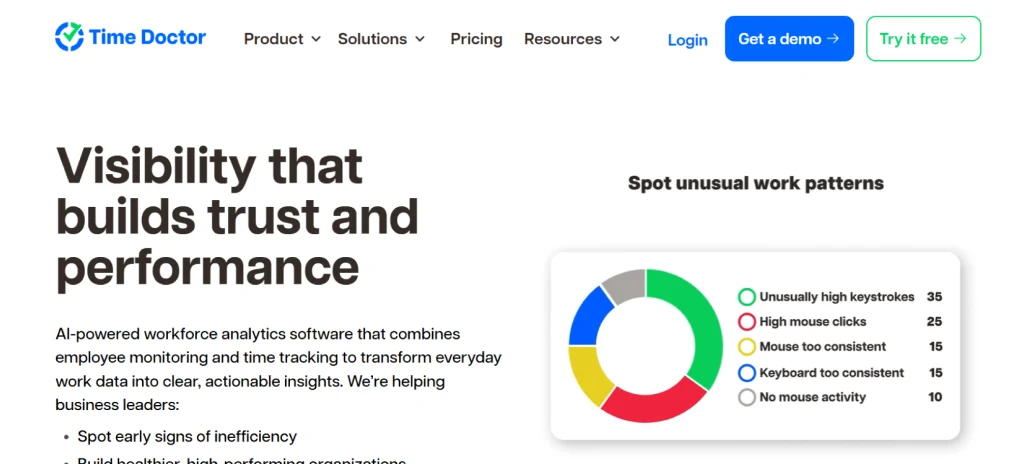
Time Doctor is a time tracking and monitoring platform built specifically for distributed remote teams. It includes screenshot capture, app and website monitoring, idle detection, and project-level time reporting. Time Doctor's reporting depth is stronger than Workstatus's, with client and project breakdowns that agencies and professional services teams find essential for billing accuracy.
The limitation most teams note is Time Doctor's distraction popup alerts, which interrupt employees when non-work browsing is detected. These interruptions reduce employee satisfaction and generate resistance during onboarding. Pricing starts at $7 per user per month for the Basic plan.
Pricing: $7 to $20/user/month.
Best for: Remote teams and agencies that need project-level time tracking and billing reports.
Limitation: Distraction popups create employee friction; GPS tracking is limited compared to Workstatus.
5. Insightful (Best for Workforce Analytics)
Compare: E-Monitor vs Insightful · Insightful alternatives
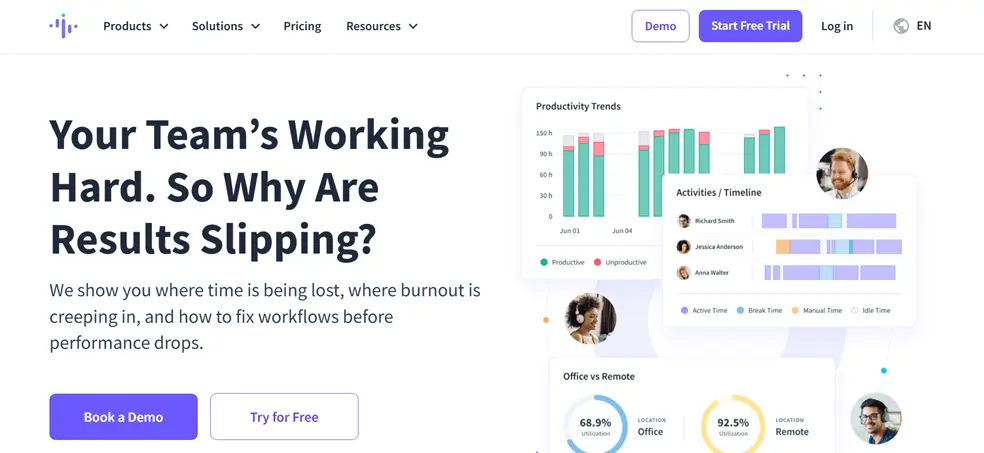
Insightful (formerly Workpuls) combines employee monitoring with workforce analytics and benchmarking. It tracks application usage, captures screenshots, and generates productivity scores at individual, team, and department levels. Insightful's "always on" and "clock in/out" monitoring modes give managers flexibility that Workstatus does not offer. Integration with Workday and BambooHR is more mature than Workstatus's Western HRMS connectivity.
The pricing structure splits features across two plans: the Productivity Management plan at $8 per user and the Employee Monitoring plan at $12 per user. Teams that need both analytics and monitoring depth often end up paying more than the entry price suggests. GPS features are minimal.
Pricing: $8 to $15/user/month.
Best for: Organizations that need workforce analytics benchmarking alongside monitoring data.
Limitation: Dual plan structure increases effective cost; limited GPS capabilities.
6. ActivTrak (Best for Behavioral Analytics)
Compare: E-Monitor vs ActivTrak · ActivTrak alternatives
ActivTrak positions itself as a workforce analytics platform that focuses on behavioral patterns and productivity trends rather than visual monitoring. It tracks application and website usage, classifies activities by productivity value, and provides team-level analytics dashboards with industry benchmarking. ActivTrak integrates well with Slack, Teams, and Western HRMS platforms.
The significant limitation is monitoring depth. ActivTrak does not offer screenshot capture, screen recording, or keystroke analysis. It does not include GPS tracking. For teams migrating from Workstatus specifically because they want deeper desktop monitoring, ActivTrak moves in the wrong direction. Pricing starts at $10 per user per month.
Pricing: $10 to $17/user/month.
Best for: Organizations that want behavioral analytics and productivity trends without visual monitoring.
Limitation: No screenshots, no screen recording, no GPS tracking.
7. DeskTime (Best for Automatic Time Tracking Simplicity)
Compare: E-Monitor vs DeskTime · DeskTime alternatives
DeskTime is a lightweight time tracking and productivity monitoring tool popular with small teams and freelancers who need straightforward automatic tracking without configuration complexity. It tracks app usage, captures screenshots on paid plans, and includes a built-in Pomodoro timer for focus sessions. The private time feature lets employees pause tracking for personal tasks, which reduces resistance during rollout.
DeskTime covers the basics well but does not provide the monitoring depth, GDPR documentation, or enterprise reporting that teams migrating from Workstatus for compliance or analytics reasons need. GPS tracking is not available. Pricing starts at $7 per user per month.
Pricing: $7 to $20/user/month.
Best for: Small teams wanting simple automatic time tracking with minimal setup.
Limitation: No GPS, limited monitoring depth, not designed for enterprise compliance requirements.
8. Monitask (Best for Simple Time Tracking for SMBs)
Compare: E-Monitor vs Monitask
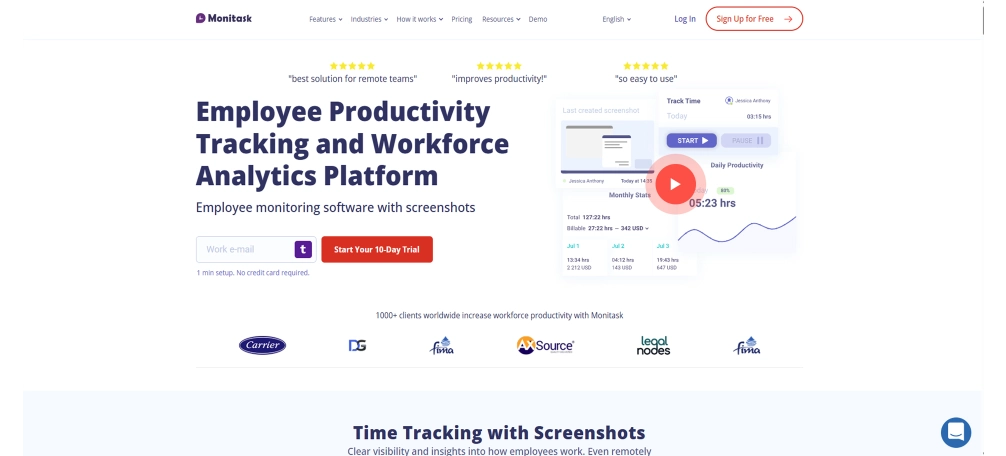
Monitask offers time tracking, random screenshot capture, and activity level measurement at a competitive price point for small remote teams. The interface is intentionally simple: onboarding is fast, configuration is minimal, and the core features work reliably. Monitask captures screenshots at random intervals, tracks application usage, and generates basic time and activity reports.
Monitask is the right choice for teams whose primary need is basic remote monitoring at a low per-user cost. It does not provide the GDPR compliance infrastructure, deep analytics, enterprise reporting, or GPS capabilities that most teams searching for Workstatus alternatives are looking for. Pricing starts at $5.99 per user per month.
Pricing: $5.99 to $8.99/user/month.
Best for: Small businesses needing basic remote monitoring at low cost.
Limitation: Limited analytics, no GPS, not suitable for compliance-heavy environments.
9. Teramind (Best for Security-Focused Monitoring)
Compare: E-Monitor vs Teramind · Teramind alternatives
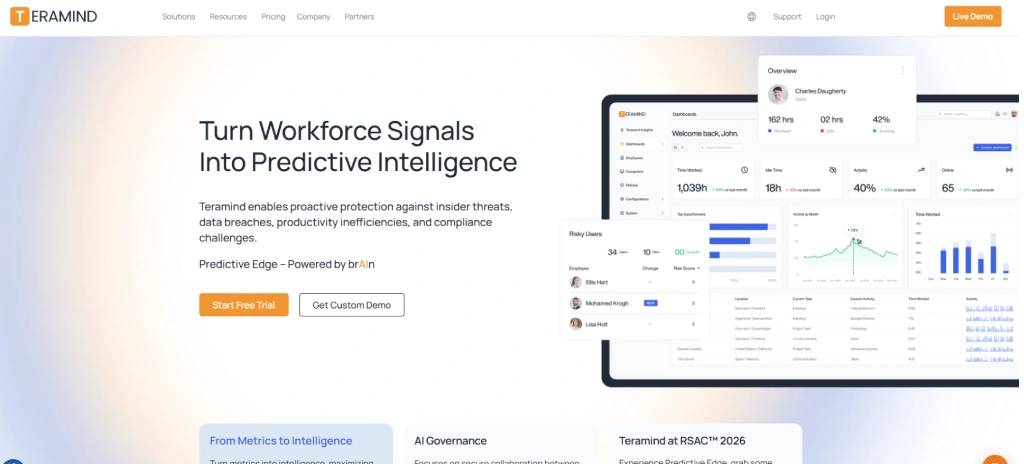
Teramind is an enterprise-grade monitoring and data loss prevention platform trusted by over 10,000 organizations. It provides the deepest monitoring capabilities on this list: screen recording, keystroke logging, email monitoring, file transfer tracking, USB device control, and behavioral analytics aligned with insider threat detection. Teramind's compliance documentation is thorough and audit-ready, making it a credible choice for teams where security and DLP are the primary drivers.
Teramind is not the right fit for SMBs or teams that need GPS as a core feature. The interface requires IT involvement to configure properly, and pricing starts at $15 per user per month for the cloud-hosted Starter plan. Enterprise DLP packages carry significantly higher per-user costs. For teams that just want GPS plus basic monitoring at a low price, Teramind is overbuilt and overpriced.
Pricing: $15 to $25+/user/month.
Best for: Enterprise security teams with DLP, insider threat, and compliance mandates.
Limitation: Complex setup, high pricing, no GPS tracking for field teams.
10. Traqq (Best for Privacy-First Monitoring)
Compare: E-Monitor vs Traqq · Traqq alternatives
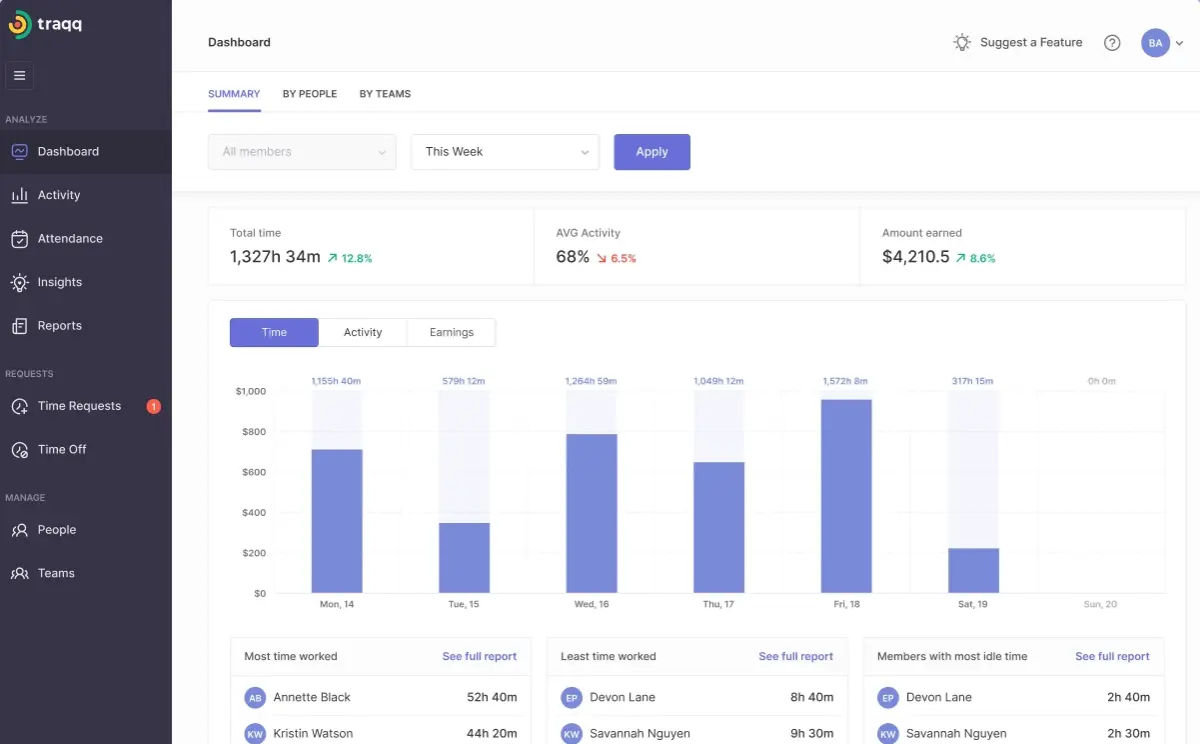
Traqq is a time tracking and monitoring tool that emphasizes employee privacy as its primary differentiator. It captures blurred screenshots that show activity patterns without revealing screen content, tracks active and idle time, and generates productivity reports without exposing specific application usage data. Traqq's approach appeals to teams where employee trust is a primary concern and where light-touch monitoring is culturally preferred.
The trade-off is monitoring granularity. Traqq's blurred screenshots and anonymized tracking cannot provide the verification depth that compliance teams or clients often require. GPS tracking is not available. Pricing is competitive at approximately $6 per user per month, and a free plan supports up to three users.
Pricing: Free up to 3 users; ~$6/user/month for paid plans.
Best for: Teams prioritizing employee privacy with minimal monitoring footprint.
Limitation: Limited monitoring depth by design; no GPS capabilities.
11. CurrentWare (Best for Content Filtering Combined with Monitoring)
CurrentWare is a suite of endpoint monitoring and content filtering tools that combines web filtering, application blocking, USB device control, and activity monitoring. It is designed for organizations that need to enforce acceptable use policies alongside standard activity tracking. CurrentWare is on-premises or cloud-deployable, which appeals to organizations with strict data sovereignty requirements who cannot use cloud-only tools.
CurrentWare is not a time tracking or GPS platform. Teams migrating from Workstatus for GPS capabilities will not find them here. Its value is in content filtering and endpoint control, which complements monitoring platforms rather than replacing them. Pricing starts at approximately $5 per user per month.
Pricing: ~$5/user/month depending on modules.
Best for: Organizations combining web filtering, application control, and USB management with monitoring.
Limitation: Not a time tracking or GPS tool; requires combination with other platforms for full monitoring coverage.
Workstatus Alternatives Feature Comparison Table
This table compares core capabilities across all 10 alternatives. "Included" means the feature is available in the base plan. "Add-on" means it requires a higher tier or separate purchase. "Limited" means the feature exists but lacks depth.
| Feature | E-Monitor | Hubstaff | Time Doctor | Insightful | ActivTrak | DeskTime | Monitask | Teramind | Traqq | CurrentWare |
|---|---|---|---|---|---|---|---|---|---|---|
| Starting price/user/mo | $3.90 | $4.99 | $7.00 | $8.00 | $10.00 | $7.00 | $5.99 | $15.00 | $6.00 | ~$5.00 |
| GPS tracking | Included | Included | Limited | No | No | No | No | No | No | No |
| Geofence attendance | Included | Included | No | No | No | No | No | No | No | No |
| Screenshot monitoring | Included | Add-on | Add-on | Add-on | No | Add-on | Included | Included | Blurred only | No |
| Screen recording | Included | Add-on | Add-on | Add-on | No | No | No | Included | No | No |
| Live screen viewing | Included | No | No | No | No | No | No | Included | No | No |
| App/website tracking | Included | Add-on | Included | Included | Included | Included | Included | Included | Limited | Included |
| Productivity classification | Included | Basic | Limited | Included | Included | Basic | No | Included | Limited | No |
| DLP / data protection | Included | No | No | No | No | No | No | Included | No | Included |
| GDPR compliance docs | Yes | Yes | Yes | Yes | Yes | Yes | Limited | Yes | Yes | Yes |
| Western HRMS integrations | Yes | Yes | Yes | Yes | Yes | Limited | No | Limited | No | No |
| Enterprise reporting | Included | Limited | Included | Included | Included | Basic | Basic | Included | Basic | Limited |
| Linux support | Yes | Yes | Yes | Yes | Yes | Yes | Yes | Yes | Yes | Yes |
| Chromebook support | Beta | No | No | No | Yes | No | No | No | No | No |
The pattern that emerges from this comparison is that no single Workstatus alternative matches Workstatus's low entry price, but every option on this list provides meaningfully more depth in at least one critical area. Teams that prioritize GPS plus deep desktop monitoring find E-Monitor and Hubstaff as the only two tools covering both. Teams that prioritize security and DLP over GPS choose Teramind. Teams optimizing for analytics over monitoring choose Insightful or ActivTrak.
GPS Tracking vs. Desktop Monitoring: Which Does Your Team Actually Need?
GPS tracking and desktop activity monitoring are two distinct capabilities that serve different workforce populations. Selecting the wrong tool because of confusion between these two categories is the most common mistake teams make when evaluating Workstatus alternatives.
GPS tracking answers the question: "Where is this person, and when did they arrive or leave?" It is essential for field teams where physical location is the primary unit of accountability. Construction crews, delivery drivers, field sales representatives, service technicians, and healthcare home-visit workers all need location verification as the foundation of their monitoring program. For these teams, GPS accuracy, geofence reliability, battery efficiency on mobile devices, and route history are the critical evaluation criteria.
Desktop activity monitoring answers the question: "What is this person working on, and how are they spending their time?" It is essential for knowledge workers where output is measured in applications used, tasks completed, and focus time sustained. Software developers, BPO agents, financial analysts, marketing teams, and remote office workers all need application-level visibility, productivity scoring, and time allocation analysis as their primary monitoring layer. For these teams, screenshot depth, app classification granularity, idle detection accuracy, and productivity trend analysis are the critical criteria.
Teams That Need Both
Many organizations manage mixed workforces: office-based knowledge workers alongside field teams, remote developers alongside on-site operations staff, or hybrid employees who work from home three days and visit client sites two days per week. These teams need a platform that handles both GPS and desktop monitoring without requiring two separate subscriptions or data silos.
E-Monitor is designed for this mixed-workforce reality. Its GPS module handles field team location tracking, geofence-based attendance, and route history. Its desktop monitoring module handles screenshot capture, screen recording, app tracking, productivity classification, and DLP for office and remote workers. Both sets of data appear in a unified dashboard, eliminating the need to reconcile data across two platforms.
Teams That Need GPS Only
Pure field teams with no desktop monitoring requirements can evaluate GPS-specialist tools directly. Hubstaff's GPS capabilities are mature and reliable. For India-based field operations, Workstatus may still be the right fit at $2.49 per user, provided the team does not have GDPR exposure or Western HRMS integration requirements.
Teams That Need Desktop Monitoring Only
Knowledge work teams with no field component should prioritize desktop monitoring depth over GPS. E-Monitor, Insightful, and ActivTrak all provide deeper desktop analytics than Workstatus without paying for GPS infrastructure the team will never use.
Real Cost of Workstatus Alternatives at Scale
Per-user pricing does not tell the full cost story. The table below shows what each tool actually costs for a 50-person team annually, with the feature set that includes both GPS tracking and desktop screenshot monitoring, the two most commonly required capabilities among Workstatus replacement searches.
| Tool | Effective price/user/mo (full features) | Annual cost (50 users) | GPS included? | Screenshots included? | GDPR-ready docs? |
|---|---|---|---|---|---|
| Workstatus | $2.49+ | $1,494+ | Yes | Limited | Limited |
| E-Monitor | $3.90 | $2,340 | Yes | Yes | Yes |
| Time Champ | Per user (vendor site) | Per user (vendor site) | Yes | Yes | Yes |
| Hubstaff (full features) | $10-$14 | $7,200+ | Yes | Add-on tier | Yes |
| Time Doctor | $10.00 | $6,000 | Limited | Add-on tier | Yes |
| Insightful | $12.00 | $7,200 | No | Add-on tier | Yes |
| ActivTrak | $10.00 | $6,000 | No | No | Yes |
| DeskTime | $10.00 | $6,000 | No | Add-on tier | Yes |
| Teramind | $15.00+ | $9,000+ | No | Yes | Yes |
| Monitask | $5.99 | $3,594 | No | Yes | Limited |
Workstatus's $2.49 entry price is genuinely low, and teams focused purely on GPS-based field management in markets with no GDPR exposure get significant value from it. The price comparison shifts when teams factor in the features they are missing. E-Monitor at $3.90 per user delivers GPS tracking plus deep desktop monitoring, GDPR-ready documentation, and enterprise reporting in one plan, costing a 50-person team $846 more annually than Workstatus, but eliminating the need for a second monitoring tool for office-based staff.
For teams currently running Workstatus for GPS and a separate tool for desktop monitoring, the consolidation math often favors E-Monitor. Replacing both tools with one platform at $3.90 per user is typically cheaper than paying $2.49 for Workstatus plus $7 to $10 for a dedicated desktop monitoring tool.
See Why 1,000+ Companies Chose E-Monitor Over Workstatus GPS tracking, desktop monitoring, GDPR compliance, and enterprise reporting in one plan. No add-ons required. Sign up →
E-Monitor vs. Workstatus: A Detailed Comparison
Since E-Monitor is the top-ranked Workstatus alternative on this list, here is a direct comparison across the capabilities that matter most to teams making the switch.
GPS and Field Operations
Workstatus has a genuine advantage in GPS maturity for South Asian field operations. Its real-time location tracking, geofencing, and route history are reliable and cost-effective at $2.49 per user. E-Monitor provides equivalent GPS capabilities including real-time location tracking, geofence-verified clock-ins, route and movement history, territory mapping, client visit logging, and field expense management. For teams outside South Asia, E-Monitor's GPS module is equally capable with the added benefit of Western customer support time zones and GDPR-aligned data handling.
Desktop Activity Monitoring
This is where the gap between Workstatus and E-Monitor is most pronounced. Workstatus captures basic screenshots and app usage data. E-Monitor provides periodic screenshots at configurable frequencies (from every 30 seconds to every hour), screen recordings triggered by activity anomalies, live screen viewing across all employees simultaneously through its Office TV feature, app and website tracking with role-based productivity classification, keystroke and mouse intensity measurement, and DLP monitoring for file transfers and USB device usage. For knowledge worker teams, this depth is the difference between surface visibility and genuine workforce intelligence.
GDPR and Compliance Infrastructure
Workstatus states GDPR compliance but provides thin formal documentation for audit purposes. E-Monitor provides configurable data retention periods, formal data processing agreements, role-based access controls that limit who can view sensitive monitoring data, employee-facing transparency dashboards that satisfy GDPR Article 13 notification requirements, and encrypted storage for all monitoring records. For EU-based teams or global companies handling EU citizen employee data, E-Monitor's compliance infrastructure is designed for regulatory scrutiny in a way that Workstatus currently is not.
HRMS Integrations
Workstatus integrations focus on Indian payroll and HR platforms. E-Monitor's integration-ready architecture connects with Western payroll systems, time and billing tools, and third-party platforms common in North American and European enterprises. For teams whose HR stack includes platforms like ADP, Gusto, BambooHR, or QuickBooks, E-Monitor's integration depth eliminates the manual data reconciliation that Workstatus users in Western markets encounter.
Enterprise Reporting
Workstatus reporting covers time logs, attendance summaries, and GPS activity. E-Monitor provides real-time productivity dashboards, app usage heatmaps, department-level productivity comparisons, project-level time allocation reports, attendance trend analysis, DLP violation summaries, and exportable reports in CSV and PDF formats. For operations managers and compliance officers who need reporting that holds up in board reviews or regulatory audits, E-Monitor's reporting layer is built for that purpose.
Employee Experience
Both tools run monitoring agents in the background, but the employee-facing experience differs significantly. Workstatus shows employees their own time and GPS data through the mobile app. E-Monitor provides full transparency dashboards where employees see their own productivity scores, time allocation breakdowns, app usage patterns, and activity heatmaps across all devices. This transparency reframes monitoring as a personal productivity tool rather than an oversight mechanism, which reduces resistance during rollout and improves sustained adoption.
Which Workstatus Alternative Should You Choose?
The best Workstatus alternative depends on which specific limitation you are trying to resolve. Here are our recommendations by use case.
Best for Teams Needing GPS and Deep Desktop Monitoring Together
E-Monitor. If your organization manages both field teams (who need GPS) and office or remote knowledge workers (who need desktop monitoring), E-Monitor is the only tool on this list that covers both without compromise. A single plan at $3.90 per user includes geofence attendance, route tracking, screenshot monitoring, screen recording, app classification, DLP, and enterprise reporting.
Best for Pure GPS Field Team Management
Hubstaff. If your team is primarily field-based and GPS accuracy, mileage tracking, and job-site verification are the primary requirements, Hubstaff's GPS infrastructure is mature and reliable. Be prepared for add-on pricing if you need screenshots or app monitoring alongside GPS.
Best for Remote Team Productivity and Billing
Time Doctor or E-Monitor. Remote teams billing by the hour benefit from both tools. Time Doctor provides client-level billing reports that agencies value. E-Monitor provides deeper productivity analytics at a lower per-user cost with no distraction popups that reduce employee satisfaction.
Best for GDPR-Compliant EU Deployments
E-Monitor or Teramind. Both provide formal GDPR compliance documentation, configurable data retention, and audit-ready reporting. E-Monitor is the better fit for most teams at $3.90 per user. Teramind is appropriate for enterprises with active insider threat or DLP compliance mandates where $15+ per user is justified.
Best for Analytics-First Organizations
Insightful or ActivTrak. If your primary objective is understanding workforce productivity patterns rather than monitoring individual screens, Insightful and ActivTrak provide deeper behavioral analytics than E-Monitor. Neither includes GPS tracking. ActivTrak lacks screenshots entirely, which makes it the right fit only for teams where employees have specifically pushed back against visual monitoring.
Best Budget Option with Basic Monitoring
Monitask. At $5.99 per user with screenshots and activity tracking included, Monitask is the most affordable option on this list that provides genuine desktop monitoring. It does not match E-Monitor's depth or compliance posture, but for small teams with basic requirements and budget constraints, it covers the essentials.
How to Migrate from Workstatus: Step-by-Step Guide
Switching employee monitoring tools is straightforward with a structured approach. Here is the migration process for moving from Workstatus to an alternative platform.
Step 1: Export Your Workstatus Data (Day 1)
Log into your Workstatus admin account and navigate to Reports. Export the following in CSV format: time and attendance records (at least 12 months), GPS and location history, employee roster with roles and permissions, and any project or client configurations you have set up. Store these exports securely before proceeding with any account changes.
Step 2: Recreate Your Structure in the New Tool (Days 1 to 2)
Set up your account on the replacement platform. Recreate your team structure: add employees, assign roles, and configure monitoring settings. For E-Monitor, this typically takes 15 to 30 minutes for a team of 50 users. Configure monitoring parameters: screenshot frequency, app classification rules, idle thresholds, shift schedules, and geofence boundaries for field teams.
Step 3: Run Both Platforms in Parallel (Days 3 to 7)
Install the new monitoring agent on all employee devices while keeping Workstatus active. Run both platforms for one full work week. Use this parallel period to verify that attendance records match between platforms, confirm GPS tracking accuracy for field teams, check that app tracking and screenshot capture are working correctly, and identify any configuration adjustments needed before the full cutover.
Step 4: Import Historical Data (Day 7)
Most alternatives accept CSV imports for historical time and attendance data. Map your exported Workstatus fields to the new platform's import format. E-Monitor's support team handles this mapping for teams of 20 or more at no additional cost, ensuring historical records are preserved during the transition.
Step 5: Decommission Workstatus (Days 8 to 10)
Once the parallel run confirms data accuracy, uninstall the Workstatus agent from all devices. Cancel your Workstatus subscription in alignment with your billing cycle. Communicate the change to your team: explain what changed, what stayed the same, and where to direct questions. A brief team communication at this stage prevents confusion and builds trust in the new monitoring program.
Common Migration Pitfalls
- Skipping the parallel run: Running both tools for at least five business days catches configuration errors that are much harder to resolve after Workstatus is decommissioned.
- Not exporting GPS history: Route history and location logs are often needed for payroll reconciliation or client billing. Export all GPS data before canceling Workstatus.
- Changing too many settings at once: Recreate your existing configuration first, then optimize it over the first 30 days once employees are familiar with the new tool. Changing screenshot frequencies, idle thresholds, and app classifications simultaneously creates confusing data during the transition.
- Not communicating with employees: A silent tool change generates more resistance than a transparent one. Send a brief team message explaining the switch before rollout day.
Frequently Asked Questions About Workstatus Alternatives
1. What is Workstatus and what does it do?
Workstatus is an India-based employee monitoring, GPS tracking, and time tracking platform popular in South Asian markets. It offers real-time location tracking, geofencing, shift scheduling, and basic desktop activity monitoring starting at $2.49 per user per month. Its GPS capabilities are strong for field teams, but desktop monitoring depth and GDPR compliance documentation are limited compared to Western alternatives.
2. Why are teams looking for Workstatus alternatives in 2026?
Teams searching for Workstatus alternatives most commonly cite four limitations: shallow desktop activity monitoring (limited screenshot depth and app-level analytics), thin GDPR compliance documentation for EU operations, limited integrations with Western HRMS platforms like Workday and BambooHR, and enterprise reporting that does not scale for large multi-department operations.
3. What is the best Workstatus alternative for desktop monitoring?
E-Monitor is the strongest Workstatus alternative for desktop monitoring depth. It provides configurable screenshot capture, screen recording with anomaly detection, live screen viewing, app and website tracking with productivity classification, keystroke intensity measurement, and DLP file monitoring. All of these capabilities are included in E-Monitor's base plan at $3.90 per user per month.
4. Does Workstatus support GDPR compliance?
Workstatus states GDPR compliance in its documentation, but EU-based teams consistently note that formal DPA depth, data residency options, and audit trail thoroughness are thinner than dedicated Western monitoring tools. Teams operating under GDPR Article 28 requirements should request current DPA documentation from Workstatus and verify data residency before deployment.
5. Which Workstatus alternative has the best GPS tracking?
Hubstaff is the strongest GPS-focused Workstatus alternative, offering real-time location tracking, geofencing, mileage tracking, and route history for field teams. E-Monitor also includes GPS with geofence-verified clock-ins, territory mapping, and visit logging. For primarily GPS-driven deployments, both tools provide more enterprise maturity than Workstatus outside South Asian markets.
6. Is there a Workstatus alternative with better Western HRMS integrations?
E-Monitor, Insightful, and ActivTrak integrate more readily with Western HRMS platforms than Workstatus. E-Monitor's integration architecture connects with Western payroll systems and third-party tools common in North American and European enterprises. Insightful and ActivTrak offer pre-built integrations with Workday, BambooHR, and Slack.
7. Can I use Workstatus in Europe?
Workstatus can be used in Europe, but teams should request current Data Processing Agreement documentation and confirm data residency options before deployment. EU-based organizations subject to GDPR Article 28 need a signed DPA with their monitoring vendor. E-Monitor and Teramind provide explicit GDPR compliance documentation and formal DPAs for EU operations.
8. What is cheaper than Workstatus with more desktop monitoring features?
E-Monitor at $3.90 per user costs more than Workstatus's $2.49 entry price, but includes screenshot monitoring, screen recording, DLP, productivity analytics, and app-level tracking that Workstatus's base plan does not provide. Teams running Workstatus plus a separate desktop monitoring tool often pay more in total than E-Monitor's single-plan price.
9. Does Workstatus work on Linux and Chromebook?
Workstatus supports Windows and macOS for desktop monitoring. Linux and Chromebook support is limited. E-Monitor supports Windows, macOS, Linux, and Chromebook (beta), covering a broader range of enterprise device environments without requiring workarounds for non-standard operating systems.
10. Which Workstatus alternative is best for enterprise reporting?
E-Monitor and Insightful lead among Workstatus alternatives for enterprise reporting depth. E-Monitor provides real-time dashboards, productivity heatmaps, app usage breakdowns, attendance trend analysis, project-level time reports, and exportable audit logs in CSV and PDF formats. Both tools provide significantly more reporting depth than Workstatus for multi-department enterprise operations.
11. How do I migrate from Workstatus to a new monitoring tool?
Migration from Workstatus involves exporting time, attendance, and GPS data in CSV format, recreating your team structure in the new platform, running both tools in parallel for one full work week to verify accuracy, then importing historical data before decommissioning Workstatus. E-Monitor's onboarding team supports data migration for teams of 20 or more at no additional cost.
12. Is Workstatus good for teams outside South Asia?
Workstatus is well-suited for South Asian markets, particularly India-based BPOs and field service teams. For teams operating primarily in North America, Europe, or Australia, Western-built alternatives like E-Monitor, Hubstaff, and Insightful provide better alignment with local compliance requirements, HRMS integrations, and customer support time zones.