
Summary
Kickidler alternatives are employee monitoring software platforms that provide activity tracking, productivity analytics, and compliance features without Kickidler's video-surveillance-first approach or Russian data residency concerns. Whether your concern is GDPR risk, continuous video recording that strains employee trust, or simply finding a more complete workforce intelligence platform at a competitive price, this comparison covers the seven strongest options available in 2026.
Want full monitoring with nothing to configure? E-Monitor starts at $3.90 per user per month with a 7-day free trial. Try E-Monitor free →
Why Are Teams Looking for a Kickidler Replacement in 2026?
Kickidler is a Ukrainian-developed employee monitoring tool that has been on the market since 2015. Its headline feature is continuous screen video recording, the ability to replay an employee's entire workday as a video feed. For some security-focused operations, that depth of visual audit trail is genuinely useful. For most organizations, it creates three problems that are driving the search for alternatives.
1. Data Residency and Compliance Risk
Data sovereignty has become a non-negotiable procurement criterion for European businesses operating under GDPR and organizations in regulated industries worldwide. Kickidler's origin and data infrastructure raise questions that legal and IT teams increasingly refuse to leave unanswered. Under the Schrems II ruling and its successors, the burden falls on the data controller, that is, your organization, to demonstrate that any monitoring tool used on employee devices handles personal data in compliance with applicable law. Tools with ambiguous data residency create legal exposure that documented EU-hosting alternatives do not.
A 2023 Gartner survey found that 68% of enterprise IT decision-makers now include data residency as a hard requirement in monitoring software procurement, up from 41% in 2020. This shift explains why even organizations that were satisfied with Kickidler's feature set are re-evaluating their choice.
2. Video Surveillance Creates Employee Relations Problems
Continuous video recording of employee screens is legally permissible in many jurisdictions with proper disclosure, but legally permissible and practically wise are different things. Research from the American Psychological Association shows that employees who perceive their monitoring as disproportionate report 31% lower job satisfaction and are 2.4 times more likely to begin job-searching within six months. The monitoring tool becomes a retention liability.
Most organizations that genuinely need visual oversight of computer activity find that configurable periodic screenshots, not continuous video, provide the compliance and QA capability they need at a fraction of the trust cost. This is the design philosophy E-Monitor and most of the alternatives below follow.
3. Productivity Intelligence Has Moved Beyond Video
Kickidler's product is built around the idea that the most useful monitoring data is a visual record. The 2026 generation of employee monitoring tools takes a different view: the most useful data is structured, analyzable, and actionable. App usage patterns, productivity classification, focus time analysis, idle detection, and attrition risk scoring deliver insights that no amount of video playback can provide. Teams replacing Kickidler are not just solving a compliance problem, they are upgrading to a more capable platform.
Kickidler Alternatives at a Glance: Feature and Pricing Summary
The table below summarizes the seven strongest Kickidler alternatives on the criteria that matter most when switching: price, monitoring depth, compliance posture, and whether the tool includes productivity analytics beyond raw activity data.
| Tool | Starting Price | Activity Tracking | Screen Monitoring | Productivity Analytics | GDPR / Data Residency | Best For |
|---|---|---|---|---|---|---|
| E-Monitor Our Pick | $3.90/user/mo | Yes, full app & URL | Screenshots + recordings | AI-powered, deep | GDPR compliant, EU residency | Most teams, best value |
| Time Champ | Per user (vendor site) | Yes, full app & URL | Screenshots + recordings | AI-powered, deep | GDPR compliant, EU residency | Most teams, best value |
| ActivTrak | $10+/user/mo | Yes, app & URL | Available (not default) | Strong workforce analytics | GDPR certified, US-based | Analytics-first organizations |
| Teramind | $15+/user/mo | Yes, full UEBA | Screenshots + video | Strong + UEBA | SOC 2 Type II, US data centers | Enterprise insider threat |
| Hubstaff | $5.83/user/mo | Yes, app & URL | Screenshots (add-on) | Basic productivity reports | GDPR compliant, US-based | Field teams with GPS needs |
| CurrentWare | $3–5/user/mo | Yes, web + USB | Screenshots | Basic usage reports | GDPR compliant, North America | IT compliance and web filtering |
| Controlio | ~$5/user/mo | Yes, URL + app | Screenshots | Basic | Cloud-based, US-hosted | SMBs needing URL filtering |
| Insightful (Workpuls) | $6.40+/user/mo | Yes, app & URL | Screenshots | Clean analytics dashboard | GDPR compliant, US-based | Teams that prioritize clean UX |
Pricing based on annual billing as of April 2026. Per-user costs may vary by team size and plan tier.
#1 E-Monitor: The Best Kickidler Alternative for Most Teams
Compare: E-Monitor pricing · all features
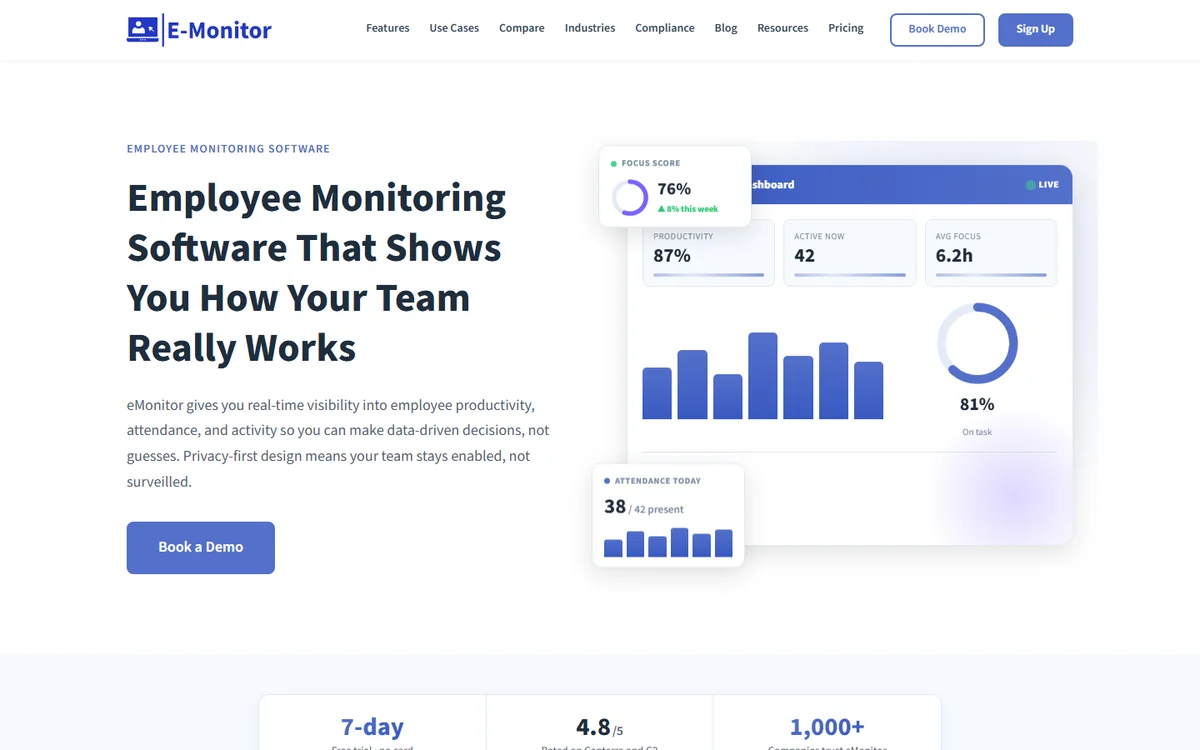
E-Monitor is the monitoring platform that replaces Kickidler most completely, not because it matches Kickidler feature-for-feature, but because it solves the same underlying problem (visibility into how work actually happens) through a fundamentally different and more defensible approach. Where Kickidler defaults to continuous video recording, E-Monitor gives you detailed activity logs, configurable screenshot monitoring, and AI-powered productivity analytics that together deliver more actionable intelligence than a video archive ever could.
Why E-Monitor Outperforms Kickidler for Compliance-Conscious Teams
GDPR's data minimization principle (Article 5(1)(c)) requires that personal data be "adequate, relevant, and limited to what is necessary." Continuous video recording of an entire workday is difficult to defend under this standard when periodic screenshots and structured activity logs accomplish the same compliance and QA objectives. E-Monitor's work-hours-only monitoring, configurable data retention, and EU data residency make it demonstrably easier to justify to a Data Protection Officer than Kickidler's video-first architecture.
Organizations in financial services, healthcare, and legal services, where compliance reviewers ask hard questions about monitoring proportionality, consistently choose E-Monitor over Kickidler after conducting DPIAs (Data Protection Impact Assessments). The design of the platform reflects a legitimate interest under Article 6(1)(f) rather than a blanket surveillance approach.
Key Features
- Real-time activity monitoring: app and website usage with time-spent breakdowns and productivity classification
- Configurable screenshot monitoring: periodic screenshots at your chosen frequency, with blur controls for sensitive content and role-based access
- Screen recording with anomaly detection: recordings triggered by activity spikes, not continuous capture of entire workdays
- AI-powered productivity scoring: classifies apps and sites as productive, non-productive, or neutral; produces focus time and idle time analysis
- Color-coded timeline views: hour-by-hour breakdown of each employee's day, immediately scannable without video playback
- Data Loss Prevention (DLP): USB monitoring, file activity tracking, and upload/download violation alerts
- Automated timesheets: clock-in to payroll-ready export with zero manual entry
- Attrition risk signals: early disengagement indicators based on behavioral patterns
- Employee-facing dashboards: staff see their own data, supporting transparency and trust
Pricing
E-Monitor starts at $3.90 per user per month (annual billing). All core monitoring features, activity tracking, screenshots, productivity analytics, DLP, and automated timesheets, are included without add-on fees. A 7-day free trial is available with no credit card required.
Pros
- Strongest GDPR compliance posture in this comparison, EU data residency, work-hours-only, and proportionate by design
- Most complete feature set at the lowest price point ($3.90/user/mo)
- AI-powered productivity intelligence beyond activity logging
- Employee-facing dashboards that reduce trust friction
- DLP included, not an enterprise add-on
- 2-minute setup; silent deployment via group policy available
- Trusted by 1,000+ companies with 4.8/5 on Capterra
Cons
- No continuous video recording (by design, this is a compliance feature, not a gap)
- No GPS field tracking for mobile workforces
- On-premises deployment requires Enterprise tier
Best for: Organizations of any size that want comprehensive monitoring, strong GDPR compliance, and actionable productivity intelligence, without the legal and cultural risks of continuous video recording.
See the full head-to-head breakdown: E-Monitor vs Kickidler, Detailed Comparison.
Replace Kickidler Without the Compliance Risk E-Monitor gives you complete workforce visibility, activity logs, screen monitoring, productivity analytics, and DLP, with EU data residency and GDPR-compliant defaults. 1,000+ companies have already made the switch. Sign up →
#2 Time Champ: Best for AI-Powered Productivity Analytics and Attendance
Compare: E-Monitor vs Time Champ
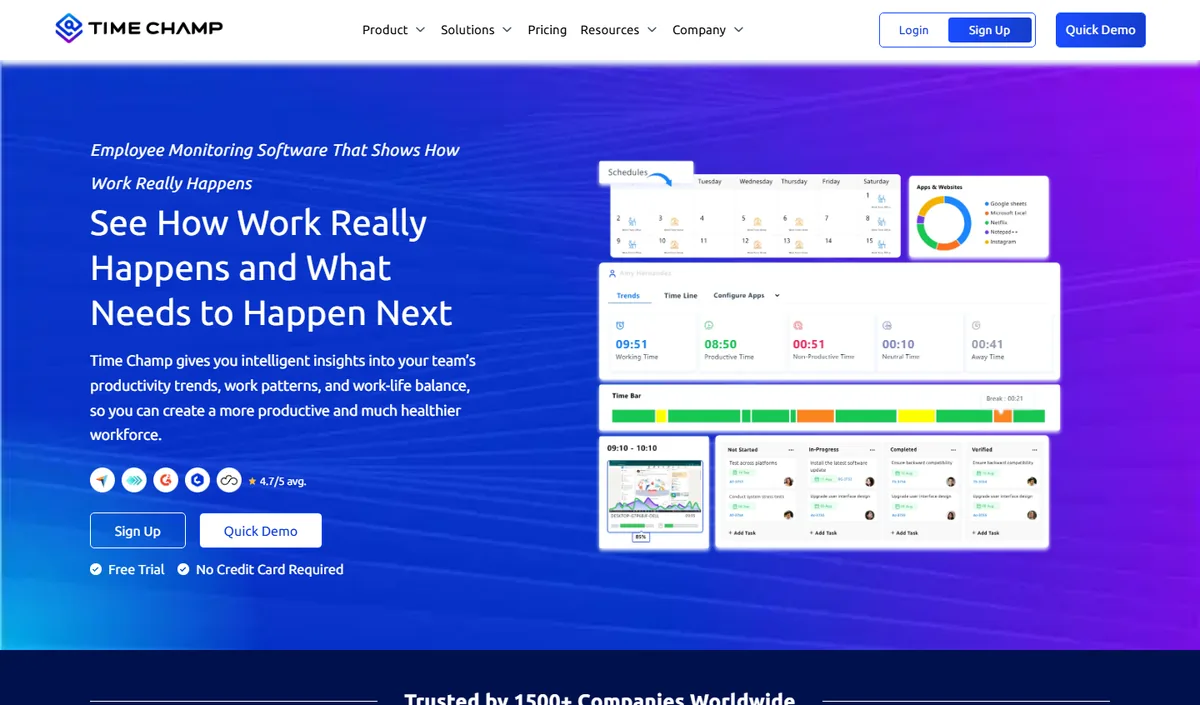
Time Champ is an AI-powered employee monitoring and productivity platform that combines automatic time tracking, application and website usage, productivity scoring, configurable screenshots, attendance and shift tracking, and dashboards at individual, team and company level. It runs on Windows, macOS and Linux and comes from the same product family as E-Monitor, so teams looking for an alternative to Kickidler get comparable monitoring depth with a heavier emphasis on analytics and reporting.
Key features: automatic time tracking, app and website categorisation, productivity scoring with weekly heat maps, configurable screenshots, attendance and shift management, leave and payroll modules, role-based dashboards for managers and employees.
Best for: mid-size and larger teams, BPO and operations-heavy organisations that want deep analytics alongside monitoring.
Pricing: per-user plans published on the Time Champ website, with a free trial.
Limitation: cloud-hosted only, and more capability than a very small team may use; review the data-residency options before committing.
#3 ActivTrak: Best for Workforce Analytics Without Video
Compare: E-Monitor vs ActivTrak · ActivTrak alternatives
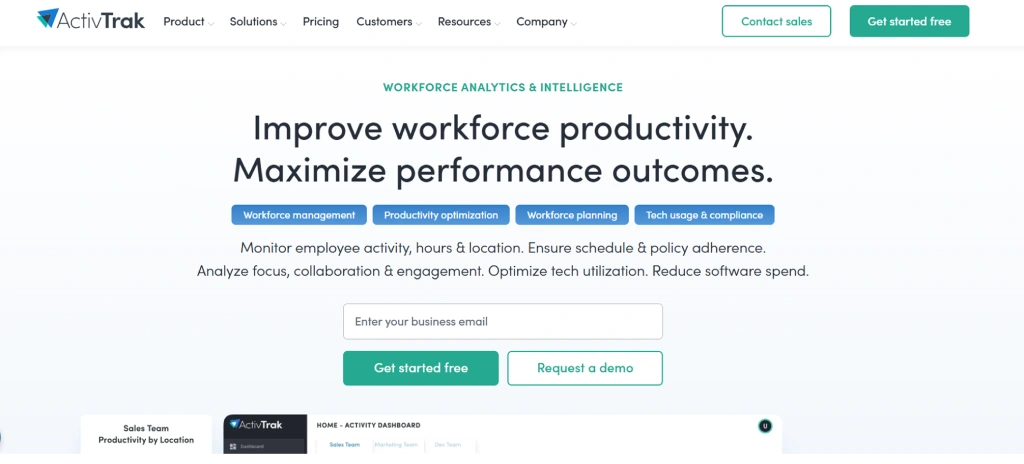
ActivTrak is a US-based workforce analytics platform that made a deliberate decision: no video recording, no keystroke logging, no screenshots by default. The product is built around behavioral analytics, understanding patterns of work rather than creating a surveillance archive. For organizations that have rejected Kickidler specifically because of its video recording approach, ActivTrak is the most philosophically aligned alternative.
The platform's strength is its ActivConnect analytics layer, which provides workload distribution analysis, burnout risk scoring, and productivity trend reporting that goes well beyond what most monitoring tools offer. It is genuinely designed for HR and operations leaders who want to improve team performance, not just document what employees are doing.
Key Features
- Real-time app and website activity tracking with productivity classification
- Workload and capacity analysis, identifies over- and under-utilized employees
- Goal tracking and productivity benchmarking
- Screenshots available as an optional feature (not default)
- GDPR certified with US-based data centers
- Integrations with popular HR and project management platforms
Pricing
ActivTrak's Essentials plan starts at approximately $10 per user per month. Advanced analytics features require the Professional or Enterprise tiers, which push costs higher. The free plan covers up to three users with limited history.
Pros
- Privacy-forward design, no default video or keystroke logging
- Sophisticated workforce analytics dashboard
- GDPR certified and US-hosted
- Strong integrations ecosystem
Cons
- Significantly more expensive than E-Monitor at $10+/user/mo
- Lighter monitoring depth, limited screenshot controls and no DLP
- Less suitable for compliance-driven monitoring use cases
Best for: Organizations that want workforce analytics and coaching tools, have rejected surveillance-style monitoring on principle, and have budget for a premium analytics platform.
#4 Teramind: Best for Enterprise Insider Threat Programs
Compare: E-Monitor vs Teramind · Teramind alternatives
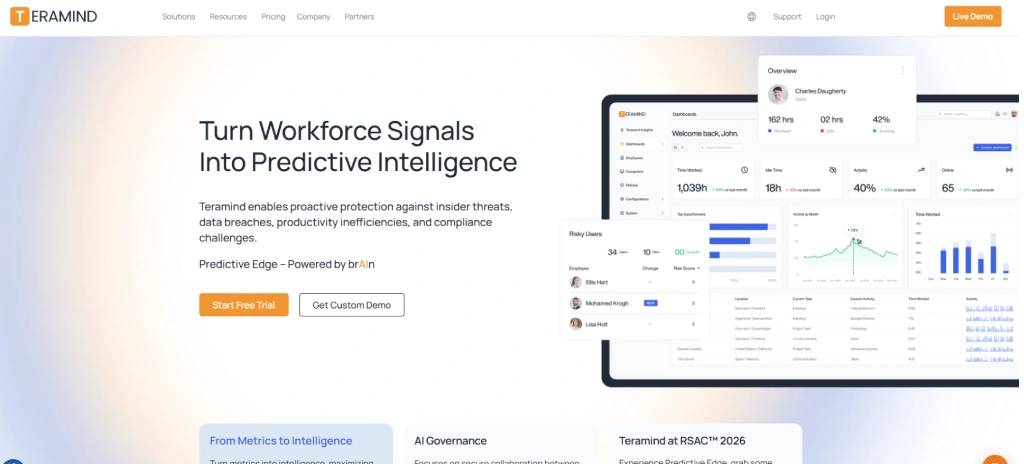
Teramind is the enterprise-grade alternative for organizations that genuinely need Kickidler's video recording depth, but with US data centers, SOC 2 Type II compliance, and a full User and Entity Behavior Analytics (UEBA) engine behind it. If your reason for evaluating Kickidler was insider threat detection rather than productivity management, Teramind is the more credible tool.
The platform monitors over 13 behavior categories simultaneously, including email content, clipboard activity, print jobs, and application usage, and uses rule-based and behavioral baselines to detect anomalies that indicate data exfiltration or policy violation. This is meaningfully different from productivity monitoring: Teramind is a security tool that happens to include productivity features, not the reverse.
Key Features
- Full UEBA with behavioral baseline and anomaly detection
- Continuous screen video recording with content-triggered search
- Email, IM, and clipboard monitoring
- OCR-powered screenshot analysis
- DLP with real-time blocking capabilities
- US data centers with SOC 2 Type II and ISO 27001 compliance
- On-premises and private cloud deployment options
Pricing
Teramind's Starter plan begins at approximately $15 per user per month, with DLP and full UEBA features requiring the UAM or DLP plans at higher price points. For large enterprise deployments, custom pricing applies. Total cost of ownership is substantially higher than E-Monitor or ActivTrak.
Pros
- Most powerful insider threat and DLP capabilities in this comparison
- SOC 2 Type II and ISO 27001 certified
- On-premises deployment for air-gapped environments
- Behavioral baselining catches novel threats, not just policy violations
Cons
- Expensive, most SMBs will not need or be able to justify the cost
- Complex implementation; requires dedicated IT/security resources
- Heavy monitoring posture can create employee trust problems
Best for: Regulated enterprises (financial services, defense contractors, healthcare systems) running formal insider threat programs where comprehensive behavioral monitoring is legally and operationally justified.
#5 Hubstaff: Best for Field Teams with GPS Requirements
Compare: E-Monitor vs Hubstaff · Hubstaff alternatives
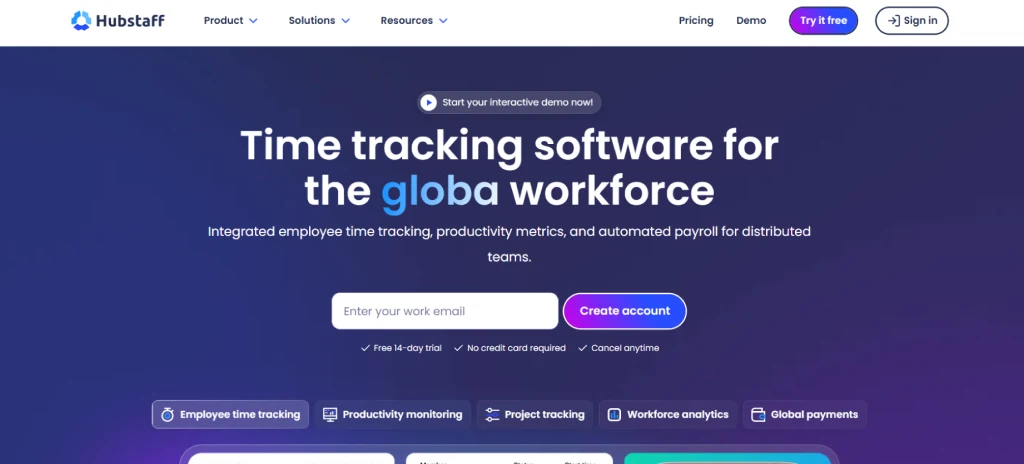
Hubstaff is primarily a time tracking and field workforce management platform that added desktop monitoring features. If your team split is heavily weighted toward field workers, construction crews, delivery teams, service technicians, and you were using Kickidler mainly for the office component, Hubstaff offers something none of the other alternatives in this list match: real-time GPS tracking, geofenced clock-ins, and route history alongside desktop monitoring.
The platform serves over 40,000 businesses and is a well-established SaaS product with a mature integration ecosystem. Its monitoring depth is more limited than E-Monitor or Teramind, screenshots are available as an add-on rather than a core feature, but for organizations where time tracking accuracy and field visibility are the primary objectives, Hubstaff is a credible choice.
Key Features
- Automatic time tracking with payroll-ready timesheet export
- Real-time GPS tracking for field employees
- Geofenced clock-ins with zone violation alerts
- App and URL tracking
- Screenshot monitoring (available on paid add-on or higher tiers)
- Project and task tracking with budget management
- Integrations with 30+ payroll and project management tools
Pricing
Hubstaff's Starter plan begins at $5.83 per user per month (annual billing). Screenshots, GPS, and advanced reporting each require either a higher plan or paid add-ons, so the effective cost for a fully featured setup typically lands between $8 and $12 per user monthly.
Pros
- Best GPS and field operations feature set in this comparison
- Large integration ecosystem
- Established, well-supported product with 40,000+ businesses
- Strong mobile app for iOS and Android
Cons
- Add-on pricing model means full functionality costs more than advertised
- Monitoring depth is lighter than E-Monitor, no DLP, limited productivity analytics
- Not the right tool if desktop monitoring is your primary use case
Best for: Organizations with significant field workforces that need GPS tracking alongside basic desktop monitoring, construction, field services, logistics, and delivery companies.
#6 CurrentWare: Best for IT Compliance and Web Filtering
CurrentWare is a Canadian employee monitoring and Internet management platform that approaches monitoring from an IT security and acceptable use policy (AUP) angle rather than a productivity management angle. If your core use case with Kickidler was policy enforcement, blocking unauthorized websites, controlling USB device access, and maintaining Internet usage logs for compliance audits, CurrentWare is worth serious consideration.
The platform bundles web filtering (BrowseReporter and BrowseControl), remote computer management, and USB device control into a suite that integrates tightly. It is particularly popular in education, government, and healthcare where AUP enforcement and device security are as important as productivity monitoring.
Key Features
- Web content filtering with category-based allow/block lists
- Internet usage monitoring with detailed URL logs
- USB and removable device control, block or allow by device type
- Remote desktop management (AccessPatrol, BrowseReporter)
- Screenshot monitoring
- Compliance-ready reporting for audits
- On-premises or cloud deployment options
Pricing
CurrentWare's pricing ranges from approximately $3 to $5 per user per month depending on the modules selected and whether cloud or on-premises deployment is chosen. Annual billing applies for the lower rates.
Pros
- Strong web filtering capabilities that most monitoring tools lack
- Competitive pricing comparable to E-Monitor
- On-premises option for organizations with data sovereignty requirements
- Well-suited to regulated industries (education, government, healthcare)
Cons
- Limited productivity analytics compared to E-Monitor or ActivTrak
- Older UI, less polished than modern SaaS alternatives
- Feature set is module-based, so getting full capability requires bundling
- Less suitable for productivity-focused use cases
Best for: IT and compliance teams in education, healthcare, and government where web filtering, AUP enforcement, and device control are the primary objectives alongside basic monitoring.
#7 Controlio: Best for Cloud-Based SMBs Needing Simple Monitoring
Compare: Controlio alternatives
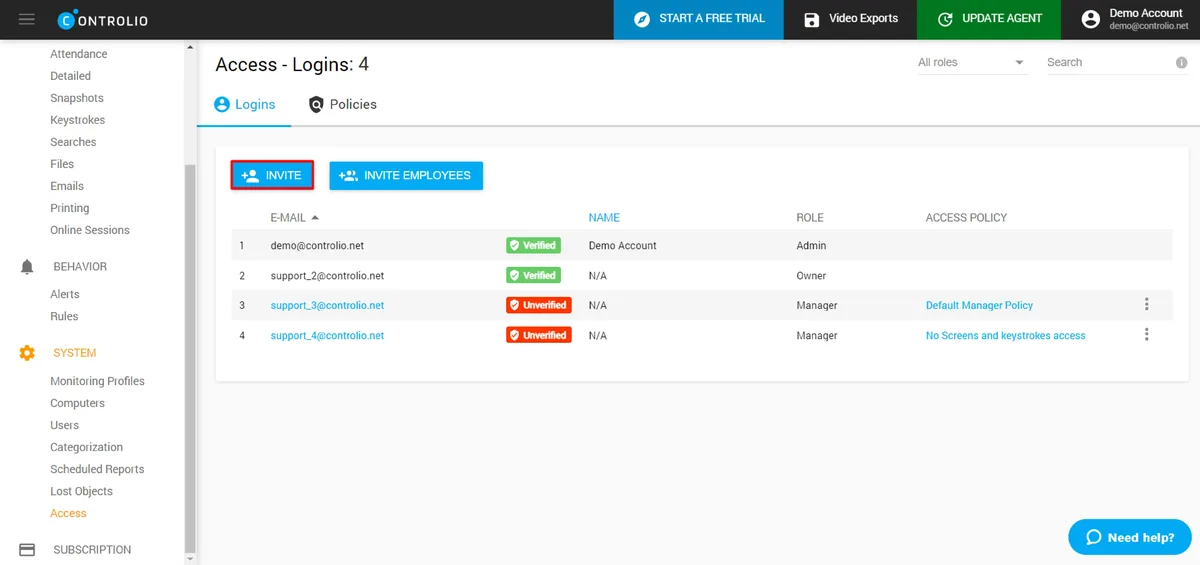
Controlio is a cloud-based employee monitoring platform aimed at small and mid-sized businesses that want screenshot monitoring and URL filtering without the complexity of enterprise-grade tools. It is a straightforward product: install the agent, view screenshots and activity logs, block unauthorized websites. The setup is quick and the learning curve is shallow.
Controlio's monitoring is less deep than E-Monitor's and its analytics capabilities are limited, there is no equivalent of E-Monitor's productivity classification engine or attrition risk signals. But for organizations whose primary need is a basic audit trail of employee computer activity, it delivers that at a reasonable price.
Key Features
- Screenshot monitoring with configurable frequency
- URL and application activity tracking
- Website and application blocking
- Remote employee monitoring via cloud
- Activity reports and dashboards
- Stealth mode deployment
Pricing
Controlio starts at approximately $5 per user per month, with volume pricing available for larger teams. Annual billing reduces the per-user cost.
Pros
- Quick setup and low learning curve
- Cloud-based, no on-premises infrastructure needed
- URL blocking is included, not an add-on
- Accessible price point
Cons
- Limited productivity analytics, basic reports only
- No DLP, no attrition risk signals, no AI-driven scoring
- Less feature depth than E-Monitor at a similar price
- Smaller company with fewer integrations and enterprise support options
Best for: Small businesses that need a straightforward, cloud-based screenshot and URL monitoring tool with minimal setup complexity and no requirement for deep analytics.
#8 Insightful (Workpuls): Best for Teams That Prioritize Interface Quality
Compare: E-Monitor vs Insightful · Insightful alternatives
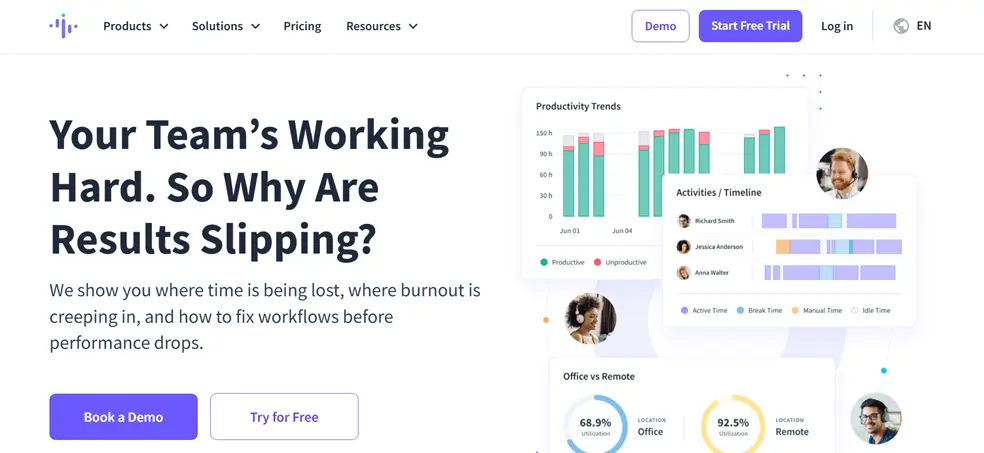
Insightful, formerly known as Workpuls, is a productivity analytics and employee monitoring platform that consistently earns praise for its clean, well-designed interface. If your team resisted adopting Kickidler partly because of its dated UI, Insightful offers a meaningfully more modern and intuitive experience, particularly for managers who are not technical and need data presented clearly without configuration overhead.
The platform covers the core monitoring use cases well: app and URL activity, screenshots, time tracking, and productivity scoring. Its analytics are more visual and accessible than many competitors. Where it falls short relative to E-Monitor is in monitoring depth (no DLP, no keystroke analysis, lighter screen recording options) and pricing, at $6.40 per user, it costs nearly twice as much as E-Monitor for a comparable but narrower feature set.
Key Features
- Real-time activity monitoring with app and URL classification
- Productivity scoring with configurable categories
- Automated screenshot monitoring
- Attendance and time tracking with timesheet generation
- Benchmark comparisons across teams and individuals
- Clean, modern dashboard designed for non-technical managers
- US-based infrastructure with GDPR compliance
Pricing
Insightful's Employee Monitoring plan starts at $6.40 per user per month (annual billing). Time Tracking and Enterprise plans are priced higher.
Pros
- Best-in-class interface quality among the tools in this comparison
- Clean onboarding experience, minimal training required
- GDPR compliant, US-based
- Good productivity benchmarking features
Cons
- Priced higher than E-Monitor with a narrower feature set
- No DLP, no keystroke analysis, lighter on compliance features
- Less suitable for organizations with advanced monitoring requirements
Best for: Teams that have had adoption friction with complex monitoring tools and need a polished, approachable product, and where interface quality is a higher priority than feature depth.
How Do Kickidler Alternatives Handle the Features Kickidler Is Known For?
Teams switching from Kickidler most often ask how alternatives handle the specific capabilities Kickidler is built around. The table below addresses the five features where Kickidler's approach is most distinctive, and how each alternative handles the same use case.
| Kickidler Capability | Kickidler Approach | E-Monitor Approach | Compliance Note |
|---|---|---|---|
| Visual oversight | Continuous screen video recording, full workday replay | Configurable periodic screenshots + anomaly-triggered screen recording | E-Monitor's approach is easier to justify under GDPR data minimization (Art. 5(1)(c)) |
| Activity monitoring | App and website usage tracking | App and URL tracking with AI productivity classification and timeline view | Both compliant when disclosed; E-Monitor adds actionable analytics layer |
| Productivity reporting | Basic productivity scores derived from activity data | AI-powered scoring, focus time analysis, team benchmarking, attrition signals | Comparable compliance requirements; E-Monitor delivers materially more insight |
| Data residency | Variable; raises questions under Schrems II for EU orgs | EU data residency available; GDPR-specific configuration options | E-Monitor significantly reduces legal exposure for EU organizations |
| Employee transparency | Monitoring is generally visible but employee dashboards are limited | Employee-facing dashboards, staff see their own data in real time | Transparent monitoring is a legal best practice in most jurisdictions |
Does Any Alternative Offer Continuous Video Recording Like Kickidler?
Teramind offers continuous video recording at the enterprise level. Among productivity-focused alternatives, none offer it by default, and this is deliberate. Continuous recording creates disproportionate data processing that is increasingly difficult to defend to data protection authorities in Europe, and to employees anywhere who understand what is being collected.
The relevant question is not "which tool records like Kickidler" but "what do I actually need video recording for?" If the answer is QA review of specific incidents, anomaly-triggered recording (available in E-Monitor) handles that. If the answer is a complete audit trail, structured activity logs combined with periodic screenshots provide equivalent evidence in a more legally defensible format. If the answer is genuine insider threat investigation, Teramind is the purpose-built tool.
Which Kickidler Alternative Should You Choose?
The right tool depends on why you are leaving Kickidler and what you need the replacement to do better. Here is the clearest breakdown we can offer:
Choose E-Monitor if:
- You need comprehensive monitoring, activity logs, screenshots, productivity analytics, and DLP, in one platform at the lowest total cost
- GDPR compliance and EU data residency are requirements your legal team will scrutinize
- You want employee-facing transparency that reduces trust friction
- You are replacing Kickidler for most organizations: SMBs, mid-market, distributed teams, remote-first companies
- You want to move from surveillance-centric monitoring to workforce intelligence
Choose ActivTrak if:
- Analytics and workforce coaching are your primary goals and you have budget for a premium analytics tool
- Your HR team needs burnout detection and workload distribution analysis
- You have made a principled decision against any screenshot or video monitoring
Choose Teramind if:
- You are running a formal insider threat program in a regulated enterprise
- You genuinely need continuous video recording and cannot justify anomaly-triggered alternatives
- Your security team needs UEBA with behavioral baselining, not just activity logs
Choose Hubstaff if:
- You manage significant field operations and GPS tracking is as important as desktop monitoring
- Time tracking accuracy for payroll is the primary objective and monitoring is secondary
Choose CurrentWare if:
- Web filtering and USB device control are as important as monitoring, education, healthcare, and government sectors especially
- You need on-premises deployment and are in North America
Choose Controlio if:
- You are a small business that needs a quick-setup, no-frills monitoring tool with basic screenshot capability
- You do not need analytics depth, just an activity log and URL blocking
Choose Insightful if:
- Interface quality and ease of use are high priorities, you have had adoption friction with complex tools
- You are willing to pay a premium over E-Monitor for a more polished experience on a narrower feature set
How to Migrate from Kickidler to E-Monitor: A Practical Guide
Switching employee monitoring tools involves three parallel workstreams: technical migration, policy alignment, and employee communication. Handled well, the transition takes three to five business days from decision to full deployment. Here is how to approach each.
Step 1: Export What You Need From Kickidler (Days 1–2)
Before decommissioning Kickidler, export all reports you need for compliance, HR, or legal record-keeping. Kickidler's reporting section allows CSV export of activity logs and productivity summaries. Export your full history, organize files by department and date range, and store them in your document management system. Kickidler does not export in a format importable to other monitoring tools, this data migration is about archiving, not transferring.
Step 2: Configure E-Monitor Before Deploying Agents (Day 2)
Set up your E-Monitor workspace before touching employee machines. Configure productivity categories, classify the apps and websites your teams use as productive, non-productive, or neutral. Set screenshot frequency (every 10, 15, or 30 minutes is typical for most teams). Configure work hours and break schedules to ensure monitoring only runs during defined work periods. Set up manager access controls so each manager only sees their own team's data.
This pre-configuration step takes two to four hours for most organizations and prevents the confusion that comes from deploying an unconfigured tool to employees.
Step 3: Communicate the Change to Employees (Day 3)
Transparency is both a legal best practice and a trust investment. Before deploying the new tool, communicate clearly: what is being monitored, why, what happens to the data, and how employees can see their own data in E-Monitor's employee-facing dashboard. Organizations that frame monitoring as a productivity support tool rather than a surveillance system report significantly higher employee acceptance, and avoid the legal risk of non-disclosed monitoring in jurisdictions that require employee notice.
A brief team meeting or a written policy update that references your existing acceptable use policy is sufficient for most organizations. E-Monitor's GDPR compliance guide (available in the resource library after sign-up) includes sample employee disclosure language.
Step 4: Deploy the E-Monitor Agent (Day 3–4)
The E-Monitor desktop agent installs in approximately two minutes per machine. For organizations with 50+ employees, the agent can be pushed silently via Group Policy (Windows) or endpoint management tools (macOS, Linux). The agent begins collecting data immediately after installation, activity logs, productivity scores, and screenshots will start appearing in the dashboard within minutes.
For most teams, 48 hours of data is sufficient to establish baseline patterns. After one week, productivity trends and app usage analyzes become statistically meaningful.
Step 5: Decommission Kickidler (Day 5)
Once E-Monitor is collecting data cleanly across all machines, uninstall the Kickidler agent and close your account. Retain your exported Kickidler data per your document retention policy, typical retention for employment-related records is three to seven years depending on jurisdiction.
Ready to Make the Switch from Kickidler? E-Monitor deploys in 2 minutes. You will have your first productivity insights within the hour. Join 1,000+ companies that have chosen a more compliant, more complete monitoring platform. Sign up →
Frequently Asked Questions About Kickidler Alternatives
1. What is a Kickidler alternative?
Kickidler alternatives are employee monitoring software platforms that provide activity tracking, productivity analytics, and compliance features without Kickidler's video-surveillance-first approach or Russian data residency concerns. Top alternatives include E-Monitor, ActivTrak, Teramind, Hubstaff, CurrentWare, Controlio, and Insightful. Each takes a different approach to the monitoring depth, compliance posture, and analytics capability trade-off.
2. Why are companies replacing Kickidler in 2026?
The most common reasons are data residency concerns (Kickidler is a Ukrainian-developed product with questions around data infrastructure under GDPR and Schrems II), an over-emphasis on continuous video recording that employees find disproportionate, and the availability of more capable workforce intelligence platforms at competitive prices. A 2023 Gartner survey found 68% of enterprise IT buyers now make data residency a hard procurement requirement.
3. Is Kickidler GDPR compliant?
Kickidler's GDPR compliance is complicated by its data infrastructure and origin. While the vendor claims compliance, EU data protection authorities and legal teams increasingly scrutinize tools under Schrems II and related guidance. Alternatives like E-Monitor with documented EU data residency, work-hours-only monitoring, and GDPR-specific configuration options carry materially lower legal risk for European organizations conducting DPIAs.
4. Which Kickidler alternative is best for GDPR compliance?
E-Monitor and ActivTrak are the strongest choices for GDPR compliance. E-Monitor offers EU data residency, work-hours-only monitoring aligned with legitimate interest under Article 6(1)(f), data minimization by design, and employee transparency dashboards that support informed consent. ActivTrak is GDPR certified and US-based. Both are substantially lower legal risk than Kickidler for EU organizations.
5. Which Kickidler alternative is the most affordable?
E-Monitor at $3.90 per user per month and CurrentWare at $3 to $5 per user per month are the most competitively priced alternatives. E-Monitor includes screen monitoring, productivity analytics, activity logs, DLP, and automated timesheets at that price with no feature gating. For teams of 50, E-Monitor costs approximately $2,340 per year versus $8,400 for ActivTrak and $9,000+ for Teramind.
6. Does Kickidler record employee screens continuously?
Yes. Kickidler's headline feature is continuous screen video recording, the entire workday is captured and can be replayed. Most alternatives use configurable periodic screenshots rather than continuous recording, which is easier to justify under GDPR's data minimization principle and less likely to create employee relations problems. Teramind also offers continuous video recording for enterprise insider threat use cases.
7. Can I switch from Kickidler without losing historical data?
Kickidler does not export data in a format compatible with competing tools. Before switching, export all activity reports, productivity summaries, and compliance records you need from Kickidler's reporting section in CSV format. Your new platform builds fresh data from deployment day. E-Monitor's onboarding team assists with transition planning and pre-deployment configuration at no additional cost.
8. Which Kickidler alternative works best for remote and hybrid teams?
E-Monitor is built for remote and hybrid workforce visibility, activity monitoring, screen oversight, idle detection, and productivity analytics function identically regardless of work location. All data syncs to a central dashboard with automatic time zone normalization. ActivTrak and Insightful also serve remote-first organizations well, particularly those prioritizing analytics over visual monitoring features.
9. Is E-Monitor better than Kickidler for productivity analytics?
E-Monitor's productivity analytics go substantially deeper than Kickidler's: AI-powered app classification, color-coded day timeline views, focus time and overutilization analysis, team benchmarking, and early attrition risk signals based on engagement patterns. Kickidler's strength is its continuous video archive. E-Monitor's strength is structured, actionable workforce intelligence that managers can act on without reviewing hours of footage.
10. What features should I look for in a Kickidler alternative?
Prioritize: app and URL activity tracking, configurable screenshot monitoring, productivity analytics with classification, idle time detection, real-time alerts, GDPR-compliant data handling with clear data residency, transparent employee dashboards, and automated timesheet generation. For regulated industries, also evaluate DLP capabilities, data retention controls, and whether the vendor can provide documentation for your DPIA.
11. How long does it take to migrate from Kickidler to E-Monitor?
Most teams complete the technical migration in under one business day. The E-Monitor desktop agent deploys in approximately two minutes per machine and can be pushed silently via Group Policy for larger organizations. Policy configuration, manager training, and employee communication typically take three to five days for a smooth rollout. The full process from decision to operational monitoring is typically complete within one business week.
12. Does E-Monitor support on-premises deployment like Kickidler?
E-Monitor is primarily a cloud SaaS platform. On-premises deployment is available at the Enterprise tier for organizations with specific data residency or air-gap requirements. For most teams, cloud deployment with EU data residency provides sufficient data control at a fraction of the operational overhead of self-hosted infrastructure. Contact the E-Monitor enterprise team to discuss on-premises requirements.
13. Can employees see what is being tracked in E-Monitor?
Yes. E-Monitor provides employee-facing dashboards where staff can view their own activity data, productivity scores, time logs, and attendance records in real time. This transparency is both a legal best practice, informed monitoring is a requirement or strong recommendation in most jurisdictions, and a trust investment that reduces the adversarial dynamic that opaque surveillance tools create in the workplace.
14. What is the difference between Kickidler and Teramind?
Both offer screen video recording, but Teramind is an enterprise-grade UEBA platform with deeper insider threat detection, US-based SOC 2 Type II infrastructure, and comprehensive behavioral baselining across 13+ activity categories. Kickidler is a smaller, productivity-focused product. Teramind suits regulated enterprises running formal insider threat programs; E-Monitor suits productivity-focused organizations of any size that want monitoring without enterprise complexity or price.
15. Does Kickidler work on Mac and Linux?
Kickidler supports Windows and macOS. Linux support is limited and not consistently featured in their documentation. E-Monitor supports Windows, macOS, Linux, and Chromebook (beta), which is particularly relevant for organizations with developer teams on Linux or educational environments using Chromebooks. Broader OS support reduces the need for workarounds in mixed-device environments.
Sources and Research References
- Gartner IT Procurement Survey (2023), Data residency as a procurement criterion
- American Psychological Association, Employee monitoring, job satisfaction, and intent to leave (2023 Work in America Survey)
- European Data Protection Board, Guidelines 5/2022 on the use of location data and other tracing tools in the context of the COVID-19 outbreak (framework for proportionality analysis)
- Court of Justice of the European Union, Schrems II ruling (Case C-311/18), implications for data transfers to third countries
- E-Monitor customer data, Capterra: 4.8/5 (57 reviews), Software Advice: 4.85/5 (66 reviews), GetApp: 4.75/5 (66 reviews), Crozdesk: 4.7/5 (57 reviews)
- Pricing data sourced directly from vendor websites and verified April 2026. Prices are subject to change; confirm current pricing before purchase.
Continue Your Research
Best Employee Monitoring Software 2026
The complete guide to the top-rated employee monitoring platforms, all categories, all budgets.
Read the guide →E-Monitor vs Kickidler: Full Comparison
Feature-by-feature comparison of E-Monitor and Kickidler on monitoring depth, compliance, pricing, and ease of use.
Compare now →GDPR Employee Monitoring Compliance Guide
What Article 6, data minimization, and Schrems II mean for your monitoring tool choice and employee data policy.
Read the guide →Also see: Screen Monitoring Features · Productivity Analytics · Activity Log Features